Contactor,întrerupător de circuit,invertor solar,contor electric,baterii solare

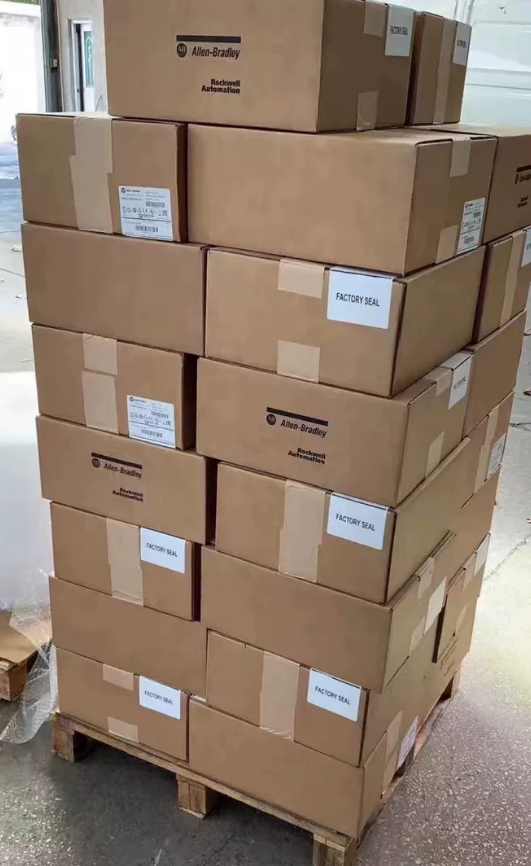

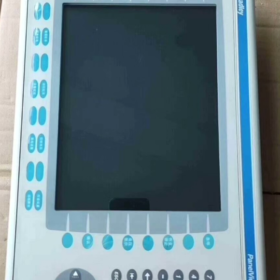
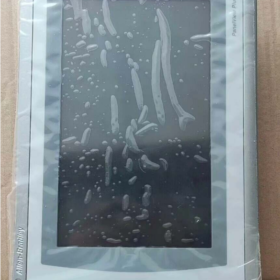
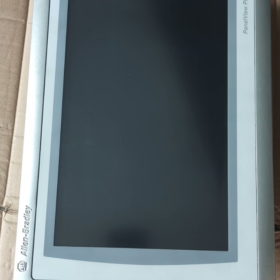
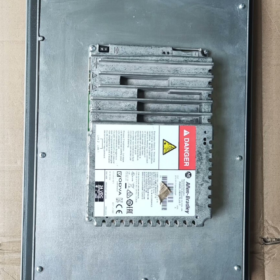
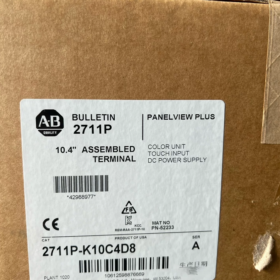
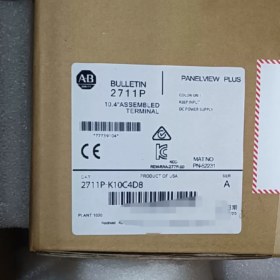
- Model Number Breakdown
| Code Segment | Descriere | Details | Functional Impact |
| 2711P | Seria de produse | Allen‑Bradley PanelView Plus 6 HMI Series | Base platform: Windows CE 6.0 OS, supports FactoryTalk View ME software |
| K | Input Type | Keypad + Color Display | 32 function keys (F1‑F16, K1‑K16) + numeric keypad + arrow keys; suitable for harsh industrial environments |
| 10 | Screen Size | 10.4‑inch color display | Resolution 640×480 pixels, provides clear process visualization |
| C | Power Type | DC Power | Input voltage range 18–32 VDC (nominal 24 VDC), for industrial DC power systems |
| 4 | Memory Configuration | 512 MB RAM | Supports medium‑complexity HMI applications, stores multi‑screen graphics and historical data |
| D8 | Communication Configuration | Standard communication interface package | 1× Ethernet (EtherNet/IP), 1× RS‑232, 2× USB Host ports |
Full Model Definition: Allen-Bradley PanelView Plus 6 10.4-inch Keypad-Only Color HMI, 512 MB RAM, DC power, standard communications.
Discontinued: September 30, 2022.
- Core Technical Specifications
2.1 Basic Specifications
| Articol | Valoare | Note |
| Product Type | Industrial Human‑Machine Interface (HMI) | PanelView Plus 6 Standard Series (not Compact) |
| Display | 10.4‑inch color TFT, 640×480 | 300 cd/m², 500:1 contrast, viewing angle 140°(H)/120°(V) |
| Input Method | Physical keypad (32 function keys + numeric keypad) | No touchscreen; ideal for oil, praf, glove‑use environments |
| Processor | 32‑bit RISC processor | Ensures fast response and complex graphics rendering |
| Memory | 512 MB RAM, 1 GB Flash | Supports data logging and application storage; expandable via CF card |
| Power Requirements | 18–32 VDC (nominal 24 VDC), max. 20 W | Low power design, compatible with industrial power systems |
| Ingress Protection | Front IP65, rear IP20 | Front dust‑tight & water‑tight, suitable for washdown areas |
| Dimensiuni & Greutate | 230 mm × 180 mm × 42 mm, aproximativ. 3.9 kg | Standard cutout, easy panel mounting |
| Temperatura de operare | 0 ~ +55 °C (operating), ‑20 ~ +70 °C (storage) | Wide temperature range for most industrial environments |
| Certificari | UL 508, CE, CSA C22.2 No.213 | Complies with international industrial safety standards |
2.2 Communication Capabilities (D8 Configuration)
| Interface | Qty | Supported Protocols | Application |
| Ethernet | 1 | EtherNet/IP, Modbus TCP | PLC communication, data acquisition, monitorizare de la distanță |
| RS‑232 | 1 | DF1, DH‑485, Modbus RTU | Legacy PLCs, third‑party devices |
| USB Host | 2 | USB 2.0 | Data backup, program transfer, mouse/keyboard |
| Expansion Port | 1 | Optional communication modules | PROFIBUS, DeviceNet, etc. |
- Applications & Selection Guide
3.1 Typical Industries
| Industry | Applications | Avantaje | Examples |
| Automotive | Line control, equipment monitoring | Keypad resistant to oil; stable PLC communication | Welding robots, assembly lines, quality inspection |
| Food & Beverage | Filling, packaging, pasteurization | IP65 front, washdown‑safe, data logging | Batching systems, temperature/pressure monitoring |
| Petrochemical | Pump/valve control, pipeline monitoring | Wide temp, vibration‑resistant, outdoor/harsh areas | Tank level, compresoare, pressure regulation |
| Power & Energy | Substation monitoring, generation control | Stable comms, data logging for analysis | Generator monitoring, transformer management |
| Water Treatment | Pump stations, wastewater processes | Moisture‑resistant, clear parameter display | Pump control, pH adjustment, flow monitoring |
| Heavy Machinery | Construction, mining equipment | Vibration‑resistant keypad, rugged design | Cranes, excavators, conveyor systems |
3.2 Note de selecție
- Input Type
Keypad-only (K): ideal for gloved operators, dirty/dusty environments, fast numeric entry
For touchscreen: select “T” models (de ex., 2711P-T10C4D8)
- Memory
512 MB RAM (code 4): suitable for ≤ 50 screens, basic alarms and logging
For complex projects (> 100 screens, heavy logging): use 1 GB RAM (de ex., 2711P-K10C8D8)
- Communications
D8 covers most standard PLC applications
PROFIBUS/DeviceNet require optional modules
Remote monitoring supported via Ethernet (OPC UA)
- Instalare & Configuration
4.1 Etape de instalare
- Preparation
Panel thickness: 2–5 mm; cutout: 222 × 172 mm
M4 mounting screws
Verify 18–32 VDC power; optional power filter
- Mechanical Installation
Insert HMI into panel cutout, align front flush
Secure from rear with M4 screws, max. torque 1.5 N·m
Maintain ≥ 50 mm clearance at rear for cooling and wiring
- Electrical Connections
Power: L+ = 24 VDC positive, L– = negative, PE = protective earth
Communications:
Ethernet: CAT5e/CAT6 cable to PLC/switch
RS-232: shielded twisted pair for third-party devices
USB: flash drive for program transfer/backup
- System Setup
Create application with FactoryTalk View ME
Download project via USB or Ethernet
Configure communication to PLC
Set up alarms, data logging, security
4.2 Precauții de instalare
| Articol | Standard | Details |
| Izolație electrică | Separate power and signal wiring | Avoid EMI; use shielded cables, single‑end grounding |
| Thermal Management | Ambient ≤ 55 °C | Avoid enclosed spaces; ensure ventilation |
| Vibration Resistance | ≤ 1 g (5–500 Hz) | Use anti‑vibration mounts, separate from heavy machinery |
| Water Protection | Front IP65 | Avoid direct high‑pressure spray; maintain gaskets |
| Safety Grounding | Ground resistance ≤ 10 Oh | Reliable PE connection for safety |
- Replacement & Upgrade Options (Discontinued Unit)
Discontinued: September 30, 2022
Rockwell Automation recommended replacements:
5.1 Direct Replacements (Functional Compatibility)
| Replacement Model | Diferența cheie | Compatibilitate | Upgrade Benefits |
| 2711P‑B10C22D9P | PanelView Plus 7, 10.4″, touch + keypad | ★★★★★ | +30% performanţă, Windows Embedded Compact 7 |
| 2711P‑T10C4D8 | Same series, touch + keypad | ★★★★★ | Keypad + touch flexibility |
| 2711P‑K10C8D8 | Same series, 1 GB RAM | ★★★★★ | Supports more complex applications |
5.2 Cross-Series Upgrades
| Serie | Recommended Model | Caracteristici | Use Case |
| PanelView Plus 7 | 2711P‑B10C22D9P | Modern platform, higher performance | New projects, long‑term support |
| PanelView 5500 | 2715P‑T10C21D8 | High‑end, multi‑core, large memory | Complex applications, heavy data |
| PanelView Compact | 2711R‑T10C10 | Compact, cost‑optimized | Small machines, budget projects |
5.3 Third-Party Alternatives
| Marca | Model | Price Level | Compatibilitate |
| Weintek | MT8102iE | ~50% | ★★★☆☆ (requires project rewrite) |
| Siemens | KTP1000 Basic | ~60% | ★★★☆☆ (supports some A‑B protocols) |
| Mitsubishi | GOT2000 Series | ~70% | ★★★☆☆ (protocol adaptation required) |
- Întreţinere & Depanare
6.1 Preventive Maintenance
| Interval | Task | Standard | Note |
| Monthly | External cleaning | No oil/dust buildup on front | Use dry cloth; no corrosive cleaners |
| Quarterly | Communication test | Ethernet/RS‑232 stable | Check cables, verify data flow |
| Semi‑annually | Power check | 18–32 VDC stable | Check power supply temperature |
| Annually | System backup | Full project & data backup | Store securely |
| Every 2 ani | Function test | All keys & display normal | Verify key response, backlight brightness |
6.2 Common Faults & Soluții
Symptom Cauze posibile Priority Soluţie Keypad not responding 1. Key failure High 1. Inspect keys 2. Loose keypad connector 2. Reconnect connector 3. Firmware fault 3. Update firmware Communication lost 1. Damaged cable High 1. Replace cable 2. Wrong settings 2. Reconfigure IP/parameters 3. Network/PLC fault 3. Check PLC/switch Display abnormal 1. Backlight fault Medium 1. Adjust backlight 2. Driver error 2. Reboot HMI 3. Unstable power 3. Verify power quality System freezes 1. Insufficient memory High 1. Optimize project 2. Project error 2. Reload application 3. Hardware fault 3. Repair/replace unit
Allen-Bradley 2711P-K10C4D8 is a 10.4-inch keypad-only PanelView Plus 6 HMI.
Key strengths:
Rugged keypad for harsh, dirty, gloved-operation environments
Standard Ethernet + RS-232 + USB for broad industrial compatibility
IP65 front suitable for food, beverage, and pharma
Stable Windows CE 6.0 platform with FactoryTalk View ME support
Recommendations:
For replacement: use 2711P-B10C22D9P (PanelView Plus 7) to preserve operation
New projects: prefer PanelView Plus 7 for longer support
Budget projects: evaluate third-party alternatives with project rewrite cost
Complete Installation & Configuration Guide for 2711P-K10C4D8
At a Glance: Covers mechanical install → electrical wiring → system setup → comms → deployment → testing for PanelView Plus 6 10.4-inch keypad HMI. Highlights IP65 sealing, DC power, and D8 communications.
- Pre-Installation
1.1 Tools & Materials
| Category | Required | Recommended |
| Tools | Phillips screwdriver, level, panel cutter | Torque wrench (1.5 N·m), vibration pads |
| Electrical | 24 VDC supply (18–32 VDC, ≥20 W), shielded cable | Power filter, protector de supratensiune |
| Communications | CAT5e/CAT6, RS‑232 shielded cable | USB drive (≥4 GB), switch |
| Software | FactoryTalk View ME 6.0+, RSLinx Classic | RSLinx Enterprise, Terminal Configuration |
| Safety | Insulated gloves, goggles, ESD strap | Ground resistance meter, multimeter |
1.2 Environment Check
Operating temp: 0 ~ +55 °C; storage: -20 ~ +70 °C; no direct sunlight
Umiditate: 10–90% non-condensing
Vibration: ≤ 1 g (5–500 Hz)
Front IP65, rear IP20; sealed enclosure recommended
Clearance: top ≥51 mm, bottom ≥102 mm, sides ≥25 mm
- Mechanical Installation (PanelView Plus 6 1000)
2.1 Cutout Dimensions
| Parametru | Valoare | Tolerance | Note |
| Cutout | 222 mm (W) × 172 mm (H) | ±0.5 mm | Standard 10.4‑inch HMI cutout |
| Panel Thickness | 2–5 mm | — | Affects sealing and clamping |
| Corner Radius | ≥ 2 mm | — | Prevents gasket damage |
2.2 Mounting (Critical for IP65)
- Gasket Preparation
Inspect front gasket for damage
Ensure gasket is seated correctly
Install keypad overlay before mounting if used
- Fixing
Insert HMI into cutout, press evenly
Install 4 mounting clamps (supplied)
Engage clamps until “click”
Verify unit is tight, level, and gasket compressed uniformly
- Final Check
Unit secure, no wobble
Front flush with panel
Rear clearance ≥ 50 mm
- Electrical Connections (DC Power & Împământare)
3.1 Power Terminals (18–32 VDC)
| Terminal | Label | Requirement | Safety |
| Positive | L+ | 24 VDC positive, ≥1.5 mm² | Polarity must not be reversed |
| Negative | L– | 24 VDC negative, ≥1.5 mm² | Complete circuit |
| Earth | PE | Protective earth, ≥2.5 mm² | Ground resistance ≤ 10 Oh |
Procedure:
- Power off before wiring
- Strip insulation ~6 mm
- Connect PE first, then L–, then L+
- Torque: 0.8–1.0 N·m
- Secure cables to avoid tension
3.2 Communication Wiring (D8)
| Interface | Qty | Cablaj | Application |
| Ethernet | 1 | CAT5e/CAT6 shielded, RJ45 | PLC comms, data acquisition |
| RS‑232 | 1 | 3‑wire shielded (TX/RX/GND) | Legacy/third‑party devices |
| USB Host | 2 | USB 2.0 | Program transfer, backup |
| Expansiune | 1 | Optional module | PROFIBUS, DeviceNet |
Best Practices:
Separate comms and power cables ≥150 mm
Cross at 90° where necessary
Single-end grounding for shields
- System Startup & Basic Configuration
4.1 First Power-Up
- Pre-check all connections
- Apply 24 VDC
- Normal sequence: power LED → splash screen → Configuration Mode
- If no display: power off immediately and check wiring
4.2 Terminal Settings
- Enter via F4 (Terminal Settings)
- Key settings:
Display: brightness, contrast
Date/Time: sync with PLC
Startup Options: run FactoryTalk View ME application
Security: set admin password, disable desktop
- Ethernet Configuration
Set static IP, subnet, gateway
Save and reboot
Verify with ping
- Communication Setup
5.1 RSLinx Configuration
Add EtherNet/IP Driver
Set scan rate (typically 100 ms)
Browse or add PLC by IP
For legacy PLCs: configure DF1/DH-485 on RS-232
5.2 FactoryTalk Linx Mapping
Import tags from controller
Map HMI tags to PLC tags
Set update rates for critical values
Optional redundant Ethernet paths
- Application Deployment (FactoryTalk View ME)
6.1 Project Preparation
Target: 10.4-inch, keypad
Limit screens to ~50 for 512 MB RAM
Minimize complex animations
Configure data logging to Flash/CF card
6.2 Download Methods
| Method | Steps | Use Case |
| USB | Save to USB → insert HMI → Transfer → USB → Load | No network, quick commissioning |
| Ethernet | PC on same subnet → Tools → Transfer → Ethernet | Networked, remote/volume installs |
| CF Card | Write to CF → insert HMI → Transfer → CF Card | Large applications, backup |
After download:
Set as primary startup
Enable communications replacement
Save and reboot
- Verification & Testing
7.1 Hardware Tests
| Test | Method | Pass Criteria |
| Keypad | Press all keys | All respond immediately |
| Display | Visual check | Clear, no flicker/bleed |
| Communication | Ping, tag read/write | Stable, no dropouts |
| Power | Measure voltage | 18–32 VDC, ripple low |
7.2 Application Tests
Screen navigation, butoane, numeric entry
PLC read/write
Alarms trigger and acknowledge
Data logging and trend retrieval
- Post-Installation & Safety
8.1 Maintenance Schedule
| Interval | Task |
| Monthly | Clean front with dry cloth |
| Quarterly | Check communications & cables |
| Semi‑annually | Verify power quality & temperatură |
| Annually | Backup application & data |
| Every 2 ani | Full functional test |
8.2 Troubleshooting Highlights
| Symptom | Likely Cause | Fix |
| No display | Power/reversed polarity | Check L+/L–/PE |
| Keys dead | Loose connector / firmware | Reconnect / update firmware |
| Comms drop | IP / cable / switch | Verify IP, replace cable |
| Crashes | Memory / project error | Optimize project, reload |
8.3 Safety Notes
All wiring power-off
PE must be reliable
Use SELV/PELV power supplies (de ex., 1606-XLE120E)
Maintain IP65 by inspecting gaskets
- Concluzie
Installation complete when:
Mechanically secure, IP65 seal intact
24 VDC stable, properly grounded
Network and PLC communications reliable
Application runs automatically without faults
All functions tested and verified
Legacy Note:
Unit discontinued 2022-09-30. Recommended replacement: 2711P-B10C22D9P (PanelView Plus 7).

NH42-63-318x560.png "Comutatoare de transfer automat de tip PC CHINT (ATS)NH42-63/4SZ")