Контактор,автоматический выключатель,солнечный инвертор,электрический счетчик,солнечные батареи

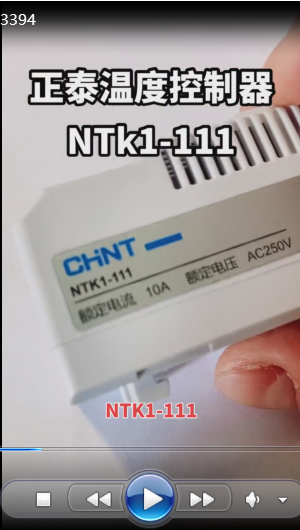

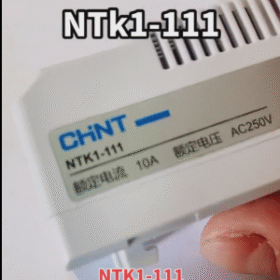
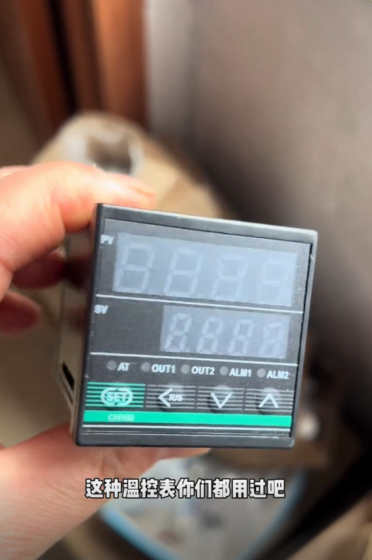
Temperature Control : It can be connected to a heater, and when the temperature reaches the set value, the circuit will be disconnected to prevent overheating; it can also be used to monitor the filter fan. When the temperature exceeds the set value, the circuit will be closed to output a signal and start the fan for heat dissipation.Chint AC Contactor
Mode Switching : It supports both manual adjustment and automatic adjustment modes, which can be flexibly switched according to actual needs. It also has a temperature memory function, which can remember commonly used temperature settings.
Remote Control and Energy Saving : It supports remote control via mobile APP, allowing users to adjust the temperature anytime and anywhere. At the same time, it has an energy-saving mode, which can automatically adjust the working state of the heater according to the ambient temperature to achieve energy conservation and emission reduction.
Технические параметрыCHINT Contactor NC1-09
Контактная емкость : 10A@250VAC, 15A@120VAC, 30WDC@(24~72)В постоянного тока.
Temperature Range : Three temperature ranges are available, namely 0℃~60℃, -10℃~50℃, and 20℃~80℃.
Contact State : Single control NO (нормально открытый), single control NC (нормально закрытый), double control NO+NC (нормально открытый + нормально закрытый).Шнайдер-MCCB-NSX250F-4P-250A
Other Parameters : The ambient temperature is -20℃~80℃; the relative atmospheric humidity does not exceed 50% when the ambient air temperature is +40℃, and higher relative humidity is allowed at lower temperatures, such as up to 90% at +20℃; the pollution degree is level 2; the installation category is Ⅱ and Ⅲ; the switching temperature tolerance is ±7K.
Installation and Use
Условия установки : It is installed using TH35-7.5 type mounting rail, and the inclination of the mounting surface from the vertical plane does not exceed 5°.
Способ подключения : Single control (Северная Каролина) can be connected to the heater, single control (НЕТ) can be connected to the fan, and double control (NO+NC) can be connected to both the heater and the fan to achieve more complex control functions.
Сценарии примененияЦена автоматических выключателей Schneider
Household Scenarios : It can be used to control household appliances such as electric heaters and air conditioners to keep the indoor temperature comfortable. It can also be remotely controlled through a mobile APP to adjust the indoor temperature in advance before returning home.
Промышленная область : It is suitable for various industrial equipment that requires temperature control, such as industrial ovens, heating furnaces, control cabinets, и т. д., to ensure that the equipment operates within the normal temperature range and improve the stability and service life of the equipment.
Commercial Places : Such as air conditioning systems and ventilation systems in shopping malls, гостиницы, офисные здания, и т. д.. The NTK1-111 temperature controller can achieve precise temperature control, providing a comfortable environment for customers and employees.
Chint temperature controllers (represented by the NTK1 series, including NTK1-111) may have some common faults during use. The following are specific fault phenomena, possible causes and solutions:
- Abnormal temperature display (such as inaccurate display, jumping or no display)
Fault Phenomena :
– The displayed temperature deviates greatly from the actual ambient temperature;
– The displayed value jumps frequently;
– There is no display on the screen at all.
Возможные причины :
- Poor contact or damage of the temperature sensor;
- Loose internal wiring or falling off solder joints of the controller;
- Unstable or disconnected power supply voltage;
- Fault of the display screen itself.
Решения :
- Check whether the sensor wiring is firm, re-plug or replace the sensor (need to match the same model and specification);
- After power off, open the controller shell, check the internal wiring connection, and tighten the loose terminals;
- Use a multimeter to measure whether the power supply voltage is within the rated range (such as AC220V) to ensure normal power supply;
- If the above steps are ineffective, it may be a display screen fault, and you need to contact after-sales service to replace the controller.
- Failure to control the load normally (such as the fan/heater not starting or stopping)
Fault Phenomena :
– When the set temperature is reached, the load (fan/heater) does not start or stop as expected;
– The load runs all the time or does not run at all.
Возможные причины :
- Incorrect setting of temperature parameters (such as the set value is reversed from the actual demand);
- Adhesion or damage of the output contacts (реле);
- Open circuit or short circuit of the load line;
- Fault of the internal control chip of the controller.
Решения :
- Re-check and adjust the set temperature (refer to the operation steps in the manual), and confirm whether the “normally open/normally closed” mode matches the load (such as the fan is connected to NO, and the heater is connected to NC);
- After power off, use a multimeter to measure the on-off state of the output terminals. If the contacts are stuck (always on or off), the relay or controller needs to be replaced;
- Check whether the load (fan/heater) line is broken or short-circuited, repair the line or replace the load;
- If the above steps are ineffective, it may be a fault of the control chip, contact after-sales service for maintenance or replacement.
- Frequent tripping or burning of the controller
Fault Phenomena :
– Frequent triggering of leakage protection or air switch tripping after being connected to the circuit;
– The controller shell becomes hot, smokes or burns.
Возможные причины :
- The load power exceeds the rated capacity of the controller (such as NTK1-111 is rated at 10A@250VAC, and overloading is easy to burn);
- Incorrect wiring (such as live wire and neutral wire reversed, короткое замыкание);
- Too high ambient temperature (exceeding the upper limit of the controller’s working environment of 80℃);
- Quality problems of the controller itself (such as internal short circuit).
Решения :
- Confirm whether the load power is within the rated range of the controller. If overloaded, replace it with a controller with larger capacity or add an intermediate relay;
- Re-check the wiring according to the manual to ensure that the live wire, neutral wire and load wire are connected correctly without short circuit;
- Improve the ventilation and heat dissipation of the installation environment, and avoid the controller being in a high-temperature environment for a long time (such as keeping away from heat sources);
- If the above factors are excluded, it may be a product quality problem, and you can contact after-sales service for return or exchange within the warranty period.
- Key failure or inability to save parameters
Fault Phenomena :
– No response when pressing the adjustment key;
– After setting parameters and powering off and restarting, the parameters return to default values.
Возможные причины :
- The key surface is stained or oxidized;
- The internal battery (if with memory function) is dead;
- Fault of the memory chip.
Решения :
- Wipe the key surface with a dry cloth. If it still fails, the key may be oxidized internally and needs to be disassembled for cleaning or replaced;
- Some models rely on built-in batteries to save parameters. If the parameters cannot be saved, the same type of battery can be replaced (needs to be operated by professionals);
- If it is a fault of the memory chip, contact after-sales service for maintenance or replacement of the controller.
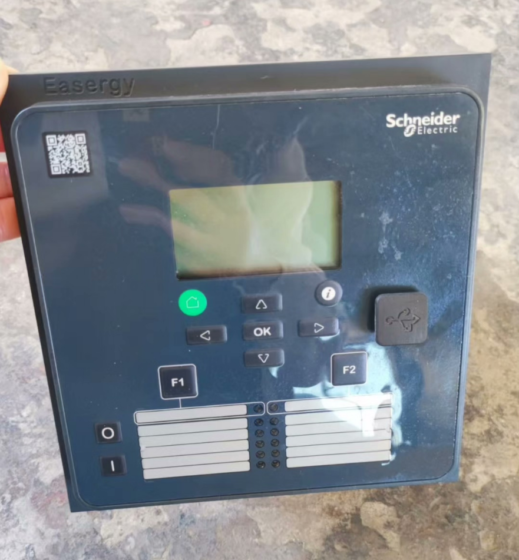
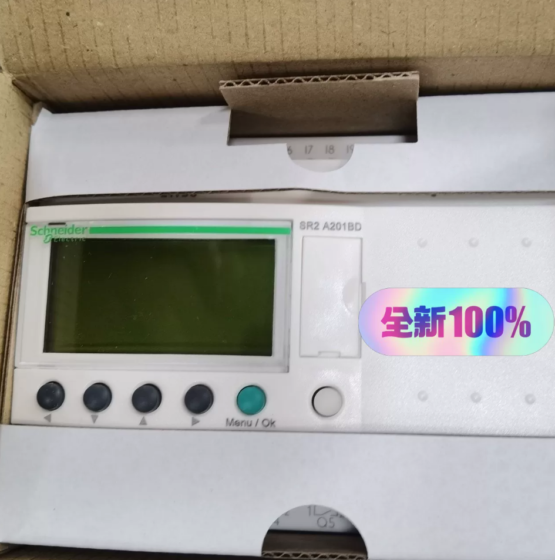


NH42-63-318x560.png "Автоматические переключатели резерва типа PC CHINT (АТС)НХ42-63/4СЗ")