 المقاولين,قاطع الدائرة,العاكس للطاقة الشمسية,عداد كهرباء,البطاريات الشمسية

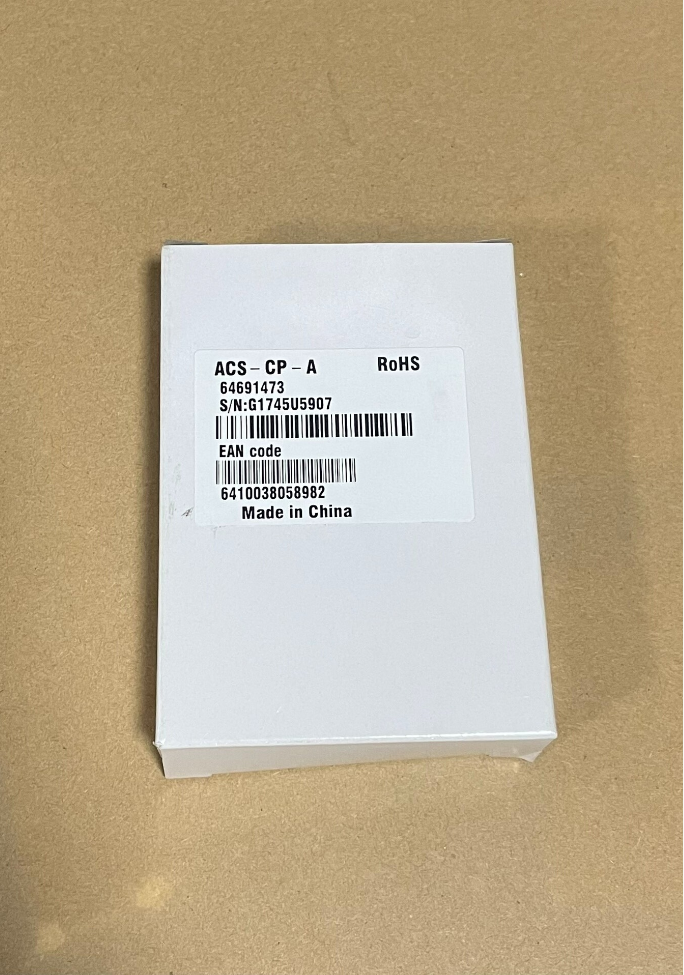

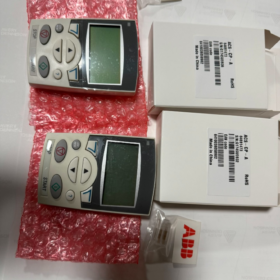
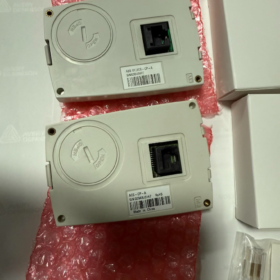
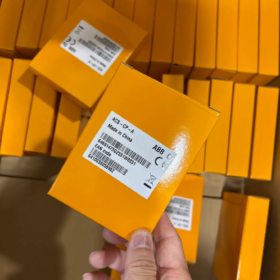
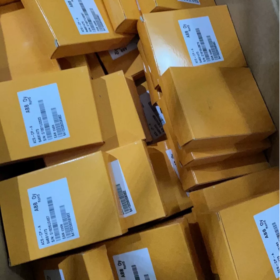
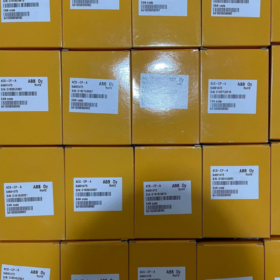
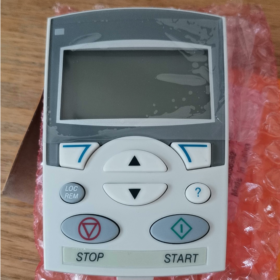
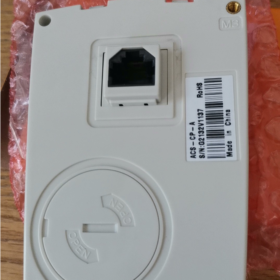
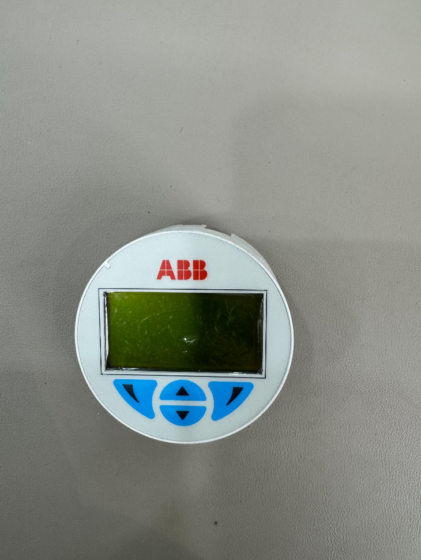
ال ايه بي بي ACS-CP-A is an assistant LCD control panel designed for ABB general low-voltage محولات التردد (Original part number: 64691473), serving as an original accessory for ACS310, ACS350, ACS355 and ACS550 series drives. Equipped with a multi-line backlit LCD screen, it supports Chinese menu and multi-language switching. It also features built-in commissioning wizards, real-time clock and help functions, along with core capabilities including parameter upload, download, batch copying, backup, restoration and detailed fault inquiry.
The panel is powered directly by the frequency converter without an external power supply. It can be mounted on the drive via clips or installed remotely on cabinet panels with extension cables. It is widely used for on-site commissioning, local start/stop control, operation monitoring, batch parameter configuration and fault diagnosis, suitable for standard industrial applications such as fans, مضخات المياه, HVAC and general transmission equipment. It is not compatible with high-end heavy-duty series including ACS580 and ACS880.
- المواصفات الفنية
| فئة | غرض | وصف |
| المعلومات الأساسية | نموذج المنتج | ACS-CP-A (Assistant Control Panel) |
| Original Part Number | 64691473 | |
| نماذج متوافقة | Full range of ABB ACS310, ACS350, ACS355 and ACS550 frequency converters | |
| عرض & عملية | شاشة العرض | Multi-line alphanumeric LCD with backlight |
| Keypad Layout | 8 keys (navigation, start/stop, direction and help keys) | |
| الوظائف الأساسية | Multi-language support (including Chinese), commissioning wizard, ساعة في الوقت الحقيقي, parameter copying/backup/restoration, detailed fault display, help information | |
| مزود الطاقة & تصاعد | مزود الطاقة | Powered by the frequency converter interface, no external power required |
| طريقة التركيب | Clip-on installation on the drive, cutout mounting on control cabinet (remote operation with extension cables supported) | |
| بيئة & حماية | حماية الدخول | Front panel: IP54 |
| درجة حرارة التشغيل | -10درجه مئوية ~ +50 درجه مئوية | |
| الخصائص الفيزيائية | أبعاد / وزن | 20×70×102 mm, تقريبا. 0.15 كجم |
| شهادة | الموافقات | م, أول, طريق مسدود |
- Cross-brand Equivalents
Alternatives with identical positioning and functions available on the market:
| ماركة | النموذج المعادل | سلسلة قابلة للتطبيق | الوظائف الأساسية |
| شنايدر | VW3A1101 | ATV312/320/61/71 Series | Text display, parameter copying, fault inquiry, commissioning wizard |
| سيمنز | BOP-2 (6SL3055-0AA00-4CA5) | G110/G120 General Frequency Converters | Multi-line display, معلمة القراءة/الكتابة, تشخيص الخطأ, local control |
| ميتسوبيشي | FR-DU07 | FR-D740/E740/F740 Series | إعداد المعلمة, operation monitoring, fault code check |
| ابتكار | MDKE | MD380/MD500 General Frequency Converters | Parameter copying, commissioning wizard, status monitoring |
- Full Product List of the Series
Complete lineup of control panels for ABB general frequency converters (أساسي / متقدم / Wireless):
- ACS-CP-C: Basic model with single-line numeric display. Supports simple parameter setting and basic fault checking. Cost-effective with streamlined functions.
- ACS-CP-A: Advanced assistant panel (Subject model). Equipped with multi-line backlit LCD, Chinese menu, commissioning wizard, parameter copying and real-time clock. Full set of functions.
- ACS-AP-W: Bluetooth wireless panel. Enables wireless commissioning and monitoring via mobile APP, ideal for wireless on-site maintenance.
- بيئة التشغيل & استكشاف الأخطاء وإصلاحها
5.1 Applicable Environment
Regular indoor industrial sites: ورش العمل, water treatment systems, أنظمة التدفئة والتهوية وتكييف الهواء, أتمتة البناء, general production lines, إلخ.
Enclosed installation inside power distribution cabinets and control cabinets, free from severe vibration and strong electromagnetic interference.
Batch commissioning scenarios: batch copying, backup and restoration of parameters for multiple identical frequency converters.
Operation and maintenance sites requiring local start/stop control and real-time viewing of frequency, current and fault details.
5.2 Restricted Environment
Extreme temperature: Long-term operation below -10℃ or above +50℃ is prohibited.
Areas with heavy corrosion, excessive dust, رطوبة عالية, water immersion or explosion hazards.
Sites with intense electromagnetic radiation and severe vibration or impact, which may cause display errors and communication failures.
Incompatible with high-end heavy-duty frequency converters such as ACS580 and ACS880.
5.3 الأخطاء الشائعة & الحلول
| ظاهرة الخلل | الأسباب المحتملة | الحلول |
| لا يوجد عرض / Black screen | 1. The frequency converter is powered off; 2. Loose or poor contact of interface; 3. Damaged extension cable; 4. Hardware failure of the panel | 1. Check the main power supply of the frequency converter; 2. Reconnect and fasten the clips; 3. Replace the cable for testing; 4. Install a new panel for fault diagnosis |
| Normal display but unable to control the converter | 1. Control source is locked to remote/PLC mode; 2. Parameter access authority is locked; 3. فشل الاتصالات | 1. Switch the control source to “Local Panel” via parameters; 2. Unlock parameter access authority; 3. Reconnect the interface and restart the converter |
| Failed parameter copying / Read-write error | 1. Inconsistent firmware versions between two converters; 2. Parameters are encrypted and locked; 3. التواصل غير المستقر | 1. Unify the firmware versions; 2. Remove encryption protection; 3. Eliminate interference and retry copying |
| Flickering screen / Garbled characters | 1. Severe on-site electromagnetic interference; 2. Unstable power supply; 3. Panel aging | 1. Keep away from power cables and implement shielding & التأريض; 2. Restart the device to restore power supply; 3. Replace with a new panel |
| Chinese menu unavailable | 1. Language parameter is not configured; 2. Outdated firmware does not support Chinese | 1. Manually switch to Chinese in panel settings; 2. Upgrade the matching firmware of the frequency converter |



NH42-63-318x560.png "مفاتيح النقل التلقائي من نوع الكمبيوتر الشخصي CHINT (المنشطات الأمفيتامينية)NH42-63/4SZ")



