contactor,cortacircuitos,inversor solar,medidor electrico,baterias solares

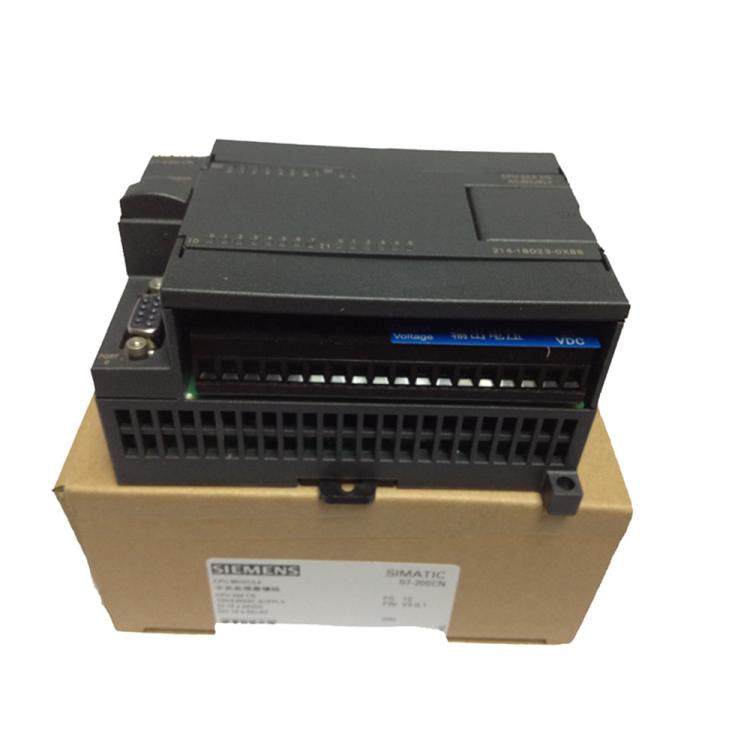

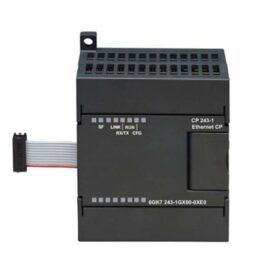
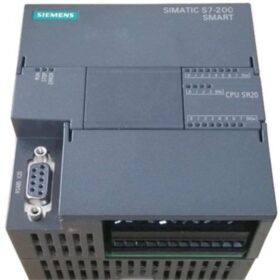

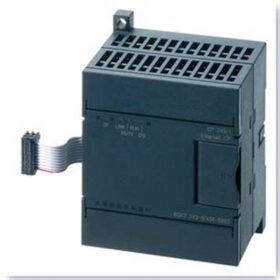
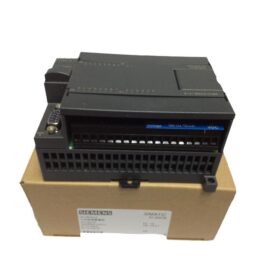
El Siemens 6ES72350KD220XA0 is an analog input/output module specifically designed for the S7200 series PLC, suitable for scenarios in industrial automation systems that require highprecision analog signal acquisition and control. El siguiente es un análisis detallado de aspectos como los parámetros técnicos., características funcionales, escenarios de aplicación, and purchase suggestions:
- Parámetros técnicos básicos
- Signal TypeMódulo Siemens 6ES72315QA300XB0
Input Channel: 4 analog input (AI) canales, supporting ±10V DC voltage signals, with a resolution of 12 bits and an accuracy of ±0.5% FS (Full Scale).
Output Channel: 1 salida analógica (HACIA) canal, supporting ±10V DC voltage signals, with a resolution of 12 bits.
- Power Supply Requirements6ES71425AF000BA0 Siemens
24V DC power supply (the module’s own power consumption is approximately 30mA).
- Interfaz de comunicaciónServomotor Siemens 1FL60342AF211LH1
Directly connected to the CPU module through the bus interface (cable plano) of the S7200 PLC, without the need for additional communication protocol configuration.
- Características físicasConvertidor Siemens 6SE64402UD420GA1
Dimensiones: 14.4×22.0×12.3cm, with a weight of approximately 0.33kg, suitable for compact installation environments.
- Certificación y CumplimientoInversor Siemens V20 15KW del Modelo 6SL32105BE315UV0
Complies with CE certification, and some suppliers mention 3C certification (the specific model needs to be confirmed).
- Functional Characteristics and Application Scenarios
- Características funcionalesConvertidores de chint (NVF2G18.5/TS4 or NVF2G18.5/PS4
Highprecision Conversion: A 12bit resolution ensures accurate acquisition and output of analog signals, suitable for monitoring and control of continuous variables such as temperature, presión, and flow.
Configuración flexibleInversor AB 25BD043N114
The input channels can select the range (such as ±5V, ±10V) through DIP switches.
The output channels support directly driving actuators (such as regulating valves, frequency converters) with voltage signals.
Antiinterference Design: Builtin filter circuit to reduce electromagnetic interference (EMI) in industrial environments.
Diagnóstico de fallas: Quickly locate module anomalies through LED indicators (such as the SF fault light).
- Escenarios de aplicación típicos
Automatización Industrial
Closedloop temperature control of production lines (such as injection molding machines, reactors).
Pressure monitoring and regulation of hydraulic systems.
Control de procesos
Liquid level and pH value monitoring and control of pumps and valves in water treatment plants.
Collection of electrical parameters (such as voltage, actual) in energy management systems.
Equipo experimental
Laboratory data collection (such as sensor signal recording).
III. Installation and Configuration Guide
- Hardware Installation
Conexión del módulo
Directly insert the EM235 module into the expansion slot of the S7200 PLC, and connect it to the CPU module through a flat cable (como CPU224, CPU226).
Ensure that the wiring is firm to avoid signal interference or module damage caused by looseness.
Cableado de señal
Entrada analógica
Voltage signal: Connect the sensor output (such as ±10V) to the AI channel, and ground the shielding wire at one end.
Current signal: An external 250Ω resistor is required (such as converting 420mA to 15V).
Salida analógica
Directly connect to the actuator (such as the AI terminal of the frequency converter), and avoid longdistance wiring.
Power Supply Connection
The 24V DC power supply needs to be independently powered, and avoid sharing the ground with the power supply for power devices.
- Software Configuration (Taking STEP 7Micro/WIN as an Example)
- Channel Definition
Configure the type (voltage/current) and range of the analog channels in the PLC programming software.
Ejemplo: Set AIW0 as a ±10V input and AQW0 as a ±10V output.
- Data Processing
Convert the analog value (such as AIW0) to engineering quantities (such as temperature, presión) through the MOV instruction.
Ejemplo:
- Output Control
Send the analog value to the actuator through AQW0.
- Compra y soluciones alternativas
- Market Status
Supply Situation: This model has been discontinued (discontinued in October 2017), and is currently supplied as spare parts with limited inventory.
Gama de precios
Brand new original: Consult wa: 8613811255435 (there are large differences among different channels).
- Modelos alternativos
Reemplazo directo
6ES72350KD220XA8 (versión CN): Tiene exactamente las mismas funciones que el modelo original., soporta el entorno de programación chino, y se puede reemplazar directamente.
Upgraded Replacement
Analog modules of the S71200 series (como SM 1234)
Supports more channels (such as 8AI/2AO), higher resolution (16 bits), y es compatible con el entorno de programación TIA Portal.
Requires replacing the CPU and programming software, suitable for new projects or system upgrades.
- Solución de problemas y mantenimiento
- Fallos comunes y soluciones
No Signal Input
Check the power supply of the sensor, wiring, and range settings.
Test whether there is voltage in the AI channel (measure between AIx and AGND with a multimeter).
Abnormal Output
Confirm whether the power supply and wiring of the actuator are correct.
Check whether the output value of AQW0 is within a reasonable range (como 032000 corresponding to ±10V).
- Mantenimiento a largo plazo
Regularly clean the dust on the surface of the module to ensure good heat dissipation.
Compruebe si los terminales del cableado están sueltos para evitar un mal contacto..
If using a secondhand module, it is recommended to conduct functional tests (such as calibrating input and output).
The installation of the Siemens 6ES72350KD220XA0 module (EM235) needs to combine hardware connection and software configuration. The following are detailed steps and precautions:
- Hardware Installation: Physical Connection and Wiring Specifications
- Module Fixing and Expansion Connection
Installation Environment Requirements
Install vertically in the control cabinet and avoid horizontal placement, which may affect heat dissipation.
Reserve at least 50mm of heat dissipation space and keep away from strong interference sources such as frequency converters and transformers.
DIN Rail Installation Steps (Reference)
- CPU Installation
Open the DIN clamp at the bottom of the CPU, snap it onto the rail, and push the clamp back to lock it.
- Expansion Module Installation
Remove the bus connector cover on the right side of the CPU (gently pry it with a screwdriver).
Pull out the clamp at the bottom of the EM235 module, hang it on the rail, and slide it to the left until the bus connector is fully engaged with the CPU.
Push the clamp back, y un “hacer clic” sound indicates that the installation is in place.
Panel Installation
Fix it through the installation holes at the top and bottom of the module using M4 screws, and ensure that the screw torque is moderate (approximately 0.5N·m).
- Cableado del circuito principal
Power Supply Connection
24V DC Input: Connect the positive pole (L+) of the external 24V power supply to the `L+` terminal of the module, and connect the negative pole (METRO) to the `M` terminal.
Nota: The power supply needs to be independently powered, and avoid sharing the ground with the power supply for power devices.
Entrada analógica (AI) Alambrado (Reference)
Voltage Signal (±10V)
Twowire system: The sensor needs an external 24V power supply, connect the positive pole of the signal to `AIx+`, and the negative pole to `AIx`.
Current Signal (420mamá)
- Medidas antiinterferencias
Blindaje y puesta a tierra (Reference)
Use a doubletwisted shielded wire for the signal cable, and ground the shielding layer at one end through the grounding terminal (educación física) on the module side.
Establecer un cuerpo equipotencial: Conecte el marco metálico del gabinete de control., el terminal PE del módulo, and the grounding end of the sensor through a copper busbar, and the grounding resistance < 10Ω.
Especificaciones de cableado
Lay the analog signal wires separately from the power wires (with a spacing > 30centímetro), and avoid parallel routing.
Para señales de larga distancia (>50metro), Es necesario instalar un aislador de señal..
- Software Configuration: Parameter Setting and Programming Implementation
- Configuración de hardware e inicialización de parámetros
DIP Switch Setting (Reference)
Configure the input range (such as setting SW1SW3 to `ON` to select ±10V) through the 8bit DIP switch on the side of the module.
If the module is installed in the first expansion slot on the right side of the CPU, the address remains the default; if it is installed in other positions, it needs to be manually allocated in the programming software.
- Implementación de programación (Taking STEP 7Micro/WIN as an Example)
Reading Analog Input
Writing Analog Output
Analog Filtering
Enable the filtering function in the “System Block”, and set the number of samples (como 8 veces) and the dead zone (such as ±5%).
- Pruebas de función y calibración
Prueba sin carga
Disconnect the load, force the output of a fixed value through the programming software (such as AQW0 = 16000 corresponding to 5V), and measure whether the output terminal is normal with a multimeter.
Prueba de carga
Connect the actuator, gradually adjust the output value, and observe whether the device runs smoothly.
Calibration
If high precision is required, a highprecision signal source needs to be used for calibration (such as when the input is 5V, the module should output 16000).
III. Precautions and Common Problem Troubleshooting
- Operación segura
Poweroff Operation: Before installing or removing the module, cut off the power supply of the PLC and all related devices, and wait for 5 minutos (to ensure that the capacitor is discharged).
Inspección de cableado
Check the power supply voltage, signal polarity, and whether the wiring is loose with a multimeter before powering on.
- Solución de problemas de fallas
| Fenómeno | Posibles razones | Soluciones |
| The SF light of the module is on | Error de cableado, signal overrange, or module failure | comprobar el cableado, restablecer el interruptor DIP, y reemplace el módulo |
| Abnormal output (such as jumping) | Interference, poor grounding, or programming error | Optimize the wiring, check the grounding, and debug the program |
| No response to input | Sensor failure, incorrect range setting, or channel not enabled | Test the sensor, confirm the DIP switch, and check the program logic |
- Soluciones alternativas y sugerencias de actualización
Reemplazo directo
6ES72350KD220XA8 (versión CN): It has the same functions as the original model, soporta el entorno de programación chino, y se puede reemplazar directamente.
Upgraded Replacement
SM 1234 module of the S71200 series: Supports more channels (such as 8AI/2AO), higher resolution (16 bits), and is compatible with TIA Portal programming, but requires replacing the CPU and software.
The installation of the EM235 module needs to strictly follow the principles of “conexión de hardware confiable, configuración de software precisa, and optimized antiinterference in the environment”. Through reasonable grounding, wiring, and parameter setting, highprecision transmission of analog signals can be ensured. For systems in longterm operation, it is recommended to regularly check the wiring terminals and the status of the module, and perform functional calibration when necessary to maintain the stability of the equipment. If higher performance or extended functions are required, it is preferred to upgrade to the S71200/1500 series.
The Siemens 6ES72350KD220XA0 is a classic analog module. Although it has been discontinued, due to its high costeffectiveness and stability, it is still widely used in the field of industrial automation. For new projects, it is recommended to give priority to upgrading to the S71200 series; for the maintenance of existing systems, attention should be paid to the supply situation of spare parts and compatibility. Al comprar, be sure to choose a reliable channel and reserve enough testing time to ensure the normal operation of the module.



NH42-63-318x560.png "Interruptores de transferencia automática tipo PC CHINT (ATS)NH42-63/4SZ")