 コンタクタ,サーキットブレーカー,センサー,エンコーダ,PLC,コンバータ

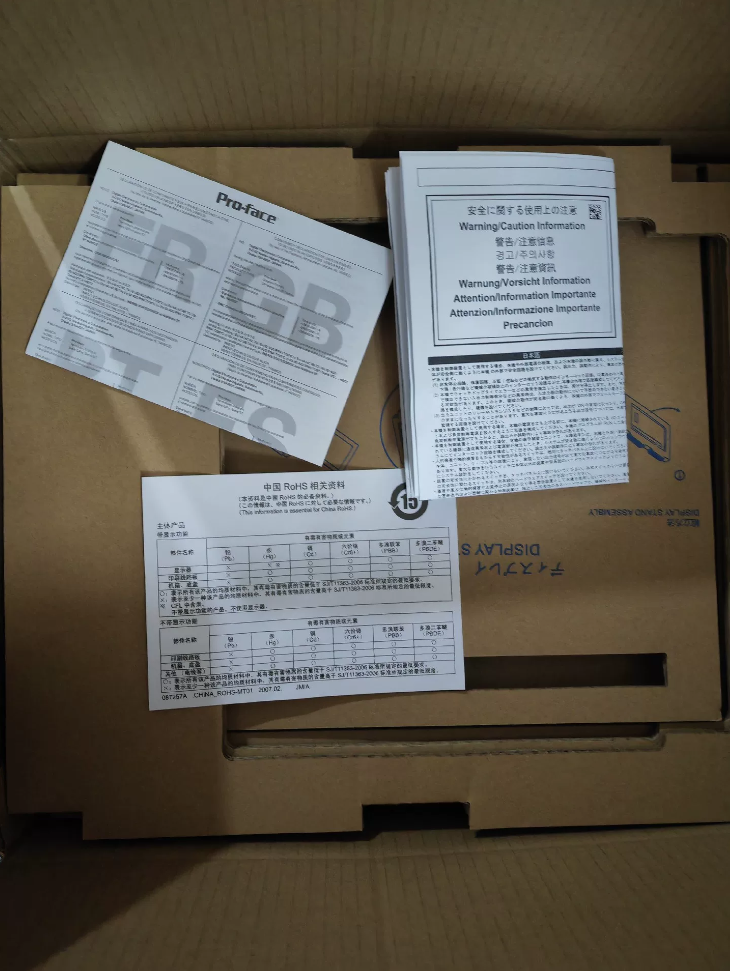

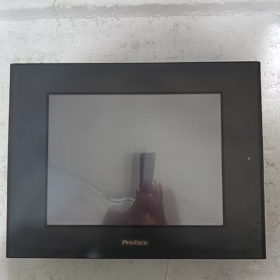
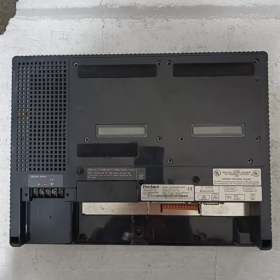
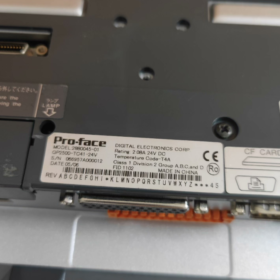
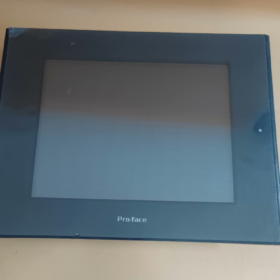
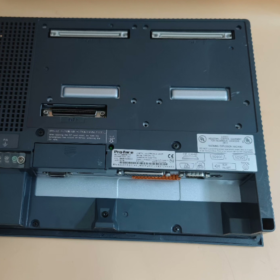
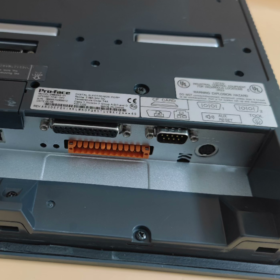
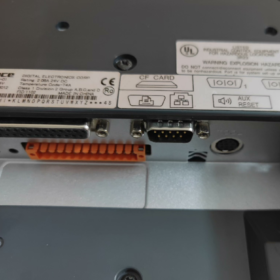
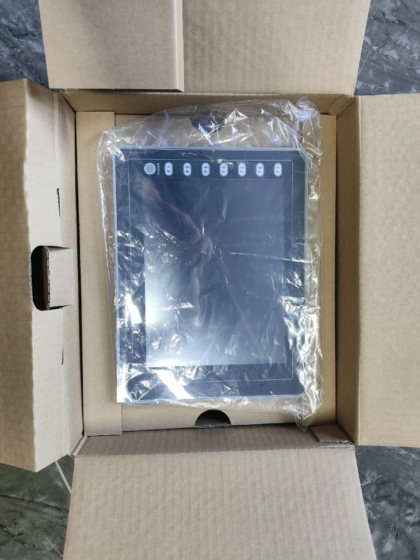
GP2500-TC41-24V (部品番号: PFXGP2500TD) is a 10.4-inch TFT color HMI of Pro-face GP2000 Series. 12月に廃止になった 28, 2012, アフターメンテナンスは3月で終了 29, 2019. 公式に推奨される代替品は GP4501T シリーズです (PFXGP4501TAD / PFXGP4501TMD). Featuring 640×480 resolution, 256-color display, イーサネット + dual serial ports and IP65f protection, it is ideal for industrial automation control and monitoring systems.
- モデルコードの定義
| コードセグメント | 説明 |
| GP | Product line code for Pro-face general-purpose HMI |
| 2500 | Series code for 10.4-inch display models |
| TC | 表示タイプ & 構成: T = TFT color LCD, C = Built-in Ethernet port |
| 41 | 電源 & 関数: 4 = DC24V power supply, 1 = Standard configuration |
| 24V | 定格入力電圧: DC24V |
| 部品番号. | PFXGP2500TD (公式固有の部品番号) |
| 代替機種 | GP4501T Series (PFXGP4501TAD / PFXGP4501TMD) |
| 中止 & Maintenance End Date | 製造中止: 2012/12/28; Maintenance terminated: 2019/03/29 |
- 主要な技術仕様
| カテゴリ | 仕様 |
| Display Features | |
| 画面サイズ | 10.4 inches (対角線) |
| 表示タイプ | TFT Color LCD |
| 解決 | 640×480ピクセル (VGA) |
| Display Colors | 256 色 (non-flickering) / 64 色 (3-level flicker, software controlled) |
| バックライト | CCFL (寿命: 以上 50,000 hours continuous operation) |
| Brightness Adjustment | 4 levels (controlled via touch panel) |
| Active Display Area | 211.2(W) × 158.4(H) mm |
| メモリ & ストレージ | |
| Application Memory | 4MB FLASH EPROM |
| Data Backup Memory | 256KB SRAM (Battery-backed) |
| Lithium Battery Service Life | 10 年 (Ambient temp. <40℃), 4.1 年 (<50℃), 1.5 年 (<60℃) |
| Data Retention Time | 約. 60 日 (fully charged), 約. 6 日 (half charged) |
| Touch Panel | |
| タイプ | アナログ抵抗膜タッチ |
| Touch Resolution | 32×24 touch points; サポートします 1 or 2-point touch |
| インターフェース仕様 | |
| Main Serial Port | RS-232C/RS-422, 2400~115.2kbps; マックス. 187.5Kbps (for S7 MPI) |
| Expansion Serial Port | RS-232C, 2400~38400bps |
| Network Port | IEEE802.3, 10BASE-T Ethernet |
| CF Card Slot | 1 スロット (Supports 16MB / 32MB CF card) |
| Audio Output | Mono, 70mW (8おお); Line Out: 2.7Vp-p (10kΩ) |
| AUX I/O | 1 × Remote reset input, 3 × Output (走る / System Alarm / External Buzzer) |
| Printer Port | Compatible with NEC PC-PR201/PL, EPSON ESC/P and other printers |
| 電気的特性 | |
| 定格入力電圧 | DC24V (範囲: 19.2~28.8V) |
| 消費電力 | ≤50W |
| Allowable Voltage Drop | ≤10ms |
| 耐電圧 | AC1000V, 20ミリアンペア, 1 分 (Between power terminal and FG terminal) |
| 絶縁抵抗 | ≧20MΩ (DC500V, between power terminal and FG terminal) |
| 機械式 & 環境特性 | |
| 取付タイプ | Panel flush mounting |
| 保護等級 | IP65f (per JEM1030), ありません 250 TYPE 4X/12 |
| 全体の寸法 | 317(W) × 243(H) × 58(D) mm |
| 重さ | ≤1.2kg |
| 動作温度 | 0~50℃ |
| 保管温度 | -20~60℃ |
| 動作湿度 | 10~90%RH (結露なし, Wet-bulb temperature ≤39℃) |
| 耐振動性 | Compliant with IEC61131-2 |
| Noise Immunity | 1000Vp-p pulse (1μs pulse width, 1ns rise time) |
| ESD保護 | 6kV (IEC準拠 61000-4-2 レベル 3) |
- クロスブランド & 新旧モデル置換え一覧表
3.1 メーカー純正交換品
| 旧モデル | 状態 | 代替機種 | 部品番号. | 主な違い |
| GP2500-TC41-24V | 製造中止 & Maintenance Terminated | GP4501T-ADW | PFXGP4501TADW | Identical panel cutout; No 2-point touch support; 直流電源 |
| GP2500-TC41-24V | 製造中止 & Maintenance Terminated | GP4501T-MD | PFXGP4501TMD | Different panel cutout (Accessory CA4-ATM10-01 required); Supports 2-point touch; 直流電源 |
| GP2500-TC41-24V | 製造中止 & Maintenance Terminated | SP5600TPD+SP5B10 | PFXSP5600TPD + PFXSP5B10 | Identical panel cutout; SP5000 series with upgraded performance |
| GP2500-TC41-24V | 製造中止 & Maintenance Terminated | GP3500-TC41-24V | PFXGP3500TD | インシリーズアップグレード; Larger memory and improved performance |
3.2 Cross-Brand Compatible Replacements
| ブランド | モデル | 画面サイズ | 解決 | 特徴 |
| ワインビュー | MT8101iE | 10.1 inches | 1024×600 | Wide screen; イーサネット + USB; Supports multiple PLC protocols |
| 三菱 | GT2105-QTBD | 10.4 inches | 640×480 | Seamless connection with FX series PLC; Built-in Ethernet |
| シーメンス | KTP1000ベーシック | 10.4 inches | 640×480 | Integrated PROFINET; Compatible with WinCC flexible |
| オムロン | NB10W-TW01B | 10.1 inches | 1024×600 | Wide screen; Built-in Ethernet; Supports multiple communication protocols |
- Full Product Line List
4.1 GP2500 Series (10.4-インチ)
| モデル | 部品番号. | 表示タイプ | 電源 | イーサネット | 特徴 |
| GP2500-TC41-24V | PFXGP2500TD | TFT Color | DC24V | はい | スタンダードモデル, 製造中止 |
| GP2500-TC11 | PFXGP2500TC | TFT Color | AC100-240V | はい | AC power model, 製造中止 |
| GP2500-SC41-24V | PFXGP2500SD | STN Color | DC24V | はい | Economy model, 64 色, 製造中止 |
| GP2500-LG41-24V | PFXGP2500LD | STN Monochrome | DC24V | はい | Monochrome display, 低消費電力, 製造中止 |
| GP2501-TC11 | PFXGP2501TC | TFT Color | AC100-240V | いいえ | イーサネットなし, 製造中止 |
4.2 Other Sizes of GP2000 Series
| シリーズ | 画面サイズ | 代表的なモデル | 表示タイプ | 解決 |
| GP2600 | 12.1 inches | GP2600-TC41-24V | TFT Color | 800×600 |
| GP2400 | 5.7 inches | GP2400-TC41-24V | TFT Color | 320×240 |
| GP2300 | 3.4 inches | GP2300-TC41-24V | TFT Color | 200×80 |
| GP2401H | 5.7 inches | GP2401H-TC41-24V | TFT Color | 320×240 |
4.3 Replacement Series (GP4000 / GP3000)
| シリーズ | 画面サイズ | 代替機種 | 部品番号. | Major Improvements |
| GP4501T | 10.4 inches | GP4501T-ADW | PFXGP4501TADW | Same cutout size; 8MBメモリ; Faster processor |
| GP3500 | 10.4 inches | GP3500-TC41-24V | PFXGP3500TD | 8MBメモリ; Supports GP-Pro EX software |
| GP4000M | 10.4 inches | GP4501TM-ADW | PFXGP4501TMADW | Multi-touch supported; Greatly enhanced performance |
- アプリケーション環境 & 業界の事例
該当する & 非推奨のシナリオ
| 該当するシナリオ | 非推奨のシナリオ |
| —- | —- | —- |
| 産業用オートメーション制御システム (PLC, DCS operator stations) | Applications requiring high-definition display (>1024×768) for complex graphics |
| Process control equipment (石油化学, 水処理, 食べ物 & 梱包) | Outdoor installation without extra protection (Only IP65f rating) |
| 中くらい & 小型機械 (射出成形機, 工作機械, Printing machines) | Applications requiring multi-touch function (のみ 1-2 point touch supported) |
| Energy monitoring systems (力, 太陽光発電, 風力) | Applications adopting latest communication protocols (例えば. PROFINET RT) |
| 海洋 & 海洋エンジニアリング (With marine certifications) | Extreme high temperature (>50℃) or low temperature (<0℃) 環境 |
代表的な応用例
- 自動車部品生産ライン
応用: Used as PLC operator terminal to monitor robot welding, assembly and inspection processes.
価値: Upload production data in real time via Ethernet for remote monitoring and fault diagnosis, improving production efficiency.
- Batch Control System for Pharmaceutical Industry
応用: パラメータ設定, status monitoring and data recording for GMP-compliant production.
価値: Supports recipe management and electronic signature, complies with FDA 21 CFRパート 11 to ensure production traceability.
- SCADA System for Water Treatment Plant
応用: Monitors water pumps, valves and sensors; Real-time display and control of water level, flow rate and pressure.
価値: Connects different PLCs via dual serial ports to centrally manage multiple treatment units and reduce system complexity.
- トラブルシューティング & メンテナンスマニュアル
一般的な障害, 原因 & ソリューション
| 故障現象 | 考えられる原因 | ソリューション |
| No display on screen | 1. 電源が切断されているか、電圧が異常です | 1. Verify DC24V input within 19.2~28.8V |
| 2. Damaged CCFL backlight | 2. Test backlight power supply and check CCFL status | |
| 3. Mainboard failure | 3. Check mainboard indicators; replace mainboard if necessary | |
| Touch panel no response | 1. タッチ調整の失敗 | 1. Re-calibrate touch panel via service port |
| 2. Damaged touch panel | 2. Inspect touch panel appearance and replace if damaged | |
| 3. Loose connecting cable | 3. 電源を切る, unplug and reinsert connecting cables | |
| 通信障害 | 1. Incorrect communication parameters | 1. ボーレートを確認する, データビット, parity bits and other settings |
| 2. Damaged communication cable | 2. Test cable continuity with multimeter | |
| 3. Faulty interface chip | 3. Replace communication interface module or mainboard | |
| データ損失 | 1. Depleted lithium battery | 1. Replace lithium battery (3V CR2032) |
| 2. Faulty backup memory | 2. Inspect memory chip and replace if needed | |
| 3. Abnormal power fluctuation | 3. Install UPS to avoid power fluctuation | |
| Screen flickering | 1. Aging backlight | 1. Replace CCFL backlight assembly |
| 2. Poor power filtering | 2. Check filter capacitors of power module | |
| 3. External electromagnetic interference | 3. Add shielding and keep away from interference sources |
On-site Quick Diagnosis Procedure
- Power Check
Measure input voltage to ensure it stays within 19.2~28.8VDC.
Check power indicator (normally steady green).
Confirm stable DC24V output from power module.
- 画面 & Touch Test
Check backlight; troubleshoot CCFL if no backlight.
Run touch calibration program to verify touch accuracy.
Check for incomplete display, screen distortion or black screen.
- 通信テスト
Test main and expansion serial ports with serial debugging tool.
Perform ping test to check Ethernet connection.
Insert a functional CF card to verify read & write capability.
- System Function Verification
Check run indicator (normally flashing green).
Test AUX outputs: Run signal, alarm signal and buzzer.
Trigger remote reset via AUX input for function verification.
- 選定ガイドライン & クイックリファレンスルール
- 3 つの主要な選択要素: Screen size (10.4-インチ), パワータイプ (DC24V), 通信要件 (イーサネット + dual serial ports)
- 置換ルール: Replace GP2500-TC41-24V with GP4501T-ADW (同じ切り抜き) or GP4501T-MD (2-point touch supported); Pay attention to panel cutout differences.
- メンテナンスのヒント
Replace lithium battery every 5 年; shorten cycle if ambient temperature exceeds 40℃.
Replace CCFL backlight after 50,000 service hours.
Clean screen regularly with dedicated detergent and soft cloth.
- アップグレード & 移行ガイド
Project Conversion: Use GP-Pro EX to convert GP-PRO/PBIII projects.
Hardware Replacement: Confirm panel cutout; use accessory CA4-ATM10-01 if needed.
通信設定: Reset communication parameters on new unit for PLC compatibility.



NH42-63-318x560.png "CHINT PC型自動切替スイッチ (ATS)NH42-63/4SZ")



