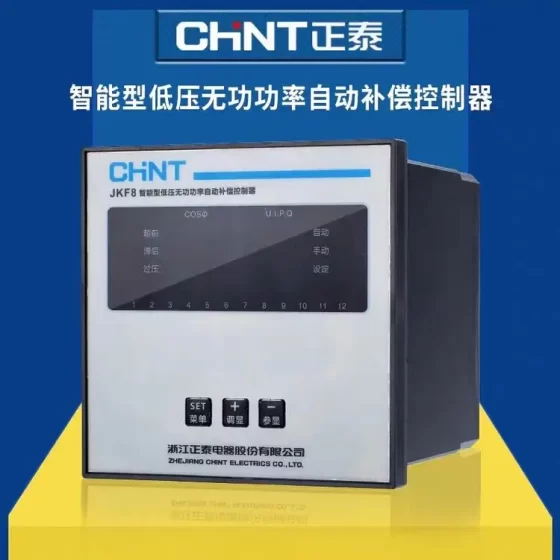
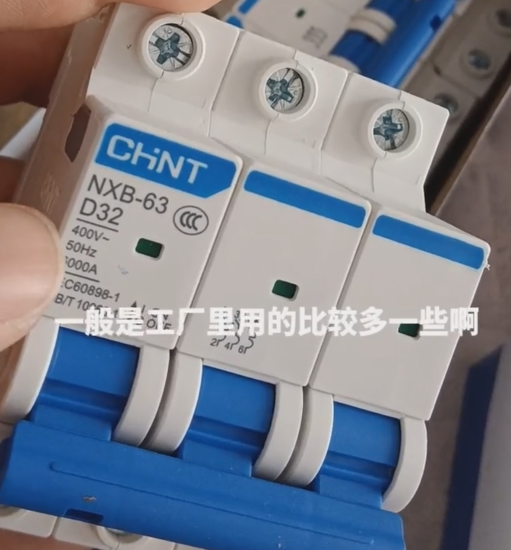
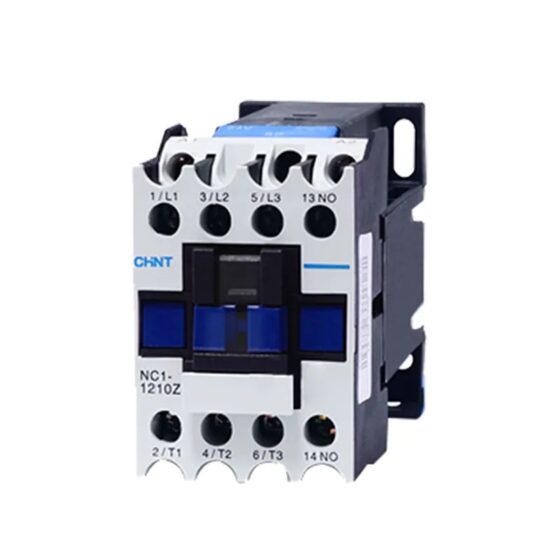
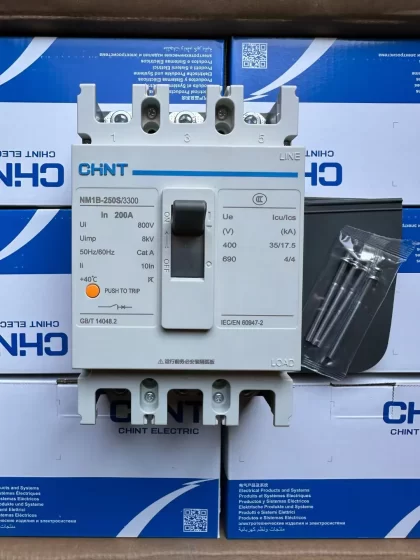
Contactor,întrerupător de circuit,senzor,Codificator,PLC,Convertor



Numele complet al modelului: FSC11B, Material nr.: 18207162
Poziționare: Special communication expansion module for MOVITRAC® B invertoare (SBus/CANopen + RS485). It is mutually exclusive with the FIO11B analog module and cannot be installed on the same inverter at the same time.
Interface List
- X44 (RJ10): RS485 maintenance port
Point-to-point commissioning, compatible with MOVITOOLS MotionStudio. Max cable length 3m, for commissioning only.
- X45: RS485 terminals (ST11+ / ST12/ GND)
Fixed baud rate 9.6k, până la 32 statii, total bus length ≤200m. Built-in dynamic termination resistor, no external termination resistor allowed.
- X46: SBus system bus (Autobuzul CAN, ISO11898 / CAN2.0A/B)
SC11/SC12: SBus channel 1
SC21/SC22: SBus channel 2
Pin 7: 24VIO (supplied from the inverter internal 24V)
Supported protocols: MoviLink, CANopen; maxim 64 noduri
On-board DIP switch S1: enable/disable 120Ω termination resistor. Set to ON for the first and last device on the bus, OFF for all intermediate stations.
Baud rate vs distance: 125k→320m / 250k→160m / 500k→80m / 1M→40m
Modele aplicabile
MOVITRAC® B (MC07B series inverters), installed on the front expansion slot of the inverter.
Not compatible with MOVIDRIVE B or other older models; cannot be used for MDX61B, etc.
Aplicații
Multi-inverter SBus (CANopen) networking for synchronization and coordinated motion
PLC control of inverter via CANopen
RS485 network commissioning and parameter read/write
PC commissioning, parameter upload/download and monitoring (RJ10 maintenance port)
Comparison with FIO11B
FSC11B: SBus CANopen + Comunicare RS485, no analog I/O
FIO11B: Analog input and output (±10V / 4-20mA), no SBus
Same mounting position; mutually exclusive, cannot be installed together.
Specificații cheie
Terminal wire gauge: Max 1.5mm² without ferrule; max 1.0mm² with ferrule
Bus cable: Pereche răsucită ecranată, standard CAN bus cable
Protocoale: MoviLink, CANopen, COASE proprietary RS485
Instalare: Front slot of inverter. Must use original fixing screws to ensure EMC grounding.
Defecte comune
F43: RS485 communication timeout → Check shielding, termination, cablare, baud rate
F36: Missing option / Option mismatch → Confirm it is MC07B, module fully seated
CANopen node cannot go online: Check DIP termination resistor, node address, baud rate P884, P886
Notă de înlocuire
FSC11B is the standard option for CANopen communication on MC07B; there is no direct drop-in replacement. For PROFINET, other options such as the DFE series are required.
SEW FSC11B (MC07B) Installation and Commissioning Procedure
Prerequisites: All operations must be power-off; ESD protection required. FSC11B and FIO11B are mutually exclusive and cannot be fitted together. Only for MOVITRAC B MC07B inverters.
- Instalare hardware (Oprire)
- Cut off power and wait for DC bus discharge (at least 5 minute). Open the front cover of the inverter expansion compartment.
- Dimensiunea cadrului 0 unitati: Fit standoffs first. Dimensiunea cadrului 1 and above come with standoffs pre-installed. Standoffs ensure high-frequency EMC grounding.
- Align FSC11B with the slot and insert straightly. Tighten with the original screws (screws are critical for EMC grounding; do not omit).
- Verify the board is fully seated without tilt or poor pin contact. Refit the cover.
- DIP switch S1 setting (SBus/CAN bus termination resistor)
First and last inverter on the bus: S1 = ON (120Ω termination enabled)
All intermediate inverters: S1 = OFF (termination disabled)
Only two termination points are allowed on one SBus bus; all other stations must turn termination off, otherwise communication instability and packet loss will occur.
- Cablaj
X44: RJ10 maintenance port, PC commissioning only, cable ≤3m
X45: RS485 (ST11+ / ST12/ GND), SEW proprietary RS485, fixed 9.6k baud
X46: SBus CAN bus (SC11/SC12, SC21/SC22, pin7 24VIO)
Use shielded twisted pair. Shielding should be large-area crimped to inverter shield terminals; shield grounding at both ends of the bus, single-point grounding in the middle is recommended.
SC11/SC12 is one channel; SC21/SC22 is through-wiring for convenient daisy-chain connection.
- Recheck wiring for short circuits and misconnection; ensure all node addresses are unique (1~63).
- Pre-ower-on Check
Confirm power cable, motor cable and brake resistor wiring are correct
24V control supply healthy, no short circuit on the bus
No FIO11B in the same slot; inverter firmware supports FSC11B
Node ID and baud rate planned and unified for the whole network
- Power On and Software Commissioning (MOVITOOLS MotionStudio)
- Power on the inverter, connect PC to X44 RJ10 maintenance port (SEW USB-RJ10 commissioning cable)
- Launch MOVITOOLS MotionStudio and scan devices. Normally MC07B + FSC11B option will be identified.
If scan fails: Check module seating, şuruburi, or F36 fault (option detection failure)
- Basic motor commissioning (perform motor identification first)
Enter the startup wizard, enter motor nameplate data and run static identification
Parametru Descriere P884 SBus node address (1~63, unique across the network) P886 SBus baud rate (125k/250k/500k/1M), same for all devices P880 Control source selection: SBus/CANopen (bus control) P881 Setpoint source: SBus P887 SBus communication timeout (triggers F43 on timeout)
- PDO Mapping (CANopen)
SEW standard PDO: TPDO (Inverter → PLC: Status word, actual speed, actual, fault code); RPDO (PLC → Inverter: Control word, speed setpoint)
Import the SEW standard EDS file into PLC configuration
- Save parameters to the inverter (copy parameters to device). Power cycle once for parameters to take effect.
- Bus Network Test
- CANopen master scans the bus, all nodes online without heartbeat loss
- No-load bus test: PLC sends control word (6 → 0F for enable), inverter ready
- Jog test: Speed setpoint sent via bus, motor runs smoothly without oscillation or F43
- Multi-motor synchronization: Same sync cycle and baud rate, check timing
- Fault simulation: Disconnect bus to verify F43 and safe stop logic trigger at P887 timeout
- Common Alarms and Troubleshooting
F36: Missing option / Option recognition error: Module not fully seated, loose screws, wrong model, faulty module
F43: SBus/RS485 communication timeout: Wrong termination resistor, mismatched baud rate, duplicate node ID, ecranare slabă, bus short circuit, excessive cable length
Intermittent communication dropouts: Prioritize shielding grounding, DIP termination, separate routing of power and communication cables
- Final Handover
Record node ID, baud rate and PDO configuration
Export parameter backup and EDS file for PLC engineer
Label each inverter with node number
SEW Inverter Communication Expansion Module List (Two Main Series: MOVITRAC® B MC07B / MOVIDRIVE® B MDX61B)
Nota: MC07B (MOVITRAC B) is general-purpose standard inverter; MDX61B (MOVIDRIVE B) is high-performance inverter. DFE/DFP/DFD/DFI are fieldbus adapters; FSC/FSE are MC07B front-slot expansion boards
- MOVITRAC® B (MC07B) Communication Expansion Modules (Front Slot)
| Model | Protocol | Observații |
| FSC11B | SBus / CANopen + RS485 | The module you are using; CANopen networking, SBus multi-drive linkage, Material No.18207162 |
| FSC12B | SBus / CANopen + RS485 | Upgrade of FSC11B; minor hardware layout and terminal differences, same functions |
| FSE24B | EtherCAT | MC07B EtherCAT communication board, front slot mount |
| DFE24B | EtherCAT | Separate Ethernet bus adapter (distinguished from FSE24B, often listed together in old docs) |
| DFE32B | PROFINET IO | PROFINET IO adapter, compatible with MC07B/MDX61B |
| DFE33B | EtherNet/IP + Modbus TCP | Dual-protocol Ethernet adapter |
| DFP21B | PROFIBUS DPV1 | PROFIBUS DP adapter |
| DFD11B | DeviceNet | DeviceNet adapter, built-in CANopen |
Supplementary slot I/O modules (not pure communication but with SBus)
FIO11B: Analog ±10V/4-20mA + RS485, mutually exclusive with FSC11B
FIO21B: 7 digital DI + SBus
- MOVIDRIVE® B (MDX61B) Communication Cards
| Model | Protocol | Observații |
| DFE24B | EtherCAT | MDX61B EtherCAT |
| DFE32B | PROFINET IO | PROFINET IO |
| DFE33B | EtherNet/IP + Modbus TCP | Dual-protocol Ethernet |
| DFP21B | PROFIBUS DPV1 | PROFIBUS DP |
| DFC11B | CANopen | MDX61B dedicated CANopen card |
| DFD11B | DeviceNet | DeviceNet |
| DFI11B | INTERBUS | Copper INTERBUS |
| DFI21B | INTERBUS-LWL | Fiber INTERBUS |
| DFS11B | PROFIsafe (PROFIBUS) | Safety bus card for PROFIBUS |
| DFS21B | PROFIsafe (PROFINET) | Safety bus card for PROFINET |
- PC Commissioning Adapters (Not Built-in Expansion Boards, Accesorii)
| Model | Funcţie |
| USB11A | USB to SEW commissioning port, replacement for UWS |
| UWS21B | RS232 commissioning adapter |
| UWS11A | Legacy RS485 commissioning adapter |
- New Generation MOVITRAC advanced / classic Gateways (New Inverter Platforms, No Longer DFE/FSC)
CFX11A, CFC11A: Modular gateways, support SBus PLUS, EtherCAT, PROFINET, EtherNet/IP, Modbus TCP. Not compatible with MC07B/MDX61B
- Ghid de selecție rapidă
Multi-drive SBus/CANopen: FSC11B (MC07B first choice)
PROFINET: DFE32B
EtherCAT: FSE24B (MC07B) / DFE24B (MDX61B)
EtherNet/IP+ModbusTCP: DFE33B
PROFIBUS DP: DFP21B
DeviceNet: DFD11B
CANopen on MDX61B: DFC11B
- Note importante
- MC07B expansion slot: FSC11B/FSC12B/FSE24B/FIO11B/FIO21B are mutually exclusive; only one board per slot
- DFE series are external bus adapters, not front slot boards, different installation method
- Older MDX60A, Movidrive A series have legacy DFC/DFP models, now discontinued
SEW MC07B / MDX61B Inverter Common Fault Code List (Including FSC11B Communication Faults)
Reset methods: Power cycle, terminal reset, MOVITOOLS software reset. Fault history stored in P080. For all high-voltage inspection, cut off power and wait DC bus discharge ≥5 minutes.
| Cod de eroare | Fault Name | Cauze | Depanare & Soluții |
| F01 | Supracurent | Short circuit in motor cable/motor winding, blocaj mecanic, too short ramp time, damaged IGBT power module | 1. Disconnect motor cable and power on alone; F01 still present = internal power module damage |
| 2. Measure motor insulation and three-phase resistance; check mechanical jamming | |||
| 3. Extend acceleration/deceleration ramp; avoid breaking output contactor under load | |||
| F03 | Defect de pământ | Damaged motor cable insulation, motor earth leakage, short circuit at inverter output to ground | Megger test motor cable insulation; replace damaged power cable; check inverter output to ground |
| F04 | Brake Chopper Fault | Brake resistor open circuit, wrong resistance value, brake loop short circuit, damaged brake transistor | 1. Measure brake resistor value against nameplate |
| 2. Check brake resistor terminals; resistor aging/overheating | |||
| 3. If resistor is normal but alarm persists: brake unit damaged, return for repair | |||
| F06 | Pierderea fazei de intrare | Faza de intrare lipsește, loose incoming wiring, blown input fuse, unbalanced grid voltage | Check circuit breaker, contactor, terminal voltage; tighten connections; verify three-phase balance |
| F07 | Supratensiune DC Bus | Fast deceleration, sarcină de inerție mare, insufficient brake resistor, high grid voltage | 1. Prelungiți timpul de decelerare |
| 2. Use higher-power brake resistor / lower resistance value | |||
| 3. Verify rated input voltage; check brake circuit | |||
| F08 | Monitorizarea vitezei | Defecțiune a codificatorului, loose encoder wiring, load slip, blocaj mecanic, incorrect motor identification | 1. Encoder supply, A/B phase wiring, ecranare |
| 2. Re-run motor identification; check mechanical slip | |||
| 3. V/F mode: sarcină grea, current limiting causes speed deviation | |||
| F09 | Start Fault | Failed motor identification, wrong motor parameters, motor nepotrivit, blocaj mecanic | Verify motor nameplate data; run static identification without load; check motor phase sequence |
| F11 | Supraîncălzi | Clogged heat sink, failed fan, temperatura ambientala ridicata, continuous overload | Clean cooling channel; check cooling fan; reduce sarcina; îmbunătățirea ventilației cabinetului; derate operation |
| F31 | TF/TH Motor Thermal Protection | Motor PTC thermistor open circuit, motor overheating, broken thermistor wire, wrong parameter setting | Measure motor thermistor; check motor overload; verify P50x thermal parameters; verifica cablurile |
| F36 | Missing Option / Option Recognition Error (FSC11B frequent alarm) | FSC11B/FIO11B/FSE24B not fully seated, missing fixing screws, faulty module, wrong model, incompatible firmware | 1. Opriți, re-seat communication board and tighten screws (critical for EMC) |
| 2. Only one option per MC07B slot; FSC and FIO cannot coexist | |||
| 3. Test with a spare FSC11B to confirm board failure | |||
| F43 | SBus / CANopen / RS485 Communication Timeout (FSC11B most common) | Incorrect termination resistor, mismatched baud rate, duplicate node ID, bus short circuit, ecranare slabă, excessive cable length, offline master | 1. Termination ON only at first and last station, OFF for intermediate nodes |
| 2. Confirm P884 node address and P886 baud rate consistent across network | |||
| 3. Pereche răsucită ecranată, single-point shield grounding; separate power and communication cables | |||
| 4. Daisy-chain wiring, no star topology; temporarily increase P887 timeout for test | |||
| F45 | Fieldbus Fault (PROFINET/EtherCAT/IP) | Loose Ethernet cable, wrong IP/device name, switch fault, offline master | Check cable and LINK LED; verify PLC device name and IP; switch port; restart bus adapter |
| F47 | STO Safety Stop Active | Safety loop open, broken safety terminal wiring, safety relay tripped | Check STO safety circuit terminals; reset safety loop; inspect safety relay and emergency stop |
| F80 | RAM Self-test Fault | Mainboard hardware damage, firmware error, strong interference | Restore factory settings; reflash firmware; if fault remains: control board damaged, return for repair |
| F84 | Protecția motorului | Suprasarcina motorului, long-time over-rated current, improper protection curve | Monitor current; reduce sarcina; adjust motor protection curve; check motor cooling |
| F98 | Flash CRC Error | Parameter area corruption, firmware error, heavy electrical interference | Restore factory settings, re-download parameters; reflash firmware; check grounding and interference |
- Common Non-coded Abnormalities (No Fault Code, Frequent On-site Issues)
- No display after power on, black screen
Missing 24V control supply, blown control fuse, damaged power board
Distinguish: Missing 380V main power or missing 24V control supply; MC07B can be powered only by 24V to check display
- Display present, no enable, cannot start (digit shows 2)
No terminal enable signal; PLC does not send control word under bus control; P880/P881 source misselected
Local mode: start via panel; bus mode: confirm control source set to SBus/CANopen
- Motor oscillation, unstable running, speed drift
Poor SBus/CANopen shielding and messy grounding; reversed encoder A/B phase; incomplete motor identification; load resonance
- Intermittent F43 alarms
90% caused by termination resistor, shielding grounding, loose crimps; secondly, power cables routed in parallel with communication cables
- Communication established but start/stop control fails
Wrong PDO mapping, control word bit definition error, PLC does not send 0Fh enable, inverter inhibited
- Standard On-site Troubleshooting Sequence
- Read fault code on display, check historical fault in P080
- Classify: Power circuit faults (F01/F03/F06/F07/F11) / Communication option faults (F36/F43/F45) / Safety/motor protection (F31/F47/F84)
- Check external wiring, Voltaj, izolare, mechanics and cooling first; then parameters; finally judge hardware damage
- For communication faults (FSC11B): Priority order: DIP termination → Node ID → Baud rate → Shielding grounding → Wiring topology
- Reset Priority
- Software reset (MOVITOOLS)
- Terminal reset
- Power off for more than 5 minutes and restart (full DC bus discharge)
Hardware damage faults (F01 module damage, F80, F98) will reoccur after reset
- Summary of Key Communication Faults for FSC11B
F36: Inverter cannot recognize FSC11B (instalare, şurub, hardware fault)
F43: SBus/CANopen bus disconnection (cablare, termination, ID, baud rate, ecranare)
Bus scanned but frequent packet loss: Check shielding first; use daisy-chain only, avoid star wiring


NH42-63-318x560.png "Comutatoare de transfer automat de tip PC CHINT (ATS)NH42-63/4SZ")