 Контактор,автоматический выключатель,датчик,Кодер,ПЛК,Конвертер

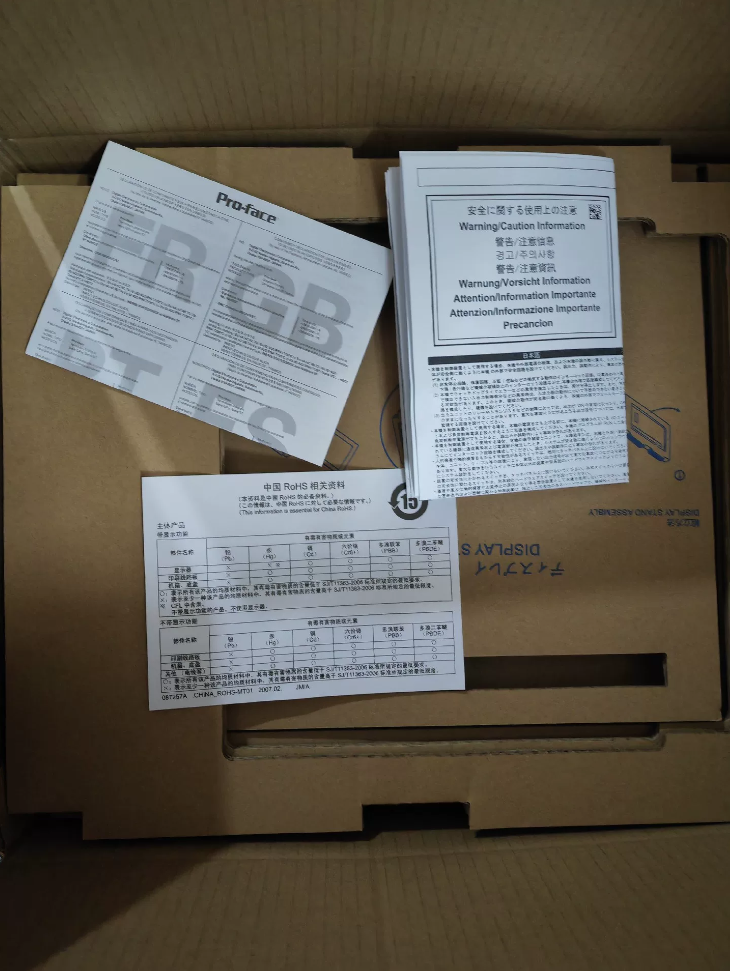

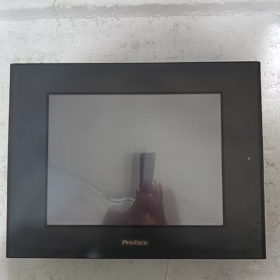
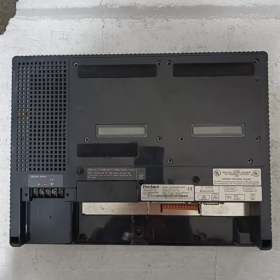
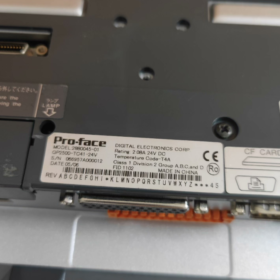
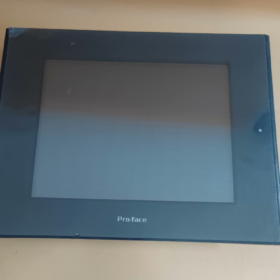
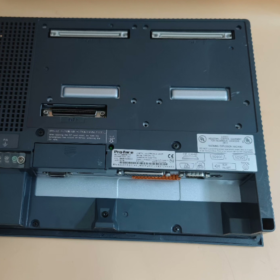
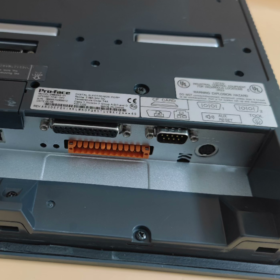
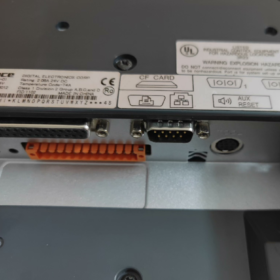
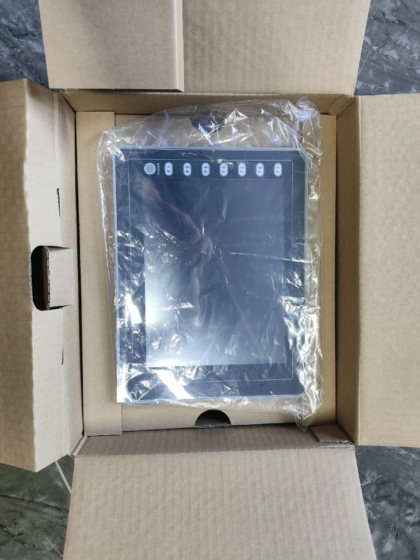
ГП2500-ТС41-24В (Номер детали.: PFXGP2500TD) is a 10.4-inch TFT color HMI of Pro-face GP2000 Series. Он был прекращен в декабре 28, 2012, и послепродажное обслуживание было прекращено в марте. 29, 2019. Официально рекомендуемая замена — серия GP4501T. (PFXGP4501TAD / PFXGP4501TMD). Featuring 640×480 resolution, 256-color display, Ethernet + dual serial ports and IP65f protection, it is ideal for industrial automation control and monitoring systems.
- Определение кода модели
| Сегмент кода | Описание |
| GP | Product line code for Pro-face general-purpose HMI |
| 2500 | Series code for 10.4-inch display models |
| TC | Тип дисплея & конфигурация: T = TFT color LCD, C = Built-in Ethernet port |
| 41 | Источник питания & функция: 4 = DC24V power supply, 1 = Standard configuration |
| 24В | Номинальное входное напряжение: 24 В постоянного тока |
| Номер детали. | PFXGP2500TD (Официальный уникальный номер детали) |
| Запасная модель | GP4501T Series (PFXGP4501TAD / PFXGP4501TMD) |
| Прекращение производства & Maintenance End Date | Снято с производства: 2012/12/28; Maintenance terminated: 2019/03/29 |
- Основные технические характеристики
| Категория | Технические характеристики |
| Display Features | |
| Размер экрана | 10.4 inches (diagonal) |
| Тип дисплея | Цветной TFT ЖК-дисплей |
| Разрешение | 640×480 pixels (VGA) |
| Цвета дисплея | 256 цвета (non-flickering) / 64 цвета (3-level flicker, software controlled) |
| Подсветка | CCFL (Срок службы: над 50,000 часов непрерывной работы) |
| Brightness Adjustment | 4 levels (controlled via touch panel) |
| Active Display Area | 211.2(Вт) × 158.4(ЧАС) мм |
| Память & Хранилище | |
| Application Memory | 4MB FLASH EPROM |
| Data Backup Memory | 256KB SRAM (Battery-backed) |
| Lithium Battery Service Life | 10 годы (Температура окружающей среды. <40℃), 4.1 годы (<50℃), 1.5 годы (<60℃) |
| Data Retention Time | Приблизительно. 60 дни (fully charged), приблизительно. 6 дни (half charged) |
| Touch Panel | |
| Тип | Analog resistive touch |
| Touch Resolution | 32×24 touch points; поддерживает 1 or 2-point touch |
| Характеристики интерфейса | |
| Main Serial Port | RS-232C/RS-422, 2400~115.2kbps; Макс. 187.5Kbps (for S7 MPI) |
| Expansion Serial Port | RS-232C, 2400~38400bps |
| Network Port | IEEE802.3, 10BASE-T Ethernet |
| CF Card Slot | 1 слот (Supports 16MB / 32MB CF card) |
| Audio Output | Mono, 70mW (8Ой); Line Out: 2.7Vp-p (10кОм) |
| AUX I/O | 1 × Remote reset input, 3 × Output (Бегать / System Alarm / External Buzzer) |
| Printer Port | Compatible with NEC PC-PR201/PL, EPSON ESC/P and other printers |
| Электрические характеристики | |
| Номинальное входное напряжение | 24 В постоянного тока (Диапазон: 19.2~28.8V) |
| Потребляемая мощность | ≤50W |
| Allowable Voltage Drop | ≤10 мс |
| Диэлектрическое выдерживаемое напряжение | 1000 В переменного тока, 20мА, 1 минута (Between power terminal and FG terminal) |
| Сопротивление изоляции | ≥20MΩ (DC500V, between power terminal and FG terminal) |
| Механический & Экологические характеристики | |
| Тип монтажа | Panel flush mounting |
| Рейтинг защиты | IP65f (per JEM1030), НЕТ 250 TYPE 4X/12 |
| Габаритные размеры | 317(Вт) × 243(ЧАС) × 58(Д) мм |
| Масса | ≤1.2kg |
| Рабочая температура | 0~50℃ |
| Температура хранения | -20~60℃ |
| Operating Humidity | 10~90%RH (без конденсации, Wet-bulb temperature ≤39℃) |
| Устойчивость к вибрации | Compliant with IEC61131-2 |
| Шумоустойчивость | 1000Vp-p pulse (1μs pulse width, 1ns rise time) |
| Защита от ЭСР | 6кВ (Соответствует МЭК 61000-4-2 Уровень 3) |
- Cross-Brand & Old/New Model Replacement List
3.1 Оригинальные замены производителя
| Старая модель | Статус | Запасная модель | Номер детали. | Основные различия |
| ГП2500-ТС41-24В | Снято с производства & Maintenance Terminated | GP4501T-ADW | PFXGP4501TADW | Identical panel cutout; No 2-point touch support; Источник питания постоянного тока |
| ГП2500-ТС41-24В | Снято с производства & Maintenance Terminated | GP4501T-MD | PFXGP4501TMD | Different panel cutout (Accessory CA4-ATM10-01 required); Supports 2-point touch; Источник питания постоянного тока |
| ГП2500-ТС41-24В | Снято с производства & Maintenance Terminated | SP5600TPD+SP5B10 | PFXSP5600TPD + PFXSP5B10 | Identical panel cutout; SP5000 series with upgraded performance |
| ГП2500-ТС41-24В | Снято с производства & Maintenance Terminated | GP3500-TC41-24V | PFXGP3500TD | In-series upgrade; Larger memory and improved performance |
3.2 Межбрендовые совместимые замены
| Бренд | Модель | Размер экрана | Разрешение | Функции |
| Вайнвью | MT8101iE | 10.1 inches | 1024×600 | Широкий экран; Ethernet + USB; Supports multiple PLC protocols |
| Мицубиси | GT2105-QTBD | 10.4 inches | 640×480 | Seamless connection with FX series PLC; Встроенный Ethernet |
| Сименс | КТП1000 Базовый | 10.4 inches | 640×480 | Integrated PROFINET; Compatible with WinCC flexible |
| Омрон | NB10W-TW01B | 10.1 inches | 1024×600 | Широкий экран; Встроенный Ethernet; Supports multiple communication protocols |
- Full Product Line List
4.1 GP2500 Series (10.4-дюйм)
| Модель | Номер детали. | Тип дисплея | Источник питания | Ethernet | Функции |
| ГП2500-ТС41-24В | PFXGP2500TD | TFT Color | 24 В постоянного тока | Да | Стандартная модель, прекращено |
| GP2500-TC11 | PFXGP2500TC | TFT Color | 100-240 В переменного тока | Да | AC power model, прекращено |
| GP2500-SC41-24V | PFXGP2500SD | STN Color | 24 В постоянного тока | Да | Economy model, 64 цвета, прекращено |
| GP2500-LG41-24V | PFXGP2500LD | STN Monochrome | 24 В постоянного тока | Да | Monochrome display, низкое энергопотребление, прекращено |
| GP2501-TC11 | PFXGP2501TC | TFT Color | 100-240 В переменного тока | Нет | Without Ethernet, прекращено |
4.2 Other Sizes of GP2000 Series
| Ряд | Размер экрана | Типичная модель | Тип дисплея | Разрешение |
| GP2600 | 12.1 inches | GP2600-TC41-24V | TFT Color | 800×600 |
| GP2400 | 5.7 inches | GP2400-TC41-24V | TFT Color | 320×240 |
| GP2300 | 3.4 inches | GP2300-TC41-24V | TFT Color | 200×80 |
| GP2401H | 5.7 inches | GP2401H-TC41-24V | TFT Color | 320×240 |
4.3 Replacement Series (GP4000 / GP3000)
| Ряд | Размер экрана | Запасная модель | Номер детали. | Major Improvements |
| GP4501T | 10.4 inches | GP4501T-ADW | PFXGP4501TADW | Same cutout size; 8Память МБ; Faster processor |
| GP3500 | 10.4 inches | GP3500-TC41-24V | PFXGP3500TD | 8Память МБ; Supports GP-Pro EX software |
| GP4000M | 10.4 inches | GP4501TM-ADW | PFXGP4501TMADW | Multi-touch supported; Greatly enhanced performance |
- Среды приложений & Отраслевые случаи
Применимый & Нерекомендуемые сценарии
| Применимые сценарии | Нерекомендуемые сценарии |
| —- | —- | —- |
| Системы управления промышленной автоматизацией (ПЛК, DCS operator stations) | Applications requiring high-definition display (>1024×768) for complex graphics |
| Оборудование для управления технологическими процессами (нефтехимическая, Очистка воды, Еда & упаковка) | Outdoor installation without extra protection (Only IP65f rating) |
| Середина & мелкая техника (Машины для литья под давлением, Станки, Печатные машины) | Applications requiring multi-touch function (Только 1-2 point touch supported) |
| Energy monitoring systems (Власть, Фотоэлектрический, Wind power) | Applications adopting latest communication protocols (например. PROFINET RT) |
| Морской & offshore engineering (With marine certifications) | Extreme high temperature (>50℃) or low temperature (<0℃) окружающая среда |
Типичные случаи применения
- Линия по производству автомобильных компонентов
Приложение: Used as PLC operator terminal to monitor robot welding, assembly and inspection processes.
Ценить: Upload production data in real time via Ethernet for remote monitoring and fault diagnosis, повышение эффективности производства.
- Batch Control System for Pharmaceutical Industry
Приложение: Настройка параметров, status monitoring and data recording for GMP-compliant production.
Ценить: Supports recipe management and electronic signature, complies with FDA 21 Часть CFR 11 to ensure production traceability.
- SCADA System for Water Treatment Plant
Приложение: Monitors water pumps, valves and sensors; Real-time display and control of water level, flow rate and pressure.
Ценить: Connects different PLCs via dual serial ports to centrally manage multiple treatment units and reduce system complexity.
- Поиск неисправностей & Руководство по техническому обслуживанию
Распространенные неисправности, Причины & Решения
| Явление неисправности | Возможные причины | Решения |
| No display on screen | 1. Отключено питание или ненормальное напряжение | 1. Verify DC24V input within 19.2~28.8V |
| 2. Damaged CCFL backlight | 2. Test backlight power supply and check CCFL status | |
| 3. Mainboard failure | 3. Check mainboard indicators; replace mainboard if necessary | |
| Touch panel no response | 1. Failed touch calibration | 1. Re-calibrate touch panel via service port |
| 2. Damaged touch panel | 2. Inspect touch panel appearance and replace if damaged | |
| 3. Loose connecting cable | 3. Выключить питание, unplug and reinsert connecting cables | |
| Сбой связи | 1. Incorrect communication parameters | 1. Проверьте скорость передачи данных, биты данных, parity bits and other settings |
| 2. Damaged communication cable | 2. Test cable continuity with multimeter | |
| 3. Faulty interface chip | 3. Replace communication interface module or mainboard | |
| Потеря данных | 1. Depleted lithium battery | 1. Replace lithium battery (3V CR2032) |
| 2. Faulty backup memory | 2. Inspect memory chip and replace if needed | |
| 3. Abnormal power fluctuation | 3. Install UPS to avoid power fluctuation | |
| Screen flickering | 1. Aging backlight | 1. Replace CCFL backlight assembly |
| 2. Poor power filtering | 2. Check filter capacitors of power module | |
| 3. External electromagnetic interference | 3. Добавьте экранирование и держитесь подальше от источников помех |
On-site Quick Diagnosis Procedure
- Power Check
Measure input voltage to ensure it stays within 19.2~28.8VDC.
Check power indicator (normally steady green).
Confirm stable DC24V output from power module.
- Отображать & Touch Test
Check backlight; troubleshoot CCFL if no backlight.
Run touch calibration program to verify touch accuracy.
Check for incomplete display, screen distortion or black screen.
- Communication Test
Test main and expansion serial ports with serial debugging tool.
Perform ping test to check Ethernet connection.
Insert a functional CF card to verify read & write capability.
- System Function Verification
Check run indicator (normally flashing green).
Test AUX outputs: Run signal, alarm signal and buzzer.
Trigger remote reset via AUX input for function verification.
- Рекомендации по выбору & Краткий справочник правил
- Три ключевых фактора выбора: Screen size (10.4-дюйм), Power type (24 В постоянного тока), Требования к связи (Ethernet + dual serial ports)
- Правило замены: Replace GP2500-TC41-24V with GP4501T-ADW (same cutout) or GP4501T-MD (2-point touch supported); Pay attention to panel cutout differences.
- Советы по обслуживанию
Replace lithium battery every 5 годы; shorten cycle if ambient temperature exceeds 40℃.
Replace CCFL backlight after 50,000 service hours.
Clean screen regularly with dedicated detergent and soft cloth.
- Обновление & Руководство по миграции
Project Conversion: Use GP-Pro EX to convert GP-PRO/PBIII projects.
Hardware Replacement: Confirm panel cutout; use accessory CA4-ATM10-01 if needed.
Конфигурация связи: Reset communication parameters on new unit for PLC compatibility.



NH42-63-318x560.png "Автоматические переключатели резерва типа PC CHINT (АТС)НХ42-63/4СЗ")



