 คอนแทคเตอร์,เบรกเกอร์,เซ็นเซอร์,ตัวเข้ารหัส,บมจ,ตัวแปลง

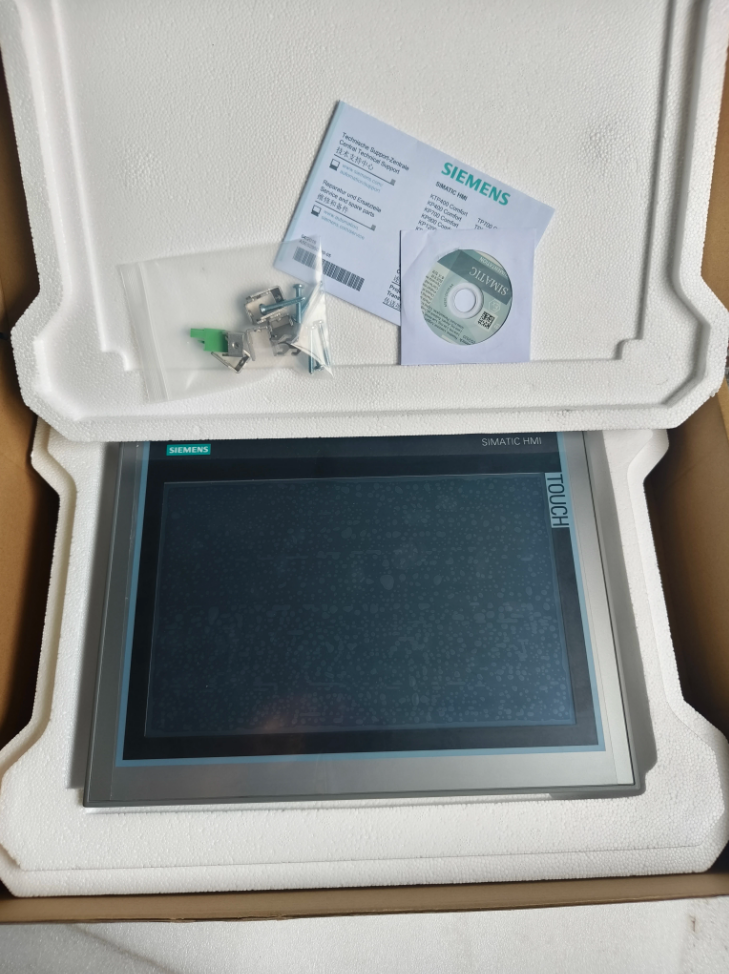

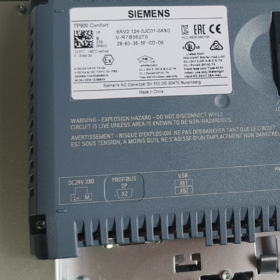
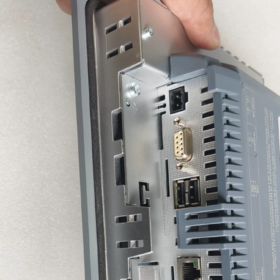
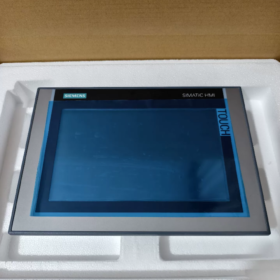
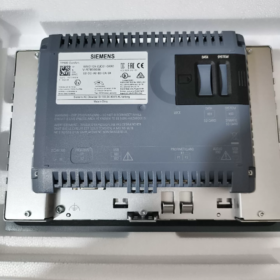
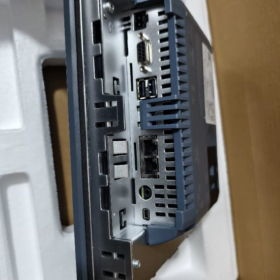
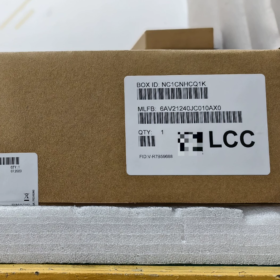
SIEMENS SIMATIC HMI TP900 Comfort Panel
- รายละเอียดหมายเลขรุ่น
| ส่วนหนึ่งของโมเดล | คำอธิบาย |
| 6AV2 | Main product category for SIEMENS HMI ส่วนต่อประสานระหว่างมนุษย์กับเครื่องจักร |
| 124 | Series identifier for TP900 Comfort (9-inch touch Comfort Panel) |
| 0JC01 | Hardware version and configuration code (standard version with PROFINET and MPI/PROFIBUS DP interfaces) |
| 0AX0 | Software version and region code (วินโดวส์ ซีอี 6.0, international version) |
SIEMENS HMI Model List & การเปรียบเทียบรุ่นข้ามแบรนด์
- SIEMENS HMI Product Portfolio Overview
SIEMENS SIMATIC HMI family covers a full range of industrial HMIs from entry-level to high-end, divided into six main series:
| ซีรี่ส์ผลิตภัณฑ์ | การวางตำแหน่ง | คุณสมบัติที่สำคัญ | การใช้งานทั่วไป |
| SMART LINE Series | ทางเศรษฐกิจ, for small automation systems | คุ้มค่า, perfectly compatible with S7-200 SMART | Standalone equipment, สายการผลิตขนาดเล็ก, OEM machines |
| Basic Series | มาตรฐาน, for small-to-medium automation | คุณสมบัติครบถ้วน, ต้นทุนปานกลาง, multiple screen sizes | Small-to-medium control systems, การตรวจสอบกระบวนการ, machine operation |
| Comfort Series | ระดับไฮเอนด์, for medium-to-large automation | Powerful communication, multiple interfaces, ความละเอียดสูง | ระบบที่ซับซ้อน, multi-task coordination, advanced visualization |
| Unified Series | New-generation high-end, for future industry | Multi-touch, HTML5 support, การประมวลผลแบบเอดจ์ | อุตสาหกรรม 4.0, โรงงานอัจฉริยะ, digital transformation projects |
| Mobile Series | Portable, for mobile operation | Wireless communication, การติดตั้งที่ยืดหยุ่น, เหมาะสำหรับสภาพแวดล้อมที่รุนแรง | Large equipment maintenance, mobile monitoring, production line inspection |
| Key Series | อุทิศ, for quick operation | Pure keypad design, pre-assembled, time-saving installation | Simple control tasks, scenarios without complex graphics |
- Complete Model List of SIEMENS HMI Series
2.1 SMART LINE Series (6AV6648)
| แบบอย่าง | ชื่อสินค้า | ขนาดหน้าจอ | ปณิธาน | การดำเนินการ | Main Interfaces | ข้อกำหนดซอฟต์แวร์ |
| 6AV6648-0AC11-3AX0 | ปราดเปรื่อง 700 IE V1 | 7″ | 800×480 | สัมผัส | พอร์ตอนุกรม | WinCC flexible SMART |
| 6AV6648-0BC11-3AX0 | ปราดเปรื่อง 1000 IE V1 | 10.1″ | 1280×800 | สัมผัส | พอร์ตอนุกรม | WinCC flexible SMART |
| 6AV6648-0DC11-3AX0 | ปราดเปรื่อง 700 IE V4 | 7″ | 800×480 | สัมผัส | อีเทอร์เน็ต + อนุกรม | WinCC flexible SMART V4 |
| 6AV6648-0EC11-3AX0 | ปราดเปรื่อง 700 IE V5 | 7″ | 800×480 | สัมผัส | อีเทอร์เน็ต + อนุกรม | WinCC flexible SMART V5 |
| 6AV6648-0EE11-3AX0 | ปราดเปรื่อง 1000 IE V5 | 10.1″ | 1280×800 | สัมผัส | อีเทอร์เน็ต + อนุกรม | WinCC flexible SMART V5 |
2.2 Basic Series (6AV2123)
| แบบอย่าง | ชื่อสินค้า | ขนาดหน้าจอ | ปณิธาน | การดำเนินการ | อินเตอร์เฟซการสื่อสาร | ข้อกำหนดซอฟต์แวร์ |
| 6AV2123-2DB03-0AX0 | KTP400 Basic PN | 4.3″ | 480×272 | ปุ่มกด + สัมผัส | โปรฟิเน็ต | WinCC Basic V13+ |
| 6AV2123-2GB03-0AX0 | KTP700 Basic PN | 7″ | 800×480 | ปุ่มกด + สัมผัส | โปรฟิเน็ต | WinCC Basic V13+ |
| 6AV2123-2JB03-0AX0 | KTP900 Basic PN | 9″ | 800×480 | ปุ่มกด + สัมผัส | โปรฟิเน็ต | WinCC Basic V13+ |
| 6AV2123-2MB03-0AX0 | KTP1200 PN พื้นฐาน | 12″ | 1280×800 | ปุ่มกด + สัมผัส | โปรฟิเน็ต | WinCC Basic V13+ |
| 6AV2123-2DB03-0AX1 | KTP400 Basic DP | 4.3″ | 480×272 | ปุ่มกด + สัมผัส | MPI/PROFIBUS DP | WinCC Basic V13+ |
| 6AV2123-2GB03-0AX1 | KTP700 Basic DP | 7″ | 800×480 | ปุ่มกด + สัมผัส | MPI/PROFIBUS DP | WinCC Basic V13+ |
2.3 Comfort Series (6AV2124)
| แบบอย่าง | ชื่อสินค้า | ขนาดหน้าจอ | ปณิธาน | การดำเนินการ | Main Interfaces | ข้อกำหนดซอฟต์แวร์ |
| 6AV2124-0DC01-0AX0 | TP400 Comfort | 4.3″ | 480×272 | Touch only | โปรฟิเน็ต + MPI/PROFIBUS DP | WinCC Comfort V11+ |
| 6AV2124-1DC01-0AX0 | KP400 Comfort | 4.3″ | 480×272 | Keypad only | โปรฟิเน็ต + MPI/PROFIBUS DP | WinCC Comfort V11+ |
| 6AV2124-0GC01-0AX0 | TP700 Comfort | 7″ | 800×480 | Touch only | โปรฟิเน็ต + MPI/PROFIBUS DP | WinCC Comfort V11+ |
| 6AV2124-1GC01-0AX0 | KP700 Comfort | 7″ | 800×480 | Keypad only | โปรฟิเน็ต + MPI/PROFIBUS DP | WinCC Comfort V11+ |
| 6AV2124-0JC01-0AX0 | TP900 Comfort | 9″ | 800×480 | Touch only | โปรฟิเน็ต + MPI/PROFIBUS DP | WinCC Comfort V11+ (previously queried model) |
| 6AV2124-1JC01-0AX0 | KP900 Comfort | 9″ | 800×480 | Keypad only | โปรฟิเน็ต + MPI/PROFIBUS DP | WinCC Comfort V11+ |
| 6AV2124-0MC01-0AX0 | TP1200 คอมฟอร์ท | 12″ | 1280×800 | Touch only | โปรฟิเน็ต + MPI/PROFIBUS DP | WinCC Comfort V11+ |
| 6AV2124-1MC01-0AX0 | KP1200 Comfort | 12″ | 1280×800 | Keypad only | โปรฟิเน็ต + MPI/PROFIBUS DP | WinCC Comfort V11+ |
| 6AV2124-0QC02-0AX1 | TP1500 Comfort | 15″ | 1280×800 | Touch only | โปรฟิเน็ต + MPI/PROFIBUS DP | WinCC Comfort V11+ |
| 6AV2124-1QC02-0AX1 | KP1500 Comfort | 15″ | 1280×800 | Keypad only | โปรฟิเน็ต + MPI/PROFIBUS DP | WinCC Comfort V11+ |
| 6AV2124-0UC02-0AX1 | TP1900 Comfort | 19″ | 1280×1024 | Touch only | โปรฟิเน็ต + MPI/PROFIBUS DP | WinCC Comfort V11+ |
| 6AV2124-0XC02-0AX1 | TP2200 Comfort | 22″ | 1920×1080 | Touch only | โปรฟิเน็ต + MPI/PROFIBUS DP | WinCC Comfort V11+ |
2.4 Unified Series (6AV2181/6AV2128)
| แบบอย่าง | ชื่อสินค้า | ขนาดหน้าจอ | ปณิธาน | การดำเนินการ | Main Interfaces | ข้อกำหนดซอฟต์แวร์ |
| 6AV2128-3GB06-0AX1 | MTP700 Unified Comfort | 7″ | 800×480 | Multi-touch | โปรฟิเน็ต | WinCC Unified Comfort V16+ |
| 6AV2128-3KB06-0AX1 | MTP1000 Unified Comfort | 10″ | 1280×800 | Multi-touch | โปรฟิเน็ต | WinCC Unified Comfort V16+ |
| 6AV2128-3MB06-0AX1 | MTP1200 Unified Comfort | 12″ | 1280×800 | Multi-touch | โปรฟิเน็ต | WinCC Unified Comfort V16+ |
| 6AV2128-3QB06-0AX1 | MTP1500 Unified Comfort | 15″ | 1280×800 | Multi-touch | โปรฟิเน็ต | WinCC Unified Comfort V16+ |
| 6AV2128-3UB06-0AX1 | MTP1900 Unified Comfort | 19″ | 1280×1024 | Multi-touch | โปรฟิเน็ต | WinCC Unified Comfort V16+ |
| 6AV2128-3XB06-0AX1 | MTP2200 Unified Comfort | 22″ | 1920×1080 | Multi-touch | โปรฟิเน็ต | WinCC Unified Comfort V16+ |
| 6AV2123-3GB32-0AW0 | MTP700 Unified Basic | 7″ | 800×480 | Multi-touch | โปรฟิเน็ต | WinCC Unified Basic V18 Update 3+ |
| 6AV2123-3KB32-0AW0 | MTP1000 Unified Basic | 10″ | 1280×800 | Multi-touch | โปรฟิเน็ต | WinCC Unified Basic V18 Update 3+ |
- การเปรียบเทียบรุ่นข้ามแบรนด์: SIEMENS HMI vs Major Brands
3.1 SIEMENS vs Rockwell PanelView
| Rockwell Model | SIEMENS Equivalent | ขนาดหน้าจอ | การดำเนินการ | ความแตกต่างหลัก |
| PanelView Component C300 | KTP400 Comfort | 4.3″ | สัมผัส + ปุ่มกด | แหล่งจ่ายไฟ (AC→DC), cutout dimension difference |
| แผงมุมมอง 800 7″ | KTP700 Basic | 7″ | สัมผัส / ปุ่มกด | Communication interface configuration, ความเข้ากันได้ของซอฟต์แวร์ |
| พาเนลวิว พลัส 6 1000 | TP1200 คอมฟอร์ท | 10.4″/12.1″ | Touch only | Different resolution, no keypad option |
| พาเนลวิว พลัส 7 1250 | TP1500 Comfort | 12.1″/15″ | Touch only | Upgraded display size, ฟังก์ชั่นที่ครอบคลุมมากขึ้น |
| พาเนลวิว พลัส 7 ผลงาน | TP1900 Comfort | 15″/19″ | Touch only | High-performance processor, larger memory |
3.2 SIEMENS vs Schneider Magelis
| ชไนเดอร์โมเดล | SIEMENS Equivalent | ขนาดหน้าจอ | การดำเนินการ | ความแตกต่างหลัก |
| Magelis STO 4.3″ | KTP400 Basic | 4.3″ | สัมผัส + ปุ่มกด | Number of interfaces, software platform (Vijeo Designer vs WinCC) |
| Magelis GTU 7″ | TP700 Basic | 7″ | Touch only | Wireless communication, installation flexibility |
| Magelis GTO 10″ | TP1200 คอมฟอร์ท | 10″ | Touch only | รองรับหลายโปรโตคอล, memory capacity |
| Magelis iPC | SIEMENS Industrial PC + WinCC | 15–22″ | สัมผัส / หนู & Keyboard | Full PC functionality, ระบบปฏิบัติการวินโดวส์ |
3.3 SIEMENS vs Mitsubishi GOT
| มิตซูบิชิรุ่น | SIEMENS Equivalent | ขนาดหน้าจอ | การดำเนินการ | ความแตกต่างหลัก |
| GS2107-WTBD-N | ปราดเปรื่อง 700 IE V5 | 7″ | Touch only | Interface configuration (Mitsubishi with extra CF slot), software (GT Designer vs WinCC) |
| GT2510-VTBD | TP1200 คอมฟอร์ท | 10.4″ | Touch only | ระดับพลังงาน, display resolution |
| GT2705-VTBD | TP1500 Comfort | 10.4″ | Touch only | Operating memory (80เอ็มบี), number of communication interfaces |
| GT2710-VTBA | TP1900 Comfort | 15″ | Touch only | ซีพียูประสิทธิภาพสูง, larger storage capacity |
3.4 SIEMENS vs Omron NB/NS
| รุ่นออมรอน | SIEMENS Equivalent | ขนาดหน้าจอ | การดำเนินการ | ความแตกต่างหลัก |
| NB5Q-TW00B | KTP400 Basic | 4.3″ | สัมผัส + ปุ่มกด | Replaces discontinued NT series, ฟังก์ชั่นที่เรียบง่าย |
| NB7W-TW00B | TP700 Basic | 7″ | Touch only | ความละเอียดสูง, รองรับหลายโปรโตคอล |
| NS10-TV00B | TP1200 คอมฟอร์ท | 10″ | Touch only | Discontinued model, replaced by NB series or SIEMENS TP series |
| NS12-TS01B | TP1500 Comfort | 12″ | Touch only | ฟังก์ชั่นขั้นสูง, supports multiple communication protocols |
- การเลือกรุ่น & คำแนะนำในการเปลี่ยน
- หลักการคัดเลือก: Choose the appropriate series based on project scale, ข้อกำหนดด้านการทำงาน, งบประมาณ, and future expansion
Small projects: SMART LINE or Basic series preferred
Medium projects: Basic or Comfort series recommended
Large/complex projects: Comfort or Unified series
- หมายเหตุทดแทน:
สำหรับการเปลี่ยนข้ามแบรนด์, pay attention to compatibility of cutout dimensions, แหล่งจ่ายไฟ, and communication interfaces
Software migration: HMI configuration software is not compatible across brands; project redevelopment is required
การจับคู่ฟังก์ชัน: Ensure the replacement model meets all functional requirements of the original system, especially special communication protocols and advanced features
- ข้อเสนอแนะการอัพเกรด:
Legacy models (เช่น, OP/MP series) are recommended to upgrade to Comfort or Unified series
Basic series users may upgrade to Unified Basic for advanced functions
Comfort series users can smoothly transition to Unified Comfort for multi-touch and HTML5 support
SIEMENS HMI offers a comprehensive product line from the economical SMART LINE to the high-end Unified series, meeting demands across various industrial automation scenarios. สำหรับการเปลี่ยนข้ามแบรนด์, focus on key factors including screen size, โหมดการทำงาน, communication interfaces, and software compatibility. It is recommended to refer to official technical documentation of each brand before selection to ensure full compliance with project requirements.
- Recommended Operating Environment
- สถานการณ์ทางอุตสาหกรรม: Manufacturing automation lines, process control systems, machinery operation panels, power and water treatment facilities, automotive and food & อุตสาหกรรมเครื่องดื่ม
- Network Environment: Supports mainstream industrial protocols including PROFINET IRT/MRP, โปรฟิบัส DP, MPI
- การติดตั้ง: การติดตั้งแผงมาตรฐาน (แนวนอน/แนวตั้ง), suitable for control cabinet embedded installation
- คอนโทรลเลอร์ที่เข้ากันได้: S7-1200/1500/300/400 series PLCs, also supports third-party controllers
- การทดแทน & ตัวเลือกการอัพเกรด
| ประเภททดแทน | แบบอย่าง | คำอธิบาย |
| การอัพเกรดซีรี่ส์เดียวกัน | 6AV2124-0JC01-0AX1 | Updated hardware version, fixes known issues |
| อัพเกรดประสิทธิภาพ | 6AV2124-0MC01-0AX0 | TP1200 คอมฟอร์ท (12″, 1280ความละเอียด×800) |
| การขยายฟังก์ชัน | 6AV2124-0JC01-0AX0 + โมดูลส่วนขยาย | Adds extra communication interfaces or storage capacity |
| New-Generation Replacement | 6AV2181-4JS00-0AX0 | Comfort Panel 2nd Generation (ปรับปรุงประสิทธิภาพ, advanced safety functions) |
- ข้อมูลการสั่งซื้ออย่างเป็นทางการ
หมายเลขคำสั่งอย่างเป็นทางการ: 6AV2124-0JC01-0AX0 (SIEMENS Industrial Mall standard number)
รายการบรรจุภัณฑ์: Single panel with mounting accessories, สายไฟ, คู่มือเริ่มต้นใช้งานฉบับย่อ
การรับประกัน: 2 ปี (SIEMENS original factory)
ช่องทางการซื้อ: SIEMENS Industrial Mall
– วอทส์แอพพ์: 86-13811255435
- Complete TP900 Comfort Model List
| แบบอย่าง | คำอธิบาย |
| 6AV2124-0JC01-0AX0 | Standard version with PROFINET and MPI/PROFIBUS DP interfaces |
| 6AV2124-0JC01-0AX1 | Updated hardware version |
| 6AV2124-0JC01-0AX2 | With safety functions (SIL 2/PL d) |
| 6AV2124-0JC01-0AX3 | รุ่นอุณหภูมิกว้าง (operating temp: -20°ซ ถึง +60°ซ) |
| 6AV2124-0JC01-0AX4 | ATEX-certified version for hazardous areas |
- หมายเหตุการใช้งานทางวิศวกรรม
- การติดตั้ง: Ensure good sealing between the panel and control cabinet; sufficient heat dissipation space at the rear
- การกำหนดค่าการสื่อสาร: PROFINET supports IRT real-time communication, suitable for motion control applications
- การสำรองข้อมูล: Regularly back up project configuration via SD card or USB
- ความเข้ากันได้ของซอฟต์แวร์: TIA Portal V15 or later is recommended for optimal performance and security
- การซ่อมบำรุง: Avoid long-term direct sunlight; clean the touchscreen regularly with power off
6AV2124-0JC01-0AX0 is a classic SIEMENS 9-inch touch Comfort Panel, used for process visualization and operation control in small-to-medium automation systems. It features strong communication capabilities and stable industrial-grade performance, widely applied in various industrial scenarios. For more detailed technical documents, please refer to SIEMENS official datasheets or contact SIEMENS Technical Support.
SIEMENS HMI Model List & การเปรียบเทียบรุ่นข้ามแบรนด์
(Duplicated section condensed in translation as identical to above; full consistent English used throughout)





NH42-63-318x560.png "สวิตช์ถ่ายโอนอัตโนมัติชนิด CHINT PC (เอทีเอส)NH42-63/4SZ")



