 คอนแทคเตอร์,เบรกเกอร์,เซ็นเซอร์,ตัวเข้ารหัส,บมจ,ตัวแปลง

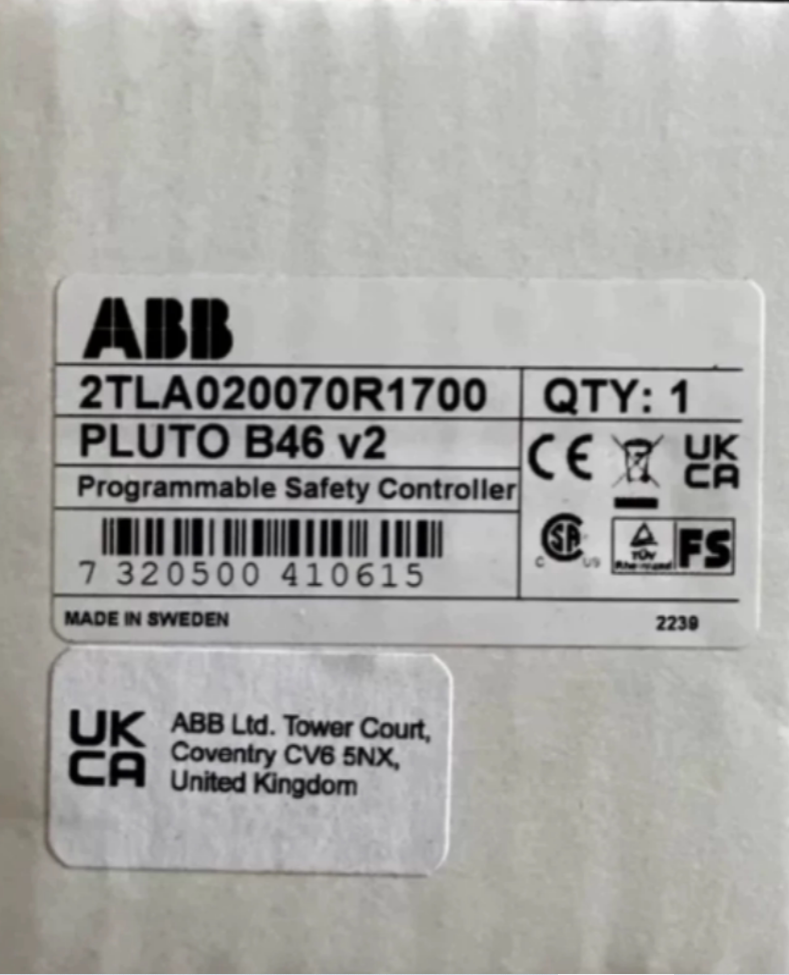

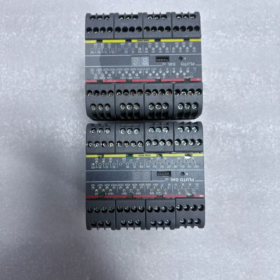
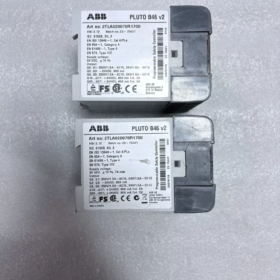
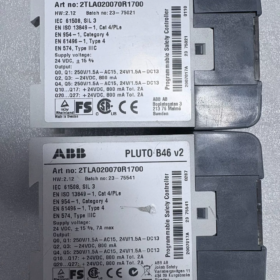
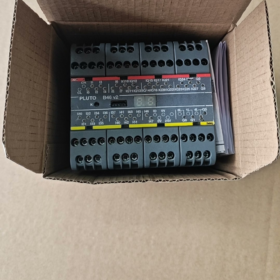
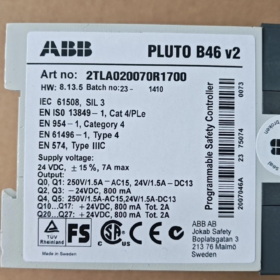
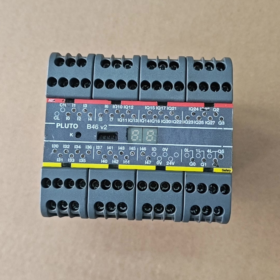
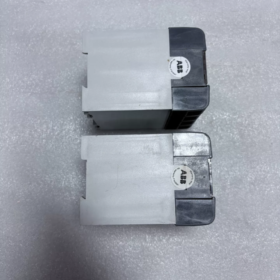
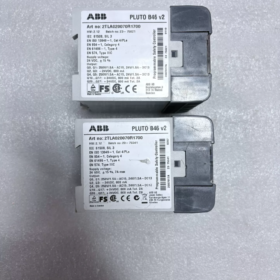
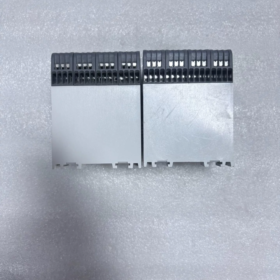
ยี่ห้อ: เอบีบี-โจกับเซฟตี้;ผลิตภัณฑ์: ตั้งโปรแกรมได้ ผู้ควบคุมความปลอดภัย (ความปลอดภัย บมจ)
คำจำกัดความของโมเดล
2TLA020070: หมายเลขชิ้นส่วนพื้นฐานสำหรับตัวควบคุมความปลอดภัยของพลูโตซีรีส์
฿1700: สั่งซื้อส่วนต่อท้ายสำหรับการแก้ไขฮาร์ดแวร์ B46 v2
การกำหนดแบบเต็ม: ดาวพลูโต B46 v2
การกำหนดค่า IO (ทั้งหมด 46 คะแนน)
- 24 อินพุตที่ไม่ปลอดภัย (อินพุตความปลอดภัย)
- 16 ช่องที่กำหนดค่าได้: ผลผลิตที่ไม่ปลอดภัย / ข้อมูลด้านความปลอดภัย
- 4 เอาต์พุตรีเลย์ความปลอดภัยอิสระ
- 2 เอาต์พุตทรานซิสเตอร์ความปลอดภัยอิสระ
ติดตั้งฟิลด์บัสนิรภัย Pluto Safety-Bus เพื่อการขยายเครือข่าย
ความปลอดภัยที่สำคัญ & ข้อมูลจำเพาะทางไฟฟ้า
| รายการ | พารามิเตอร์ |
| พาวเวอร์ซัพพลาย | 24 กระแสตรง |
| ระดับความปลอดภัย | ซิล3 / เปิ้ล (TS EN ISO 13849-1) |
| ระดับการป้องกัน | IP20 (การติดตั้งตู้แบบราง DIN) |
| เทอร์มินัล | ขั้วต่อชนิดสกรู |
| รีเลย์หน้าสัมผัส | 2 ก, AC250V / ดีซี50วี |
| อุณหภูมิในการทำงาน | −10°C ~ +55°C |
| ความชื้น | 5‐95%, ไม่ควบแน่น |
| ซอฟต์แวร์การเขียนโปรแกรม | ผู้จัดการดาวพลูโต |
| การสื่อสาร | Modbus‑TCP เนทิฟ; ขยายได้ผ่านเกตเวย์สำหรับ Profibus/EtherNet‑IP, ฯลฯ. |
การใช้งานทั่วไป
การควบคุมความปลอดภัยของเครื่องจักร: E-หยุด, ประตูนิรภัย, ม่านแสงนิรภัย, การควบคุมด้วยสองมือ, การตรวจสอบความเร็วที่ปลอดภัย; เครือข่ายความปลอดภัยหลายตัวควบคุม, โครงการความปลอดภัย I/O สูงแบบสแตนด์อโลน.
การอ้างอิงการเปรียบเทียบซีรี่ส์
ดาวพลูโต B20 เวอร์ชัน 2: 20 จุด I/O, หน่วยขนาดกะทัดรัด
ดาวพลูโต B46 v2 (2TLA020070R1700): 46 จุด I/O, แบบจำลองความหนาแน่นสูง
บันทึก: B46 v2 หมายถึงเวอร์ชันฮาร์ดแวร์ v2. รุ่นเก่าที่แก้ไข B46 มีหมายเลขคำสั่งซื้อที่แตกต่างกัน; โปรแกรมต่างๆ เข้ากันได้กับการย้ายข้อมูล.
อุปกรณ์เสริมที่เกี่ยวข้อง
- สายโปรแกรม: สายโปรแกรม USB พลูโต
- เกตเวย์: ประตู-P2 (โปรไฟบัส), GATE-EIP (อีเธอร์เน็ต-IP) สำหรับการเชื่อมต่อกับโฮสต์ PLC มาตรฐาน
- ซอฟต์แวร์: ผู้จัดการดาวพลูโต (พร้อมให้ดาวน์โหลดจากเว็บไซต์อย่างเป็นทางการของ ABB)
อะไหล่หน่วย / รายการตรวจสอบการตรวจสอบหน่วยมือสอง
- ทดสอบการเปิดเครื่องและตรวจสอบสถานะการทำงานของ LED สำหรับทุกช่องสัญญาณ
- อ่านการแก้ไขเฟิร์มแวร์เพื่อยืนยันตัวแปรฮาร์ดแวร์ v2
- ทดสอบการทำงานอัพโหลด-ดาวน์โหลดโปรแกรมให้เสร็จสมบูรณ์
- ทำการทดสอบการสวิตชิ่งตามโหลดบนเอาท์พุตรีเลย์
- Inspect terminals for burn marks and backplane for corrosion
ABB Pluto B46 v2 (2TLA020070R1700) Programming Manual Key Content
ฮาร์ดแวร์: ดาวพลูโต B46 v2; Software Tool: ผู้จัดการดาวพลูโต (free download via ABB website)
Official full-reference document: Pluto Safety-PLC Programming manual, หมอ. บัตรประจำตัวประชาชน: 2TLC172002M0218 (English original; no complete official Chinese translation)
📘 Table-of-Contents Summary (Official Programming Manual)
- Safety precautions (safety-logic review; mandatory full-machine testing; software cannot detect logical errors)
- Pluto Manager installation, DEMO mode, license activation
- Complete new-project workflow
- Hardware I-O configuration (B46-v2-specific 46-point I-O definition)
- Addressing and symbolic naming of variables
- Ladder-logic programming + TÜV-certified safety function-block library
- Registers, system registers, analog signal processing
- Pluto-Safety-Bus multi-master networking (สูงสุด. 32 Pluto units)
- Program download, IDFIX program duplication, password protection
- การตรวจสอบออนไลน์, การวินิจฉัยข้อผิดพลาด, รหัสข้อผิดพลาด
- การสื่อสารแบบ Modbus-TCP, โฮสต์-PLC เชื่อมต่อผ่านเกตเวย์
- ตัวอย่างโปรแกรม, อัพเดตเฟิร์มแวร์, บันทึกความเข้ากันได้ของฮาร์ดแวร์
🛠️ การกำหนดค่า IO ฮาร์ดแวร์ B46 v2 การตั้งค่าการเขียนโปรแกรมบังคับ
หมายเลขคำสั่งซื้อ: 2TLA020070R1700 พลูโต B46 v2
ฉัน: 24 แก้ไขอินพุตที่ไม่ปลอดภัย
ไอคิว: 16 ช่องมัลติฟังก์ชั่น, สามารถเลือกซอฟต์แวร์ได้: อินพุตที่ไม่ปลอดภัย / ผลผลิตที่ไม่ปลอดภัย
คิวอาร์: 4 เอาต์พุตรีเลย์ความปลอดภัยอิสระ (SIL3/ปล)
คิวที: 2 เอาต์พุตทรานซิสเตอร์ความปลอดภัยอิสระ (SIL3/ปล)
ต้องกำหนดโหมดการทำงานของช่อง IQ ในหน้าการกำหนดค่าฮาร์ดแวร์ Pluto Manager. ความไม่ตรงกันระหว่างสายไฟและการกำหนดค่าซอฟต์แวร์ทำให้เกิดข้อผิดพลาดของฮาร์ดแวร์.
🏽 ขั้นตอนการพัฒนามาตรฐานใน Pluto Manager
- สร้างโครงการใหม่, เลือกประเภทฮาร์ดแวร์ `Pluto B46 v2`, กำหนดที่อยู่สถานีขนส่งความปลอดภัย
- กำหนดค่าพารามิเตอร์ IO
I-อินพุต: พลวัต / โหมดอินพุตแบบคงที่ (คงที่สำหรับสัญญาณ OSSD ม่านแสง; ไดนามิกสำหรับวงจร E-stop และ Safety-gate แบบสองช่องสัญญาณ)
ช่องไอคิว: ตั้งค่าแยกกันเป็นอินพุตที่ไม่ปลอดภัยหรือเอาต์พุตที่ไม่ปลอดภัย
- การกำหนดตัวแปรเชิงสัญลักษณ์: ฉันป้อนข้อมูล, Q-เอาท์พุท, M-หน่วยความจำที่เก็บไว้, หน่วยความจำสากลของ GM (รถบัสที่ใช้ร่วมกัน), R-ลงทะเบียน
- การเขียนโปรแกรมแลดเดอร์ลอจิก LD: เรียกใช้บล็อกฟังก์ชันความปลอดภัยที่ได้รับการรับรองจากTÜV (E-หยุด, ประตูนิรภัย, การควบคุมด้วยสองมือ, การปิดม่านแสง, การตรวจสอบความเร็วที่ปลอดภัย)
- รวบรวมโครงการ, แก้ไขข้อผิดพลาด, กำหนดรหัสผ่านโปรแกรม
- ดาวน์โหลดโปรแกรมผ่านสาย USB. สำหรับเครือข่ายหลายหน่วย, โปรแกรมจะถูกแจกจ่ายโดยอัตโนมัติผ่าน Pluto-Safety-Bus ไปยังทุกสถานี
- การตรวจสอบออนไลน์: อนุญาตให้ทดสอบสัญญาณบังคับระหว่างการทดสอบเดินเครื่องเท่านั้น, ตามด้วยการตรวจสอบความปลอดภัยของเครื่องจักรโดยสมบูรณ์
- ไม่จำเป็น: โมดูลคัดลอกโปรแกรมฮาร์ดแวร์ IDFIX-PROG สำหรับการเปลี่ยนหน่วยอะไหล่โดยไม่ต้องใช้พีซี
Function บล็อกฟังก์ชันความปลอดภัยที่ได้รับการรับรองจาก TÜV ที่ใช้บ่อย
| บล็อกฟังก์ชัน | แอปพลิเคชัน |
| บล็อก 1-2 | E-stop แบบสองช่องสัญญาณ (พร้อมการรีเซ็ตและการตรวจจับข้อบกพร่องของสาย) |
| บล็อก4-5 | การตรวจสอบประตูนิรภัย |
| บล็อก16 | การควบคุมด้วยสองมือ |
| บล็อก18-19 | การปิดเสียงม่านแสง |
| บล็อก28-29 | ตัวเข้ารหัสที่ปลอดภัย, ความเร็ว / การตรวจสอบตำแหน่ง |
| จับเวลาเพื่อความปลอดภัย (ปลอดภัยล่าช้า) | ความล่าช้าด้านความปลอดภัยตามมาตรฐาน SIL3; ตัวจับเวลาอเนกประสงค์มาตรฐานจะต้องไม่ถูกนำมาใช้เพื่อความปลอดภัย |
⚠️ ข้อจำกัดการเขียนโปรแกรมความปลอดภัยที่สำคัญ
- ฟังก์ชันที่เกี่ยวข้องกับความปลอดภัยต้องใช้บล็อคฟังก์ชันที่ได้รับการรับรองจาก TÜV. การใช้ตรรกะด้านความปลอดภัยเพียงอย่างเดียวกับลอจิกแลดเดอร์ทั่วไปจะทำให้การปฏิบัติตามข้อกำหนด SIL3/PLe เป็นโมฆะ.
- IQ ที่กำหนดค่าไว้เนื่องจากเอาต์พุตเป็นเอาต์พุตที่ไม่ปลอดภัย และจะต้องไม่ใช้สำหรับการตัดการเชื่อมต่อโหลดที่เกี่ยวข้องกับความปลอดภัย. เครื่องตัดความปลอดภัยต้องใช้เอาต์พุตรีเลย์ QR หรือเอาต์พุตทรานซิสเตอร์ QT.
- พลูโต-บัสทำงานในสถาปัตยกรรมหลักทั้งหมด. คอนโทรลเลอร์แต่ละตัวจะควบคุมเอาต์พุตภายในเครื่อง; หน่วยความจำส่วนกลางของ GM จัดการการแลกเปลี่ยนข้อมูลข้ามหน่วย.
- ดาวน์โหลดโปรแกรมต้องใช้รหัสผ่าน. โหมดสาธิตอนุญาตให้ดูโครงการเท่านั้น; ฟังก์ชั่นการรวบรวมและดาวน์โหลดถูกปิดใช้งาน.
- การเปลี่ยนหน่วยอะไหล่: สามารถดาวน์โหลดโปรแกรมผ่าน USB, หรือทำซ้ำอย่างรวดเร็วโดยใช้โมดูล IDFIX-PROG.
📑 รายการคู่มือที่เกี่ยวข้อง
| ชื่อคู่มือ | รหัสเอกสาร | วัตถุประสงค์ |
| คู่มือการเขียนโปรแกรมดาวพลูโต | 2TLC172002M0218 | การอ้างอิงการเขียนโปรแกรมหลัก |
| คู่มือฮาร์ดแวร์พลูโต | 2TLC172001M0112 | คำแนะนำในการเดินสายฮาร์ดแวร์ |
| คู่มือเกตเวย์ | 2TLC172003Mxxxx | Modbus-TCP / โปรไฟบัส / เอกสารประกอบเกตเวย์ EtherNet‑IP |
💻 ดาวน์โหลดซอฟต์แวร์
ผู้จัดการดาวพลูโต: ดาวน์โหลดฟรีจากเว็บไซต์อย่างเป็นทางการของ ABB ภายใต้ผลิตภัณฑ์เพื่อความปลอดภัยแรงดันต่ำ. จับคู่การแก้ไขเฟิร์มแวร์; B46 v2 ต้องใช้เฟิร์มแวร์ v2-series ที่เข้ากันได้.
❗ การอ้างอิงรหัสข้อบกพร่องโดยย่อ (บี46 วี2)
เอ่อ20: ไม่มีโปรแกรมผู้ใช้อยู่
เอ่อ24: ข้อผิดพลาดของโปรแกรม
Er31: โปรแกรม IDFIX ไม่ตรงกัน
Er4x: ช่อง I-O ผิดปกติ (วงจรเปิดอินพุตแบบไดนามิก / ลัดวงจร)
ความเข้ากันได้ของระบบปฏิบัติการ Pluto Manager (สำหรับดาวพลูโต B46 v2)
แพลตฟอร์ม Windows เท่านั้น. ไม่มีการเปิดตัว MacOS หรือ Linux ดั้งเดิม. อ้างอิง: คู่มือการเขียนโปรแกรม Doc. รหัส 2TLC172002M0218
✅ผ่านการรับรองอย่างเป็นทางการ & รองรับ (ที่แนะนำ)
- หน้าต่าง 7 เอสพี1 (32-นิดหน่อย / 64-นิดหน่อย) มืออาชีพ / องค์กร / สุดยอด
- หน้าต่าง 10 (32-นิดหน่อย / 64-นิดหน่อย) มืออาชีพ / องค์กร (ใช้กันอย่างแพร่หลายที่สุดสำหรับการว่าจ้างทางอุตสาหกรรม)
สำหรับฮาร์ดแวร์ B46 v2, ใช้ Pluto-Manager รุ่นล่าสุด; แนะนำให้ใช้ Windows 10-64 บิต.
⚠️ใช้งานได้แต่ไม่ผ่านการตรวจสอบอย่างเป็นทางการ (ได้รับการพิสูจน์แล้วจากภาคสนาม, ไม่มีการรับประกันของผู้ผลิต)
หน้าต่าง 8 / หน้าต่าง 8.1 (32-นิดหน่อย / 64-นิดหน่อย)
วินโดวส์เซิร์ฟเวอร์ 2008R2 / 2012 / 2012R2 / 2016 / 2019
หน้าต่าง 11: ติดตั้งและดำเนินการในการใช้งานจริง. การสื่อสาร USB อาจต้องมีการปรับเปลี่ยนโหมดความเข้ากันได้. ไม่อยู่ในเมทริกซ์การสนับสนุนอย่างเป็นทางการของ ABB. หน้าต่าง 10 ยังคงเป็นที่ต้องการสำหรับการทดสอบการใช้งานไซต์.
❌ไม่แนะนำ / ไม่รองรับ
- วินโดวส์วิสต้า: สามารถติดตั้งได้, องค์ประกอบความปลอดภัยไม่เพียงพอ, ไม่แนะนำ
- Windows XP และรุ่นก่อนหน้า: วิ่งไม่ได้
- แมคโอเอส, ลินุกซ์: ไม่มีงานสร้างดั้งเดิม; ดำเนินการผ่านเครื่องเสมือน Windows เท่านั้น (วีเอ็มแวร์ / VirtualBox)
📋 การพึ่งพาซอฟต์แวร์ (ติดตั้งโดยอัตโนมัติ; ส่วนประกอบที่ขาดหายไปทำให้เกิดข้อผิดพลาดรันไทม์)
- ไมโครซอฟต์ .NET Framework 4.6.1
- วิชวลซี++ 2005, 2010 ไลบรารีรันไทม์
🖥️ ข้อกำหนดฮาร์ดแวร์ขั้นต่ำ
ซีพียู: 1 กิกะเฮิรตซ์หรือสูงกว่า (x86/x64)
แรม: 2 กิกะไบต์ (32-นิดหน่อย) /3 กิกะไบต์ (64-นิดหน่อย)
ฮาร์ดดิส: 3 พื้นที่เก็บข้อมูลฟรี GB
💡 หมายเหตุการปฏิบัติงานจริง
- หน้าต่าง 11 การดำเนินการ: หากการสื่อสารผ่านสายโปรแกรม USB ล้มเหลว, คลิกขวาที่ทางลัดของแอปพลิเคชัน, เปิดใช้งานโหมดความเข้ากันได้สำหรับ Windows 8 และทำงานในฐานะผู้ดูแลระบบ.
- DEMO mode: ไม่จำเป็นต้องมีรหัสใบอนุญาต. การดาวน์โหลดโปรแกรมและฟังก์ชันการตรวจสอบออนไลน์จำเป็นต้องมีใบอนุญาตที่ถูกต้อง.
- การจับคู่ซอฟต์แวร์-ฮาร์ดแวร์: ตัวจัดการพลูโตเวอร์ชัน ≥ V14. การปรับปรุงซอฟต์แวร์เก่าไม่สามารถจดจำฮาร์ดแวร์ v2 ได้.





NH42-63-318x560.png "สวิตช์ถ่ายโอนอัตโนมัติชนิด CHINT PC (เอทีเอส)NH42-63/4SZ")



