 คอนแทคเตอร์,เบรกเกอร์,เซ็นเซอร์,ตัวเข้ารหัส,บมจ,ตัวแปลง

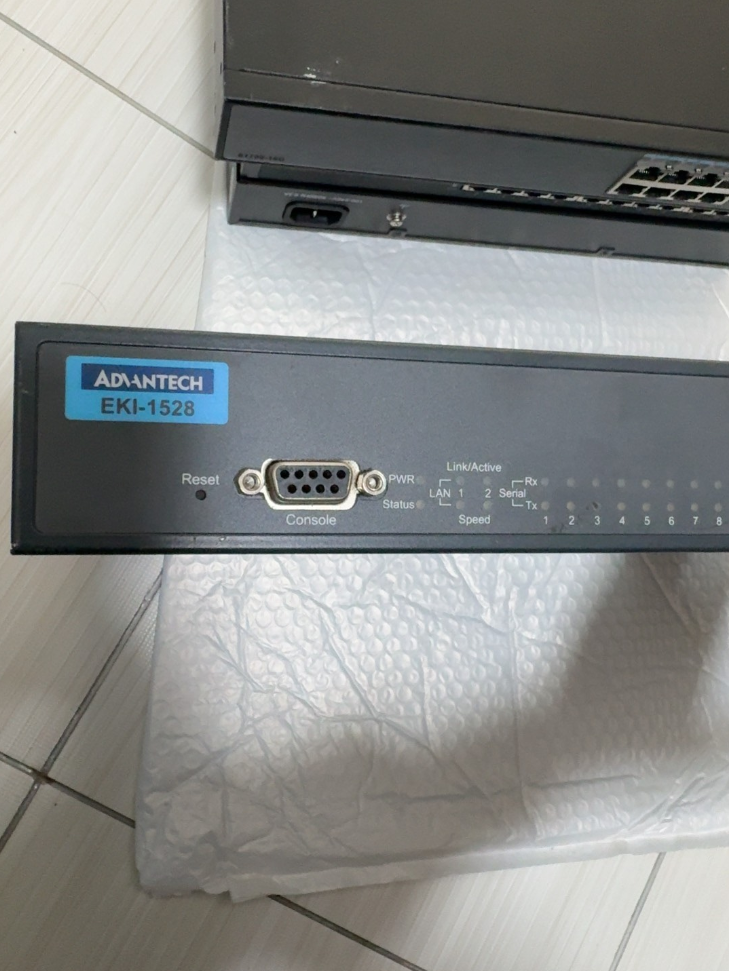

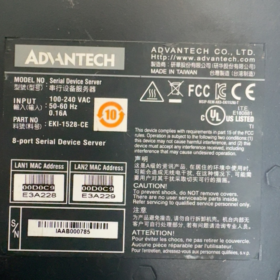
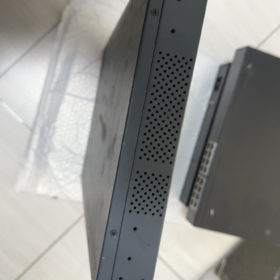
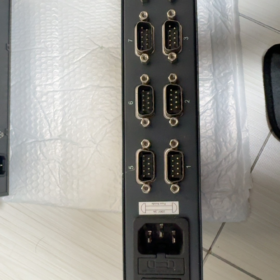
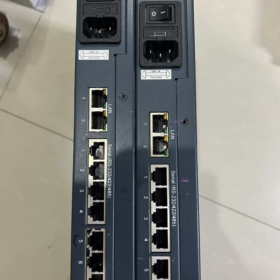
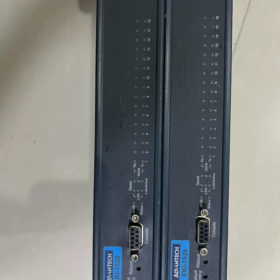
Advantech EKI-1526 เป็นเครื่อง เซิร์ฟเวอร์อุปกรณ์อนุกรม RS-232/422/485 เกรดอุตสาหกรรม 16 พอร์ต นำเสนอการออกแบบแบบติดตั้งบนชั้นวาง 1U และความซ้ำซ้อนอีเทอร์เน็ตคู่. โดยจะเชื่อมต่ออุปกรณ์อนุกรมแบบดั้งเดิมเข้ากับเครือข่ายอีเทอร์เน็ตได้อย่างราบรื่นเพื่อการจัดการระยะไกลและการเก็บข้อมูล. ข้อได้เปรียบหลัก ได้แก่ ประเภทพอร์ตอนุกรมที่กำหนดค่าด้วยซอฟต์แวร์ได้, ช่วงอุณหภูมิการทำงานกว้าง, ป้องกัน ESD สูง, และรองรับโปรโตคอลการสื่อสารที่หลากหลาย. มีการใช้กันอย่างแพร่หลายในระบบอัตโนมัติทางอุตสาหกรรม, การขนส่งอัจฉริยะ, การจัดการพลังงานและสาขาอื่นๆ.
- คำจำกัดความของกลุ่มโมเดล (ศัพท์มาตรฐาน)
| เซ็กเมนต์ | รหัสมาตรฐาน | ความหมาย | คำอธิบายโดยละเอียด |
| เสริม | เสริม | สายผลิตภัณฑ์การสื่อสารอีเทอร์เน็ตอุตสาหกรรม Advantech | อินเทอร์เฟซอีเทอร์เน็ตแบบฝัง, มุ่งเน้นไปที่อุปกรณ์สื่อสารเครือข่ายอุตสาหกรรม |
| 1526 | 1526 | หมายเลขชุดผลิตภัณฑ์ | 16-เซิร์ฟเวอร์อุปกรณ์พอร์ตอนุกรม (1528 เป็นรุ่น 8 พอร์ต) |
| รหัสต่อท้าย | เอ็น / ฉัน / ของ / กระแสตรง, ฯลฯ. | การขยายฟังก์ชัน / ประเภทพลังงาน | • เอ็น: กิกะบิตอีเทอร์เน็ต |
| • ฉัน: รุ่นอุณหภูมิกว้าง (-40°C~70°C) | |||
| • ที่: อุณหภูมิกว้าง + แหล่งจ่ายไฟกระแสตรง | |||
| • กระแสตรง: แหล่งจ่ายไฟกระแสตรง (12-48กระแสตรง) | |||
| • ซีอี: สอดคล้องกับการรับรองของสหภาพยุโรป CE | |||
| เวอร์ชัน | V2 | การแก้ไขฮาร์ดแวร์ | 2ฮาร์ดแวร์ยุคใหม่พร้อมประสิทธิภาพที่ได้รับการอัพเกรด, รองรับอัตรารับส่งข้อมูลสูงสุด 976.5 กิโลบิตต่อวินาที |
- พารามิเตอร์ข้อกำหนดหลัก (ข้อมูลอย่างเป็นทางการ)
| หมวดหมู่ | พารามิเตอร์ | รุ่นมาตรฐาน (เอกิ-1526) | รุ่นอุณหภูมิกว้าง (เอกิ-1526I) | หมายเหตุ |
| ลักษณะพื้นฐาน | ประเภทสินค้า | 16-เซิร์ฟเวอร์อุปกรณ์พอร์ตอนุกรม | เหมือนกับทางซ้าย | 1คุณวางแร็ค, ตัวเรือนโลหะ SECC, การป้องกัน IP30 |
| ขนาด (กว้าง×สูง×ลึก) | 438×43.6×259.2 มม | เหมือนกับทางซ้าย | การติดตั้งชั้นวางมาตรฐานขนาด 19 นิ้ว | |
| น้ำหนัก | 3.1 กก | เหมือนกับทางซ้าย | ไม่รวมบรรจุภัณฑ์ | |
| อุณหภูมิในการทำงาน | -10องศาเซลเซียส ~ 60 องศาเซลเซียส | -40องศาเซลเซียส ~ 70 องศาเซลเซียส | อุณหภูมิในการจัดเก็บ: -40องศาเซลเซียส ~ 80 องศาเซลเซียส | |
| ความชื้น | 5%~95% ความชื้นสัมพัทธ์, ไม่ควบแน่น | เหมือนกับทางซ้าย | ปรับให้เข้ากับสภาพแวดล้อมทางอุตสาหกรรมที่มีความชื้นได้ | |
| MTBF | >60,000 ชั่วโมง | เหมือนกับทางซ้าย | การออกแบบที่มีความน่าเชื่อถือสูง | |
| อินเทอร์เฟซเครือข่าย | ปริมาณพอร์ต | 2 × RJ45 | เหมือนกับทางซ้าย | รองรับระบบสำรอง LAN, MDI/MDIX อัตโนมัติ |
| ความเร็ว | 10/100 เมกะบิตต่อวินาที (เอกิ-1526) | เหมือนกับทางซ้าย | ที่อยู่ MAC อิสระคู่, ความซ้ำซ้อนของเครือข่าย | |
| 10/100/1000 เมกะบิตต่อวินาที (เอกิ-1526N) | ||||
| การป้องกันการแยก | บิวท์อิน 1.5 การแยกแม่เหล็ก kV | เหมือนกับทางซ้าย | ป้องกันการรบกวนทางแม่เหล็กไฟฟ้า, ปรับปรุงเสถียรภาพ | |
| การสื่อสารแบบอนุกรม | ปริมาณพอร์ต | 16 พอร์ต | เหมือนกับทางซ้าย | โหมดอนุกรมที่กำหนดค่าซอฟต์แวร์ได้ |
| ประเภทอินเทอร์เฟซ | ดีบี9 (ตัวเลือก RJ45) | เหมือนกับทางซ้าย | รองรับการสลับ RS-232/422/485 | |
| อัตรารับส่งข้อมูล | 50~921.6กิโลบิตต่อวินาที (มาตรฐาน) | เหมือนกับทางซ้าย | รองรับอัตรารับส่งข้อมูลแบบกำหนดเอง | |
| 50~976.5กิโลบิตต่อวินาที (เวอร์ชัน V2) | ||||
| บิตข้อมูล | 5, 6, 7, 8 | เหมือนกับทางซ้าย | ความเข้ากันได้ที่ยืดหยุ่นกับอุปกรณ์อนุกรมต่างๆ | |
| ความเท่าเทียมกัน | ไม่มี / แปลก / สม่ำเสมอ / เครื่องหมาย / ช่องว่าง | เหมือนกับทางซ้าย | เข้ากันได้อย่างสมบูรณ์กับโปรโตคอลอุตสาหกรรม | |
| หยุดบิต | 1, 1.5, 2 | เหมือนกับทางซ้าย | ตรงตามข้อกำหนดการสื่อสารของอุปกรณ์ต่างๆ | |
| การป้องกัน | 15การป้องกันแบบอนุกรมเต็มรูปแบบ KV ESD | เหมือนกับทางซ้าย | การออกแบบป้องกันไฟฟ้าสถิตย์ระดับอุตสาหกรรม | |
| คุณสมบัติ RS-485 | การควบคุมการไหลของข้อมูลอัตโนมัติ, 2/4-การสนับสนุนลวด | เหมือนกับทางซ้าย | ไม่จำเป็นต้องสลับทิศทาง TX/RX ด้วยตนเอง | |
| ระบบไฟฟ้า | อินพุตไฟฟ้ากระแสสลับ | 100~240 โวลท์, 50~60 เฮิรตซ์ | เหมือนกับทางซ้าย | การใช้พลังงาน: 5.6ว, 0.3เอ@110V, 0.2เอ@220V |
| อินพุตกระแสตรง | 12~48 โวลท์ดีซี | เหมือนกับทางซ้าย | อินพุตแรงดันไฟฟ้ากว้างสำหรับแหล่งจ่ายไฟทางอุตสาหกรรม | |
| การป้องกัน | แรงดันไฟฟ้าเกิน / กระแสเกิน / การป้องกันการกลับขั้ว | เหมือนกับทางซ้าย | การออกแบบการป้องกันพลังงานระดับอุตสาหกรรม | |
| ฟังก์ชั่นซอฟต์แวร์ | โหมดการทำงาน | คอมเสมือน, เซิร์ฟเวอร์ TCP/ไคลเอนต์, ยูดีพี, Modbus เกตเวย์ | เหมือนกับทางซ้าย | ความสามารถในการแปลงหลายโปรโตคอล |
| วิธีการกำหนดค่า | เว็บเบราว์เซอร์, เทลเน็ต, ยูทิลิตี้วินโดวส์, คอนโซลแบบอนุกรม | เหมือนกับทางซ้าย | ยืดหยุ่นสำหรับสถานการณ์การจัดการที่แตกต่างกัน | |
| โปรโตคอลเครือข่าย | IPv4/IPv6, ดีเอชซีพี, DNS, SNMP MIB-II | เหมือนกับทางซ้าย | รองรับการจัดการเครือข่ายอย่างสมบูรณ์ | |
| คุณสมบัติด้านความปลอดภัย | การป้องกันด้วยรหัสผ่าน, การกรองไอพี, SSL/TLS (เวอร์ชั่นวี2) | เหมือนกับทางซ้าย | มั่นใจในการส่งข้อมูลที่ปลอดภัย | |
| การรับรอง | การปฏิบัติตาม | ซีอี, เอฟซีซี, แอล, สาขาวิชาที่ 1 2 | เหมือนกับทางซ้าย | สอดคล้องกับมาตรฐานความปลอดภัยอุตสาหกรรมระดับโลก |
- รายการอุปกรณ์เสริม (แนะนำอย่างเป็นทางการ)
| ชื่ออุปกรณ์เสริม | การทำงาน | ปริมาณที่แนะนำ | หมายเหตุ |
| ชุดติดตั้งแร็ค | ขายึดชั้นวางมาตรฐานขนาด 19 นิ้ว | 1 กำหนดต่อหน่วย | รวมมาตรฐานแล้ว |
| สายไฟ | รุ่นเอซี: สายไฟ IEC C13 | 1 พีซีต่อหน่วย | เลือกตามประเภทกำลัง |
| รุ่นดีซี: สายไฟเทอร์มินัลฟีนิกซ์ | |||
| สายเคเบิลอนุกรม | สายเคเบิลอะแดปเตอร์ DB9-RJ45 / สายเคเบิลผ่านตรง DB9 | 1 พีซีต่อพอร์ต | สำหรับการเชื่อมต่ออุปกรณ์แบบอนุกรม |
| สายอีเทอร์เน็ต | สายเคเบิลเครือข่าย Cat5e/Cat6 (1-2ม) | 2 ชิ้นต่อหน่วย | สำหรับการเชื่อมต่อพอร์ตอีเธอร์เน็ตคู่ |
| ซอฟต์แวร์กำหนดค่า | ตัวจัดการอุปกรณ์ Advantech | 1 ชุด | มีจำหน่ายผ่านทางซีดีหรือเว็บไซต์อย่างเป็นทางการ |
| คู่มือการใช้งาน | กระดาษ / คู่มือการใช้งานอิเล็กทรอนิกส์ | 1 สำเนา | รวมถึงขั้นตอนการกำหนดค่าอย่างรวดเร็ว |
| ใบรับประกัน | 5-ใบรับประกันปี | 1 สำเนา | การรับประกันมาตรฐานสินค้าอุตสาหกรรมของ Advantech |
- คู่แข่ง & รายการทดแทนข้ามแบรนด์ (เข้ากันได้โดยตรง)
| ยี่ห้อ | แบบอย่าง | พารามิเตอร์ที่สำคัญ | ความเข้ากันได้ / ความแตกต่าง | คำแนะนำการเปลี่ยน |
| Advantech รุ่นเดียวกัน | เอกิ-1526N | 16-ท่าเรือ, กิกะบิตอีเทอร์เน็ต, IP30 | ความเร็วเครือข่ายที่สูงขึ้น, ข้อกำหนดอื่น ๆ ที่เหมือนกัน | เลือกสำหรับการส่งข้อมูลผ่านเครือข่ายความเร็วสูง |
| Advantech รุ่นเดียวกัน | เอกิ-1526I | 16-ท่าเรือ, อุณหภูมิกว้าง (-40°C~70°C) | ช่วงอุณหภูมิการทำงานที่ขยายออกไป | กลางแจ้ง / การใช้งานในสภาพแวดล้อมที่รุนแรง |
| Advantech รุ่นเดียวกัน | เอกิ-1528 | 8-ท่าเรือ, พารามิเตอร์อื่นๆ เหมือนกัน | นับครึ่งพอร์ต, ขนาดที่เล็กกว่า | สถานการณ์ที่มีอุปกรณ์ซีเรียลน้อยลง |
| โมซ่า | Nพอร์ต 5616-8-DT | 16-ท่าเรือ, RS-232/422/485, แลนคู่ | รองรับโปรโตคอลที่คล้ายกัน, ซอฟต์แวร์กำหนดค่าที่เป็นผู้ใหญ่มากขึ้น | ผู้ใช้คุ้นเคยกับระบบนิเวศ MOXA |
| ซีเมนส์ | SCALANCE XB-200 Series | สวิตช์อุตสาหกรรม + โมดูลเซิร์ฟเวอร์อนุกรม | บูรณาการสูง, เชื่อมต่อกับ Siemens PLC ได้อย่างราบรื่น | ลำดับความสำคัญสำหรับระบบอัตโนมัติของ Siemens |
| ติดต่อฟีนิกซ์ | สวิตช์ชั้น 2208 + PSI-โมเด็ม | สวิตช์ + การรวมเกตเวย์แบบอนุกรม | การออกแบบโมดูลาร์, ความสามารถในการปรับขนาดที่แข็งแกร่ง | สถานการณ์ที่ต้องการการขยายพอร์ตที่ยืดหยุ่น |
| ทางเลือกในประเทศ | ZLG GCOM80-2NET | 16-ท่าเรือ, อุณหภูมิกว้าง, แยกตัวเต็ม | 30%-50% ราคาที่ต่ำกว่า, ฟังก์ชั่นที่เข้ากันได้อย่างสมบูรณ์ | โครงการที่คำนึงถึงต้นทุน & ความต้องการการแปล |
- แนวทางการคัดเลือก & โซลูชั่นทางเลือก
การเลือกช่วยจำ
> 16 พอร์ตอนุกรมพร้อม LAN คู่, สวิตช์ซอฟต์แวร์สำหรับโหมด multi-RS;
> ฉันสำหรับอุณหภูมิกว้าง, N สำหรับกิกะบิต, ไฟ AC/DC ตามต้องการ.
ข้อควรพิจารณาในการเลือกคีย์ (5 ขนาด)
- การจับคู่ปริมาณพอร์ต
16 อุปกรณ์อนุกรม: เลือกมาตรฐาน EKI-1526
8 อุปกรณ์อนุกรม: เลือก EKI-1528 (8-เวอร์ชันพอร์ต)
มากกว่า 16 พอร์ตอนุกรม: เดซี่เชนหลายยูนิตหรือเลือก EKI-1548 (32-ท่าเรือ)
- การปรับสภาพแวดล้อมการทำงาน
สภาพแวดล้อมอุตสาหกรรมมาตรฐาน (-10°C~60°C): รุ่นมาตรฐาน EKI-1526
สภาพแวดล้อมที่รุนแรง (-40°C~70°C): เลือกรุ่น EKI-1526I อุณหภูมิกว้าง
กลางแจ้ง / สภาพแวดล้อมที่ชื้น: เพิ่มตู้ป้องกัน IP67
- การประเมินความต้องการของเครือข่าย
100เครือข่ายเมกะบิตต่อวินาที: มาตรฐาน EKI-1526
กิกะบิต / การส่งข้อมูลความเร็วสูง: เลือก EKI-1526N
ความซ้ำซ้อนของเครือข่าย & ความน่าเชื่อถือสูง: การสลับอัตโนมัติแบบ Dual LAN ตามมาตรฐาน
- การเลือกพาวเวอร์ซัพพลาย
ห้อง / ห้องคอมพิวเตอร์: เอกิ-1526 (ไฟ AC)
สาขาอุตสาหกรรม / ไม่มีเครื่องปรับอากาศเชิงพาณิชย์: EKI-1526T-VDC (12-48กระแสตรง)
โครงข่ายไฟฟ้าไม่เสถียร: เพิ่มการป้องกันไฟของ UPS
- ข้อกำหนดการขยายฟังก์ชัน
การเข้ารหัสความปลอดภัย: เลือกเวอร์ชัน V2 (รองรับ SSL/TLS)
Modbus เกตเวย์: มาตรฐานในตัว, ไม่จำเป็นต้องมีใบอนุญาตเพิ่มเติม
การจัดการระยะไกล: รองรับ SNMP, บูรณาการกับระบบการจัดการเครือข่ายอุตสาหกรรม
โซลูชั่นทางเลือกที่แนะนำ (3 สถานการณ์)
| สถานการณ์การใช้งาน | โซลูชั่นที่แนะนำ | ข้อดี |
| การเพิ่มประสิทธิภาพต้นทุน | ทางเลือกภายในประเทศ (ZLG GCOM80-2NET, ไคแลนด์ KIEN ซีรีส์) | 30%-50% การลดต้นทุน, ฟังก์ชั่นที่เข้ากันได้, ตรงตามข้อกำหนดการแปล |
| การอัพเกรดโปรโตคอล | เอกิ-1526 + ตัวแปลงโปรโตคอล Advantech | เพิ่ม OPC UA, PROFINET และการแปลงโปรโตคอลอุตสาหกรรมอื่นๆ |
| บูรณาการฟังก์ชัน | เอกิ-1526V2 + โมดูลคอมพิวเตอร์ Advantech Edge | การรวบรวมข้อมูลแบบอนุกรมแบบออลอินวัน + การประมวลผลแบบเอดจ์ + การเข้าถึงแพลตฟอร์มคลาวด์ |
- การปฏิบัติตามข้อกำหนดการขนส่งทางอากาศ & การรับรองซีอี (การค้าระหว่างประเทศ)
- การปฏิบัติตามข้อกำหนดการขนส่งทางอากาศ
ไม่มีแบตเตอรี่ลิเธียมในตัว / ซุปเปอร์คาปาซิเตอร์: จัดเป็นอุปกรณ์อิเล็กทรอนิกส์อุตสาหกรรมธรรมดา, ไม่มีข้อจำกัดในการขนส่งทางอากาศเป็นพิเศษ
หมวดหมู่การขนส่ง: ระดับ 9 สินค้าอันตรายเบ็ดเตล็ด (ไม่เป็นอันตรายในการขนส่งจริง)
รหัส HS: 85176239 (อุปกรณ์สื่อสารเครือข่ายอุตสาหกรรม)
มาตรฐานบรรจุภัณฑ์: สอดคล้องกับ ISTA 3A เพื่อหลีกเลี่ยงความเสียหายจากการขนส่ง
- ข้อมูลการรับรอง CE
คำสั่งที่สอดคล้องกัน: 2014/30/สหภาพยุโรป (อีเอ็มซี), 2011/65/สหภาพยุโรป (RoHS), 2014/35/สหภาพยุโรป (แอลวีดี)
มาตรฐานการทดสอบ: ใน 55011 (อีเอ็มไออุตสาหกรรม), ใน 61000-6-2 ( ภูมิคุ้มกันทางอุตสาหกรรม)
เลขที่รับรอง: มีจำหน่ายบนเว็บไซต์ทางการของ Advantech โดยกรอกหมายเลขรุ่นให้ครบถ้วน
- กรณีการสมัคร & การปรับตัวทางอุตสาหกรรม
กรณีการใช้งานทั่วไป
- โรงงานอัจฉริยะ: เชื่อมต่อ 16 PLC/เซนเซอร์; ใช้ระบบสำรองอีเทอร์เน็ตคู่สำหรับการเก็บข้อมูลสายการผลิต; รองรับการแปลงโปรโตคอล Modbus TCP/RTU และการเชื่อมต่อระบบ MES ที่ราบรื่น.
- สมาร์ทกริด: เครือข่าย 16 อุปกรณ์สถานีย่อยแบบอนุกรม (รีเลย์ป้องกัน, เมตรพลังงาน); รุ่นอุณหภูมิกว้างปรับให้เข้ากับสภาพกลางแจ้ง; dual LAN ช่วยให้มั่นใจในการส่งข้อมูลที่เชื่อถือได้.
- การขนส่งทางรถไฟ: 16-การรวบรวมข้อมูลเซ็นเซอร์ช่องสำหรับตู้รถไฟ; ไฟ DC ปรับให้เข้ากับระบบของยานพาหนะ; การป้องกัน ESD สูงต่อสภาพแวดล้อมทางแม่เหล็กไฟฟ้าที่ซับซ้อน.
- อุตสาหกรรมปิโตรเคมี: การตรวจสอบระยะไกลของ 16 ข้อมูลเครื่องมือในโรงกลั่น; สาขาวิชาที่ 1 2 การรับรองเป็นไปตามข้อกำหนดพื้นที่อันตราย; รองรับการกำหนดค่าระยะไกลและการวินิจฉัยข้อผิดพลาด.
คู่มือการปรับตัวทางอุตสาหกรรม
| อุตสาหกรรม | ข้อดีของการปรับตัว | การกำหนดค่าที่แนะนำ |
| ระบบอัตโนมัติทางอุตสาหกรรม | การจัดการแบบรวมศูนย์แบบหลายอนุกรม, การแปลงโปรโตคอลที่ยืดหยุ่น | เอกิ-1526N + ซอฟต์แวร์ COM เสมือน + สวิตช์อุตสาหกรรม |
| พลังงาน & พลัง | การออกแบบที่มีอุณหภูมิกว้าง, ความน่าเชื่อถือสูง, ความซ้ำซ้อน LAN แบบคู่ | เอกิ-1526I + ดีซีพาวเวอร์ + โมดูลป้องกันฟ้าผ่า |
| การขนส่งทางรถไฟ | รองรับกำลังรถยนต์, ทนต่อการสั่นสะเทือน, อีเอ็มซีที่ได้รับการปรับปรุง | EKI-1526TI-VDC + แท่นยึดกันกระแทก |
| ปิโตรเคมี | การรับรองการป้องกันการระเบิด, การจัดการระยะไกล, การใช้พลังงานต่ำ | เอกิ-1526I + ตัวแยกความปลอดภัย + แหล่งจ่ายไฟสำรอง |
Advantech EKI-1526 เป็นเซิร์ฟเวอร์อุปกรณ์อนุกรมระดับอุตสาหกรรมที่เชื่อถือได้สูงและมีความยืดหยุ่น. ด้วยการออกแบบความหนาแน่นสูง 16 พอร์ต, โหมดอนุกรมที่กำหนดค่าด้วยซอฟต์แวร์, และการสำรองข้อมูล LAN แบบคู่, ตอบสนองความต้องการด้านการเปลี่ยนแปลงเครือข่ายของอุปกรณ์ซีเรียลในพื้นที่อุตสาหกรรมได้อย่างสมบูรณ์แบบ. รองรับโหมดการทำงานที่หลากหลาย รวมถึง Virtual COM, TCP/UDP และเกตเวย์ Modbus, สามารถบูรณาการเข้ากับระบบอัตโนมัติทางอุตสาหกรรมกระแสหลักได้อย่างราบรื่น เพื่อให้เกิดการจัดการระยะไกลและการเก็บข้อมูลของอุปกรณ์อนุกรมแบบดั้งเดิม. รุ่นอุณหภูมิกว้างและตัวเลือกพลังงานที่หลากหลายช่วยขยายการใช้งานในสภาพแวดล้อมที่รุนแรงและสถานการณ์พิเศษ.
รายการรุ่นซีรีส์ EKI-1526 ฉบับเต็ม
- 16-โมเดลหลักของพอร์ต
| รุ่นเต็ม | ความเร็วแลน | อุณหภูมิในการทำงาน | พาวเวอร์ซัพพลาย | คุณสมบัติหลัก |
| เอกิ-1526 | 10/100เมกะบิตต่อวินาที | -10℃~60℃ | ไฟฟ้ากระแสสลับ 220V | มาตรฐาน 16 พอร์ต RS232/422/485 |
| เอกิ-1526I | 10/100เมกะบิตต่อวินาที | -40℃~70℃ | ไฟฟ้ากระแสสลับ 220V | รุ่นอุณหภูมิกว้างทางอุตสาหกรรม |
| เอกิ-1526N | 10/100/1000เมกะบิตต่อวินาที | -10℃~60℃ | ไฟฟ้ากระแสสลับ 220V | มาตรฐาน + กิกะบิตคู่ LAN |
| เอกิ-1526NI | 10/100/1000เมกะบิตต่อวินาที | -40℃~70℃ | ไฟฟ้ากระแสสลับ 220V | อุณหภูมิกว้าง + กิกะบิตคู่ |
| เอกิ-1526-VDC | 10/100เมกะบิตต่อวินาที | -10℃~60℃ | 12~48VDC | รุ่นไฟฟ้ากระแสตรง |
| EKI-1526I-VDC | 10/100เมกะบิตต่อวินาที | -40℃~70℃ | 12~48VDC | อุณหภูมิกว้าง + ไฟกระแสตรง |
| เอกิ-1526N-VDC | 10/1000เมกะบิตต่อวินาที | -10℃~60℃ | 12~48VDC | กิกะบิต + ไฟกระแสตรง |
| เอกิ-1526V2 | 10/100เมกะบิตต่อวินาที | อุณหภูมิมาตรฐาน | เครื่องปรับอากาศ | ฮาร์ดแวร์ V2, อัตรารับส่งข้อมูลที่สูงขึ้น + การเข้ารหัส SSL |
- รุ่นซีรีส์ที่เกี่ยวข้อง (8/32-พอร์ตทางเลือก)
| แบบอย่าง | พอร์ตอนุกรม | การวางตำแหน่ง | สถานการณ์การทดแทนโดยตรง |
| เอกิ-1528 | 8 พอร์ต | แอปพลิเคชันไซต์ขนาดเล็ก | อุปกรณ์อนุกรม ≤8, ช่องว่าง & ประหยัดต้นทุน |
| เอกิ-1548 | 32 พอร์ต | ตู้ที่มีความหนาแน่นสูง | เกิน 16 พอร์ตอนุกรม, หนึ่งยูนิตแทนที่ EKI-1526 สองอัน |
นิยามคำต่อท้ายโมเดลแบบรวม
ไม่มีคำต่อท้าย: อุณหภูมิมาตรฐาน -10~60℃, 100Mbps LAN, ไฟ AC220V
ฉัน: อุณหภูมิกว้างอุตสาหกรรม -40 ℃ ~ 70 ℃
เอ็น: เครือข่ายอัปเกรดเป็น Dual Gigabit Ethernet
กระแสตรง: รองรับอินพุต DC ช่วงกว้าง 12~48VDC
ของ: อุณหภูมิกว้าง + การปรับ DC เกรดยานยนต์อุตสาหกรรม
V2: 2ฮาร์ดแวร์ยุคใหม่, อัตรารับส่งข้อมูลสูงสุด 976.5kbps, รองรับการเข้ารหัส SSL/TLS
ขั้นตอนการเดินสายฮาร์ดแวร์ด่วน
- เปิดเครื่อง: AC สำหรับจ่ายไฟหลัก / DC สำหรับอินพุต DC 12-48V
- พอร์ตเครือข่าย: LAN1/LAN2 เชื่อมต่อกับสวิตช์หรือพีซี, รองรับระบบสำรอง LAN แบบคู่
- พอร์ตอนุกรม: DB9 เชื่อมต่อกับอุปกรณ์ RS232/485/422; สลับโหมดผ่านหน้าเว็บ
- ไฟแสดงสถานะ: PWR คงที่ = ปกติ; LINK กะพริบ = การสื่อสารผ่านเครือข่ายทำงานอยู่
ขั้นตอนการกำหนดค่าเว็บขั้นพื้นฐาน
- ตั้งค่า IP ของพีซีไปยังเซ็กเมนต์เดียวกัน: 192.168.1.x
- ป้อน IP เริ่มต้นในเบราว์เซอร์: 192.168.1.1
- ชื่อผู้ใช้เริ่มต้น / รหัสผ่าน: `ผู้ดูแลระบบ / ผู้ดูแลระบบ`
- การตั้งค่าพื้นฐาน:
แก้ไข IP ของอุปกรณ์, ซับเน็ตมาสก์, เกตเวย์
การกำหนดค่าอนุกรมสากล: อัตรารับส่งข้อมูลแบบรวม / บิตข้อมูล / ความเท่าเทียมกัน / หยุดบิต
โหมดอนุกรม: เลือก COM เสมือน / เซิร์ฟเวอร์ TCP / ไคลเอ็นต์ TCP / Modbus Gateway ตามต้องการ
3 คำแนะนำการกำหนดค่าแอปพลิเคชันทั่วไป
- โหมด COM เสมือน (ที่พบบ่อยที่สุด)
แอปพลิเคชัน: ซอฟต์แวร์อนุกรมรุ่นเก่า / ซอฟต์แวร์ SCADA ที่ใช้เป็นพอร์ต COM ในเครื่อง
- ตั้งค่าโหมดอนุกรมเป็น Virtual COM ในหน้าเว็บ
- ติดตั้ง Advantech Device Manager บนพีซี
- ค้นหาอุปกรณ์ → ผูกพอร์ตอนุกรม → กำหนด COM3~COM20 โดยอัตโนมัติ
- ใช้หมายเลข COM ที่เกี่ยวข้องโดยตรงใน SCADA หรือแอพพลิเคชั่นซอฟต์แวร์
- โหมดเกตเวย์ Modbus (สำหรับบมจ & เมตร)
แอปพลิเคชัน: แปลง Modbus RTU เป็น Modbus TCP สำหรับเครื่องมือซีเรียลผ่านอีเทอร์เน็ต
- ตั้งค่าโหมดอนุกรมเป็น Modbus Gateway ในหน้าเว็บ
- กำหนดค่าพารามิเตอร์อนุกรม: 9600/8N1 เพื่อให้ตรงกับเครื่องดนตรี
- ตั้งค่าที่อยู่ทาสและช่วงเวลาการโพล
- การเข้าถึงโฮสต์ผ่าน Modbus TCP โดยใช้ IP ของอุปกรณ์ + หมายเลขพอร์ต
- การกำหนดค่าสำรอง LAN แบบคู่ (การป้องกันการตัดการเชื่อมต่อแบบ Dual Link)
แอปพลิเคชัน: สายการผลิตที่สำคัญ, ตารางไฟฟ้า, ห้องคอมพิวเตอร์แบบไม่มีผู้ดูแล
- เข้าสู่เครือข่าย → ความซ้ำซ้อนในเว็บอินเตอร์เฟส
- เปิดใช้งานระบบสำรอง LAN แบบคู่
- เชื่อมต่อ LAN1 และ LAN2 กับสวิตช์ต่างๆ ตามลำดับ
- การสับเปลี่ยนอัตโนมัติอย่างราบรื่นและข้อมูลไม่สูญหายหากสายเคเบิลเครือข่ายล้มเหลว
การแก้ไขปัญหาอย่างรวดเร็ว
- ไม่สามารถเข้าถึงหน้าเว็บได้: ตั้งค่า IP ของพีซีเป็น 192.168.1.xxx, ปิดการใช้งานไฟร์วอลล์
- ความล้มเหลวในการสื่อสารแบบอนุกรม: สลับโหมด RS232/485/422 ในหน้าเว็บ, ตรวจสอบอัตรารับส่งข้อมูลและความเท่าเทียมกัน
- COM เสมือนออฟไลน์: อัพเกรดไดร์เวอร์, ตั้งค่า IP ของอุปกรณ์แบบคงที่, หลีกเลี่ยง DHCP ไดนามิก IP
- Dual LAN ไม่มีการสับเปลี่ยน: ยืนยันว่าเปิดใช้งานความซ้ำซ้อนแล้ว; ตรวจสอบให้แน่ใจว่าสวิตช์สองตัวไม่อยู่ในวงเดียวกัน
คู่มือการกำหนดค่าแบบเต็ม Advantech EKI-1526 Dual LAN Redundancy
EKI-1526 รองรับ Master-Backup dual LAN redundancy พร้อมเวลาสับเปลี่ยน <1 ที่สอง. หลังจากเปิดใช้งานผ่าน Web UI, โดยจะตรวจจับข้อผิดพลาดของลิงก์โดยอัตโนมัติและดำเนินการเฟลโอเวอร์อย่างราบรื่นเพื่อให้แน่ใจว่าการสื่อสารทางอุตสาหกรรมจะไม่หยุดชะงัก.
- หลักการทำงานซ้ำซ้อน LAN แบบคู่
EKI-1526 มีพอร์ตอีเทอร์เน็ตอิสระสองพอร์ต (LAN1/LAN2) และที่อยู่ MAC อิสระ:
มาสเตอร์พอร์ต: รองรับการรับส่งข้อมูลเครือข่ายทั้งหมดภายใต้การทำงานปกติ
พอร์ตสำรอง: ตรวจสอบสถานะพอร์ตหลักแบบเรียลไทม์และเข้าควบคุมเมื่อพอร์ตหลักล้มเหลวเท่านั้น
กลไกการสับเปลี่ยน: สลับไปยังพอร์ตสำรองโดยอัตโนมัติเมื่อลิงก์ LAN ลง (การถอดสายเคเบิล / สวิตช์ล้มเหลว), เวลาเปลี่ยน <1 ประการที่สองโดยไม่มีข้อมูลสูญหาย
กลไกการคืนค่า: หลังจากกู้คืนพอร์ตหลักแล้ว, สามารถกำหนดค่าให้สลับอัตโนมัติกลับหรือคงอยู่ในพอร์ตสำรองได้
- การเตรียมการเชื่อมต่อฮาร์ดแวร์
โทโพโลยีที่แนะนำ (หลีกเลี่ยงจุดล้มเหลวจุดเดียว)
| โหมดการเชื่อมต่อ | คำอธิบาย | สถานการณ์การใช้งาน |
| สวิตช์คู่ซ้ำซ้อน | LAN1 ถึงสวิตช์ A, LAN2 เป็นสวิตช์ B; สวิตช์ทั้งสองเชื่อมต่อกับเครือข่ายหลัก | สายการผลิตที่สำคัญ, ห้องที่ไม่มีใครดูแล; ป้องกันความล้มเหลวของสวิตช์ตัวเดียว |
| สวิตช์เดี่ยวสองพอร์ต | LAN1/LAN2 เชื่อมต่อกับพอร์ตต่าง ๆ ของสวิตช์เดียวกัน | งบประมาณมีจำกัด; ป้องกันพอร์ตเดียวเท่านั้น / สายเคเบิลขัดข้อง |
| การแบ่งส่วนเครือข่ายแบบคู่ | LAN1 สำหรับเครือข่ายการผลิต, LAN2 สำหรับการจัดการเครือข่าย; บริการ & การจัดการที่แยกออกจากกัน | สถานการณ์ด้านความปลอดภัยที่ต้องการการแยกเครือข่าย |
ขั้นตอนการเดินสายฮาร์ดแวร์
- ปิดอุปกรณ์, เชื่อมต่ออุปกรณ์อนุกรมและแหล่งจ่ายไฟ
- เชื่อมต่อ LAN1/LAN2 เข้ากับสวิตช์ (แนะนำให้ใช้สวิตช์คู่)
- เปิดเครื่อง; ตรวจสอบตัวบ่งชี้: PWR คงที่, ไฟ LAN LINK ทั้งสองดวงกะพริบตามปกติ
- ขั้นตอนการกำหนดค่าเว็บโดยละเอียด
- การตั้งค่าเครือข่ายพื้นฐาน (บังคับ)
- ตั้งค่า IP แบบคงที่ของพีซี: 192.168.1.x (ส่วนเดียวกันกับค่าเริ่มต้นของอุปกรณ์)
- เบราว์เซอร์เข้าถึง IP เริ่มต้น: 192.168.1.1, เข้าสู่ระบบ: `ผู้ดูแลระบบ/ผู้ดูแลระบบ`
- ไปที่การกำหนดค่าอีเธอร์เน็ต → อีเธอร์เน็ต 1: ตั้งค่า IP พอร์ตหลัก, ซับเน็ตมาสก์, เกตเวย์
- ไปที่การกำหนดค่าอีเธอร์เน็ต → อีเธอร์เน็ต 2: ตั้งค่า IP พอร์ตสำรอง (ส่วนเดียวกันที่แนะนำ, เช่น. 192.168.1.2), ซับเน็ตมาสก์, เกตเวย์
- คลิกบันทึก, อุปกรณ์รีสตาร์ทอัตโนมัติ (เกี่ยวกับ 1 นาที)
- เปิดใช้งานระบบสำรอง LAN แบบคู่ (การกำหนดค่าหลัก)
- เข้าสู่ระบบ Web UI อีกครั้งหลังจากรีบูต
- เข้าสู่เครือข่าย → ความซ้ำซ้อน
- ทำเครื่องหมายที่เปิดใช้งาน Dual LAN Redundancy
- เลือกโหมดความซ้ำซ้อน:
การสำรองข้อมูลหลัก (ค่าเริ่มต้น): LAN1 เป็นหลัก, LAN2 เป็นตัวสำรอง, ความล้มเหลวอัตโนมัติเมื่อเกิดข้อผิดพลาด
โหลดบาลานซ์: พอร์ตทั้งสองทำงานพร้อมกันสำหรับการแบ่งปันการรับส่งข้อมูล (รองรับโดยเฟิร์มแวร์บางส่วน)
- ตั้งค่าโหมดสลับกลับ:
อัตโนมัติ: เปลี่ยนกลับไปเป็นต้นแบบโดยอัตโนมัติหลังจากการกู้คืน (ค่าเริ่มต้น)
คู่มือ: อยู่ในพอร์ตสำรอง; จำเป็นต้องมีสวิตช์แบบแมนนวลหลังจากการกู้คืนต้นแบบ
- ตั้งค่าช่วงการตรวจจับ: ค่าเริ่มต้น 1 ที่สอง, ปรับได้ 500ms ~ 10s (1ขอแนะนำ)
- คลิกบันทึก, ความซ้ำซ้อนจะมีผลทันที
- การกำหนดค่าขั้นสูง (ไม่จำเป็น)
| พารามิเตอร์ | ค่าแนะนำ | คำอธิบาย |
| แพ็คเก็ตฮาร์ทบีท | เปิดใช้งาน | เปิดใช้งานการตรวจจับการเต้นของหัวใจเพื่อความแม่นยำของข้อผิดพลาดที่สูงขึ้น |
| ช่วงเวลาการเต้นของหัวใจ | 100นางสาว | ช่วงเวลาการส่งการเต้นของหัวใจ; สั้นลง = การตรวจจับเร็วขึ้น |
| จำนวนการเฟลโอเวอร์ | 3 | สลับหลังจากเท่านั้น 3 ความล้มเหลวติดต่อกันเพื่อหลีกเลี่ยงการสลับที่ผิดพลาด |
| การตรวจจับการเชื่อมโยงลง | เปิดใช้งาน | การตรวจจับการเชื่อมโยงเลเยอร์ทางกายภาพ (การถอดสายเคเบิล ฯลฯ) |
- การทดสอบฟังก์ชันความซ้ำซ้อน
- การทดสอบข้อผิดพลาดของลิงก์
- สถานะปกติ: สถานะเว็บ → สถานะเครือข่าย แสดง LAN1 ใช้งานอยู่, LAN2 สแตนด์บาย
- ถอดสาย LAN1 ออก:
ตัวบ่งชี้อุปกรณ์: LAN1 ปิดอยู่, LAN2 เสถียร
อัพเดตสถานะเว็บ: LAN2 กลายเป็นแอ็คทีฟ, การสับเปลี่ยน <1ส
ตรวจสอบการสื่อสารแบบอนุกรมผ่าน Virtual COM / Modbus TCP, ไม่มีการหยุดชะงัก
- เชื่อมต่อสาย LAN1 อีกครั้ง:
แฟชั่นรถ: LAN1 กลับมาใช้งานต่อ, LAN2 กลายเป็นสแตนด์บาย
โหมดแมนนวล: คงอยู่บน LAN2; จำเป็นต้องมีสวิตช์แบบแมนนวลใน Web UI
- การทดสอบความล้มเหลวของสวิตช์
- ปิดสวิตช์ที่เชื่อมต่อกับพอร์ตหลัก
- อุปกรณ์สลับไปที่พอร์ตสำรองภายใน 1 ที่สอง
- คืนค่าพลังงานสวิตช์หลักและตรวจสอบว่าสวิตช์กลับทำงานได้ตามปกติ
- การแก้ไขปัญหาทั่วไป
| ปรากฏการณ์ความผิดปกติ | สาเหตุที่เป็นไปได้ | สารละลาย |
| ไม่สามารถเปิดใช้งานความซ้ำซ้อนได้ | เฟิร์มแวร์เวอร์ชันเก่าเกินไป | อัปเกรดเป็นเฟิร์มแวร์ล่าสุดจากเว็บไซต์อย่างเป็นทางการ |
| การสื่อสารหยุดชะงักหลังจากการสับเปลี่ยน | IP พอร์ตสำรองไม่ถูกต้อง | รับรองว่าอาจารย์. & พอร์ตสำรองส่วนเดียวกันพร้อมเกตเวย์ที่สอดคล้องกัน |
| การสลับที่ผิดพลาดบ่อยครั้ง | ช่วงเวลาการตรวจจับสั้นเกินไป | ขยายช่วงเวลาเป็น 2 วินาที, ตั้งค่า Failover Count เป็น 5 |
| ไม่มีการสลับอัตโนมัติหลังจากการกู้คืนหลัก | สลับโหมดย้อนกลับตั้งค่าเป็นแบบแมนนวล | เปลี่ยนเป็นอัตโนมัติหรือเปลี่ยนด้วยตนเองในเว็บ |
| พอร์ต LAN ทั้งสองพอร์ตล่ม | ข้อขัดแย้งในการกำหนดค่าเครือข่าย | ตรวจสอบการตั้งค่า IP และซับเน็ตมาสก์ที่ซ้ำกัน |
- การกำหนดค่าช่วยจำ
> สามขั้นตอนสำหรับการสำรองข้อมูล LAN แบบคู่: ตั้งค่า IP ก่อน, เปิดใช้งานความซ้ำซ้อนครั้งที่สอง;
> สวิตช์คู่หลีกเลี่ยงจุดเดียว; ตรวจสอบการเฟลโอเวอร์ทุกครั้งหลังการกำหนดค่า.
- การเลือกฮาร์ดแวร์: ไซต์ที่สำคัญเลือกสวิตช์คู่; ไซต์ทั่วไปเลือกสวิตช์เดี่ยวสองพอร์ต
- การวางแผนทรัพย์สินทางปัญญา: พอร์ตหลักและพอร์ตสำรองแนะนำให้ใช้ส่วนเครือข่ายเดียวกันเพื่อการจัดการที่ง่ายดาย & การสับเปลี่ยน
- การเลือกโหมด: การควบคุมทางอุตสาหกรรมจัดลำดับความสำคัญของการสำรองข้อมูลหลัก; การรวบรวมข้อมูลสามารถใช้ Load Balance ได้
- นโยบายการสลับกลับ: ไซต์ที่ไม่มีใครดูแลเลือกอัตโนมัติ; ไซต์การแทรกแซงด้วยตนเอง เลือกด้วยตนเอง
- การตรวจสอบการทดสอบ: ทำการทดสอบการเฟลโอเวอร์ลิงก์หลังการกำหนดค่าเพื่อให้แน่ใจว่ามีความซ้ำซ้อนที่เชื่อถือได้ในข้อผิดพลาดที่เกิดขึ้นจริง
EKI-1526 dual LAN redundancy สามารถกำหนดค่าได้อย่างรวดเร็วผ่านทางเว็บอินเตอร์เฟส. แกนหลักช่วยให้สามารถทำซ้ำซ้อนและตั้งค่า IP หลัก/สำรองและนโยบายการสลับได้อย่างถูกต้อง. การร่วมมือกับโทโพโลยีแบบสวิตช์คู่, โดยกำจัดข้อผิดพลาดจุดเดียวในเครือข่ายอุตสาหกรรมได้อย่างมีประสิทธิภาพ และรับประกันความน่าเชื่อถือสูงของการสื่อสารผ่านอุปกรณ์ซีเรียล. แนะนำให้มีการตรวจสอบการทำงานเต็มรูปแบบหลังจากการปรับใช้.





NH42-63-318x560.png "สวิตช์ถ่ายโอนอัตโนมัติชนิด CHINT PC (เอทีเอส)NH42-63/4SZ")



