 contactor,cortacircuitos,sensor,Codificador,SOCIEDAD ANÓNIMA,Convertidor

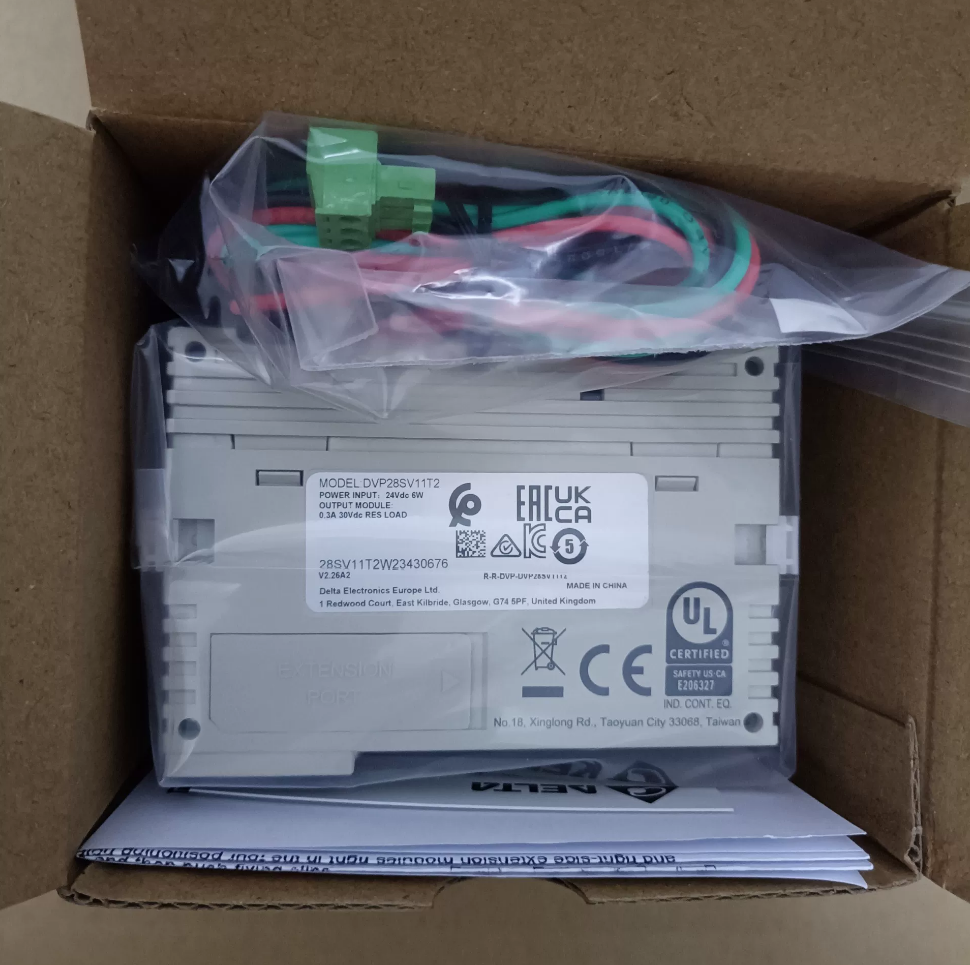

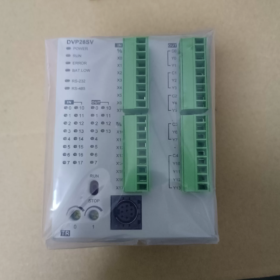
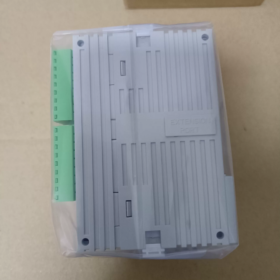
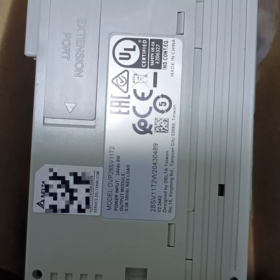
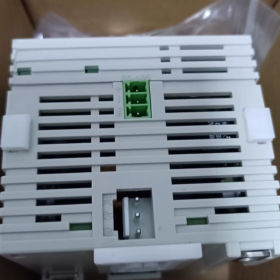
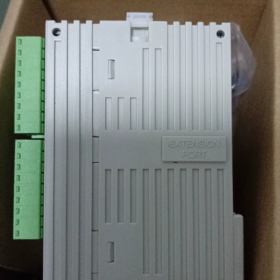
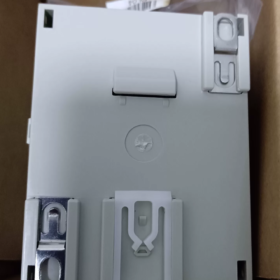
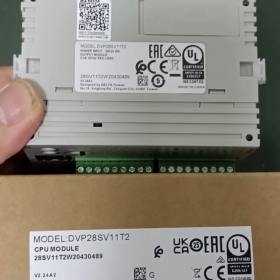
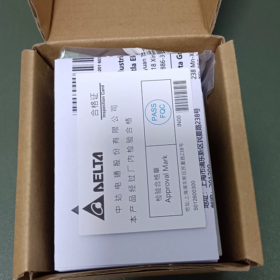
DVP28SV11T2
ALMOHADILLA: Delta PLC código de serie
28: Puntos totales de E/S 28 agujas (16DI+12DO)
SV: Unidad principal de alto rendimiento de la serie SV; SV2 denota hardware de segunda generación (sufijo T2 = SV2)
11: Fuente de alimentación CC24V
t: Salida de transistor NPN (tipo fregadero)
2: Versión de hardware SV2 de segunda generación, compatible con el puerto de expansión de alta velocidad del lado izquierdo
Especificaciones principales de hardware
| Artículo | Parámetros |
| Fuente de alimentación | CC 24 V, protección contra polaridad inversa, corriente de entrada máxima 2.2A |
| Entrada digital DI | 16-punto DC24V, compatible con fuente/disipador |
| Salida digital DO | 12Salida de transistor NPN de punto |
| Capacidad del programa | 30K pasos (SV2 segunda generación), registro de datos 12K Word |
| Contador de alta velocidad | 8-canal; X0/X1/X4/X5 máx.. 200kilociclos; terminales X restantes 10kHz |
| Salida de pulso | Y0‑Y3 máx.. 200kilociclos (4Salida de pulso independiente del eje); admite interpolación lineal/circular |
| Comunicación | COM1: Mini-DIN8 RS232; COM2: RS485; Modbus RTU/ASCII maestro/esclavo |
| Capacidad de expansión | Lado derecho para módulos estándar de la serie S; Puerto de expansión de alta velocidad dedicado del lado izquierdo; E/S total máxima 512 agujas |
| Montaje | Montaje en carril DIN35; Dimensiones W70 × H90 × D109,4 mm |
| Temperatura de funcionamiento | 0-55℃ |
Software
Software de programación: WPLSoft / ISPSoft, con el responsable de comunicación COMMGR
Funciones compatibles: 4-protección de contraseña de nivel, copia de seguridad del programa, reloj en tiempo real sin batería, 16-interrupción externa del canal.
Aplicaciones típicas
Posicionamiento de servos, Manipuladores XY, etiquetadoras, máquinas de embalaje, equipo de corte, maquinaria textil, y otros equipos que requieren control de movimiento de pulso multieje.
Distinción de modelos de una misma serie
DVP28SV11T: SV de primera generación, 16programa de pasos k, sin puerto de expansión de alta velocidad del lado izquierdo
DVP28SV11T2: SV2 de segunda generación, 30programa de pasos k, con puerto de expansión de alta velocidad del lado izquierdo
DVP28SV11R2: Versión con salida de relé
DVP28SV11S2: Versión con salida de transistor PNP
Lista de verificación de inspección de segunda mano
- Prueba de encendido: Indicador de ENCENDIDO fijo; comprobar el estado de los indicadores RUN/ERROR/BAT-LOW; alarma de batería baja.
- prueba de E/S: Fuerce ON/OFF para verificar todos los puntos de entrada y salida..
- Prueba de pulso de alta velocidad: Test Y0-Y3 pulse output up to 200kHz; verify high-speed counter reception on X0/X1.
- prueba de comunicacion: Program upload/download via RS232 and RS485; Modbus read-write test.
- Expansion port inspection: Check left-side and right-side expansion connectors for oxidation and intact pins.
Referencias alternativas
Delta native alternatives: DVP28SV11S2 (PNP); DVP28SE211T (SE2 new generation, with Ethernet port)
Alternativa doméstica: Inovance H2U-1616MT-XP (200pulso de kHz, 4-axis)
Programming Software for Delta DVP28SV11T2 (SV2 Series)
This unit belongs to second-generation DVP-SV2 PLC; two official software packages are supported:
- ISPSoft (Recomendado para nuevos proyectos.)
Última versión: V3.24 and above
Mandatory companion: COMMGR communication manager, handles serial/USB communication connection
Supported IEC61131-3 languages: LD (Diagrama de escalera), CALLE (Structured Text), ETA (Diagrama de bloques de funciones), SFC (Gráfico de funciones secuenciales); full SV2 motion instructions, interpolación, posicionamiento de alta velocidad; modular POU programming, simulación, online monitoring, actualización de firmware.
OS: Win7/10/11 (64-poco)
- WPLSoft (Legacy software for existing project maintenance)
Versión: V2.52, traditional Delta DVP programming software, admite principalmente diagrama de escalera y lista de instrucciones, sin soporte de texto estructurado
Adecuado para leer programas de respaldo de equipos heredados y lógica simple; inferior a ISPSoft para funciones complejas de control de movimiento.
⚠️ Nota: DIADesigner NO es compatible con DVP28SV11T2. DIADesigner es para SV3 de alta gama, PLC de la serie AS/AH.
Cables de programación
Para el puerto Mini-DIN8 RS232 del panel frontal de DVP28SV11T2:
- Cable de programación USB-DVP original de Delta (USB a Mini-DIN8)
- El cable RS232 a Mini-DIN8 también es aceptable; La descarga del programa también está disponible a través de COM2 RS485..
Guía de selección de software
Posicionamiento de servos, interpolación circular, procesos complejos: ISPSoft + COMMGR
Equipos heredados con archivos de proyecto en formato WPLSoft: Mantener con WPLSoft.
Protocolos de comunicación para Delta DVP28SV11T2 (SV2)
Hardware a bordo: COM1-RS232 (Mini-DIN8), Bloque de terminales COM2-RS485. Sin Ethernet nativo ni CANopen; Las funciones de bus de campo requieren módulos de expansión del lado izquierdo..
Protocolos admitidos por puertos serie integrados
- Modbus RTU / Modbus ASCII (Más utilizado)
Disponible en COM1(RS232) y COM2(RS485); admite los modos Maestro y Esclavo
Velocidad máxima en baudios 115200bps; bits de datos configurables, paridad, bits de parada
Aplicaciones: Conéctese a la HMI, inversores, servos, medidores y dispositivos Modbus de terceros.
- Protocolo propietario de Delta (Enlace PLC)
Intercambio de datos entre múltiples PLC DVP-SV2/SA2/SS2 a través de redes RS485.
- protocolo de descarga del programa
COM1RS232: Carga/descarga del programa ISPSoft/WPLSoft, online monitoring
La descarga y el monitoreo del programa también se admiten a través de COM2 RS485..
Parámetros seriales predeterminados de fábrica: 9600, 7, mi, 1 (9600bps, 7-bit de datos, incluso paridad, 1 bit de parada)
Protocolos de bus de campo adicionales a través de módulos de expansión de alta velocidad del lado izquierdo (Complemento de hardware únicamente, no incorporado)
Utilice la ranura de alta velocidad dedicada del lado izquierdo con los módulos de comunicación correspondientes:
DVPCOPM-SL: Módulo maestro CANopen, Compatible con CANopen DS301, para conexión CANopen servo/accionamiento
DVPNET-SL: módulo ethernet, Soporta Modbus TCP (Maestro/Esclavo)
DVPDP-SL: Módulo esclavo Profibus-DP
DVPDNM-SL: Módulo DeviceNet
Resumen de funciones del puerto
| Puerto | Hardware | Funciones |
| COM1 | RS232 Mini‑DIN8 | Descarga del programa, Esclavo Modbus RTU/ASCII; no puede actuar como Modbus Master |
| COM2 | bloque de terminales RS485 | Maestro/Esclavo Modbus, Enlace PLC, descarga del programa |
| Puerto de expansión del lado izquierdo | Ranura dedicada de alta velocidad | CAN abierto opcional, Ethernet, Profibus‑DP y otros módulos de bus |
Errores comunes
- DVP28SV11T2 no tiene interfaz Ethernet o CAN incorporada. Los módulos de expansión deben comprarse por separado.
- COM1(RS232) sólo puede funcionar como esclavo Modbus. La función Modbus Master es exclusiva para COM2(RS485).
- PLCLink funciona solo entre PLC de la serie Delta DVP; incompatible con hardware de terceros.
Guía de instalación completa para Delta DVP28SV11T2 (ISPSoft + COMMGR)
Se prefiere ISPSoft para DVP28SV11T2(SV2). COMMGR es obligatorio para la comunicación.; la descarga del programa fallará sin él.
SO compatible: Win10 / Win11 de 64 bits. Descargue los paquetes de instalación del sitio web oficial de Delta Industrial Automation.
Preparación previa a la instalación
- Desinstalar versiones antiguas de ISPSoft y COMMGR; Las versiones mixtas provocan fallos de comunicación..
- Instalador con botón derecho → Ejecutar como administrador (crítico para Win11; evita errores de instalación y fallos del controlador).
- Desactivar temporalmente el antivirus / Windows Defender para evitar la interceptación de componentes.
- Asegúrese de que .NET Framework4.5 esté instalado (incluido en Windows moderno; descargar desde Microsoft si falta).
Dos procedimientos de instalación
Método A: COMMGR incluido dentro del instalador de ISPSoft (Recomendado)
- Descomprima el archivo ISPSoft y ejecute Setup.exe.
- Seleccione idioma chino, seguir las indicaciones en pantalla; mantener el [COMMGR] componente comprobado, no lo desmarques.
- Personalizar la ruta de instalación; Evite directorios de caracteres chinos en la unidad C. (p.ej. D:\Delta\ISPSoft).
- Complete la instalación y reinicie la PC cuando se le solicite.
⚠️ Si COMMGR no estaba marcado durante la configuración, descargue e instale COMMGR por separado.
Método B: Instalación separada
- Instalar COMGR (Responsable de Comunicación) primero.
- Instale el software de programación ISPSoft después.
Configuración posterior a la instalación (Edición de programas ≠ capacidad de descarga; Se requiere configuración del canal COMMGR)
- Cierre ISPSoft primero, Inicie COMMGR desde el menú de inicio. (El icono aparece en la bandeja del sistema.).
- Hacer clic [Agregar]
Nombre del conductor: solo caracteres en ingles, p.ej. DVP_SV2 (Sin caracteres chinos ni espacios)
Tipo de comunicación:
Cable de programación USB Delta: Seleccione USB
Adaptador USB a RS232/485: Seleccionar puerto serie, confirme el número COM en el Administrador de dispositivos de Windows.
- Parámetros que coinciden con los valores predeterminados de fábrica del PLC: 9600, 7, mi, 1, Estación No.1
- Confirmar configuración, seleccione este canal y haga clic [Comenzar]. El estado INICIO significa que el canal está listo.
- Abrir ISPSoft, crear nuevo proyecto, seleccionar modelo: DVP-SV2 → DVP28SV11T2
- Menú [Herramientas] → [Configuración de comunicación], seleccione el canal COMMGR preconfigurado para conectarse, cargar o descargar programas.
Software heredado alternativo WPLSoft (Sólo para mantenimiento)
No recomendado para nuevos proyectos.; carece de lenguaje ST e instrucciones avanzadas de interpolación de movimiento.
- Instalar WPLSoft V2.53, ejecutar como administrador.
- WPLSoft también confía en COMMGR; La configuración de comunicación sigue los mismos pasos anteriores..
Solución de problemas comunes
- Botón gris en línea: COMMGR no se está ejecutando, el estado del canal no es INICIO.
- Puerto COM no encontrado: Instale el controlador para el chip USB a serie (CH340 / FT232); sin signos de exclamación amarillos en el Administrador de dispositivos.
- Errores de instalación de Win11: Ejecutar siempre como administrador, Evite rutas de instalación con caracteres chinos., desactivar el software de seguridad temporalmente.
- Errores de comunicación: Vuelva a verificar la velocidad en baudios, configuración de paridad y número de estación PLC. Configuración de fábrica de SV2: 9600-7-E-1
Sugerencia para el nuevo proyecto DVP28SV11T2
Nuevo proyecto de ISPSoft → Serie DVP-SV2 → seleccione DVP28SV11T2. El software aplica automáticamente los parámetros de hardware.: 30Capacidad del programa K-step, 4-eje de salida de pulso de 200 kHz.





NH42-63-318x560.png "Interruptores de transferencia automática tipo PC CHINT (ATS)NH42-63/4SZ")



