 コンタクタ,サーキットブレーカー,センサー,エンコーダ,PLC,コンバータ

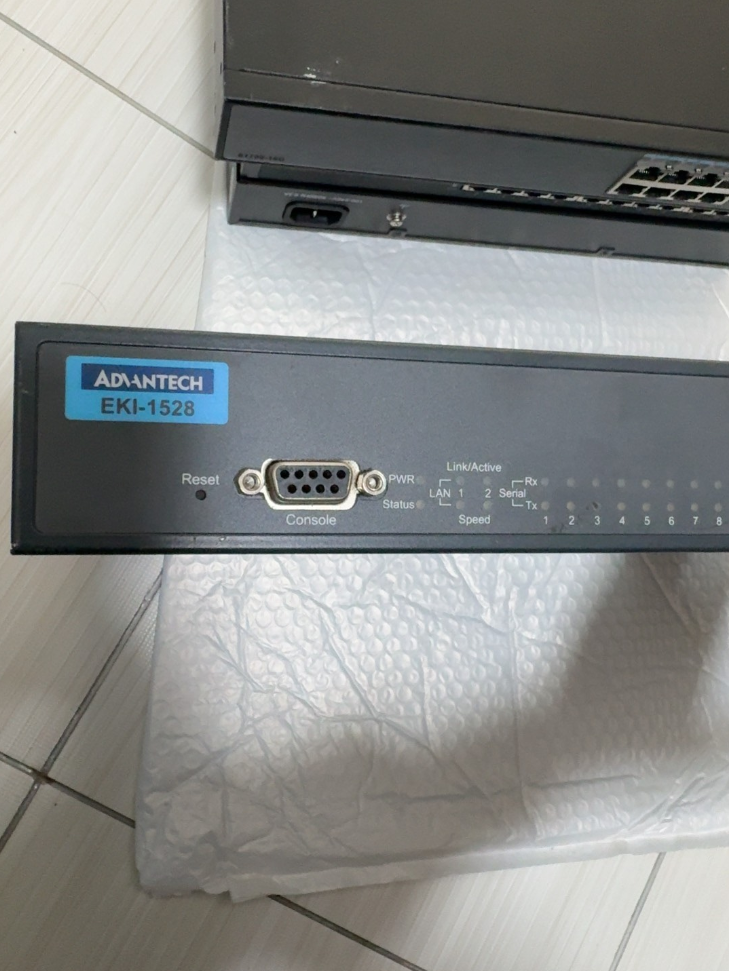

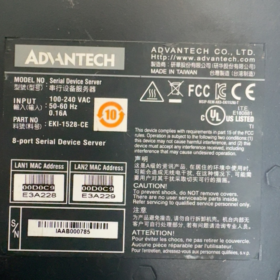
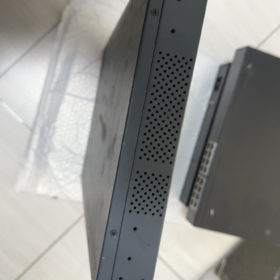
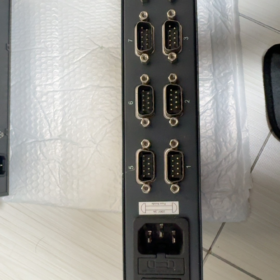
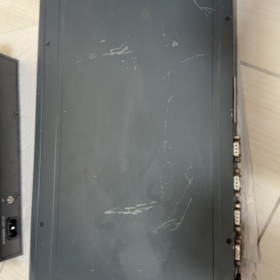
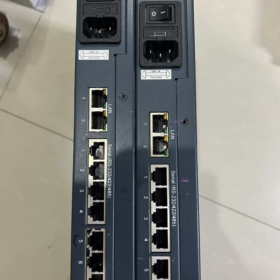
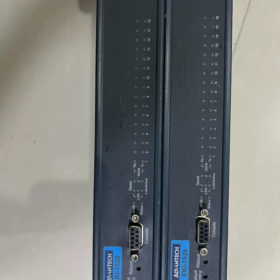
The Advantech EKI-1526 is an industrial-grade 16-port RS-232/422/485 serial device server featuring a 1U rack-mount design and dual Ethernet redundancy. 従来のシリアルデバイスをイーサネットネットワークにシームレスに接続し、リモート管理とデータ収集を実現します。. その主な利点には、ソフトウェアで構成可能なシリアル ポート タイプが含まれます。, 広い動作温度範囲, 高いESD保護, 豊富な通信プロトコルのサポート. 産業オートメーションに広く応用されています, インテリジェントな交通機関, energy management and other fields.
- モデルセグメントの定義 (Standard Nomenclature)
| セグメント | Standard Code | 意味 | 詳細な説明 |
| EKI | EKI | Advantech Industrial Ethernet Communication Product Line | Embedded Ethernet Interface, focusing on industrial network communication equipment |
| 1526 | 1526 | Product Series Number | 16-port serial device server (1528 is the 8-port version) |
| 仕様コード | N / 私 / TI / VDC, 等. | 機能拡張 / パワータイプ | • N: ギガビットイーサネット |
| • I: Wide-temperature version (-40℃~70℃) | |||
| • TI: Wide-temperature + 直流電源 | |||
| • VDC: 直流電源 (12-48VDC) | |||
| • CE: Compliant with EU CE certification | |||
| バージョン | V2 | Hardware Revision | 2nd-generation hardware with upgraded performance, supporting baud rate up to 976.5 kbps |
- コア仕様パラメータ (公式データ)
| カテゴリ | パラメータ | スタンダードモデル (EKI-1526) | Wide-Temp Model (EKI-1526I) | 備考 |
| 基本特性 | 製品タイプ | 16-Port Serial Device Server | 同左 | 1U rackmount, SECC metal casing, IP30保護 |
| 寸法 (幅×高さ×奥行き) | 438×43.6×259.2 mm | 同左 | Standard 19-inch rack mounting | |
| 重さ | 3.1 kg | 同左 | Excluding packaging | |
| 動作温度 | -10℃~60℃ | -40℃~70℃ | 保管温度: -40°C ~ 80°C | |
| 湿度 | 5%~95%相対湿度, 結露しないこと | 同左 | Adaptable to humid industrial environments | |
| MTBF | >60,000 時間 | 同左 | 高信頼設計 | |
| ネットワークインターフェース | Port Quantity | 2 ×RJ45 | 同左 | LAN redundancy supported, auto MDI/MDIX |
| スピード | 10/100 Mbps (EKI-1526) | 同左 | Dual independent MAC addresses, ネットワークの冗長性 | |
| 10/100/1000 Mbps (EKI-1526N) | ||||
| Isolation Protection | 内蔵 1.5 kV magnetic isolation | 同左 | 電磁妨害防止, 安定性の向上 | |
| Serial Communication | Port Quantity | 16 ポート | 同左 | Software configurable serial mode |
| インターフェースの種類 | DB9 (RJ45 optional) | 同左 | Supports RS-232/422/485 switching | |
| ボーレート | 50~921.6 kbps (標準) | 同左 | Custom baud rate supported | |
| 50~976.5 kbps (V2 Version) | ||||
| Data Bits | 5, 6, 7, 8 | 同左 | Flexible compatibility with various serial devices | |
| パリティ | なし / Odd / Even / Mark / 空間 | 同左 | Full compatibility with industrial protocols | |
| Stop Bits | 1, 1.5, 2 | 同左 | Meets communication requirements of different devices | |
| 保護 | 15KV ESD full-serial protection | 同左 | Industrial-grade anti-static design | |
| RS-485 Feature | Automatic data flow control, 2/4-wire support | 同左 | No manual TX/RX direction switching required | |
| パワーシステム | AC Input | 100~240 VAC, 50~60 Hz | 同左 | 消費電力: 5.6W, 0.3A@110V, 0.2A@220V |
| DC Input | 12~48 VDC | 同左 | Wide voltage input for industrial power supply | |
| 保護 | 過電圧 / Over-current / 逆極性保護 | 同左 | Industrial-grade power protection design | |
| Software Functions | Operation Modes | Virtual COM, TCP Server/Client, UDP, Modbus Gateway | 同左 | Multi-protocol conversion capability |
| 設定方法 | Web Browser, Telnet, Windows Utility, Serial Console | 同左 | Flexible for different management scenarios | |
| Network Protocols | IPv4/IPv6, DHCP, DNS, SNMP MIB-II | 同左 | Complete network management support | |
| Security Features | パスワード保護, IP filtering, SSL/TLS (V2 version) | 同左 | Ensure secure data transmission | |
| 認証 | コンプライアンス | CE, FCC, UL, クラスI部門 2 | 同左 | 世界的な産業安全規格に準拠 |
- 付属品一覧 (Officially Recommended)
| 付属品名 | 関数 | Recommended Qty | 備考 |
| Rack Mount Kit | Standard 19-inch rack mounting brackets | 1 set per unit | Standard included |
| Power Cord | AC version: IEC C13 power cable | 1 pc per unit | Select according to power type |
| DC version: Phoenix terminal power cable | |||
| Serial Cable | DB9-RJ45 adapter cable / DB9 straight-through cable | 1 pc per port | For serial device connection |
| Ethernet Cable | Cat5e/Cat6 network cable (1-2メートル) | 2 pcs per unit | For dual Ethernet port connection |
| 設定ソフトウェア | Advantech Device Manager | 1 セット | Available via CD or official website |
| ユーザーマニュアル | 紙 / electronic operation guide | 1 コピー | Includes quick configuration steps |
| Warranty Card | 5-year warranty certificate | 1 コピー | Standard warranty for Advantech industrial products |
- 競合他社 & クロスブランド交換リスト (直接互換性あり)
| ブランド | モデル | 主要なパラメータ | 互換性 / 違い | 交換の推奨事項 |
| Advantech Same Series | EKI-1526N | 16-ポート, ギガビットイーサネット, IP30 | Higher network speed, identical other specs | Choose for high-speed network transmission |
| Advantech Same Series | EKI-1526I | 16-ポート, 幅広い温度 (-40℃~70℃) | Extended operating temperature range | アウトドア / harsh environment applications |
| Advantech Same Series | EKI-1528 | 8-ポート, same other parameters | Half port count, 小さいサイズ | Scenarios with fewer serial devices |
| MOXA | NPort 5616-8-DT | 16-ポート, RS-232/422/485, dual LAN | Similar protocol support, more mature configuration software | Users familiar with MOXA ecosystem |
| シーメンス | SCALANCE XB-200 Series | Industrial switch + serial server module | 高集積化, seamless connection with Siemens PLC | Priority for Siemens automation systems |
| フエニックス・コンタクト | FL SWITCH 2208 + PSI-MODEM | スイッチ + serial gateway combination | モジュラー設計, strong scalability | Scenarios requiring flexible port expansion |
| 国内代替品 | ZLG GCOM80-2NET | 16-ポート, 幅広い温度, full isolation | 30%-50% 低価格, fully compatible functions | コスト重視のプロジェクト & localization demands |
- 選定ガイドライン & 代替ソリューション
選択ニーモニック
> 16 serial ports with dual LAN, software switch for multi-RS mode;
> I for wide temp, N for gigabit, AC/DC power as required.
選択に関する重要な考慮事項 (5 寸法)
- Port Quantity Matching
16 serial devices: Choose standard EKI-1526
8 serial devices: Choose EKI-1528 (8-port version)
より多い 16 serial ports: Daisy-chain multiple units or select EKI-1548 (32-ポート)
- Operating Environment Adaptation
標準的な産業環境 (-10°C~60°C): EKI-1526 standard version
極限環境 (-40℃~70℃): Choose EKI-1526I wide-temperature model
アウトドア / humid environment: Add IP67 protective enclosure
- Network Requirement Evaluation
100Mbps network: EKI-1526 standard
ギガビット / 高速データ伝送: Choose EKI-1526N
Network redundancy & 高い信頼性: Dual LAN auto-switching as standard
- Power Supply Selection
Room / computer room: EKI-1526 (AC電源)
産業分野 / no commercial AC: EKI-1526T-VDC (12-48VDC)
Unstable power grid: Add UPS power protection
- Function Expansion Requirements
Security encryption: Choose V2 version (supports SSL/TLS)
Modbus Gateway: 標準内蔵, no extra license required
Remote management: Supports SNMP, integrable with industrial network management system
推奨される代替ソリューション (3 Scenarios)
| アプリケーションシナリオ | 推奨される解決策 | 利点 |
| コストの最適化 | 国内代替品 (ZLG GCOM80-2NET, Kyland KIEN Series) | 30%-50% コスト削減, function compatible, meets localization requirements |
| Protocol Upgrade | EKI-1526 + Advantech Protocol Converter | Add OPC UA, PROFINET and other industrial protocol conversion |
| 機能統合 | EKI-1526V2 + Advantech Edge Computing Module | All-in-one serial data collection + エッジコンピューティング + cloud platform access |
- 航空貨物のコンプライアンス & CE認証 (国際貿易)
- 航空貨物のコンプライアンス
リチウム電池は内蔵していません / スーパーキャパシタ: Classified as ordinary industrial electronic equipment, 特別な航空貨物制限なし
輸送カテゴリー: クラス 9 miscellaneous dangerous goods (non-dangerous in actual transport)
HSコード: 85176239 (Industrial network communication equipment)
包装規格: Compliant with ISTA 3A to avoid transport damage
- CE Certification Information
Compliant Directives: 2014/30/欧州連合 (EMC), 2011/65/欧州連合 (RoHS), 2014/35/欧州連合 (LVD)
Test Standards: で 55011 (Industrial EMI), で 61000-6-2 ( Industrial immunity)
Certification Number: Available on Advantech official website by entering the full model number
- 応用事例 & 業界の適応
代表的な応用例
- スマートファクトリー: 接続する 16 PLCs/sensors; adopt dual Ethernet redundancy for production line data acquisition; support Modbus TCP/RTU protocol conversion and seamless MES system connection.
- Smart Grid: Network 16 serial substation devices (保護リレー, energy meters); wide-temperature model adapts to outdoor conditions; dual LAN ensures reliable data transmission.
- 鉄道交通: 16-channel sensor data collection for train carriages; DC power adapts to vehicle system; high ESD protection against complex electromagnetic environments.
- 石油化学産業: Remote monitoring of 16 instrument data in refineries; クラスI部門 2 certification meets hazardous area requirements; support remote configuration and fault diagnosis.
業界適応ガイド
| 業界 | Adaptation Advantages | 推奨される構成 |
| 産業オートメーション | Multi-serial centralized management, flexible protocol conversion | EKI-1526N + Virtual COM Software + Industrial Switch |
| エネルギー & 力 | Wide-temperature design, 高い信頼性, dual LAN redundancy | EKI-1526I + 直流電源 + Lightning Protection Module |
| 鉄道交通 | Vehicle power compatible, 耐振動性, enhanced EMC | EKI-1526TI-VDC + Shockproof Mounting Bracket |
| 石油化学 | Explosion-proof certification, リモート管理, 低消費電力 | EKI-1526I + Safety Isolator + Redundant Power Supply |
The Advantech EKI-1526 is a highly reliable and flexible industrial-grade serial device server. With its 16-port high-density design, software-configurable serial modes, and dual LAN redundancy, it perfectly meets the network transformation demands of serial devices in industrial sites. Supporting multiple operation modes including Virtual COM, TCP/UDP and Modbus Gateway, it can be seamlessly integrated into mainstream industrial automation systems to realize remote management and data acquisition of traditional serial equipment. Its wide-temperature versions and multiple power options further extend its applicability in extreme environments and special scenarios.
Full EKI-1526 Series Model List
- 16-Port Main Models
| フルモデル | LAN Speed | 動作温度 | 電源 | コア機能 |
| EKI-1526 | 10/100Mbps | -10℃~60℃ | AC220V | Standard 16-port RS232/422/485 |
| EKI-1526I | 10/100Mbps | -40℃~70℃ | AC220V | Industrial wide-temperature version |
| EKI-1526N | 10/100/1000Mbps | -10℃~60℃ | AC220V | 標準 + Dual Gigabit LAN |
| EKI-1526NI | 10/100/1000Mbps | -40℃~70℃ | AC220V | Wide-temperature + デュアルギガビット |
| EKI-1526-VDC | 10/100Mbps | -10℃~60℃ | 12~48VDC | DC power version |
| EKI-1526I-VDC | 10/100Mbps | -40℃~70℃ | 12~48VDC | Wide-temperature + 直流電源 |
| EKI-1526N-VDC | 10/1000Mbps | -10℃~60℃ | 12~48VDC | ギガビット + 直流電源 |
| EKI-1526V2 | 10/100Mbps | 標準温度 | 交流 | V2 hardware, higher baud rate + SSL encryption |
- 関連シリーズ機種 (8/32-Port Alternative)
| モデル | シリアルポート | 位置決め | Direct Replacement Scenario |
| EKI-1528 | 8 ポート | Small-site application | ≤8 serial devices, 空間 & コスト削減 |
| EKI-1548 | 32 ポート | High-density cabinet | 以上 16 serial ports, one unit replaces two EKI-1526 |
Unified Model Suffix Definition
サフィックスなし: Standard temperature -10~60℃, 100Mbps LAN, AC220V power
私: Industrial wide-temperature -40℃~70℃
N: Network upgraded to Dual Gigabit Ethernet
VDC: Supports 12~48VDC wide-range DC input
TI: Wide-temperature + industrial vehicle-grade DC adaptation
V2: 2nd-gen hardware, max baud rate 976.5kbps, SSL/TLS encryption supported
Quick Hardware Wiring Steps
- Power on the device: AC for mains power / DC for 12-48V DC input
- Network port: LAN1/LAN2 connect to switch or PC, dual LAN redundancy supported
- Serial port: DB9 connects to RS232/485/422 devices; mode switch via web page
- 電源インジケーター: PWR steady on = normal; LINK flashing = network communication active
Basic Web Configuration Steps
- Set PC IP to the same segment: 192.168.1.×
- Enter default IP in browser: 192.168.1.1
- Default username / password: `admin / admin`
- Basic settings:
Modify device IP, subnet mask, ゲートウェイ
Global serial config: unified baud rate / データビット / パリティ / ストップビット
Serial mode: select Virtual COM / TCP Server / TCP Client / Modbus Gateway as required
3 Common Application Configuration Guides
- Virtual COM Mode (最も一般的な)
応用: Legacy serial software / SCADA software used as local COM port
- Set serial mode to Virtual COM in web page
- Install Advantech Device Manager on PC
- Search device → bind serial ports → auto assign COM3~COM20
- Use the corresponding COM number directly in SCADA or application software
- Modbus Gateway Mode (For PLC & メートル)
応用: Convert Modbus RTU to Modbus TCP for serial instruments over Ethernet
- Set serial mode to Modbus Gateway in web page
- Configure serial parameters: 9600/8N1 to match instrument
- Set slave address and polling interval
- Host access via Modbus TCP using device IP + port number
- Dual LAN Redundancy Configuration (Dual Link Anti-Disconnection)
応用: Critical production lines, 電力網, unattended computer rooms
- Enter Network → Redundancy in web interface
- Enable Dual LAN Redundancy
- Connect LAN1 and LAN2 to different switches respectively
- Automatic seamless switchover and no data loss if any network cable fails
クイックトラブルシューティング
- Cannot access web page: Set PC IP to 192.168.1.xxx, disable firewall
- Serial communication failure: Switch RS232/485/422 mode in web page, verify baud rate and parity
- Virtual COM offline: Upgrade driver, set static device IP, avoid DHCP dynamic IP
- Dual LAN no switchover: Confirm redundancy is enabled; ensure two switches are not in the same loop
Advantech EKI-1526 Dual LAN Redundancy Full Configuration Guide
The EKI-1526 supports Master-Backup dual LAN redundancy with switchover time <1 2番. After enabling via Web UI, it automatically detects link faults and performs seamless failover to ensure uninterrupted industrial communication.
- Dual LAN Redundancy Working Principle
The EKI-1526 is equipped with two independent Ethernet ports (LAN1/LAN2) and independent MAC addresses:
Master Port: Carries all network traffic under normal operation
Backup Port: Monitors master port status in real time and takes over only when master port fails
Switchover Mechanism: Automatically switches to backup port upon LAN link down (cable disconnection / switch failure), switchover time <1 second with no data loss
Restore Mechanism: After master port recovers, configurable for auto switch back or remain on backup port
- Hardware Connection Preparation
Recommended Topologies (Avoid Single Point of Failure)
| Connection Mode | 説明 | アプリケーションシナリオ |
| Dual Switch Redundancy | LAN1 to Switch A, LAN2 to Switch B; both switches connect to core network | Critical production lines, unattended rooms; prevent single switch failure |
| Single Switch Dual Port | LAN1/LAN2 connect to different ports of the same switch | 予算は限られている; only protect against single port / cable failure |
| Dual Network Segmentation | LAN1 for production network, LAN2 for management network; サービス & management isolated | Security scenarios requiring network isolation |
Hardware Wiring Steps
- Power off the device, connect serial devices and power supply
- Connect LAN1/LAN2 to switches (dual switches recommended)
- 電源を入れる; check indicators: PWR steady on, both LAN LINK lights flashing normally
- Detailed Web Configuration Steps
- Basic Network Settings (必須)
- Set PC static IP: 192.168.1.× (same segment as device default)
- Browser access default IP: 192.168.1.1, login: `admin/admin`
- Go to Ethernet Configuration → Ethernet 1: Set master port IP, subnet mask, ゲートウェイ
- Go to Ethernet Configuration → Ethernet 2: Set backup port IP (same segment recommended, 例えば. 192.168.1.2), subnet mask, ゲートウェイ
- Click Save, device auto restarts (について 1 分)
- Enable Dual LAN Redundancy (Core Config)
- Log in Web UI again after reboot
- Enter Network → Redundancy
- Check Enable Dual LAN Redundancy
- Select Redundancy Mode:
Master-Backup (デフォルト): LAN1 as master, LAN2 as backup, auto failover upon fault
Load Balance: Both ports work simultaneously for traffic sharing (supported by partial firmware)
- Set Switch Back Mode:
自動: Automatically switch back to master after recovery (デフォルト)
マニュアル: Stay on backup port; manual switch required after master recovery
- Set Detection Interval: デフォルト 1 2番, adjustable 500ms~10s (1s recommended)
- Click Save, redundancy takes effect immediately
- 高度な構成 (オプション)
| パラメータ | 推奨値 | 説明 |
| Heartbeat Packet | 有効にする | Enable heartbeat detection for higher fault accuracy |
| Heartbeat Interval | 100MS | Heartbeat sending interval; shorter = faster detection |
| Failover Count | 3 | Switch only after 3 consecutive failures to avoid false switching |
| Link Down Detection | 有効にする | Physical layer link detection (cable disconnection etc.) |
- Redundancy Function Test
- Link Fault Test
- Normal status: Web Status → Network Status shows LAN1 Active, LAN2 Standby
- Unplug LAN1 cable:
Device indicator: LAN1 off, LAN2 steady on
Web status updates: LAN2 becomes Active, switchover <1s
Verify serial communication via Virtual COM / Modbus TCP, no interruption
- Reconnect LAN1 cable:
Auto Mode: LAN1 resumes Active, LAN2 becomes Standby
マニュアルモード: Remain on LAN2; manual switch required in Web UI
- Switch Failure Test
- Power off the switch connected to master port
- Device switches to backup port within 1 2番
- Restore master switch power and verify switchback works normally
- よくあるトラブルシューティング
| 故障現象 | 考えられる原因 | 解決 |
| Cannot enable redundancy | Firmware version too old | Upgrade to latest firmware from official website |
| Communication interrupted after switchover | Wrong backup port IP | Ensure master & backup ports same segment with consistent gateway |
| Frequent false switching | Detection interval too short | Extend interval to 2s, set Failover Count to 5 |
| No auto switch back after master recovery | Switch Back Mode set to Manual | Change to Auto or switch manually in Web |
| Both LAN ports down | Network configuration conflict | Check duplicate IP and subnet mask settings |
- Configuration Mnemonic
> Three steps for dual LAN redundancy: set IP first, enable redundancy second;
> Dual switches avoid single point; always verify failover after config.
- Hardware Selection: Critical sites choose dual switches; ordinary sites choose single switch dual port
- IP Planning: Master and backup ports recommended same network segment for easy management & switchover
- モードの選択: Industrial control prioritizes Master-Backup; data collection can use Load Balance
- Switchback Policy: Unattended sites select Auto; manual intervention sites select Manual
- Test Validation: Perform link failover test after configuration to ensure reliable redundancy in actual faults
EKI-1526 dual LAN redundancy can be quickly configured via Web interface. The core is enabling redundancy and correctly setting master/backup IP and switchover policy. Cooperating with dual-switch topology, it effectively eliminates single-point faults in industrial networks and ensures high reliability of serial device communication. Full functional verification is recommended after deployment.





NH42-63-318x560.png "CHINT PC型自動切替スイッチ (ATS)NH42-63/4SZ")



