 접촉기,회로 차단기,감지기,인코더,PLC,변환기

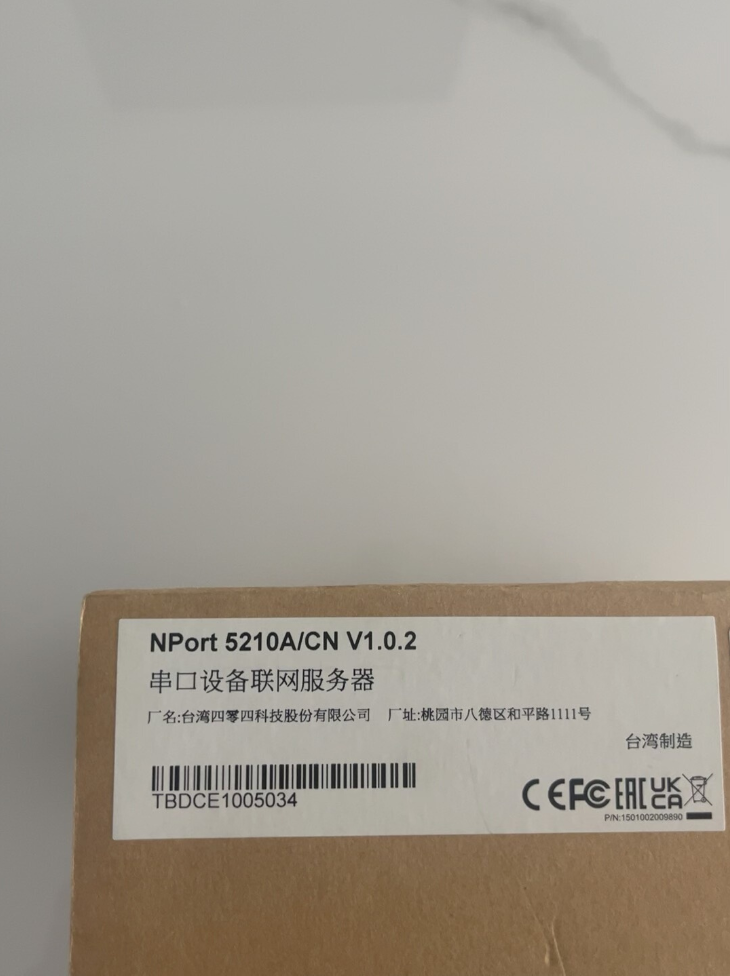


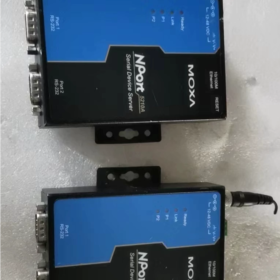
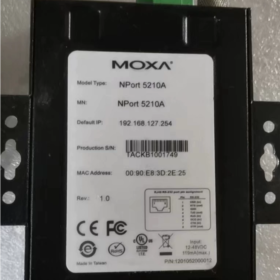
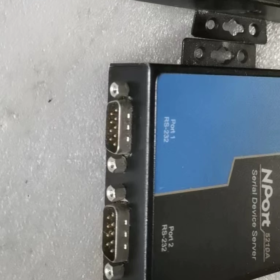
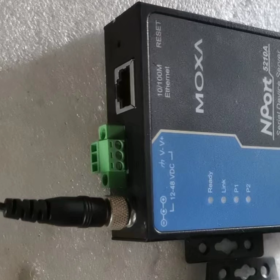
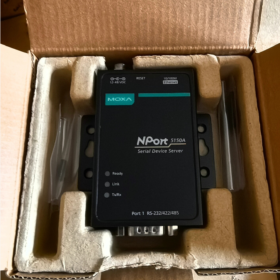
Moxa NPort 5210A는 이더넷을 통해 직렬 장치 네트워킹을 가능하게 하는 산업용 등급 2포트 RS-232 직렬 장치 서버입니다.. 넓은 온도 작동이 특징입니다. (0~60°C), 산업 등급 보호 (서지/절연/ESD), 이중 전원 이중화 및 유연한 구성. 그것은 제조에 널리 적용됩니다., 에너지, 운송 및 기타 산업. 컴팩트한 구조와 다양한 장착 방법으로 기존 직렬 장치를 업그레이드하는 데 이상적인 선택입니다.. 유지보수 지침 및 문제해결 매뉴얼을 준수하면 장기적으로 안정적인 운영을 보장하고 시스템 유지관리 비용을 절감할 수 있습니다..
- 모델 코드 정의
| 모델 세그먼트 | 의미 | 설명 |
| N포트 | 제품 시리즈 | Moxa 직렬 장치 서버의 제품 라인 식별자 |
| 52 | 시리즈 코드 | 5200시리즈, 2포트 산업용 직렬 서버를 의미합니다. |
| 10 | 직렬 포트 유형 | 10 = RS-232 인터페이스; 30 = RS-422/485; 50 = RS-232/422/485 트리플-인-원 |
| 에이 | 버전 표시 | 더 넓은 작동 온도 범위를 갖춘 향상된 버전 (0~60°C 대 원래 0~55°C) 그리고 업그레이드된 보호 수준 |
| -티 | 선택적 접미사 | 넓은 온도 모델, -40~75°C까지 작동 온도 확장 |
- 핵심 사양표
| 범주 | 명세서 | 비고 |
| 기본 구성 | 2-포트 RS-232 직렬 서버 | 직렬 장치 네트워킹 및 RS-232-이더넷 통신 지원 |
| 1×10/100BaseT(엑스) RJ45 이더넷 포트 | ||
| DB9 수 직렬 커넥터 | ||
| 연속 공연 | 최대 전송 속도: 921.6 kbps | 대부분의 산업용 직렬 장치와 호환 가능 |
| 데이터 비트: 5,6,7,8 | ||
| 둥가: 없음, 심지어, 이상한, 공간, 표시 | ||
| 정지 비트: 1, 1.5, 2 | ||
| 흐름 제어: RTS/CTS, 칸/호프 | ||
| 네트워크 기능 | 작동 모드: TCP 서버, TCP 클라이언트, UDP, 실제 COM, 리버스 텔넷, RFC2217 | 다양한 산업 응용 시나리오에 적용 가능 |
| 지원되는 프로토콜: IP, TCP, UDP, ARP, ICMP, DHCP, 부팅, HTTP, 텔넷, SNMP | ||
| 전기 보호 | 직렬 서지 보호: 0.5 kV | 가혹한 전자기 환경을 위한 산업 보호 |
| 이더넷 포트 격리: 1.5 kV 내장 자기 절연 | ||
| ESD 보호: 연락하다 8 kV, 공기 15 kV | ||
| 전원 기능 | 듀얼 DC 입력: 12~48VDC (24 VDC 권장) | 안정적인 작동을 위한 이중 전원 설계 |
| 전원 인터페이스: 나사식 커넥터 + 터미널 블록 | ||
| 최대 전력 소비: 3.6 여 | ||
| 물리적 특성 | 치수: 77 × 111 × 26 mm | 다양한 설치 현장에 적합한 컴팩트한 디자인 |
| 무게: 340 g | ||
| 설치: 데스크탑, 철도의 (옵션 키트), 벽걸이형 | ||
| 환경 매개변수 | 작동 온도: 표준 0~60°C, 넓은 온도 -40~75°C | 뛰어난 산업 환경 적응성 |
| 보관 온도: -40~75°C | ||
| 상대습도: 5~95% (비응축) | ||
| 진동: 5~500Hz, 1.5 g | ||
| 충격: 10 g, 11 ms | ||
| 인증 | CE, FCC, UL/cUL, 클래스 I 부문 2 | 국제 산업 표준을 준수합니다., 위험 지역에 적용 가능 |
| 주문 코드 | N포트 5210A | 표준 모델과 넓은 온도 모델 구별 |
| N포트 5210A-T (넓은 온도) |
III. 전체 시리즈 모델 목록 (NPort 5200A 시리즈)
| 모델 | 직렬 포트 유형 | 온도 범위 | 주요 특징 |
| N포트 5210A | 2-포트 RS-232 | 0~60°C | RS-232 직렬 연결용 기본 모델 |
| N포트 5210A-T | 2-포트 RS-232 | -40~75°C | 극한의 온도 환경을 위한 폭넓은 온도 모델 |
| N포트 5230A | 2-포트 RS-422/485 | 0~60°C | 장거리 통신을 위한 차동 직렬 포트 |
| N포트 5230A-T | 2-포트 RS-422/485 | -40~75°C | 광범위한 온도 RS-422/485 직렬 서버 |
| N포트 5250A | 2-포트 RS-232/422/485 | 0~60°C | 유연한 장치 매칭을 위한 삼중 직렬 포트 |
| N포트 5250A-T | 2-포트 RS-232/422/485 | -40~75°C | 폭넓은 온도의 삼중 직렬 서버 |
- 교체 비교: 오래된 & 새로운 모델 / 동종 제품
- 오래된 & 새로운 모델 교체
| 구형 모델 | 새로운 모델 | 주요 업그레이드 |
| N포트 5210 | N포트 5210A | 작동 온도를 0~60°C로 확장; 향상된 서지 보호; 이중 전원 입력; 단순화된 웹 구성 |
- 동종 제품 비교
| 모델 | 상표 | 포트 수량 | 직렬 유형 | 온도 범위 | 보호 수준 | 가격대 |
| N포트 5210A | 뜸쑥 | 2 | RS-232 | 0~60°C | 직렬 0.5kV 서지, 이더넷 1.5kV 절연 | $260~$300 |
| EKI-1521 | 어드밴텍 | 2 | RS-232 | 0~60°C | 직렬 1kV 서지, 이더넷 1.5kV 절연 | $240~$280 |
| IES-202 | 피닉스컨택트 | 2 | RS-232 | -20~60°C | 직렬 0.5kV 서지, 이더넷 1kV 절연 | $280~$320 |
| UNO-2170 | 어드밴텍 | 2 | RS-232/485 | 0~55°C | 직렬 0.5kV 서지, 이더넷 1.5kV 절연 | $220~$260 |
- 애플리케이션 환경 & 산업 사례
- 적용 가능한 시나리오
제조업: PLC를 위한 네트워킹, CNC 공작기계, 바코드 스캐너 및 산업용 테스트 장비
에너지 & 유용: 파워미터 통합, RTU 및 SCADA 시스템
기름 & 가스 산업: 직렬 장치의 원격 관리
스마트 인프라: 빌딩 자동화, 모니터링 시스템 및 IoT 통합
운송: 철도교통 신호장비 및 차량 모니터링 시스템
의료 장비: 실험실 장비 및 의료 진단 장치용 네트워킹
- 권장되지 않는 시나리오
습도가 높은 환경 (상대습도 이상 95%, 응축상태)
특수 부식방지 코팅이 없어도 가혹한 화학적 부식 환경
수중 또는 고압 상황 (비방수 디자인, 건조한 실내/덮인 실외 사용에만 해당)
POE 전원 공급 장치 필요 (NPort 5210A는 POE를 지원하지 않습니다., 별도의 전원 공급 장치 필요)
- 일반적인 적용 사례
사례 1: 자동차 생산 라인을 위한 PLC 네트워킹
애플리케이션: 원격 모니터링 및 프로그래밍을 위해 레거시 PLC RS-232 포트를 이더넷에 연결
구성: Real COM 모드를 채택하여 PC에 가상 직렬 포트 생성, 원래 PLC 소프트웨어에는 수정이 필요하지 않습니다.
이점: 산업 실현 4.0 값비싼 PLC를 교체하지 않고 업그레이드, 비용을 절감하다 70%
사례 2: 스마트 그리드 미터 데이터 수집
애플리케이션: NPort 5210A를 통해 분산형 RS-232 전력계에서 SCADA 시스템으로 데이터 수집
구성: TCP 서버 모드, 중앙 서버는 이더넷을 통해 미터 데이터를 수집합니다.
이점: 원격 검침 및 실시간 모니터링 실현, 수동 검사 비용 절감 및 데이터 정확성 향상
- 일반적인 결함 & 솔루션
| 결함 현상 | 가능한 원인 | 솔루션 |
| 웹 구성 페이지에 액세스할 수 없습니다. | 1. 다른 IP 네트워크 세그먼트 | 1. IP 주소 조정, Moxa IP 검색 도구 사용 |
| 2. 방화벽 차단 | 2. 방화벽을 비활성화하거나 액세스 규칙을 추가하세요. | |
| 3. 비정상적인 전원 공급 | 3. 전원 표시등 및 이중 전원 연결을 확인하세요. | |
| 응용 프로그램에서 가상 COM 포트를 열지 못했습니다. | 1. 잘못된 COM 매핑 구성 | 1. Real COM 모드 재구성 |
| 2. 네트워크 연결 끊김 | 2. 네트워크 연결을 확인하기 위해 장치 IP를 ping합니다. | |
| 3. 드라이버 설치 실패 | 3. 공식 최신 드라이버를 다시 설치하세요. | |
| 불안정한 직렬 통신 | 1. 일치하지 않는 전송 속도 & 둥가 | 1. 터미널 장치와 직렬 매개변수 통합 |
| 2. 전자기 간섭 | 2. 차폐 케이블 사용, 전원선과 30cm 이상 거리를 두세요 | |
| 3. 너무 길거나 품질이 낮은 직렬 케이블 | 3. 15m 길이 내에서 인증된 케이블을 교체하십시오. | |
| 깜박이는 전원 표시기 | 1. 불안정한 입력 전압 | 1. 입력전압이 12~48VDC 이내인지 확인하세요. |
| 2. 전원 모듈 오류 | 2. 예비 전원 모듈 교체 | |
| 3. 내부 단락 | 3. 유지 관리를 위해 Moxa 기술 지원팀에 문의하세요. | |
| 네트워크 연결 끊김 | 1. 네트워크 케이블 결함 | 1. 테스트용 네트워크 케이블 교체 |
| 2. 스위치 포트 결함 | 2. 스위치 포트 변경 | |
| 3. 손상된 이더넷 포트 | 3. 포트 표시 확인, 이상이 있으면 수리를 위해 보내십시오 |
Ⅶ. 핵심부품 교체성 분석
| 요소 | 교체성 | 운영 난이도 | 필수 도구 | 메모 |
| 전력 모듈 | 높은 (외부) | 낮은 | 드라이버 | 미리 전원을 꺼두세요, 12~48VDC 표준 전원 공급 장치를 사용하십시오. |
| 직렬 커넥터 | 중간 | 중간 | 납땜 인두, 납땜 와이어 | 전문적인 용접 기술이 필요합니다., 정전기 방지 작동 |
| 이더넷 포트 커넥터 | 중간 | 중간 | 납땜 인두, 납땜 와이어 | 메인보드와 고도로 통합됨, 전문적인 유지 관리 권장 |
| 메인보드 | 낮은 | 높은 | 전자 유지 관리 도구 전체 세트 | 높은 교체 비용, 전체 기기 교체 선호 |
| 방열판 | 높은 | 낮은 | 드라이버 | 단단히 고정하고 열전달 그리스를 고르게 도포합니다. |
| 표시 등 | 중간 | 중간 | 납땜 인두, 납땜 와이어 | SMD 부품, 정밀한 작업이 필요함 |
Ⅷ. 일일 유지 관리 & 예방 지침
- 설치 & 배선 규칙
이중 중복 전원 공급 장치 우선 순위 지정, 나사 커넥터를 단단히 조이세요
EMI를 줄이려면 직렬 케이블을 전원 케이블에서 최소 30cm 이상 떨어뜨려 두십시오.
접지 저항 4Ω 이하로 안정적인 장비 접지 보장
- 정기 점검 일정
| 유지보수 항목 | 주기 | 운영 내용 |
| 펌웨어 업그레이드 | 계간지 | 보안 취약점을 수정하려면 안정적인 최신 펌웨어로 업데이트하세요. |
| 먼지 청소 | 반년마다 | 전원을 끈 후 압축 공기로 표면과 통풍구를 청소하십시오. |
| 연결 검사 | 월간 간행물 | 모든 배선, 특히 전원 및 네트워크 라인의 느슨함을 확인하십시오. |
| 운전 모니터링 | 주간 | 운행상태 확인, 웹페이지를 통한 온도 및 통신 통계 |
| 구성 백업 | 모든 수정 후에 | 데이터 손실을 방지하기 위해 구성 파일 내보내기 |
- 결함 예방 조치
극단적인 온도에 장치를 두지 마십시오, 습도와 먼지가 많은 환경
전압 서지 손상에 대비하여 전원 입력 단자에 서지 보호 장치를 설치하십시오.
네트워크 액세스 제한을 위해 IP 필터링 및 강력한 비밀번호를 활성화합니다.
핵심 애플리케이션에 이중 장치 이중화를 채택하여 시스템 신뢰성 향상
- 항공 화물 규정 준수 & 인증
- 항공 화물 규정 준수
내장 리튬 배터리 없음, IATA 위험물 규정을 준수합니다., 일반 화물로 배송 가능
운송 표준을 충족하는 원래 포장 또는 정전기 방지 포장을 사용하십시오.
강한 압력과 격렬한 진동을 방지하려면 FRAGILE 라벨을 표시하세요.
- 인증 문서
| 인증 | 기준 | 적용범위 |
| CE | 안에 55032/24 (EMC), IEC 61000-4 시리즈 (EMS) | 유럽 시장 진출 |
| FCC | 파트 15B | 북미 시장 진출 |
| UL/cUL | UL 61010-1 | 북미 안전 승인 |
| 클래스 I 부문 2 | ANSI/ISA 12.12.01 | 위험지역 배치 승인 |
- 선택 규칙 & 빠른 암기
빠른 선택 규칙
- 포트 정의: 10=RS-232, 30=RS-422/485, 50=트리플인원
- 온도 범위: 표준 0~60°C, -T 버전 -40~75°C
- 보호기준: 직렬 0.5kV 서지, 이더넷 1.5kV 절연, ESD 15kV
- 전원 사양: 12~48VDC 듀얼 입력(스크류 터미널 포함) & 블록 인터페이스





NH42-63-318x560.png "CHINT PC형 자동절환스위치 (ATS)NH42-63/4SZ")



