 접촉기,회로 차단기,감지기,인코더,PLC,변환기

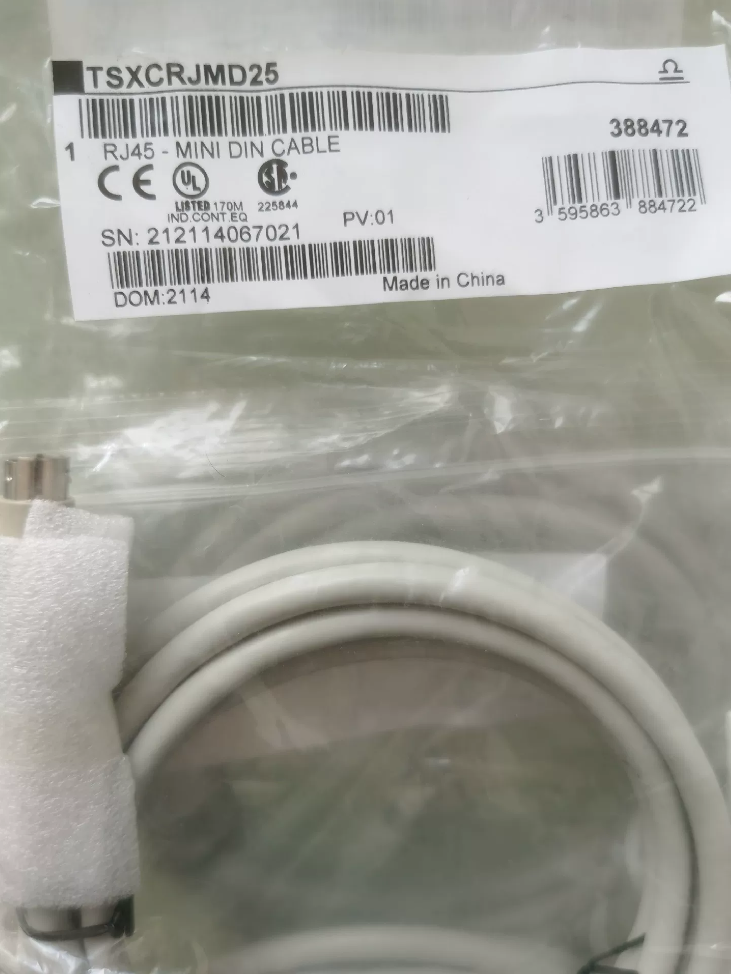

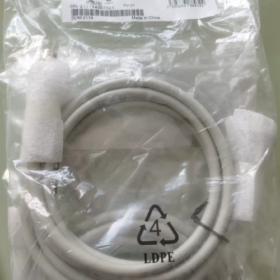
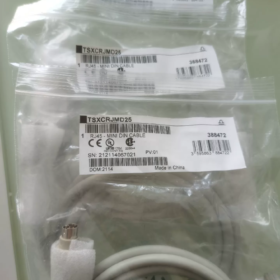
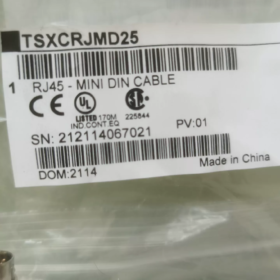
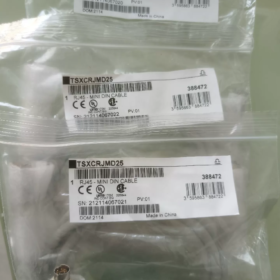
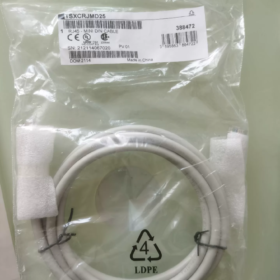
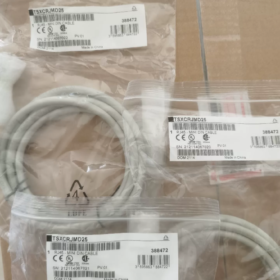
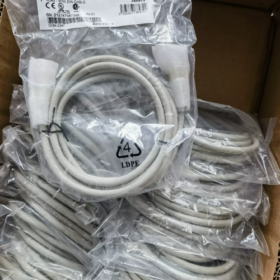
모델: TSXCRJMD25
제품 유형: PLC programming communication cable (cable only, USB converter not included)
Connectors: One end: Mini-DIN 8-pin; the other end: RJ45 modular plug
케이블 길이: 2.5 중
Applicable Platforms: 모디콘 프리미엄 (TSX57), Quantum (140CPU) series PLCs, connects to CPU TER/AUX programming port
OEM Status: 수명 종료, EOL effective 2024-12-31. Original manufacturer no longer supplies; available stock consists of surplus inventory, second-hand units and compatible replacement cables.
Complete Communication Assembly
TSXCRJMD25 must be used together with TSXCUSB485 (USB-RS485 converter) to form the communication link: PC ↔ Premium/Quantum PLC. Used for program upload-download, online monitoring and debugging within Unity Pro software.
TSXCUSB485: USB-to-RS485 adapter
TSXCRJMD25: 2.5-meter dedicated cable connecting adapter to PLC TER port
구별: TSXCRJDB25 is DB25-to-RJ45 variant for legacy serial-port PCs; TSXCRJMD25 is Mini-DIN-to-RJ45 for use with TSXCUSB485.
주요 사양
| 목 | 매개변수 |
| 케이블 길이 | 2.5 중 |
| A면 | Mini‑DIN 8‑pin (connects to TSXCUSB485) |
| B면 | RJ45 (connects to PLC TER/AUX port) |
| Supported Software | Unity Pro XL / Unity Pro |
| 호환 가능한 CPU | TSX57 Premium, 140CPU Quantum series CPUs |
| 운영 환경 | Industrial‑grade cable for cabinet‑mount use |
대사 & 선택
- Original OEM Complete Set: TSXCUSB485 + TSXCRJMD25 (surplus stock only, OEM discontinued)
- Third-Party Compatible: Domestic compatible TSXCUSB485C with matching cable, direct functional replacement; verify driver compatibility with Unity Pro.
- Modern Upgrade Option: Prioritize PLC Ethernet port (some Quantum/Premium CPUs equipped with Ethernet) with standard network cable, eliminating the need for legacy USB-485 cabling.
Troubleshooting Highlights
- Connector damage is common failure mode: bent Mini-DIN pins and broken RJ45 latch are frequent defects.
- Install official 슈나이더 driver for TSXCUSB485 converter; compatibility-mode installation required for Windows 10/11.
- Port verification: Ensure RJ45 is plugged into CPU TER / AUX programming port, not Modbus bus port.
- For communication failures, inspect the full assembly (converter + cable), do not replace only one component.
Second-Hand & 조달 참고 사항
TSXCRJMD25 is solely a cable, not a module. It cannot connect directly to PC and requires TSXCUSB485 converter.
Second-hand inspection: Visual check for bent/broken Mini-DIN pins and damaged RJ45 crimp; continuity test is recommended if possible.
Customs classification reference: Industrial communication cable, suggested HS code 85444219 (참고용으로만; confirm final classification with customs authority).
TSXCRJMD25 vs TSXCRJDB25
Both cables are 2.5 m long with RJ45 on PLC side for Premium/Quantum CPU TER/AUX UNITELWAY port. Difference lies in adapter-side connector. Both are discontinued.
| 목 | TSXCRJMD25 | TSXCRJDB25 |
| PLC‑side Connector | RJ45 (CPU TER/AUX port) | RJ45 (CPU TER/AUX port) |
| Adapter‑side Connector | Mini‑DIN 8‑pin | DB25 male (25‑pin D‑Sub) |
| Matching Converter | TSXCUSB485 (USB‑RS485 adapter) | TSXPCX1031 (legacy RS232‑RS485 serial converter) |
| Communication Path | PC USB port → TSXCUSB485 → TSXCRJMD25 → PLC | Legacy PC DB25 serial port → TSXPCX1031 → TSXCRJDB25 → PLC |
| Host Computer | Modern PC with USB port | Legacy desktop with native DB25 port; not available on modern PCs |
| 단종일 | 2024‑12‑31 | 2021‑12‑31 |
| 일반적인 응용 | Primary OEM cable for maintenance of Premium/Quantum systems | Legacy equipment with older industrial PCs; largely obsolete today |
Model Naming Breakdown
CRJ: Cable RJ45, RJ45 connector on PLC side
MD: Mini-DIN connector → TSXCRJMD25
DB: DB25 D-Sub connector → TSXCRJDB25
25: Cable length 2.5 m
Critical Notes
- 상호 교환 불가
TSXCRJMD25 fits only Mini-DIN port of TSXCUSB485
TSXCRJDB25 fits only DB25 port of TSXPCX1031
Physical connectors are incompatible and cannot be forced to mate.
- Both use RJ45 for connection to Premium (TSX57) / Quantum (140CPU) TER/AUX port, operated via Unity Pro software.
- TSXPCX1031 + TSXCRJDB25 solution is effectively obsolete due to disappearance of DB25 PC interface. Current market mainly uses TSXCUSB485 + TSXCRJMD25 or third-party compatible assemblies.
- TSXCRJDB25 is not DB9 cable; DB9 variant is TSXCRJDB9 (희귀한).
빠른 선택 안내
PC equipped only with USB: Choose TSXCUSB485 + TSXCRJMD25 (or compatible TSXCUSB485C).
Existing TSXPCX1031 converter already on-site: Select TSXCRJDB25.
TSXCRJMD25 / TSXCRJDB25 Transmission-Distance Specifications
중요한: Physical cable length is fixed at 2.5 m for both models and cannot be extended. Effective communication distance depends on UNITELWAY (RS485) 규약, converter hardware and PLC TER port characteristics, not cable itself.
| 목 | TSXCRJMD25 (with TSXCUSB485) | TSXCRJDB25 (with TSXPCX1031) |
| Physical Cable Length | 2.5 중 (결정된, non‑extendable) | 2.5 중 (결정된, non‑extendable) |
| OEM Maximum Point‑to‑Point for TER‑port UNITELWAY | 10 중 (official hardware limitation for debugging) | 10 중 (official hardware limitation for debugging) |
| Remark 1 | For local on‑site debugging next to control cabinet | For local on‑site debugging next to control cabinet |
| Remark 2 | USB side must not be extended; USB extension limit approx. 3 m | RS232 PC‑side maximum 15 m before signal degradation |
Why OEM specification limits TER-port distance to 10 m
Premium/Quantum TER/AUX programming port is non-isolated UNITELWAY RS485, designed for notebook local commissioning, not long-distance field bus. OEM documentation states direct point-to-point connection maximum 10 m; long-distance wiring is not permitted.
For UNITELWAY communication over 100 m:
Isolation interface unit TSXPACC01 is mandatory, paired with external shielded twisted-pair cable and proper termination resistor. Under 9600 bps RS485 theoretical distance can reach approx. 1200 m. Do not splice or extend original TSXCRJMD25 / TSXCRJDB25.
Practical Rules
- ❌ Do not cut-and-splice TSXCRJMD25 / TSXCRJDB25. Internal pinout is UNITELWAY-specific; simple extension leads to unstable links and packet loss.
- ✅ Standard usage: Laptop positioned close to control cabinet; 2.5 m cable satisfies most commissioning scenarios.
- ✅ Long-distance solutions: Use PLC Ethernet interface; or TER-port connected to TSXPACC01 isolator with external RVSP shielded twisted-pair.
- Baud-rate impact: Typical UNITELWAY baud rates 9600 / 19200 bps; higher baud rate reduces maximum allowable distance.
빠른 선택 요약
Local commissioning: Original assembly TSXCUSB485 + TSXCRJMD25, 2.5 중; total TER-port link ≤ 10 m.
Long-distance requirement: Do not extend programming cable; deploy isolator plus field twisted-pair or use Ethernet.
TSXCRJMD25 / TSXCRJDB25 Application Scenarios
Both cables share identical PLC-side interface: RJ45 to CPU TER/AUX UNITELWAY port. Intended for local point-to-point debugging only; not for field-bus multi-drop wiring. Difference resides in matching converter and PC interface.
Supported PLC: 모디콘 프리미엄 (TSX57), Quantum (140CPU); 소프트웨어: Unity Pro / Unity Pro XL.
Fixed cable length 2.5 m; OEM TER-port communication limit 10 m; cable must not be cut or extended.
TSXCRJMD25 (with TSXCUSB485 USB-RS485 Converter)
Mainstream variant for modern laptops / industrial PCs with USB
✅ Valid Use-Cases
- On-site equipment commissioning: Laptop beside control cabinet for program upload-download, 온라인 모니터링, IO forcing, parameter modification.
- Troubleshooting legacy installations: 유지, 결함 진단, program backup and firmware update for existing Premium / Quantum systems.
- Shop-floor single-unit commissioning: Local debugging for legacy production lines, water-treatment, 공조, paper-making and metallurgy equipment.
- Spare-parts inventory: Plant spare stock for ageing PLC hardware; read-out legacy programs during retrofit projects.
- Bench-top laboratory repair: Off-line CPU test and program read-back in maintenance workshop.
❌ Not Suitable for
Long-distance UNITELWAY field bus;
M340 / M241 and newer-series PLCs;
General-purpose Ethernet network cable;
USB extension cords or USB hubs.
TSXCRJDB25 (with TSXPCX1031 RS232-RS485 Converter)
Legacy obsolete solution, requires PC native DB25 port (absent on modern hardware)
✅ Valid Use-Cases
- Legacy industrial-PC commissioning: Debug Premium/Quantum using older workstations equipped with DB25 serial port.
- Re-placement for existing installations: Cable replacement where TSXPCX1031 converter is already deployed.
- Legacy-project archival: Retrieve old programs from historical plant assets on dedicated legacy workstations.
❌ Not Suitable for
Consumer laptops and modern PCs (no DB25 port);
새로운 프로젝트 디자인;
Long-distance bus applications.
Common Valid Scenarios for Both Cables
- Point-to-point UNITELWAY debugging over PLC TER / AUX port
- Unity Pro operations: program upload / 다운로드, 온라인 모니터링, variable watch, 결함 진단, program backup
- Read PLC hardware configuration and CPU firmware revision
- Local commissioning adjacent to control cabinet (total link ≤ 10 m)
Common Prohibited Scenarios (중요한)
- ❌ Not UNITELWAY multi-drop field-bus cable: Cannot daisy-chain multiple PLCs or remote stations. Multi-device UNITELWAY bus requires TSXPACC01 isolator plus external shielded twisted-pair.
- ❌ Does not support Modbus RTU; TER port is dedicated UNITELWAY debug interface.
- ❌ Cable cutting / extension forbidden; proprietary UNITELWAY pinout causes communication instability when modified.
- ❌ Incompatible with M340, M2XX and newer-generation PLC families.
- ❌ Not intended for 24-hour continuous SCADA host-link; for maintenance-only temporary connections.
Quick Selection Decision Tree
On-site debugging with USB-only PC: TSXCUSB485 + TSXCRJMD25
Existing TSXPCX1031 hardware already present: Select TSXCRJDB25
If PLC features Ethernet port: Use Ethernet for commissioning instead of UNITELWAY cabling.
TSXCRJMD25 Communication Troubleshooting Checklist
System chain: PC USB → TSXCUSB485 adapter → TSXCRJMD25 cable → PLC TER/AUX port; 소프트웨어: Unity Pro; Target PLC: Premium TSX57 / Quantum 140CPU.
증상: Unable to connect PLC, CPU not detected, communication error prompt, intermittent drop-out, program download failure.
- Hardware Physical Inspection (First-Pass Checks)
- Port Verification
RJ45 must plug into CPU panel TER or AUX programming port, not Modbus bus port.
Fully seat Mini-DIN 8-pin connector into TSXCUSB485; inspect for bent pins, broken pins and oxidation.
Connect TSXCUSB485 directly to PC built-in USB port. USB extension cables and USB hubs are prohibited, they cause instability or total loss of communication.
- Cable Inspection
TSXCRJMD25 is UNITELWAY-specialized cable. Standard Ethernet network cable cannot substitute: Pin assignments differ and no communication will occur.
Inspect jacket damage and internal conductor breakage. Mini-DIN end is highest-failure point for second-hand cables.
Total TER-port link length shall not exceed OEM maximum 10 m. Do not extend original 2.5 m cable.
- TSXCUSB485 Adapter Status
Observe indicator LEDs: Power LED lights when USB powered; communication LED flickers during data traffic. No LED = USB power supply fault.
알림: TSXCRJMD25 is cable-only unit; communication cannot work without TSXCUSB485 adapter.
- PC Driver & COM-Port Configuration
- Install official Schneider TSXCUSB485 driver; compatibility-mode installation required under Windows 10/11. Generic Windows drivers will not function.
- Open Device Manager → Ports (COM & LPT). Confirm TSXCUSB485 is enumerated; record assigned COM port number.
⚠️ Yellow exclamation mark: Driver fault. Uninstall, reinstall driver and change physical USB socket.
- COM-port parameters:
UNITELWAY default: 9600 bps, 8-data-bit, 1-stop-bit, no-parity
No hardware flow-control; do not modify flow-control settings.
- COM port number should ideally be ≤ COM9. Legacy Unity Pro versions have known issues with high-numbered COM ports; manually reassign COM identifier within Device Manager if needed.
- Unity Pro Software Communication Setup
- Within Unity Pro communication settings, select driver UNITELWAY USB, not Modbus or TCP/IP.
- Select COM port number matching TSXCUSB485.
- Click Scan network.
Failure to detect CPU: Common root causes include baud-rate mismatch, wrong port selection, hardware-link defects.
- If PLC TER-port baud-rate has been modified from factory default 9600 bps, match software baud-rate setting to PLC internal configuration.
- Avoid concurrent software occupying same COM port (serial-port terminals, third-party debug utilities).
- PLC-Side Checks
- PLC CPU can be in RUN or STOP mode for connection. CPU red fault LED may disable TER programming port; clear CPU faults first in such cases.
- TER port can be software-disabled by application program. If TER port is locked out, use Ethernet connection or perform CPU factory reset.
- Some Quantum CPUs support configurable TER / AUX port functions; confirm port mode is UNITELWAY debug.
- Ensure proper PLC cabinet grounding; heavy-duty-electrical noise causes packet loss and intermittent UNITELWAY disconnections.
- Typical Fault-Symptom Reference Table
| 징후 | 문제 해결 방향 |
| CPU cannot be detected at all | Wrong port plugged; driver fault; incorrect COM port; defective adapter; defective cable; TER‑port software disabled |
| Scanning works but connection drops frequently | USB hub / extension used; strong field electrical noise; poor Mini‑DIN contact; link approaching 10 m limit |
| Online monitoring OK but program download fails | PLC write‑protection active; CPU firmware anomaly; intermittent cable contact |
| PC recognizes adapter but software cannot find PLC | COM port number too high; wrong communication driver selected; COM port occupied by another application |
- Divide-and-Conquer Fault-Isolation Procedure
- If spare hardware available: Swap with known-good TSXCUSB485 + TSXCRJMD25 set to isolate cable or adapter failure.
- Test the complete assembly on another working Premium/Quantum PLC, differentiate PC-software fault from PLC TER-port hardware damage.
- If CPU has Ethernet port: Use TCP-Ethernet communication to bypass UNITELWAY cabling for fast program read-write.
- Critical Pitfall Reminders
- TSXCRJMD25 is not Ethernet cable. Identical-looking RJ45 housing uses completely different pin definition; network cable yields zero communication.
- TER port is debug-oriented; not for 24-hour permanent host-system communication, reserved for maintenance tasks only.
- Do not mix TSXCRJMD25 and TSXCRJDB25; physical connectors are incompatible.
- Windows system updates can corrupt TSXCUSB485 driver unexpectedly; reinstall driver upon sudden communication failure.





NH42-63-318x560.png "CHINT PC형 자동절환스위치 (ATS)NH42-63/4SZ")



