 Контактор,автоматический выключатель,датчик,Кодер,ПЛК,Конвертер

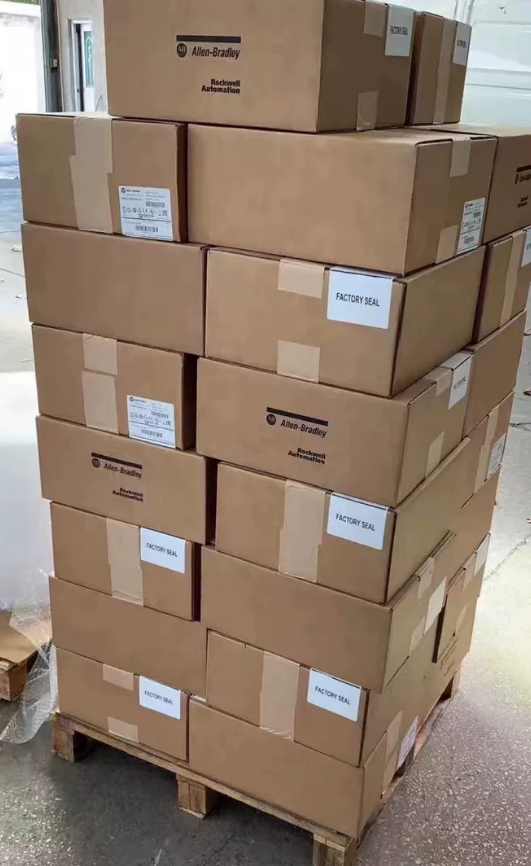

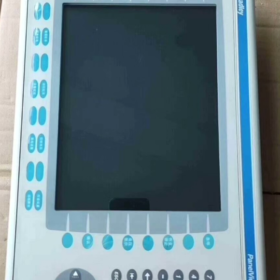
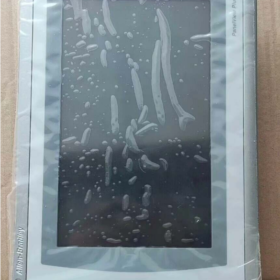
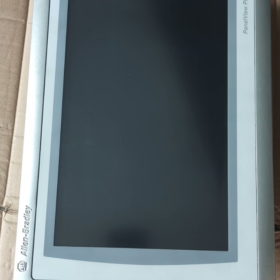
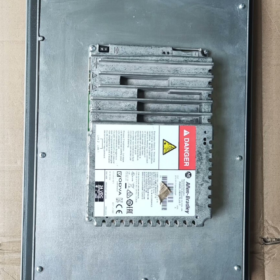
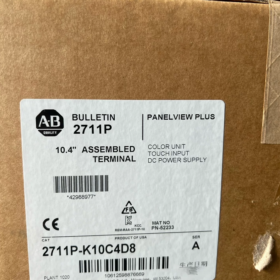
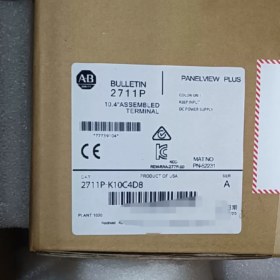
- Распределение номеров моделей
| Сегмент кода | Описание | Подробности | Functional Impact |
| 2711П | Серия продуктов | Allen‑Bradley PanelView Plus 6 HMI Series | Base platform: Windows CE 6.0 OS, supports FactoryTalk View ME software |
| К | Тип входа | Клавиатура + Color Display | 32 функциональные клавиши (F1‑F16, K1‑K16) + numeric keypad + arrow keys; подходит для суровых промышленных условий |
| 10 | Размер экрана | 10.4‑inch color display | Resolution 640×480 pixels, provides clear process visualization |
| С | Тип мощности | Мощность постоянного тока | Input voltage range 18–32 VDC (nominal 24 В постоянного тока), for industrial DC power systems |
| 4 | Memory Configuration | 512 MB RAM | Supports medium‑complexity HMI applications, stores multi‑screen graphics and historical data |
| D8 | Конфигурация связи | Standard communication interface package | 1× Ethernet (ЭтерНет/IP), 1× RS‑232, 2× USB Host ports |
Полное определение модели: Allen-Bradley PanelView Plus 6 10.4-inch Keypad-Only Color HMI, 512 MB RAM, мощность постоянного тока, standard communications.
Снято с производства: September 30, 2022.
- Основные технические характеристики
2.1 Основные характеристики
| Элемент | Ценить | Примечания |
| Тип продукта | Industrial Human‑Machine Interface (ЧМИ) | ПанельВью Плюс 6 Стандартная серия (not Compact) |
| Отображать | 10.4‑inch color TFT, 640×480 | 300 кд/м², 500:1 contrast, viewing angle 140°(ЧАС)/120°(В) |
| Input Method | Physical keypad (32 функциональные клавиши + numeric keypad) | No touchscreen; ideal for oil, пыль, glove‑use environments |
| Процессор | 32‑bit RISC processor | Ensures fast response and complex graphics rendering |
| Память | 512 MB RAM, 1 GB Flash | Supports data logging and application storage; expandable via CF card |
| Требования к питанию | 18–32 VDC (nominal 24 В постоянного тока), Макс. 20 Вт | Конструкция с низким энергопотреблением, compatible with industrial power systems |
| Защита от проникновения | Передняя панель IP65, задний IP20 | Front dust‑tight & water‑tight, suitable for washdown areas |
| Размеры & Масса | 230 мм × 180 мм × 42 мм, приблизительно. 3.9 кг | Стандартный вырез, easy panel mounting |
| Рабочая температура | 0 ~ +55 °С (действующий), ‑20 ~ +70 °С (хранилище) | Wide temperature range for most industrial environments |
| Сертификаты | UL 508, CE, CSA C22.2 No.213 | Complies with international industrial safety standards |
2.2 Коммуникационные возможности (D8 Configuration)
| Интерфейс | Кол-во | Поддерживаемые протоколы | Приложение |
| Ethernet | 1 | ЭтерНет/IP, Модбус TCP | Связь с ПЛК, data acquisition, удаленный мониторинг |
| RS‑232 | 1 | DF1, ДХ‑485, Модбус РТУ | Legacy PLCs, third‑party devices |
| USB-хост | 2 | USB 2.0 | Data backup, program transfer, mouse/keyboard |
| Expansion Port | 1 | Optional communication modules | ПРОФИБУС, Девайснет, и т. д.. |
- Приложения & Руководство по выбору
3.1 Типичные отрасли
| Промышленность | Приложения | Преимущества | Примеры |
| Автомобильная промышленность | Line control, equipment monitoring | Keypad resistant to oil; stable PLC communication | Сварочные роботы, сборочные линии, quality inspection |
| Еда & Напиток | Наполнение, упаковка, pasteurization | IP65 front, washdown‑safe, регистрация данных | Системы дозирования, temperature/pressure monitoring |
| нефтехимическая | Pump/valve control, pipeline monitoring | Wide temp, виброустойчивый, outdoor/harsh areas | Tank level, компрессоры, регулирование давления |
| Власть & Энергия | Мониторинг подстанции, generation control | Stable comms, data logging for analysis | Generator monitoring, transformer management |
| Очистка воды | Pump stations, wastewater processes | Moisture‑resistant, clear parameter display | Pump control, pH adjustment, flow monitoring |
| Тяжелая техника | Строительство, mining equipment | Vibration‑resistant keypad, rugged design | Краны, excavators, конвейерные системы |
3.2 Примечания к выбору
- Тип входа
Keypad-only (К): ideal for gloved operators, dirty/dusty environments, fast numeric entry
For touchscreen: select “T” models (например, 2711P-T10C4D8)
- Память
512 MB RAM (код 4): suitable for ≤ 50 экраны, basic alarms and logging
For complex projects (> 100 экраны, heavy logging): использовать 1 ГБ ОЗУ (например, 2711P-K10C8D8)
- Коммуникации
D8 covers most standard PLC applications
PROFIBUS/DeviceNet require optional modules
Remote monitoring supported via Ethernet (ОПЦ ЮА)
- Установка & Конфигурация
4.1 Этапы установки
- Подготовка
Panel thickness: 2–5 mm; вырезать: 222 × 172 мм
M4 mounting screws
Verify 18–32 VDC power; optional power filter
- Механический монтаж
Insert HMI into panel cutout, align front flush
Secure from rear with M4 screws, Макс. крутящий момент 1.5 Н·м
Maintain ≥ 50 mm clearance at rear for cooling and wiring
- Электрические соединения
Власть: L+ = 24 VDC positive, L– = negative, PE = protective earth
Коммуникации:
Ethernet: CAT5e/CAT6 cable to PLC/switch
РС-232: shielded twisted pair for third-party devices
USB: flash drive for program transfer/backup
- System Setup
Create application with FactoryTalk View ME
Download project via USB or Ethernet
Configure communication to PLC
Set up alarms, регистрация данных, безопасность
4.2 Меры предосторожности при установке
| Элемент | Стандартный | Подробности |
| Электрическая изоляция | Separate power and signal wiring | Avoid EMI; use shielded cables, single‑end grounding |
| Thermal Management | Ambient ≤ 55 °С | Avoid enclosed spaces; ensure ventilation |
| Устойчивость к вибрации | ≤ 1 г (5–500 Гц) | Use anti‑vibration mounts, separate from heavy machinery |
| Water Protection | Передняя панель IP65 | Avoid direct high‑pressure spray; maintain gaskets |
| Safety Grounding | Ground resistance ≤ 10 Ой | Reliable PE connection for safety |
- Замена & Варианты обновления (Discontinued Unit)
Снято с производства: September 30, 2022
Rockwell Automation recommended replacements:
5.1 Прямые замены (Functional Compatibility)
| Запасная модель | Ключевое отличие | Совместимость | Преимущества обновления |
| 2711P‑B10C22D9P | ПанельВью Плюс 7, 10.4″, трогать + клавиатура | ★★★★★ | +30% производительность, Windows Embedded Compact 7 |
| 2711P‑T10C4D8 | Та же серия, трогать + клавиатура | ★★★★★ | Клавиатура + touch flexibility |
| 2711P‑K10C8D8 | Та же серия, 1 ГБ ОЗУ | ★★★★★ | Supports more complex applications |
5.2 Cross-Series Upgrades
| Ряд | Рекомендуемая модель | Функции | Use Case |
| ПанельВью Плюс 7 | 2711P‑B10C22D9P | Modern platform, более высокая производительность | Новые проекты, long‑term support |
| ПанельВью 5500 | 2715P‑T10C21D8 | High‑end, multi‑core, large memory | Complex applications, heavy data |
| PanelView Compact | 2711R‑T10C10 | Компактный, cost‑optimized | Маленькие машины, budget projects |
5.3 Third-Party Alternatives
| Бренд | Модель | Уровень цен | Совместимость |
| Weintek | MT8102iE | ~50% | ★★★☆☆ (requires project rewrite) |
| Сименс | КТП1000 Базовый | ~60% | ★★★☆☆ (supports some A‑B protocols) |
| Мицубиси | GOT2000 Series | ~70% | ★★★☆☆ (protocol adaptation required) |
- Обслуживание & Поиск неисправностей
6.1 Preventive Maintenance
| Интервал | Задача | Стандартный | Примечания |
| Ежемесячно | External cleaning | No oil/dust buildup on front | Use dry cloth; no corrosive cleaners |
| Ежеквартальный | Тест связи | Ethernet/RS‑232 stable | Check cables, verify data flow |
| Semi‑annually | Power check | 18–32 VDC stable | Check power supply temperature |
| Ежегодно | System backup | Full project & резервное копирование данных | Store securely |
| Каждый 2 годы | Функциональный тест | All keys & display normal | Verify key response, backlight brightness |
6.2 Распространенные неисправности & Решения
Симптом Возможные причины Приоритет Решение Keypad not responding 1. Key failure Высокий 1. Inspect keys 2. Loose keypad connector 2. Reconnect connector 3. Firmware fault 3. Update firmware Communication lost 1. Поврежденный кабель Высокий 1. Замените кабель 2. Wrong settings 2. Reconfigure IP/parameters 3. Network/PLC fault 3. Check PLC/switch Display abnormal 1. Backlight fault Середина 1. Adjust backlight 2. Driver error 2. Reboot HMI 3. Unstable power 3. Verify power quality System freezes 1. Insufficient memory Высокий 1. Optimize project 2. Project error 2. Reload application 3. Аппаратная неисправность 3. Repair/replace unit
Allen-Bradley 2711P-K10C4D8 is a 10.4-inch keypad-only PanelView Plus 6 ЧМИ.
Ключевые сильные стороны:
Rugged keypad for harsh, dirty, gloved-operation environments
Стандартный Ethernet + РС-232 + USB for broad industrial compatibility
IP65 front suitable for food, напиток, and pharma
Stable Windows CE 6.0 platform with FactoryTalk View ME support
Recommendations:
Для замены: use 2711P-B10C22D9P (ПанельВью Плюс 7) to preserve operation
Новые проекты: prefer PanelView Plus 7 for longer support
Budget projects: evaluate third-party alternatives with project rewrite cost
Полная установка & Configuration Guide for 2711P-K10C4D8
Краткий обзор: Covers mechanical install → electrical wiring → system setup → comms → deployment → testing for PanelView Plus 6 10.4-inch keypad HMI. Highlights IP65 sealing, мощность постоянного тока, and D8 communications.
- Pre-Installation
1.1 Инструменты & Материалы
| Категория | Необходимый | Рекомендуется |
| Инструменты | крестовая отвертка, уровень, panel cutter | Динамометрический ключ (1.5 Н·м), vibration pads |
| Электрический | 24 Питание постоянного тока (18–32 VDC, ≥20 W), shielded cable | Силовой фильтр, сетевой фильтр |
| Коммуникации | CAT5e/CAT6, RS‑232 shielded cable | USB drive (≥4 GB), выключатель |
| Программное обеспечение | FactoryTalk View ME 6.0+, RSLinx Classic | RSLinx Enterprise, Terminal Configuration |
| Безопасность | Утепленные перчатки, goggles, ESD strap | Ground resistance meter, мультиметр |
1.2 Проверка окружающей среды
Рабочая температура: 0 ~ +55 °С; хранилище: -20 ~ +70 °С; no direct sunlight
Влажность: 10–90% non-condensing
Вибрация: ≤ 1 г (5–500 Гц)
Передняя панель IP65, задний IP20; sealed enclosure recommended
Распродажа: top ≥51 mm, bottom ≥102 mm, sides ≥25 mm
- Механический монтаж (ПанельВью Плюс 6 1000)
2.1 Cutout Dimensions
| Параметр | Ценить | Толерантность | Примечания |
| Вырезать | 222 мм (Вт) × 172 мм (ЧАС) | ±0.5 mm | Standard 10.4‑inch HMI cutout |
| Panel Thickness | 2–5 mm | — | Affects sealing and clamping |
| Corner Radius | ≥ 2 мм | — | Prevents gasket damage |
2.2 Монтаж (Critical for IP65)
- Gasket Preparation
Inspect front gasket for damage
Ensure gasket is seated correctly
Install keypad overlay before mounting if used
- Исправление
Insert HMI into cutout, press evenly
Установить 4 mounting clamps (supplied)
Engage clamps until “click”
Verify unit is tight, уровень, and gasket compressed uniformly
- Final Check
Unit secure, нет колебаний
Front flush with panel
Rear clearance ≥ 50 мм
- Электрические соединения (Мощность постоянного тока & Заземление)
3.1 Силовые терминалы (18–32 VDC)
| Терминал | Label | Требование | Безопасность |
| Позитивный | Л+ | 24 VDC positive, ≥1.5 mm² | Polarity must not be reversed |
| Negative | L– | 24 VDC negative, ≥1.5 mm² | Complete circuit |
| Земля | ЧП | Защитная земля, ≥2.5 mm² | Ground resistance ≤ 10 Ой |
Процедура:
- Power off before wiring
- Strip insulation ~6 mm
- Connect PE first, then L–, then L+
- Крутящий момент: 0.8–1.0 N·m
- Secure cables to avoid tension
3.2 Коммуникационная проводка (D8)
| Интерфейс | Кол-во | Электропроводка | Приложение |
| Ethernet | 1 | CAT5e/CAT6 shielded, RJ45 | PLC comms, data acquisition |
| RS‑232 | 1 | 3‑wire shielded (TX/RX/GND) | Legacy/third‑party devices |
| USB-хост | 2 | USB 2.0 | Program transfer, резервное копирование |
| Расширение | 1 | Optional module | ПРОФИБУС, Девайснет |
Best Practices:
Separate comms and power cables ≥150 mm
Cross at 90° where necessary
Single-end grounding for shields
- System Startup & Базовая конфигурация
4.1 First Power-Up
- Pre-check all connections
- Apply 24 В постоянного тока
- Normal sequence: power LED → splash screen → Configuration Mode
- If no display: power off immediately and check wiring
4.2 Terminal Settings
- Enter via F4 (Terminal Settings)
- Key settings:
Отображать: brightness, contrast
Date/Time: sync with PLC
Startup Options: run FactoryTalk View ME application
Безопасность: set admin password, disable desktop
- Ethernet Configuration
Set static IP, subnet, шлюз
Save and reboot
Verify with ping
- Communication Setup
5.1 RSLinx Configuration
Add EtherNet/IP Driver
Set scan rate (обычно 100 РС)
Browse or add PLC by IP
For legacy PLCs: configure DF1/DH-485 on RS-232
5.2 FactoryTalk Linx Mapping
Import tags from controller
Map HMI tags to PLC tags
Set update rates for critical values
Optional redundant Ethernet paths
- Application Deployment (FactoryTalk View ME)
6.1 Project Preparation
Цель: 10.4-дюйм, клавиатура
Limit screens to ~50 for 512 MB RAM
Minimize complex animations
Configure data logging to Flash/CF card
6.2 Download Methods
| Метод | Шаги | Use Case |
| USB | Save to USB → insert HMI → Transfer → USB → Load | No network, quick commissioning |
| Ethernet | PC on same subnet → Tools → Transfer → Ethernet | Networked, remote/volume installs |
| CF Card | Write to CF → insert HMI → Transfer → CF Card | Large applications, резервное копирование |
После загрузки:
Set as primary startup
Enable communications replacement
Save and reboot
- Проверка & Тестирование
7.1 Hardware Tests
| Тест | Метод | Pass Criteria |
| Клавиатура | Press all keys | All respond immediately |
| Отображать | Визуальная проверка | Clear, no flicker/bleed |
| Коммуникация | Ping, tag read/write | Стабильный, no dropouts |
| Власть | Measure voltage | 18–32 VDC, ripple low |
7.2 Application Tests
Screen navigation, кнопки, numeric entry
PLC read/write
Alarms trigger and acknowledge
Data logging and trend retrieval
- Post-Installation & Безопасность
8.1 График технического обслуживания
| Интервал | Задача |
| Ежемесячно | Clean front with dry cloth |
| Ежеквартальный | Check communications & кабели |
| Semi‑annually | Verify power quality & температура |
| Ежегодно | Backup application & данные |
| Каждый 2 годы | Full functional test |
8.2 Troubleshooting Highlights
| Симптом | Likely Cause | Fix |
| Нет дисплея | Power/reversed polarity | Check L+/L–/PE |
| Keys dead | Loose connector / прошивка | Reconnect / update firmware |
| Comms drop | ИП / кабель / выключатель | Verify IP, заменить кабель |
| Crashes | Память / project error | Optimize project, reload |
8.3 Примечания по безопасности
All wiring power-off
PE must be reliable
Use SELV/PELV power supplies (например, 1606-XLE120E)
Maintain IP65 by inspecting gaskets
- Заключение
Installation complete when:
Mechanically secure, IP65 seal intact
24 VDC stable, properly grounded
Network and PLC communications reliable
Application runs automatically without faults
All functions tested and verified
Legacy Note:
Unit discontinued 2022-09-30. Рекомендуемая замена: 2711P-B10C22D9P (ПанельВью Плюс 7).





NH42-63-318x560.png "Автоматические переключатели резерва типа PC CHINT (АТС)НХ42-63/4СЗ")



