Контактор,автоматический выключатель,датчик,Кодер,ПЛК,Конвертер





Статус: NO LONGER FOR SALE
Flat Pack FP series ultrasonic distance sensor, single transducer. Приложения: bin level, уровень жидкости, long-range object detection, anti-collision and positioning.
✅ Объяснение кода модели
UC6000: UC series ultrasonic sensor, maximum measuring range 6000 мм
FP: Flat Pack rectangular housing (80×80×61 mm, different from 30GM cylindrical version)
E6: 2 PNP switching outputs, NO/NC software programmable
Р2: Equipped with RS232 serial port + synchronization interface, parameter configuration via ULTRA3000 PC software
P5: Terminal block wiring (not M12 connector)
📋 Основные технические характеристики
| Элемент | Технические характеристики |
| Диапазон измерения | 800 … 6000 мм (0.8 м ~ 6 м) |
| Blind Zone | 0 … 800 мм |
| Transducer Frequency | Приблизительно. 65 кГц |
| Standard Reflector Target | 100×100 mm flat plate |
| Напряжение питания | 15…30 В постоянного тока, ripple 10%ss |
| Ток холостого хода | ≤60 mA |
| Выходы | 2 PNP switching outputs, NO/NC selectable; Макс. 200 мА на канал, short-circuit/overload protection, voltage drop ≤3 V |
| Последовательный интерфейс | RS232, 9600 бод, нет паритета, 8 биты данных, 1 стоп-бит |
| Синхронизация | Bidirectional sync port, multi-sensor synchronization for crosstalk suppression, Макс. sync frequency ≤10 Hz |
| Разрешение | <1 мм |
| Точность повторения | ≤0.1% of full scale |
| Гистерезис | ≤1% of set distance, программируемый |
| Температурный дрейф | ≤2% (built-in temperature compensation) |
| Response Delay | Мин. 180 РС; по умолчанию 360 РС; dynamic mode 270 РС |
| Класс защиты | IP65 |
| Рабочая температура | -25 ~ +70 ℃; Хранилище -40 ~ +85 ℃ |
| Материал корпуса | PBT thermoplastic; Преобразователь: epoxy resin + hollow microspheres + polyurethane foam |
| Масса | 320 г |
| Способ подключения | Terminal compartment, Макс. wire cross-section 2.5 мм² |
| Светодиодные индикаторы | Зеленый: Власть; Желтый: Two output states; Красный: Вина / interference alarm |
✨ Особенности продукта
- Two independent PNP switch points, configurable via DIP switch or RS232 software
- Built-in temperature compensation to reduce ranging error caused by ambient temperature
- Reverse polarity protection and short-circuit protection
- Multi-transducer synchronization supported to eliminate ultrasonic crosstalk
- PC software ULTRA 3000 for parameter read/write, calibration and diagnosis
- Rectangular flat housing, easy for flat mounting on brackets or cabinets
🛠️ Типичные применения
Silo level monitoring, wastewater tank liquid level, anti-collision for large conveying equipment, long-range object detection for stacker cranes, warehouse space positioning.
⚠️ Replacement Selection Guide (Original discontinued)
- UC6000-FP-E7-R2-P5: Same FP housing, output changed to NPN, same range and dimensions
- New IO-Link version: UB6000-F42 series (квадратный корпус, IO-Link, 6 диапазон м, successor for old FP series)
- Cylindrical alternative: UC6000-30GM-E6R2-V15 (M30 cylindrical, 6 диапазон м, 2 PNP outputs, RS232, Разъем М12)
📌 Устранение неполадок (Common issues for this model)
- Red LED flashing: Weak echo / heavy ambient noise. Check transducer surface for condensation, пыль, strong airflow; increase response time.
- Fluctuating distance reading: Multiple sensors operating in the same area → enable sync line; or adjust mounting angle to avoid multiple reflections.
- RS232 communication failure: Confirm serial parameters 9600,N,8,1. Note the sensor uses non-standard RS232 voltage levels, requires dedicated adapter, cannot connect directly to PC serial port.
- Switch outputs not activating: Проверьте конфигурацию NO/NC., correct wiring for PNP load, ensure load current ≤200 mA.
ULTRA3000 Configuration Procedure (For UC6000-FP-E6-R2-P5)
Important prerequisite: ULTRA3000 is dedicated Пепперл+Фукс software for legacy ultrasonic sensors. Only compatible with Windows XP / Вин7 (32/64кусочек). Direct execution on Win10/11 is unstable; Win7 virtual machine recommended.
Fixed serial parameters: 9600 бод, Н,8,1 (нет паритета, 8 биты данных, 1 стоп-бит). The sensor uses non-standard RS232 levels. Do NOT connect directly with ordinary USB-to-RS232 adapters. Pepperl+Fuchs dedicated R2 level converter cable is required.
- Hardware Wiring Preparation (FP housing P5 terminal box version)
- Power the sensor with DC15~30V, power on and confirm green power LED is steady ON.
- Open sensor terminal box, route RS232 signals of R2: TXD, RXD, Земля
Sensor TXD → Adapter RXD
Sensor RXD → Adapter TXD
Common GND connection is mandatory; communication failure is highly likely without common ground
- Connect dedicated RS232 adapter to PC serial / USB-to-serial port (P+F R2 level conversion is mandatory; generic RS232 modules cannot communicate)
- For multi-sensor synchronization: parallel sync wires. Sync line can be left disconnected during commissioning.
- Настройка DIP-переключателя: Enable R2 serial port, set corresponding DIP to OFF to activate RS232 communication (DIP on PCB inside FP housing).
90% of communication failures are caused by: missing P+F dedicated level adapter, crossed TX/RX reversed, no common ground, R2 serial port disabled via DIP.
- Software Installation & Serial Port Identification
- Install ULTRA3000 following setup wizard; English UI only (no Simplified Chinese).
- Open Device Manager and check COM port number (USB-to-serial creates virtual COM).
- Launch ULTRA3000, enter main window, open menu【Serial Port】.
- Select corresponding COM port, fixed parameters: 9600 / Никто / 8 /1.
- Click Connect to establish connection. If successful, software reads sensor model, firmware version and factory parameters. If failed, check hardware above.
Four core panels in main interface:
Graph: Real-time distance curve, echo waveform, switch point markers
Параметр: All adjustable parameters
Отображать: Live measured distance, output status, LED simulation
Команда: Low-level serial command debugging
- Read Original Sensor Parameters (Recommended first step)
- After successful communication, click【Read from sensor】to upload current sensor parameters to software.
- Use【Save to file】to save parameter file (.par) for backup for future recovery.
- Core Parameter Configuration (UC6000-FP-E6-R2-P5, dual PNP outputs)
Go to Parameter panel and adjust key settings:
4.1 Диапазон измерения & Blind Zone
Min distance: зафиксировано в 800 мм (blind zone, cannot be lower)
Max distance: 6000 мм
You may reduce maximum range for your application to improve response speed and noise immunity.
4.2 Switch Output Q1, 2 квартал (2 PNP channels)
Each channel can be configured independently:
Switch point 1 (near point)
Switch point 2 (far point)
Режим работы:
Window mode: Output active between two thresholds (widely used for level measurement)
Single point mode: Trigger when distance above / below threshold
Выходная логика: НЕТ Нормально открытый / НЗ нормально закрытый (for PNP outputs)
Гистерезис: Рекомендуется 1% of set distance to suppress jitter
Пример (высокий + low bin level dual alarm)
1 квартал: Window mode for low level; 2 квартал: Single point mode for high level.
4.3 Время ответа & Filtering (Anti-jitter, airflow interference)
Время ответа: Min.180 ms, по умолчанию 360 РС; extend to 540 ms for dusty / high airflow environments
Фильтр: Moving average filter. Higher filter count = more stable reading, более медленный ответ
Sound velocity: Built-in temperature compensation, normally no manual adjustment needed; manual calibration available for high-precision applications.
4.4 Синхронизация (Multi-transducer anti-crosstalk for overlapping detection zones)
Sync mode: Одинокий (single sensor) / Владелец / Раб
Multi-sensor setup: 1 Владелец, others Slave. Max sync frequency ≤7Hz divided by sensor count; до 5 transducers.
4.5 Диагностика & Тревога
Echo loss: Echo loss threshold
Fault behaviour: Hold / drop outputs when echo is lost.
- Download Parameters to Sensor
- After finishing parameter setup, click【Write to sensor】to write settings into sensor.
- After writing, software automatically reads back parameters, verify written values match configured values (critical check).
- Execute【Store User Configuration】SUC to permanently save parameters into sensor Flash memory.
⚠️ Without SUC save, parameters revert to factory defaults after power cycle! This is the most common mistake.
- Онлайн-отладка & Калибровка (Graph panel)
- Open Graph real-time plot, observe echo waveform and identify spurious echoes (sidewall reflection, multi-reflection caused by dust).
- Move reflector target to near and far setpoints to verify Q1/Q2 output status; simulated LEDs in software change synchronously.
- If distance reading jumps:
Increase filtering and extend response time
Check mounting angle to avoid sidewall reflections
Enable synchronization for multiple sensors
- Logging:【Record measurement】, export curve for failure analysis.
- Disconnect & Field Commissioning
- Close serial connection in ULTRA3000.
- Disconnect RS232 debug cable; keep sensor powered with normal wiring for operation.
- Полевые испытания: block / remove reflector target to verify switching action of 2 PNP outputs.
Common Communication Troubleshooting for ULTRA3000
- Connect failed, cannot read sensor
Check DIP switch, confirm R2 serial port enabled
TX/RX crossed, common ground connected; P+F R2 level adapter is mandatory for communication
COM port occupied by other software, close serial assistant tools
- Parameters written successfully, but reset to factory after power cycle
→ SUC save (Store User Configuration) was skipped
- Unstable distance reading, messy echo waveform
→ Airflow, пыль, sidewall reflections; increase filtering, enable synchronization, adjust mounting angle
- Software reads distance correctly, but Q1/Q2 outputs do not trigger
→ Check NO/NC logic, PNP load wiring, hysteresis and window mode settings
Добавка: Low-level Command Mode (Command panel for advanced debugging)
Raw P+F serial commands can be sent directly to read/write parameters, suitable for automated script debugging e.g. distance reading and switch point modification.
UC6000-FP-E6-R2-P5 Terminal Box RS232 Pin Definition
Применимая модель: UC6000-FP-E6-R2-P5 (P5 = built-in terminal box, non-M12 version)
Важное напоминание: The sensor R2 interface uses Pepperl+Fuchs proprietary non-standard RS232 voltage levels, not standard PC RS232. Pepperl+Fuchs R2 level converter is required; generic USB-to-RS232 cannot communicate.
- Terminal Numbering & Signal Definition inside Terminal Compartment
Open sensor housing terminal chamber, terminal block signals:
| Терминал №. | Имя сигнала | Описание |
| 1 | DC+ | Power supply positive: DC15~30V |
| 2 | 0 В постоянного тока (Земля) | Power negative / точки соприкосновения, mandatory common ground for RS232 communication |
| 3 | 1 квартал (PNP Output 1) | 1st switching output, NO/NC software configurable, Макс. 200 мА |
| 4 | 2 квартал (PNP Output 2) | 2nd switching output, NO/NC software configurable, Макс. 200 мА |
| 5 | SYNC (Sync Signal) | Multi-sensor sync wire, master-slave sync; leave floating for single sensor |
| 6 | RXD (Sensor Receive) | Sensor RXD ↔ Adapter TXD (cross wiring) |
| 7 | TXD (Sensor Transmit) | Sensor TXD ↔ Adapter RXD (cross wiring) |
| 8 | RS232 GND | Serial ground, must be shorted to power 0V for common ground |
✅ Communication Wiring Rule (Критический)
Sensor TXD(7) ↔ Adapter RXD
Sensor RXD(6) ↔ Adapter TXD
Sensor RS232 GND(8) ↔ Adapter GND, and short to power 0V (Терминал 2).
Communication will almost certainly fail if only TX/RX are wired without GND.
✅ Commissioning state: DIP1=OFF, all others OFF.
DIP1 can be switched ON to close serial port and reduce interference during normal operation without debugging.
- Pepperl+Fuchs R2 Level Converter (Matching Hardware)
Модель: K-ADP-R2 (P+F dedicated R2 level converter)
One side: connect sensor terminals 6,7,8 (TX/RX/GND)
Other side: standard RS232 level, connect to PC serial / USB-to-RS232
Without K-ADP-R2, generic USB-to-RS232 cannot detect sensor serial signal.
- Pre-power Wiring Checklist
- Власть: Терминалы 1 & 2, DC15~30V. Observe polarity. Reverse polarity protection exists but inspection is still required.
- Коммуникация: Терминалы 6 &7 cross-connected; terminal8 shorted to power 0V for common ground.
- Синхронизация: Leave terminal5 floating for single sensor; parallel all SYNC terminals for multi-sensor network.
- DIP-переключатель: DIP1 set OFF to enable R2 serial port.
- Выходная проводка: Q1/Q2 are PNP type. Connect one end of load to Q1/Q2, the other end to 0V.
- LED Indicator Description (LEDs outside terminal box)
Зеленый светодиод: Steady ON = Power OK; OFF = No power / сбой питания
Желтый светодиод: Output status, lights up when Q1/Q2 is activated
Красный светодиод: Сигнализация неисправности; flashing = weak echo / abnormal signal; steady ON = hardware fault


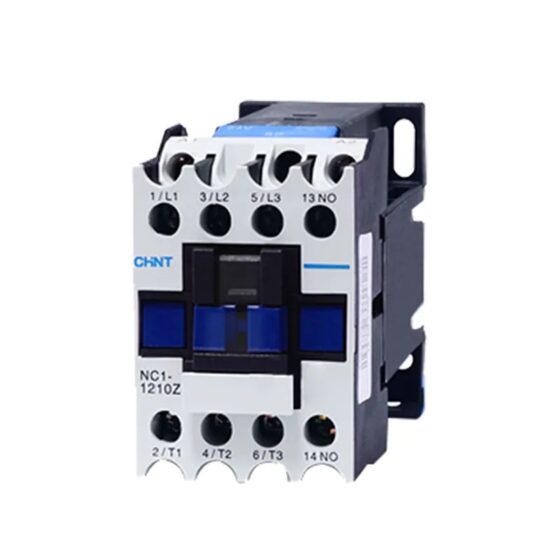
NH42-63-318x560.png "Автоматические переключатели резерва типа PC CHINT (АТС)НХ42-63/4СЗ")