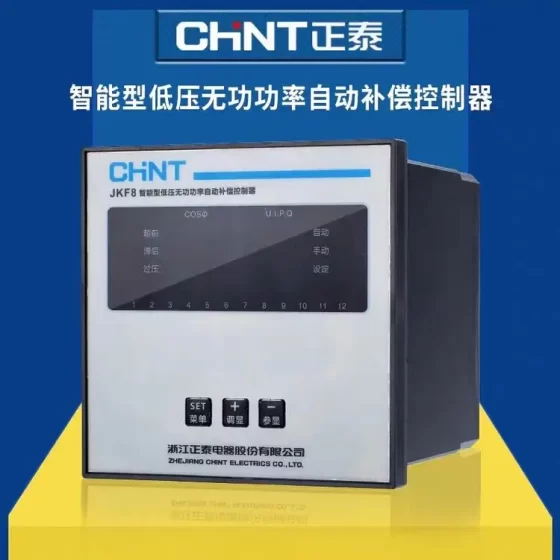
คอนแทคเตอร์,เบรกเกอร์,เซ็นเซอร์,ตัวเข้ารหัส,บมจ,ตัวแปลง





การวางตำแหน่ง: SLC500 rack EtherNet/IP remote I/O adapter (NOT an SLC processor). It converts the existing 1746 SLC I/O rack into an EtherNet/IP slave, which is scanned and controlled by Logix ตัวควบคุม (CompactLogix, คอนโทรลโลจิกซ์). It is the most commonly used gateway module for phased upgrades of legacy SLC systems.
✅ ข้อมูลจำเพาะพื้นฐาน
ชุด: A/B series; Latest firmware V2.003
ท่าเรือ: 1 × RJ45, 10/100 การเจรจาต่อรองอัตโนมัติ Mbps, อีเธอร์เน็ต/ไอพี (CIP)
Mandatory mounting requirement: Must be installed in Slot 0 of the SLC chassis, replacing the original SLC processor position
แบ็คเพลน: 1746 SLC backplane with SLC backplane master function
Connection resources: สูงสุด. 96 ระดับ 1 (real-time I/O) connections, สูงสุด. 8 ระดับ 3 (explicit message) connections
Network topology: รองรับดาว, เชิงเส้น, ดีแอลอาร์ (Device Level Ring)
การกำหนดค่า IP: สวิตช์ดิไอพี / บูท / ดีเอชซีพี; DIP switch set to `888` = factory reset
แหล่งจ่ายไฟ: Powered by the SLC chassis power supply, การใช้พลังงานโดยประมาณ. 5 ว
ข้อกำหนดซอฟต์แวร์: สตูดิโอ 5000 / RSLogix5000 V20 or newer; matching EDS/AOP files required
Manuals: User manual 1747-UM076; Installation manual 1747-IN521
✅ การใช้งานทั่วไป
- Retrofit of legacy SLC systems: Retain all 1746 I/O modules and field wiring. Only replace the Slot 0 processor with 1747-AENTR and upgrade the main controller to CompactLogix/ControlLogix for phased migration without full shutdown.
- Replacement of legacy remote I/O adapters: Substitute 1747-ASB (RIO), 1747-ACN15/ACNR15 (ControlNet).
- Operate as an EtherNet/IP slave for CIP explicit read/write access by HMI or SCADA hosts.
✅ Lifecycle & Migration Alternatives
สถานะ: EOL, end-of-production date 2027-02-15. It is an engineering replacement part with no direct pin-compatible drop-in replacement.
Long-term migration options:
ตัวเลือก ก: Migrate the complete chassis to Compact 5000 ฉัน/โอ (5069 ชุด)
ตัวเลือก ข: Keep existing field wiring and adopt 1746-to-5069 adapter base
Spare parts are only available as new-old-stock or used units. For second-hand units, verify firmware, พอร์ตอีเทอร์เน็ต, backplane connector and indicator lamps.
✅ Indicator Definitions
ตกลง: สถานะของโมดูล
LINK: Ethernet link status
ฉัน/โอ: SLC backplane I/O status
การสื่อสาร: CIP connection status
FORCE: Force signal active
✅ Key Common Faults
- CIP 0x0010 fault: The controller holds an active connection lock on the module. Inhibit the module in Studio5000 before modifying IP settings, then remove inhibit after configuration.
- Flashing COMM red & RPI timeout: Do not configure a short RPI for SLC analog modules (1746-NI4, OAP12 etc.). Recommended RPI: 50~100 ms, สูงสุด 320 นางสาว; short RPI causes frequent packet loss.
- Invalid DIP IP setting (000 or value >254 and not 888): Module automatically uses BOOTP/DHCP for IP assignment.
- Not all legacy 1746 modules are supported by AENTR; verify the support list in manual before configuration.
✅ Confusing Model Distinction
1794-เอเอ็นทีอาร์: Flex I/O (1794) EtherNet/IP adapter for Flex chassis, NOT compatible with SLC 1746 แชสซี
1747-L5xx: Native SLC processors with backplane master capability, functionally different from AENTR
1747-AENTR Common Faults, อาการ, สาเหตุที่แท้จริง & Remedies
ข้อกำหนดเบื้องต้น: Module must be installed in SLC chassis Slot 0, occupying the processor slot; powered by SLC backplane; mainstream firmware V2.003; Studio5000 minimum V20; not all legacy 1746 modules are supported.
- CIP 0x0010 (Hex 0010) ความผิดพลาด (บ่อยที่สุด)
อาการ: Error when modifying IP or disabling BOOTP/DHCP via BOOTP/RSLinx; prompt “Set Attribute Single failed”; configuration cannot be written from controller side; IP reverts to DHCP after power cycle.
สาเหตุที่แท้จริง: ชั้นเรียน 1 I/O connection has been established by the controller. The module is connection-locked and rejects configuration writes from external tools.
Remedy Steps
- Go online in Studio5000, right-click 1747-AENTR → Properties → Connection → ✅ Check Inhibit Module, apply, and terminate the I/O connection.
- Modify IP and disable BOOTP/DHCP via BOOTP/RSLinx/web page to save static IP.
- Remove inhibit after configuration is completed to restore communication.
ทางเลือก: Put controller in Program mode or disconnect Ethernet cable; cable pull during production is not recommended.
- COMM Red Flashing, I/O Timeout, RPI Timeout, Intermittent Slave I/O Faults
อาการ: โอเค เขียวคงที่, LINK steady green, COMM red flashing; slave modules (especially 1746-NI4, OAP12 analog modules) drop out periodically; RPI timeout logged.
สาเหตุที่แท้จริง
RPI configured too low for analog modules (ค่าเริ่มต้น 20 นางสาว; SLC backplane bandwidth is limited)
หน้าสัมผัสแบ็คเพลนไม่ดี, insufficient chassis power rating
Incompatible legacy 1746 module present
High backplane bus load or aged module hardware
การเยียวยา
- Set analog module RPI to 50~100 ms, สูงสุด 320 นางสาว; adjust the AENTR adapter RPI accordingly.
- ปิดเครื่อง, reseat all 1746 modules and clean gold fingers; verify SLC power supply capacity.
- Cross-check against supported module list and remove incompatible modules.
- Check backplane slot timeout counters via embedded web diagnostics to locate faulty slot.
- OK Steady Red, Power-On Self-Test Failure, No Communication
อาการ: OK red solid after power-up, LINK off, module cannot be browsed in RSLinx.
สาเหตุที่แท้จริง
Hardware failure or corrupted firmware
Factory reset via DIP 888 failed
Poor backplane power supply, damaged Slot 0 หน้าสัมผัสแบ็คเพลน
Module installed in wrong slot (not Slot 0)
การเยียวยา
- Confirm installation in Slot 0 and test with a known-good SLC chassis power supply.
- Set DIP switch to 888, power cycle for factory reset; reassign IP via BOOTP.
- If OK remains red after reset: module hardware failure, replace unit.
- LINK Off / กระพริบ, No Network Connectivity, RSLinx Cannot Find Module
อาการ: OK normal, LINK off or amber flashing, ping fails.
สาเหตุที่แท้จริง: Damaged Ethernet cable, defective switch port, speed mismatch, IP subnet mismatch, IP address conflict.
การเยียวยา
- Replace with qualified industrial Ethernet cable and change switch port; ensure switch port is 10/100M auto-negotiation (do not force gigabit).
- Set DIP to 000, power up to obtain IP via BOOTP; ensure PC and module are on the same subnet.
- Check network for IP conflict.
- IP Reverts After Power Cycle, Static IP Will Not Save
อาการ: Static IP assigned and BOOTP disabled in BOOTP tool, but IP reverts to DHCP after power cycle.
สาเหตุที่แท้จริง: Only IP address changed, BOOTP/DHCP client toggle not disabled; 0x0010 connection lock prevents the disable command from being written to Flash memory.
การเยียวยา: Inhibit module first, then set BOOTP/DHCP to Manually Configure on module configuration page, confirm successful write, then remove inhibit.
- AENTR Disconnect After Program Download (Known Bug for CompactLogix 5370 L3)
อาการ: มากกว่า 5 I/O modules in chassis; AENTR loses communication after second program download, controller USB/Ethernet port also unresponsive.
สาเหตุที่แท้จริง: Rockwell known firmware defect.
Temporary workaround: Disconnect AENTR Ethernet cable before download; reconnect after controller enters Run mode. Long-term fix: Upgrade controller firmware or replace controller model.
- Electronic Key Fault (Hex 0103)
อาการ: โมดูลผิดพลาด, type mismatch / keying failure alarm.
สาเหตุที่แท้จริง: AOP revision or firmware revision in project does not match physical hardware; or configured slot I/O model differs from actual installed module.
การเยียวยา
- Read actual firmware revision from module and match firmware version in Studio5000 module definition.
- Verify the part number of every 1746 module in chassis; avoid mixed use with compatible/disabled keying mode.
- Reimport the matching AOP file.
- FORCE Lamp Solid On
อาการ: FORCE indicator illuminated.
สาเหตุที่แท้จริง: One or more I/O tags are forced.
การเยียวยา: Clear all force tags in the force window of Studio5000.
- Single Slave I/O Module Fault, Adapter Communication Normal
อาการ: AENTR communicates normally, only one slot module faults while other I/O runs fine.
สาเหตุที่แท้จริง: Failed 1746 โมดูล, poor base contact, unsupported module model, local module power fault.
การเยียวยา: Swap the suspect module to another slot for cross-testing; verify module health; check support list.
Indicator Quick Reference
ตกลง: Module status|Green = Normal; สีแดง = ความผิด / POST fail; Amber = Initializing
LINK: Ethernet link|Solid = Link up; Blinking = Traffic present; Off = No link
การสื่อสาร: CIP I/O connection|Green = I/O connection healthy; Red blink = Connection fault / timeout
ฉัน/โอ: SLC backplane I/O status|Red = Backplane / slave module fault
FORCE: Force active
Standard On-Site Troubleshooting Sequence
- Confirm mounting position: Slot 0 เท่านั้น
- Read indicator status to isolate fault domain: network, adapter hardware or backplane I/O
- Browse via RSLinx to confirm module accessibility and read firmware
- If browsable: Inhibit module prior to IP/configuration edit; inspect RPI settings
- If not browsable: Check cable, สวิตช์, แหล่งจ่ายไฟ, factory reset via DIP
- Single backplane slot fault: Isolate by module swapping
- Firmware corruption: Re-flash firmware with ControlFLASH Plus
รายการตรวจสอบการตรวจสอบหน่วยมือสอง
- Verify factory reset via DIP 888 works reliably
- BOOTP assignment and embedded web page accessible
- Stable steady green OK lamp after power-up, no fault
- Chassis bench test: ภูเขา 1746 DI module, build I/O tree in Studio5000, วิ่ง 30 minutes without RPI timeout
- Inspect Ethernet port and backplane gold fingers for corrosion or bad solder
Allen-Bradley SLC500 Full Model List (1747 Controller Family + 1746 แชสซี & I/O Family, All EOL Discontinued)
บันทึก: SLC500 consists of two main families: 1747 (Processors, Communication Adapters, Scanners) และ 1746 (แชสซี, พาวเวอร์ซัพพลาย, อินพุต/โอดิจิทัล, อนาล็อก I/O, Specialty I/O). The whole platform is discontinued; spare parts are traded as new-old-stock or used hardware.
- 1747 Processors (ซีพียู)|SLC5/01 ~ SLC5/05
| หมายเลขชิ้นส่วน | ตระกูล | คำอธิบาย |
| 1747-L511 | SLC5/01 | 1K program memory, DH485, หน่วยฐาน |
| 1747-L514 | SLC5/01 | 4K program memory, DH485 |
| 1747-L524 | SLC5/02 | 4K program memory, DH485, remote I/O capable |
| 1747-L531 | SLC5/03 | 8เค, DH485+DH+ |
| 1747-L532 | SLC5/03 | 16เค, DH485+DH+ |
| 1747-L533 | SLC5/03 | 32เค, DH485+DH+ |
| 1747-L541 | SLC5/04 | 16เค, DH485+DH++RS232 |
| 1747-L542 | SLC5/04 | 32เค, DH485+DH++RS232 |
| 1747-L543 | SLC5/04 | 64เค, DH485+DH++RS232 |
| 1747-L551 | SLC5/05 | 16เค, integrated EtherNet/IP+DH485 |
| 1747-L552 | SLC5/05 | 32เค, integrated EtherNet/IP+DH485 |
| 1747-L553 | SLC5/05 | 64เค, integrated EtherNet/IP+DH485 (Top-tier SLC processor) |
- 1747 Communication Adapters / Scanners (1747-AENTR Listed Here)
| หมายเลขชิ้นส่วน | คำอธิบาย |
| 1747-เอเอ็นทีอาร์ | EtherNet/IP adapter for SLC Slot0, converts 1746 I/O to EtherNet/IP slave (Key model) |
| 1747-ASB | RIO remote I/O adapter (RIO slave) |
| 1747-ส.น | RIO remote I/O scanner (RIO master) |
| 1747-ACN15 | ControlNet scanner |
| 1747-ACNR15 | ControlNet redundant adapter |
| 1747-DSN | DeviceNet scanner |
| 1747-KE | DH485/RS232 protocol converter |
| 1747-CP3 | Programming cable adapter |
| 1747-C11 | DH485 cable |
| 1747-DU501 | Data storage module |
- 1746 แชสซี
| หมายเลขชิ้นส่วน | Slot Count |
| 1746-A4 | 4-slot chassis |
| 1746-A7 | 7-slot chassis |
| 1746-A10 | 10-slot chassis |
| 1746-A13 | 13-slot chassis |
- 1746 Chassis Power Supplies
| หมายเลขชิ้นส่วน | เรตติ้ง |
| 1746-ป1 | 120/240V AC input |
| 1746-P2 | 120/240วีและ |
| 1746-P3 | 24V DC input |
| 1746-P4 | 120/240วีและ, พลังงานสูง |
| 1746-ป5 | 24V DC high power |
| 1746-P6 | 24ในดีซี |
| 1746-หน้า 7 | 120/240วีและ |
- 1746 Digital Input DI
| หมายเลขชิ้นส่วน | เรตติ้ง |
| 1746-IA4 | 120V AC 4-point input |
| 1746-IA8 | 120V AC 8-point input |
| 1746-IA16 | 120V AC 16-point input |
| 1746-IM4 | 240V AC 4-point input |
| 1746-IM8 | 240V AC 8-point input |
| 1746-IM16 | 240V AC 16-point input |
| 1746-IB8 | 24V DC sink 8-point |
| 1746-IB16 | 24V DC sink 16-point |
| 1746-IB32 | 24V DC sink 32-point |
| 1746-IV8 | 24V DC source 8-point |
| 1746-IV16 | 24V DC source 16-point |
| 1746-IV32 | 24V DC source 32-point |
| 1746-ITB16 | 24V DC high-speed sink 16-point |
| 1746-ITV16 | 24V DC high-speed source 16-point |
| 1746-IC16 | 48V DC 16-point |
| 1746-IH16 | 125V DC 16-point |
| 1746-IG16 | 5V TTL 16-point |
| 1746-IN16 | Universal AC/DC 16-point |
- 1746 Digital Output DO
| หมายเลขชิ้นส่วน | เรตติ้ง |
| 1746-OA8 | 120/240V AC 8-point output |
| 1746-OA16 | 120/240V AC 16-point output |
| 1746-OAP12 | 120/240V AC high-current 12-point |
| 1746-OB8 | 24V DC source 8-point |
| 1746-OB16 | 24V DC source 16-point |
| 1746-อป32 | 24V DC source 32-point |
| 1746-OB6EI | Isolated DC output 6-point |
| 1746-OW4 | Relay 4-point |
| 1746-OW8 | Relay 8-point |
| 1746-OW16 | Relay 16-point |
| 1746-OX8 | Isolated relay 8-point |
- 1746 Combination I/O (DI+DO)
| หมายเลขชิ้นส่วน | เรตติ้ง |
| 1746-IO4 | 2DI+2DO 120V AC + รีเลย์ |
| 1746-IO8 | 4DI+4DO |
| 1746-IO12 | 6DI+6DO AC/relay |
| 1746-IO12DC | DC combination I/O |
- 1746 Analog I/O AI/AO
| หมายเลขชิ้นส่วน | คำอธิบาย |
| 1746-NI4 | 4-channel analog input 4-20mA/0-10V |
| 1746-NI8 | 8-ช่องอินพุตแบบอะนาล็อก |
| 1746-NR4 | RTD 4-channel |
| 1746-NT4 | Thermocouple 4-channel |
| 1746-NT8 | Thermocouple 8-channel |
| 1746-NO4I | 4-channel isolated analog output |
| 1746-NO8V | 8-channel voltage output |
| 1746-NO4V | 4-channel voltage output |
| 1746-NIO4I | 2AI+2AO isolated analog combo |
| 1746-NIO4V | 2AI+2AO voltage analog combo |
- 1746 Specialty Modules (เคาน์เตอร์ความเร็วสูง, การวางตำแหน่ง, BASIC etc.)
| หมายเลขชิ้นส่วน | คำอธิบาย |
| 1746-HSCE | เคาน์เตอร์ความเร็วสูง / ตัวเข้ารหัส |
| 1746-HSCE2 | Upgraded high-speed counter |
| 1746-HSTP1 | Stepper positioning module |
| 1746-บาส | BASIC co-processor module |
| 1746-SDN | DeviceNet scanner (chassis mount) |
| 1746-HCA | High-speed counter accessory |
- เครื่องประดับ
1746-C7, 1746-RT25, 1747-ปริญญาตรี (แบตเตอรี่ลิเธียม), เทอร์มินัลบล็อก, covers, expansion cables etc.
Supplementary Notes for Retrofit Projects
- 1747-AENTR Compatibility Limit: Not all 1746 modules are supported. Early specialty modules (legacy HSCE, บาส) may not be recognized; analog module RPI must not be too short.
- Easy Confusion: 1794-AENTR is Flex I/O adapter, not part of SLC500 (1746) family.
- Migration Path: Preferred upgrade route for full SLC replacement: CompactLogix + 5069 Compact5000 I/O.


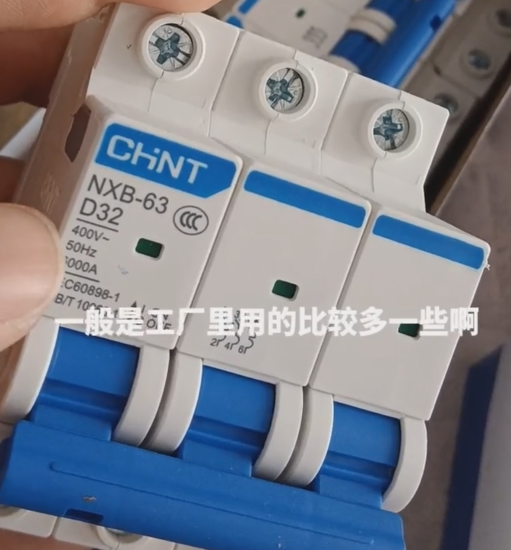
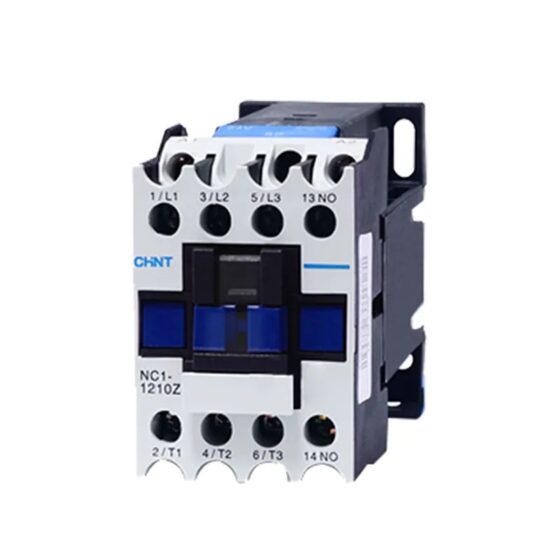
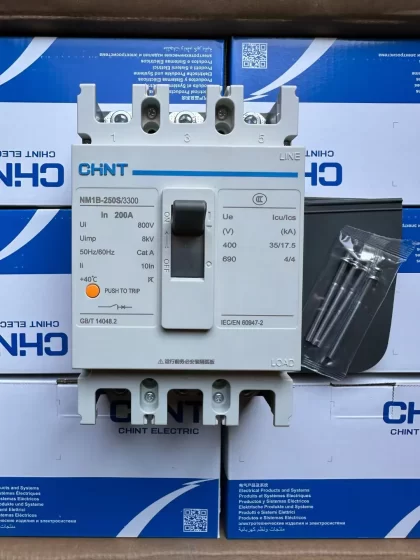
NH42-63-318x560.png "สวิตช์ถ่ายโอนอัตโนมัติชนิด CHINT PC (เอทีเอส)NH42-63/4SZ")