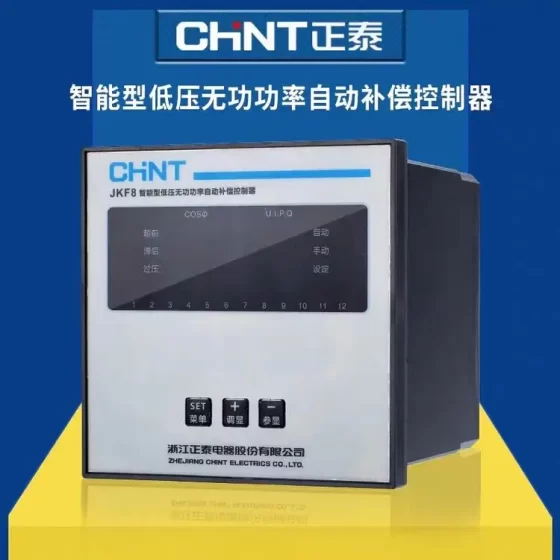
คอนแทคเตอร์,เบรกเกอร์,เซ็นเซอร์,ตัวเข้ารหัส,บมจ,ตัวแปลง





การวางตำแหน่ง: Combined high-precision relay test set & general calibration source (OMICRON, ออสเตรีย)
Successor model: CMC500; Last order cutoff for NET-2 version: 31 ธ.ค 2026, การซ่อมบำรุง & calibration support until 2036
✅ Core Channel Specifications
เอาท์พุทปัจจุบัน: 6 channels × 12.5 ก / 80 เวอร์จิเนีย; combinable: 3 × 25 ก / 1 × 75 ก
เอาท์พุทแรงดันไฟฟ้า: 4 channels × 300 วี, combinable into 2 × 600 วี
ความแม่นยำ: Typical error <0.015% of reading +0.005% of range. Suitable for 0.2S energy meters, ทรานสดิวเซอร์, PMUs and power quality equipment calibration
Built-in 10-channel analogue acquisition & transient waveform recording; integrated Ethernet port for IEC 61850 GOOSE / SV sampled value simulation and subscription
Optional LLO-2 module: เพิ่มเติม 6 low-level output channels for simulating Rogowski coils, low-level ECT/EVT signals; capable of driving external CMS356 power amplifier
Amplitude, phase angle and frequency of all channels can be adjusted independently and continuously; integrated short-circuit, overtemperature and external high-voltage surge protection
✅ การใช้งานทั่วไป
- Relay protection testing for all types: แม่เหล็กไฟฟ้า, คงที่, numerical relays and 61850 intelligent IEDs (กระแสเกิน, ระยะทาง, ส่วนต่าง, busbar auto-switch, reclosure, ฯลฯ)
- Metering equipment calibration: 0.2S energy meters, AC/DC transducers, PMU synchrophasor units, PQ power quality analysers
- Type testing, ร&D testing and laboratory reference source for manufacturers
- Closed-loop IEC 61850 simulation for smart substations
✅ Supporting Software
Test Universe: Mainstream定值-based automated protection test software (PTL test library, Advanced Distance / Differential modules)
RelaySimTest: System-level grid fault simulation, relay-model independent
CMControl P: Manual quick commissioning via tablet / mobile phone
EnerLyzer Classic: Waveform recording and power quality analysis
CMEngine: Open API for secondary development and automated bench integration
✅ Version Identification (Critical for Spares & การซ่อมบำรุง)
CMC256plus PAR-1: Older parallel port variant, end of sale 2014, การซ่อมบำรุง & calibration support terminated
CMC256plus NET-1x: Early Ethernet version, end of sale 2014, maintenance support until 31 ธ.ค 2028
CMC256plus NET-2: Revised Ethernet hardware, available for order until end 2026, longest maintenance & calibration coverage (until 2036)
✅ Cross-Series Replacement Reference
Equivalent accuracy for metering + การป้องกัน: CMC430 (portable)
Mainstream new-generation replacement: CMC500 (official successor of CMC256plus by OMICRON)
Heavy-duty IEC 61850 digital simulation: CMC850
✅ Common Accessories
CMS356 power amplifier, CMGPS588 synchronisation clock, assorted test lead sets, dedicated CT/PT test accessories, ไออีซี 61850 optical modules
OMICRON CMC256plus Troubleshooting Checklist (On-site Version, Prioritised)
Precautionary Safety Rule: In case of reverse external high voltage, smoke, abnormal odour or persistent overtemperature lockout, cut power immediately. Do not repeatedly power on for output. External voltage >42 V applied to output terminals triggers the front-panel high-voltage alarm lamp.
Self-test logic: Automatic hardware self-test on power-up and after connection to Test Universe. Failed self-test triggers pop-up error messages, accompanied by internal relay click sounds. Record the full error text, firmware version and serial number before further action.
- เพิ่มพลัง & Boot Faults
- Unit no power, ไฟแสดงสถานะปิดอยู่
ตรวจสอบ: AC inlet, power cord, external circuit breaker; internal instrument fuse (inside chassis, on-site disassembly for replacement is not recommended); confirm input voltage 100–240 V AC
การแก้ไขปัญหา: Swap with a known-good power cord; verify wall socket voltage with multimeter. สาเหตุที่แท้จริง: ฟิวส์ขาด, failed power supply board
การกระทำ: Blown fuse usually caused by lightning strike or reverse high voltage. Return to factory; never short the fuse.
- Fan runs on power-up, but unit fails to start, self-test hangs, yellow lamp stays on
ตรวจสอบ: Associate pairing status of Ethernet port; faulty LLo module / connected CMS356 amplifier; USB drives or peripherals plugged near Ethernet port
การแก้ไขปัญหา: Remove all external modules, test leads and peripherals, power up bare unit only; verify A/B status LEDs for NET variants
การกระทำ: Steady yellow lamp on NET models usually indicates corrupted firmware. Firmware reflash with OMICRON dedicated tool, cannot be fixed on site.
- Repeated reboot on startup
ตรวจสอบ: Supply voltage drop, undersized extension cables; blocked cooling vents; ageing power supply board
การแก้ไขปัญหา: Plug directly into wall socket, remove power strips / long cables; clean intake filter
เสี่ยง: Bulging capacitors on PSU will cause progressive damage if operated continuously
- PC Communication / Test Universe Connection Failure (Most frequent for NET-1 / NET-2)
NET variants of CMC256plus use fixed MAC binding via Associate. Rebinding is required after changing PC or network adapter.
- Software cannot locate instrument, connection timeout
ตรวจสอบ: สายอีเทอร์เน็ต, สวิตช์; PC NIC IP subnet; correct MAC bound in Associate; firewall or antivirus blocking Test Universe processes
Standard procedure:
① Direct PC connection, bypass switch; use Cat5e or better shielded cable
② Set static IP on PC NIC within the same subnet, avoid DHCP cross-subnet
③ Press front-panel Associate button, yellow LED flashes, re-pair in OCC
④ Disable Windows firewall or add allow rules for OMICRON programs
Distinction for legacy PAR parallel version: Check PCI parallel port card, driver and parallel cable (rare today)
- Connected but frequent disconnection / intermittent dropouts
ตรวจสอบ: Oxidised RJ45 contacts, incorrect shield grounding; strong on-site EMI (VFD, DC panels); NIC sleep policy
การแก้ไขปัญหา: Disable “Allow the computer to turn off this device to save power” for network adapter; single-end grounding for shielded cable; route away from power cables
- CMControl P tablet cannot connect
ตรวจสอบ: Same LAN; instrument and tablet on the same switch; remote control permission enabled inside OCC
- Output Channel Alarms: กระแสเกิน / โอเวอร์โหลด / ไฟฟ้าลัดวงจร, Channel Fault (CU/CI Alarms)
Current channels: วงจรเปิด, ป้องกันการลัดวงจรและการโอเวอร์โหลด. Voltage channels: การป้องกันการโอเวอร์โหลด. LLo low-level channels also have overload protection with software warning popups.
- Current channel reports Overload / ไฟฟ้าลัดวงจร
First step: Stop output, disable output in Test Universe before disconnecting leads. Never remove CT terminals while energised.
ตรวจสอบ: Shorted test leads, open CT secondary (วิกฤต! Open CT secondary generates reverse high voltage which can easily damage channels); VA loading exceeds 80 VA per channel; incorrect wiring for paralleled channels
การยืนยัน: Remove all field wiring, output small current at no load
✅ Normal at no load → external short circuit / open CT / โหลดมากเกินไป
❌ Still overload alarm at no load → damaged power amplifier board or sampling circuit, requires repair and recalibration
- Voltage channel overload alarm
ตรวจสอบ: Reverse PT secondary voltage, external backfeed voltage, short circuit inside DUT IED, wrong wiring in 600 V series mode
บันทึก: External voltage >42 V at voltage terminals illuminates red high-voltage warning lamp; stop testing immediately
- Individual channel amplitude inaccuracy, phase drift, three-phase unbalance without explicit fault alarm
ตรวจสอบ: การติดต่อไม่ดี, unequal lead resistance, unlinked neutral reference, temperature drift, expired calibration certificate
Self-check: Run built-in Hardware Test in software and save report
ความแตกต่าง: Hardware Test Pass, error only appears on site → wiring / interference issue; Hardware Test Fail → hardware fault, return for calibration and repair
- Abnormal LLO-2 low-level output (CMS356 drive or ECT simulation)
ตรวจสอบ: Secure LLo ribbon cable, bent pins; external amplifier power supply; shorted LLo load; firmware compatibility with LLo module
- OverTemperature Alarm (Common on Older Units)
อาการ: Software popup overtemperature warning, output power derating, severe cases lock output
ตรวจสอบ: Blocked intake/outlet vents; fan stall / เสียงผิดปกติ; อุณหภูมิแวดล้อม >40℃; continuous full-VA operation
การกระทำ: Power off and cool for 30 นาที; low-pressure compressed air to blow filter and ducting (do not blast directly onto PCB); replace fan if non-functional
สำคัญ: Repeated overtemperature causes permanent channel drift, power transistor failure and invalid calibration
- Acquisition Circuit, Waveform Recording & AI Analogue Input Abnormality (บิวท์อิน 10 Acquisition Channels)
- Acquisition reading zero, jittering or inaccurate
ตรวจสอบ: Polarity of acquisition leads, พื้นดินทั่วไป, acquisition range setting, external transducer supply; run acquisition channel hardware self-test
Critical pitfall: Never mix acquisition terminals and output terminals, reverse high voltage will destroy acquisition board
- EnerLyzer recording fails to trigger or recorded files corrupted
ตรวจสอบ: Trigger settings, synchronisation clock, PC disk space, known software bugs (upgrade Test Universe)
- ไออีซี 61850 GOOSE / SV Digital Simulation Faults (Smart Substation Work)
- GOOSE subscription receives no messages, GOOSE status change fails to trigger relay
ตรวจสอบ: Optical module / electrical port VLAN, switch IGMP, มิเรอร์พอร์ต; matching APPID & GOID; SCD revision; PC time synchronisation
การแก้ไขปัญหา: Capture packets on the same switch with Wireshark, verify CMC transmission and IED subscription; confirm time sync between instrument and IED
- Abnormal SV sampled value output, relay reports sampling out-of-sync or jittering samples
ตรวจสอบ: SV sampling rate, ASDU configuration, sync source (CMGPS588); locked status of PTP / IRIG-B; optical power, dirty fibre endface
Typical root cause: Unlocked GPS → severe SV phase drift; bent fibre or contaminated endface → packet loss
- Optical module not recognised
ตรวจสอบ: Re-seat optical module, module firmware; only OMICRON original compatible transceivers work reliably, third-party modules frequently fail identification
- Synchronisation Clock, GPS / IRIG-B / PTP Timing Faults
- Sync indicator not locked, phase drift, PMU test failure
ตรวจสอบ: GPS antenna placement, feeder cable, LNA; IRIG-B polarity and level; PTP switch support for transparent clock
การแก้ไขปัญหา: Confirm lock status on CMGPS588 first; test with internal clock as reference. If internal clock works normally, fault lies in external sync link
- Time jumping, inaccurate sequence timing, excessive timing error for reclosure tests
Key note: Synchronisation reference is critical for PMU, differential and distance closed-loop testing. Unstable sync invalidates all phase and timing results.
- Intermittent Hard-to-Reproduce Faults
อาการ: Works normally after reboot, error occurs after running for some time
Checklist:
- หลวม / oxidised terminals, modules and ribbon cables (LLo, เครื่องขยายเสียง, optical modules)
- Ageing PSU capacitors, voltage sag under load
- Intermittent fan operation leading to periodic overtemperature protection
- Cold solder joint on Ethernet PHY chip (high failure rate on older NET-1 hardware)
- Transient reverse high voltage from PT/CT secondary on site
Localisation method: Long-duration no-load ageing test with Hardware Test running; swap Ethernet cable, change supply and isolate from field interference
- ซอฟต์แวร์ / Firmware Faults (Test Universe)
- Project load error, PTL library fails to open, template crash
Check matching TU version and CMC firmware, corrupted project file, user permission, missing runtime libraries
กฎ: Do not mix mismatched major firmware and TU versions (เช่น. old NET1 firmware with new TU release)
- Automated test stops mid-sequence and does not proceed
Check binary input (BIN) feedback wiring and threshold, GOOSE feedback packet loss, overly short software timeout settings
- Front-panel CMControl6 local control inactive
Check front panel ribbon cable, panel firmware; control permission mutually exclusive if OCC takes control from PC
- On-site Acceptance Checklist (After Repair / Second-hand Unit Receipt)
- Power off and rest → power on, confirm clean boot self-test with no errors
- Run full Hardware Test from OCC, export report, confirm all channels Pass
- No-load output test: 6I and 4V channels output rated value one by one, verify amplitude and phase
- Synchronisation lock test, simple GOOSE/SV send/receive test
- Short-duration full-load test, confirm no false overload or overtemperature alarms
- Verify calibration certificate validity
- Fault Information Template for OMICRON Support
แบบอย่าง, serial number, hardware revision NET-1 / NET-2 / PAR
CMC firmware version, Test Universe version
Full error screenshot or text message
สภาพข้อบกพร่อง: no-load or loaded, LLo/CMS356 attached, GPS connected or not
Wiring scheme, test type (conventional protection / เอสวี & GOOSE / PMU calibration)
สิ่งแวดล้อม: substation site, history of reverse high voltage, calibration expiry date
เสริม: Common False Alarms (Not Instrument Faults)
Open CT secondary → overload alarm triggered, root cause is external circuit, not tester failure
Unlocked sync source causes phase deviation, easily misdiagnosed as channel inaccuracy
Windows NIC sleep / auto-adaptation causes random communication dropouts
Parallel multi-channel output without enabling parallel mode in software → abnormal VA distribution and overload alarm
OMICRON CMC Full Model List (Relay Test Set Mainline, Sub-Versions & สถานะวงจรชีวิต)
บันทึก: CMS356 is external power amplifier and not part of CMC main unit series; CMGPS, LLO and optical modules are accessories and excluded. CMC500 is the new flagship replacement for CMC256plus / 356 / 353.
- Currently Available New Models
- ซีเอ็มซี 500 (แบบแยกส่วน, 5 base configurations: USH / UHH / USX / UHX / VHX)
การวางตำแหน่ง: Successor to CMC256plus / CMC356 / CMC353. รองรับได้ถึง 10 current channels, 7 voltage channels and IEC 61850 digital functions
- ซีเอ็มซี 430 (ultra-light high precision, 8.7 กก, dual use for protection + 0.2S metering calibration)
- Previous Generation Classic Units (End of Sale, PAR / NET Sub-Versions, CMC256plus belongs here)
- CMC 256plus
Sub-models: PAR-1 (legacy parallel port, support terminated), NET-1x (early Ethernet), NET-2 (revised Ethernet, last order 31 ธ.ค 2026)
การวางตำแหน่ง: 6I+4V, combined high-precision protection & metering source, compatible with LLO-2 low-level module
- ซีเอ็มซี 356
Sub-models: NET-1x, NET-2
การวางตำแหน่ง: General protection commissioning, higher output power, mainstream substation tester
- ซีเอ็มซี 353
Sub-models: NET-1x, NET-2
การวางตำแหน่ง: Compact three-phase tester, cost-effective for site commissioning
- ซีเอ็มซี 310
Sub-models: NET-1x (NET1 only)
การวางตำแหน่ง: Basic three-phase testing and on-site meter calibration, entry lightweight unit
- ซีเอ็มซี 850
Sub-models: NET-1x (digital-only)
การวางตำแหน่ง: Pure IEC 61850 digital tester, no high-power analogue outputs, only SV/GOOSE simulation, for smart substation closed-loop testing
- Very Early Legacy Models (Rare in circulation, official calibration & repair fully terminated, found only in old documentation / second-hand market)
- ซีเอ็มซี 156 / CMC156 EP (early parallel port, 3-phase current)
- ซีเอ็มซี 256-6 (predecessor of CMC256plus, without “plus”)
Lifecycle Summary Table
| แบบอย่าง | Interface Version | Last Order Date | End of Maintenance |
| CMC256plus PAR-1 | ขนาน | 31-Dec-14 | 31-Dec-22 |
| CMC256plus NET-1x | Ethernet Gen1 | 31-Dec-14 | 31-Dec-28 |
| CMC256plus NET-2 | Ethernet Gen2 | 31-Dec-26 | 31-Dec-36 |
| CMC356 NET-1x | Ethernet Gen1 | 31-Dec-14 | 31-Dec-28 |
| CMC356 NET-2 | Ethernet Gen2 | 31-Dec-26 | 31-Dec-36 |
| CMC353 NET-1x | Ethernet Gen1 | 31-Dec-14 | 31-Dec-28 |
| CMC353 NET-2 | Ethernet Gen2 | 31-Dec-26 | 31-Dec-36 |
| CMC310 NET-1x | Ethernet Gen1 | 31-Dec-14 | 31-Dec-28 |
| CMC850 NET-1x | Ethernet Gen1 | 31-Dec-14 | 31-Dec-28 |
| CMC430 | New unified hardware | Active sale | Long-term support |
| CMC500 | New modular platform | Active sale | Long-term support |


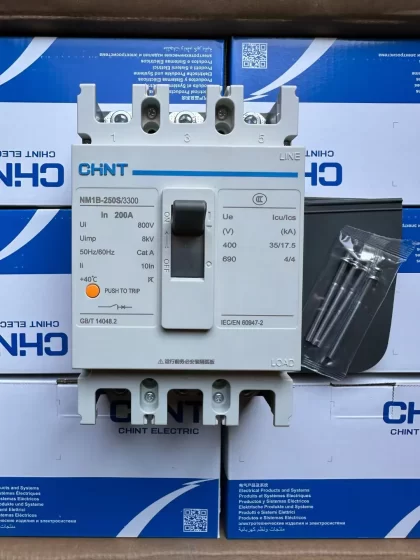
NH42-63-318x560.png "สวิตช์ถ่ายโอนอัตโนมัติชนิด CHINT PC (เอทีเอส)NH42-63/4SZ")