 คอนแทคเตอร์,เบรกเกอร์,เซ็นเซอร์,ตัวเข้ารหัส,บมจ,ตัวแปลง

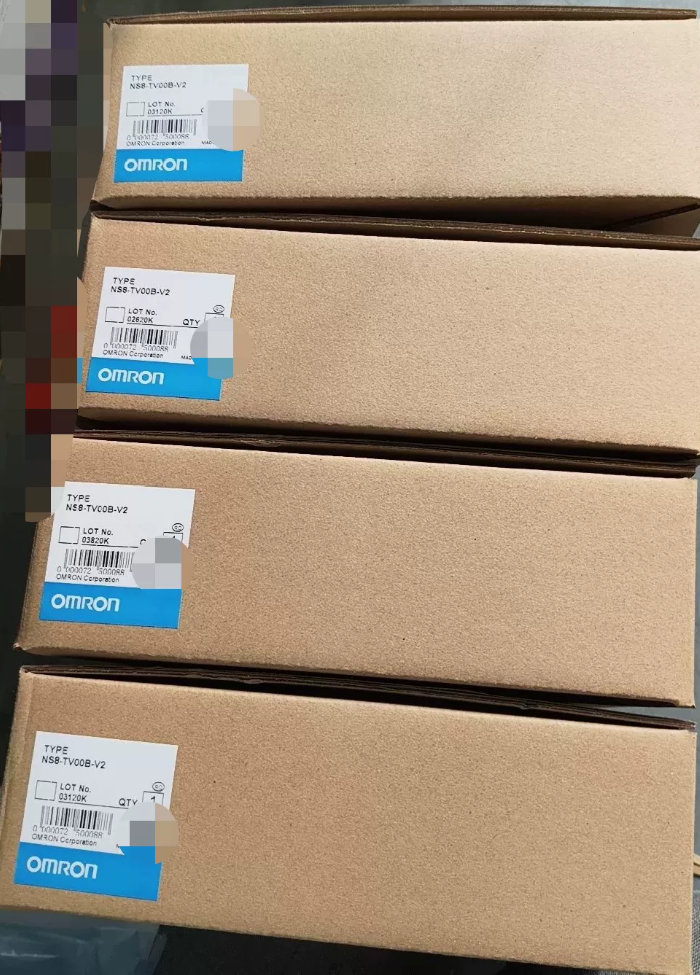

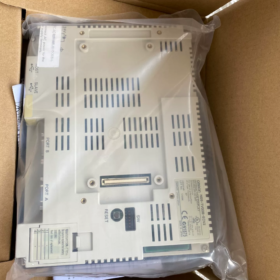
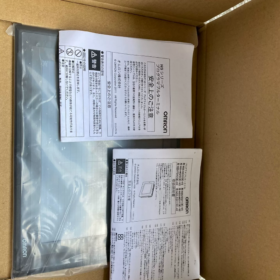
รายละเอียดรหัสรุ่น
NS8-TV00B-ECV2
เอ็นเอส8: เอ็นเอส ซีรีส์, 8.4-เทอร์มินัล HMI ที่ตั้งโปรแกรมได้นิ้ว
ทีวี: จอแอลซีดีสี TFT
00: รุ่นมาตรฐาน, โดยไม่มีอินพุตวิดีโอ (TV01 = รองรับโมดูลวิดีโอ)
บี: กรอบสีดำ (แบบไม่มี “บี”: กรอบสีเทาอ่อน NS8-TV00-ECV2)
อีซี: พอร์ตอีเธอร์เน็ตในตัว
V2: 2เวอร์ชันฮาร์ดแวร์เจนเนอเรชั่นที่ 2
การอ้างอิงโยงภายในอนุกรม: NS8-TV00B-V2 = ไม่มีอีเทอร์เน็ต; NS8-TV00B-ECV2 = มาตรฐานที่ติดตั้งอีเธอร์เน็ต
- ข้อมูลจำเพาะของฮาร์ดแวร์หลัก
| รายการ | พารามิเตอร์ |
| แสดง | 8.4″ จอแอลซีดีสี TFT, ความละเอียด 640×480(วีจีเอ) |
| สีที่แสดง | 65,536 สี (16-นิดหน่อย) |
| ประเภทการสัมผัส | หน้าจอสัมผัสแบบต้านทานแบบอะนาล็อก |
| พาวเวอร์ซัพพลาย | ดีซี24วี (ช่วงที่อนุญาต:20.4~27.6V), การใช้พลังงานสูงสุด ≤18W |
| หน่วยความจำโปรแกรม | 60 เอ็มบี |
| อินเทอร์เฟซ | ✅ 10/100BASE-T อีเทอร์เน็ต |
| ✅ RS232C คู่ (ดีบี9) | |
| ✅ทาส USB (การอัพโหลด/ดาวน์โหลดโปรแกรม) | |
| ✅ โฮสต์ USB (ยูเอสบี แฟลชไดรฟ์ / หนู) | |
| การป้องกันด้านหน้า | IP65 / NEMA4 (เมื่อปิดผนึกอย่างถูกต้องหลังการติดตั้งแผง) |
| อุณหภูมิในการทำงาน | 0~50℃; อุณหภูมิการจัดเก็บ -20~60℃ (ไม่มีการควบแน่น) |
| ขนาดโดยรวม | 315(ว) × 241(ชม) × 48.5(ดี) มม |
| ขนาดคัตเอาท์แผง | 298 × 224 มม |
| แสงไฟ | หลอดฟลูออเรสเซนต์แคโทดเย็น CCFL (อายุการใช้งานประมาณ. 50,000 ชั่วโมง; สีเหลืองและความมัวจะเกิดขึ้นหลังจากอายุมากขึ้น) |
- ข้อมูลซอฟต์แวร์
ซอฟต์แวร์การเขียนโปรแกรม: NS-ดีไซเนอร์ Ver.6.X
โปรโตคอลการสื่อสาร: ออมรอน ลิงค์โฮสต์, ครีบอีเทอร์เน็ต. ใช้งานได้กับ PLC ซีรีส์ CJ/CS/CP1H/CP1E; รองรับ Modbus RTU/TCP ด้วย
⚠️เข้ากันไม่ได้กับ Sysmac Studio; ไม่สามารถแทนที่ HMI ซีรีส์ NA/NJ ได้โดยตรง
- ประกาศเกี่ยวกับวงจรการใช้งานของผลิตภัณฑ์
✅ สิ้นสุดการผลิตอย่างเป็นทางการ (อีโอพี)
มีอุปทาน: สต็อกส่วนเกินใหม่และหน่วยที่ได้รับการตกแต่งใหม่; ราคาอะไหล่ขึ้นเรื่อยๆ.
โซลูชั่นทดแทน
- การแทนที่โดยตรง (ที่ต้องการ, คัตเอาต์การติดตั้งที่เข้ากันได้)
NA8-12W101-V2 (8.4-ซีรี่ส์ NA นิ้ว; หน้าจอกว้าง, หมายเหตุความแตกต่างความละเอียด, โปรเจ็กต์หน้าจอจำเป็นต้องออกแบบใหม่ทั้งหมด)
- โซลูชันการย้ายข้อมูลการปรับเปลี่ยนโปรแกรมขั้นต่ำ
ใช้ NS8-TV00B-ECV2
- ทางเลือกภายในประเทศ: ไวน์วิว, Kinco HMI ขนาด 8 นิ้ว; ต้องมีการวาดใหม่แบบเต็มหน้าจอและการดีบักการสื่อสาร.
- ข้อผิดพลาดทั่วไป & คำเตือนหลุมพราง
- ความล้มเหลวทั่วไป: อายุของแสงพื้นหลัง CCFL นำไปสู่หน้าจอสีดำ. สามารถเปลี่ยนแถบแบ็คไลท์หรือการปรับเปลี่ยนแบ็คไลท์ LED ได้.
- สัมผัสทำงานผิดปกติ: อายุแผงสัมผัส; มีกระจกสัมผัสทดแทนแบบแยกอิสระให้เลือกซื้อ.
- การสื่อสารอีเธอร์เน็ตล้มเหลว: ชิปอีเทอร์เน็ตของรุ่น ECV2 เสี่ยงต่อความเสียหายจากไฟฟ้าสถิต. แนะนำให้ใช้การป้องกันไฟกระชากสำหรับสายสื่อสาร.
- ความเข้ากันได้ของโปรแกรม: โปรเจ็กต์ที่พัฒนาสำหรับฮาร์ดแวร์ V2 ไม่สามารถเปิดได้โดยตรงในยูนิต V1 รุ่นแรกๆ.
- ความแตกต่างในการสั่งซื้อ: อย่าสับสน NS8-TV00B-V2 (ไม่มีอีเทอร์เน็ต) และ ECV2 (ด้วยอีเธอร์เน็ต).
- การใช้งานทั่วไป
เครื่องมือกล, เครื่องจักรบรรจุภัณฑ์, อุปกรณ์ฉีดขึ้นรูป, สายลำเลียง, โครงการติดตั้งเพิ่มเติมที่มาพร้อมกับ OMRON PLC แบบคลาสสิก (ซีพี1เอช, ซีเจ1เอ็ม, ซีเอส1จี).
หากจำเป็น, เสริมได้ค่ะ:
ข้อความ CAD ของขนาดคัตเอาต์ของแผง
คำจำกัดความการกำหนดพินอินเทอร์เฟซด้านหลัง
คำแนะนำทีละขั้นตอนสำหรับการตั้งค่าการสื่อสาร FINS Ethernet ผ่าน NS-Designer
คู่มือการใช้งานอย่างง่ายสำหรับการปรับเปลี่ยนแบ็คไลท์
ซอฟต์แวร์การเขียนโปรแกรมสำหรับ OMRON NS8-TV00B-ECV2
- วิวัฒนาการซอฟต์แวร์
หน่วยนี้เป็นของฮาร์ดแวร์ NS Series V2 (-อีซีวี2)
- ซอฟต์แวร์สแตนด์อโลนดั้งเดิม: NS-ดีไซเนอร์ (เวอร์ชันสูงสุด V6)
- ซอฟต์แวร์รวมในภายหลัง: CX-ดีไซเนอร์
✅ CX-Designer ถูกนำมาใช้กันอย่างแพร่หลายในปัจจุบัน
CX-Designer ถูกรวมเข้ากับชุดซอฟต์แวร์ CX-One, ให้ความสำคัญกับการติดตั้ง CX-One.
- คำแนะนำในการเลือกเวอร์ชัน
- CX-วัน 4.0 / 4.1 (มีเสถียรภาพมากที่สุด, ใช้กันอย่างแพร่หลายในระบบอัตโนมัติทางอุตสาหกรรม)
CX-Designer ในตัว, เข้ากันได้กับ NS8-TV00B-ECV2 อย่างสมบูรณ์.
- CX-One รุ่นใหม่ 4.2/4.3 ก็เข้ากันได้เช่นกัน, แต่จำเป็นต้องมีการกำหนดค่าโหมดความเข้ากันได้ภายใต้ Win10/Win11.
- ❌ ไม่รองรับ Sysmac Studio!
Sysmac Studio รองรับเฉพาะซีรีส์ NA/NJ/NX; ไม่สามารถทำงานร่วมกับหน้าจอสัมผัส NS แบบเดิมได้.
- รูปแบบไฟล์โครงการ
ไฟล์โครงการต้นทาง: `.ไอพีพี`
ไฟล์ที่คอมไพล์ดาวน์โหลดไปยัง HMI: `.ช้อนชา`
- หมายเหตุสำคัญ
- โปรเจ็กต์ NS-Designer เก่าสามารถเปิดและแปลงได้โดยตรงด้วย CX-Designer; ไม่มีการแปลงแบบย้อนกลับ.
- วิธีการดาวน์โหลดโปรแกรม: อีเทอร์เน็ต(ครีบ), สาย USB-B, พอร์ตอนุกรม RS232.
- NS8-TV00B-ECV2 เป็นฮาร์ดแวร์ V2; เลือกรุ่นที่แน่นอน NS8-TV00B-ECV2 ในซอฟต์แวร์, หลีกเลี่ยงการเลือกเวอร์ชัน V1.
- การอัพเกรดเฟิร์มแวร์ HMI สามารถทำได้ภายใน CX-Designer.
- การแจ้งเตือนความสับสนทั่วไป
ผู้ใช้หลายคนผสมผสานซอฟต์แวร์ที่แตกต่างกัน:
NB ซีรี่ส์ HMI → NB-นักออกแบบ
NA/NJ รุ่นใหม่ → Sysmac Studio
หน้าจอสัมผัส NS รุ่นเก่า → CX-Designer (ซีเอ็กซ์-วัน สวีท)
หากจำเป็น, ฉันสามารถให้ได้:
ขั้นตอนการดาวน์โหลดโครงการ HMI ผ่าน FINS Ethernet
คู่มือการตั้งค่าความเข้ากันได้ของ CX-One ภายใต้ Win11
ขั้นตอนการดำเนินการอัพโหลดและถอดรหัสโปรแกรม
รายการโปรโตคอลการสื่อสารที่รองรับทั้งหมดสำหรับ OMRON NS8-TV00B-ECV2
อินเทอร์เฟซฮาร์ดแวร์: RS232C คู่ (พอร์ตเอ / พอร์ตบี; พอร์ต B สลับเป็น RS422/485 ได้) + อีเธอร์เน็ต RJ45 ในตัว + โฮสต์ USB + ยูเอสบี สลาฟ
ซอฟต์แวร์: CX-ดีไซเนอร์ (ซีเอ็กซ์-วัน สวีท). สามารถเลือกโปรโตคอลทั้งหมดได้ [การตั้งค่าการสื่อสาร] ของโครงการ.
- โปรโตคอลสำหรับพอร์ตอีเธอร์เน็ต (ในตัวบน ECV2)
สำหรับเชื่อมต่อ OMRON PLC, ดาวน์โหลดโปรแกรมและการสื่อสารโฮสต์พีซี
- ครีบอีเทอร์เน็ต (UDP/TCP) [พิธีสารหลัก]
สำหรับ CJ1M/CJ2M/CS1G/CP1H/CP1E OMRON PLC, ใช้กันมากที่สุด.
- Modbus TCP (ผู้เชี่ยวชาญ)
การเชื่อมต่อโดยตรงกับเครื่องมือ Modbus TCP และ PLC ของบริษัทอื่น.
- ลิงค์คอนโทรลเลอร์ (การกำหนดเส้นทางอีเธอร์เน็ต)
- ลิงค์แห่งความทรงจำ (อีเทอร์เน็ต)
การแลกเปลี่ยนข้อมูลด้วยซอฟต์แวร์โฮสต์พีซีแบบกำหนดเอง.
- โปรโตคอลพอร์ตอนุกรม (RS232C / RS422/485)
✅ โปรโตคอลดั้งเดิมของ OMRON (สำหรับการเชื่อมต่อ PLC ของ OMRON)
- เอ็นที ลิงค์ 1:1 / เอ็นที ลิงค์ 1:เอ็น (อนุกรมความเร็วสูง)
ใช้ได้กับซีรีส์ CJ/CS/CP1H (การสื่อสารแบบอนุกรมคลาสสิกสำหรับซีรีส์ NS)
- ลิงค์โฮสต์ (1:1)
PLC OMRON รุ่นเก่า: ซีวีเอ็ม1, C200H, CPM1A, ฯลฯ.
- คอมโปเวย์/เอฟ
เชื่อมต่อโดยตรงกับตัวควบคุมอุณหภูมิ OMRON E5CC/E5AZ และเซ็นเซอร์, ไม่จำเป็นต้องส่งต่อ PLC.
✅ มาตราฐานอุตสาหกรรม
- Modbus RTU (ผู้เชี่ยวชาญ)
อินเวอร์เตอร์ความถี่, เครื่องมือ, PLC บุคคลที่สาม (รองรับ RTU เท่านั้น, ไม่รองรับ Modbus ASCII)
- ลิงค์แห่งความทรงจำ (อนุกรม)
การแลกเปลี่ยนข้อมูลแบบอนุกรมระหว่างโฮสต์พีซีและ HMI.
✅ โปรโตคอลอนุกรม PLC บุคคลที่สาม
มิตซูบิชิ: โปรโตคอล MC (3เฟรม C/4C) → ซีรี่ส์ FX/Q
ร็อคเวลล์ เอบี: โปรโตคอล DF1
จีอี ฟานุค: โปรโตคอล SNP-X
ซีเมนส์: ซีเมนส์ 3964(ร)/RK512 (อนุกรม S5/S7 เก่า, ไม่รองรับอีเธอร์เน็ต S7)
⚠️ ข้อจำกัดที่สำคัญ: TCP เนทิฟ S7 / โปรฟิเน็ต / CC-Link ไม่พร้อมใช้งาน. ไม่สามารถเชื่อมต่อ S7-1200/1500 โดยตรงผ่านอีเทอร์เน็ตได้; จำเป็นต้องใช้เกตเวย์ Modbus TCP สำหรับการสื่อสารกับ Siemens PLC ใหม่.
- ฟังก์ชั่นพอร์ต USB (ไม่สามารถใช้สำหรับการสื่อสาร PLC, การเชื่อมต่ออุปกรณ์ต่อพ่วงเท่านั้น & ดาวน์โหลดโปรแกรม)
- ยูเอสบี สลาฟ (ประเภท-B): เชื่อมต่อ PC CX-Designer สำหรับการอัพโหลด/ดาวน์โหลดโปรแกรม
- โฮสต์ USB (ประเภท-A): แฟลชไดรฟ์ USB (การบันทึกข้อมูล, การนำเข้าโปรแกรม), เครื่องพิมพ์ยูเอสบี, หนู
❌ USB ไม่สามารถสื่อสารกับ PLC ได้
- หมายเหตุข้อผิดพลาดทางวิศวกรรมที่สำคัญ
- พอร์ต A และพอร์ต B สามารถเรียกใช้โปรโตคอลที่แตกต่างกันได้พร้อมกัน, ทำให้ HMI หนึ่งเครื่องสามารถเชื่อมต่ออุปกรณ์สองชุดได้อย่างอิสระ.
- NS8-TV00B-ECV2 ทำงานเป็น Communication Master เท่านั้น, ไม่สามารถทำหน้าที่เป็นทาสได้. ไม่สามารถอ่าน/เขียนโดย PLC ภายนอกได้.
- พอร์ตอีเธอร์เน็ตและพอร์ตอนุกรมรองรับการสื่อสารแบบขนานในเวลาเดียวกัน.
- เวอร์ชันเฟิร์มแวร์ส่งผลต่อความเสถียรของโปรโตคอล: อัปเกรดเฟิร์มแวร์ระบบ HMI เป็น V8 หรือสูงกว่าเพื่อความน่าเชื่อถือที่ดีขึ้นของโปรโตคอลบุคคลที่สาม.
- อีเธอร์เน็ต/ไอพี, โอพีซี ยูเอ, Profinet ไม่ได้รับการสนับสนุนโดยกำเนิด.
- ความแตกต่าง: โปรโตคอลซีรีส์ NS เข้ากันไม่ได้กับซีรีส์ NA/NB.
แผนการสื่อสารที่แนะนำ
- PLC OMRON CJ/CP ซีรีส์ → อีเธอร์เน็ต FINS (ตัวเลือกแรก)
- ตัวควบคุมอุณหภูมิ E5CC หลายตัว → CompoWay/F (อาร์เอส485)
- อินเวอร์เตอร์ & เครื่องมือทั่วไป → Modbus RTU (อาร์เอส485) หรือ Modbus TCP
- การติดตั้งเพิ่มอุปกรณ์ Mitsubishi FX → โปรโตคอล MC (อนุกรม)
หากจำเป็น, ฉันสามารถให้ได้:
ทำตามขั้นตอนการกำหนดค่าสำหรับการสื่อสารอีเธอร์เน็ต FINS
แผนภาพการเดินสายไฟและเทมเพลตพารามิเตอร์ CX-Designer สำหรับ Modbus RTU
จุดกำหนดค่าสำหรับพอร์ตอนุกรมคู่ที่ขับเคลื่อนอุปกรณ์หลายเครื่องพร้อมกัน
ระบบปฏิบัติการที่รองรับสำหรับ CX-Designer (การจับคู่ NS8-TV00B-ECV2)
CX-Designer ถูกฝังอยู่ในชุดซอฟต์แวร์ CX-One. คำอธิบายทั้งหมดด้านล่างใช้กับ CX-One V4.x ที่ใช้งานกันอย่างแพร่หลาย (CX-ดีไซเนอร์ V3.x) — เวอร์ชันเสถียรสำหรับการแก้ไขโปรเจ็กต์ HMI ซีรีส์ NS.
- ระบบปฏิบัติการที่รองรับอย่างเป็นทางการ
✅ผ่านการตรวจสอบอย่างเป็นทางการแล้ว & ที่แนะนำ
- หน้าต่าง 7 (32นิดหน่อย / 64นิดหน่อย; มืออาชีพ / องค์กร / สุดยอดฉบับ)
- หน้าต่าง 8.1 (32นิดหน่อย / 64นิดหน่อย; จำเป็นต้องติดตั้งแพตช์ระบบ KB2919355)
- หน้าต่าง 10 (32นิดหน่อย / 64นิดหน่อย; โปร / องค์กร / LTSC ทั้งหมดเข้ากันได้)
- หน้าต่าง 11 (64บิตเท่านั้น. ไม่มีการรับรองอย่างเป็นทางการ; รับรองว่าใช้งานได้จริง, จำเป็นต้องมีการกำหนดค่าโหมดความเข้ากันได้)
❌ ไม่รองรับอย่างเป็นทางการ
วินโดวส์เอ็กซ์พี, วินโดวส์วิสต้า: ใช้งานได้กับ CX-Designer V2 รุ่นเก่าเท่านั้น. ไม่แนะนำสำหรับการแก้ไขโปรเจ็กต์ NS8-TV00B-ECV2, ความเสี่ยงของโครงการที่เสียหายและความล้มเหลวในการดาวน์โหลดเฟิร์มแวร์.
วินโดว์เดิม 8: ความเข้ากันได้ไม่ดี, ไม่แนะนำโดย OMRON.
ระบบ Windows Server ทั้งหมด (เซิร์ฟเวอร์ 2016/2019 เป็นต้น): ไม่มีการรับประกันอย่างเป็นทางการ; สภาพแวดล้อมบางส่วนอาจทำงานด้วยความไม่เสถียร.
- เคล็ดลับการใช้งานจริงสำหรับระบบปฏิบัติการต่างๆ (การหลีกเลี่ยงหลุมพรางในพื้นที่อุตสาหกรรม)
1) วินโดว์7 64บิต
OS ระบบปฏิบัติการที่ต้องการพร้อมความเสถียรสูงสุด
ไม่ค่อยพบข้อผิดพลาดในการสื่อสารหรือการอัพโหลด/ดาวน์โหลดล้มเหลว; การกำหนดค่ามาตรฐานสำหรับคอมพิวเตอร์ภาคสนามอุตสาหกรรม.
2) วินโดว์10 64บิต (สทศ 2019/2021 ที่แนะนำ)
เข้ากันได้ดี; คลิกขวาที่ตัวติดตั้ง → เรียกใช้ในฐานะผู้ดูแลระบบระหว่างการติดตั้ง.
หลังการติดตั้ง: กำหนดค่าทางลัด CX-Designer: โหมดความเข้ากันได้ Windows7 + ทำงานในฐานะผู้ดูแลระบบ.
3) วินโดว์11 64บิต
⚠️ไม่ได้รับการรับรองอย่างเป็นทางการ, ทำงานภายใต้การทดสอบภาคปฏิบัติ
ความเสี่ยงทั่วไป: ขาดการเชื่อมต่อเป็นระยะๆ ระหว่างการดาวน์โหลดโปรแกรม USB, การสื่อสาร FINS Ethernet ที่ไม่เสถียร.
การตั้งค่าบังคับสองรายการ:
- ทางลัด CX-Designer → คุณสมบัติ → โหมดความเข้ากันได้: วินโดวส์7
- ปิดการใช้งานความสมบูรณ์ของหน่วยความจำ (ความปลอดภัยของ Windows → ความปลอดภัยของอุปกรณ์ → การแยกคอร์)
- Important Restrictions
- No standalone 64-bit CX-Designer executable. The software is a 32-bit program running via WOW64 subsystem on 64-bit Windows.
- Avoid compact/green portable CX-One releases; high risk of connection failure to NS8-TV00B-ECV2 and project damage.
- MacOS, ลินุกซ์: No native support. Only operable via virtual machine (VMware running Win7/Win10).
- Software boundary distinction:
CX-ดีไซเนอร์: NS Series (NS8-TV00B-ECV2)
Sysmac Studio: NA/NJ/NX, Cannot open NS projects
- Minimum Hardware Requirements
Display Resolution ≥1024×768
Full CX-One installation: ≥4GB free hard disk space
RAM ≥4GB (8GB or higher recommended under Win10/Win11)





NH42-63-318x560.png "สวิตช์ถ่ายโอนอัตโนมัติชนิด CHINT PC (เอทีเอส)NH42-63/4SZ")



