 Schütz,Leistungsschalter,Sensor,Encoder,SPS,Konverter

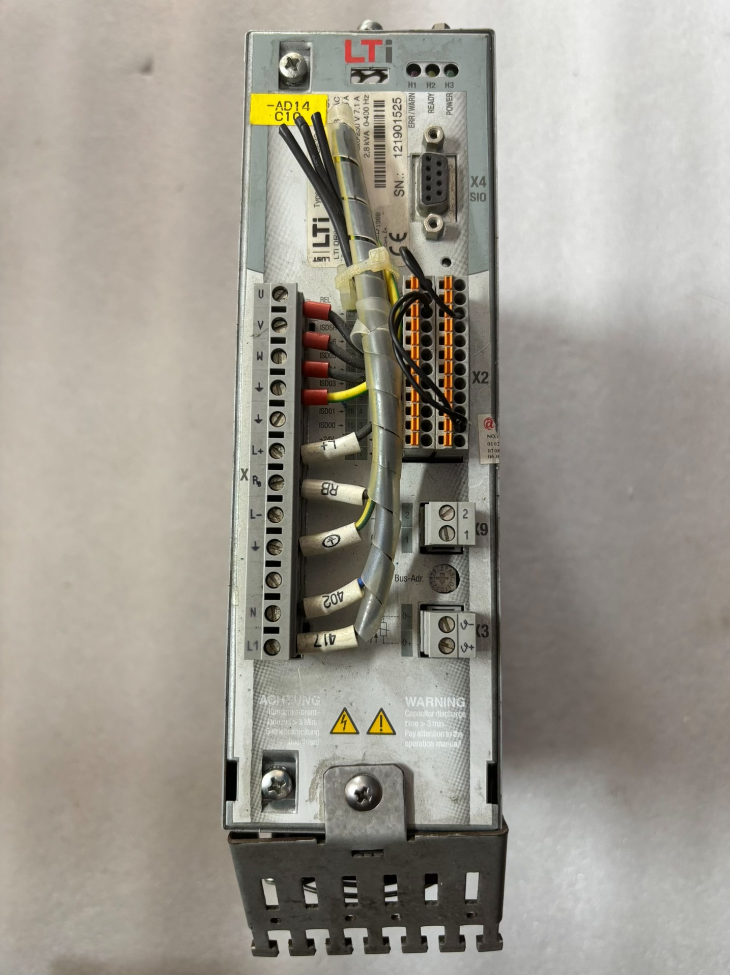

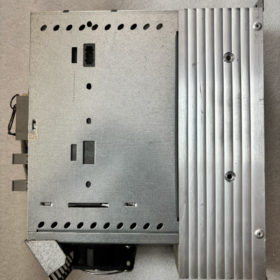
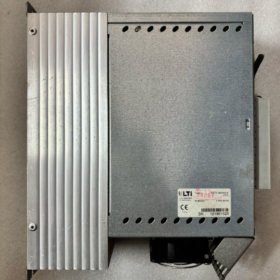
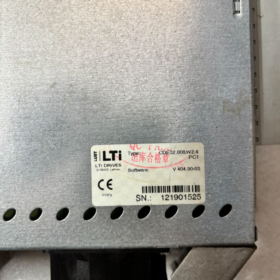
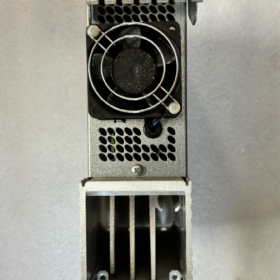
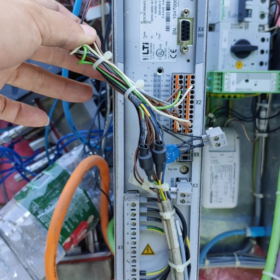
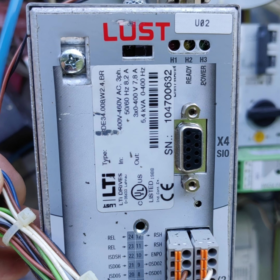
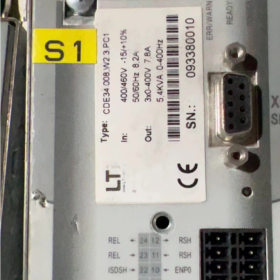
LUST (Deutschland), later acquired by KEBA. The CDE3000 series is fully discontinued, with only new surplus stock or refurbished units available on the market.
- Aufschlüsselung des Modellcodes
CDE32.008.W2.4
- CDE: Product Series → CDE3000 compact Servoantrieb (universal servo, supports synchronous/asynchronous motors, eingebauter Bremstransistor)
- 32: Voltage Class Code
32 = 1/3-phase AC230V (200…240V)
34 = AC400V class
- 008: Current Rating → Continuous rated output current 7.1A, compatible with ~1.5kW servo motors
- W: Firmware branch (W platform, distinguished from early C-firmware platform)
- 2.4: Firmware Version V2.4
Common complete order suffix: CDE32.008.W2.4.PC1
PC1 = Standard CANopen (DSP402) Kommunikationsschnittstelle; Profibus and other expansion cards optional
- Grundlegende elektrische Spezifikationen
| Artikel | Spezifikation |
| Eingangsstromversorgung | 1~3-phase AC200–240V 50/60Hz |
| Nennausgangsstrom | 7.1 A (kontinuierlich) |
| Spitzenausgangsstrom | 14.2 A (2× overload capacity) |
| Kompatible Motoren | Permanent magnet synchronous servo motors / Asynchronous inverter-duty motors |
| Steuermodi | Position loop, Geschwindigkeitsschleife, Drehmomentschleife; Impulsbefehl & fieldbus control supported |
| Encoder-Schnittstelle | Inkrementalgeber (TTL/RS422); resolver module optional |
| Built-in Braking | Integrierter Bremstransistor, Externer Bremswiderstand erforderlich |
| Digitale I/O | 8AUS / 2TUN, ±10V Analogeingang, Relaisausgang |
| Kommunikationsstandard | Standard CANopen DSP402; Profibus-DP expandable |
| Kühlmethode | Base plate mounting cooling |
| Betriebsumgebungstemperatur | 0℃~+40℃ (cabinet installation), Kondensation verboten |
| Schutzklasse | IP20 (for cabinet internal use) |
- Overview of Hardware Interfaces
X1: Main power input L/N/PE; motor output U/V/W
X2: Control terminal block (DI/DO, analog signals, aktivieren, Not-Aus)
X4: Keypad port for KP200; communication port for commissioning software
X5: Encoder feedback interface
X9: Motor brake drive (24V brake coil)
External Accessories: Bremswiderstand, KP200 operator panel, commissioning cable, SmartCard parameter memory card
- Inbetriebnahmesoftware
Software Name: DriveManager (formerly LUST ServoManager)
Supports firmware read/write, Parameter-Download, oscilloscope, electronic gear configuration
Compatible with all W2.0~W2.4 firmware versions; communication via RS232 / USB-to-RS232 cable
- Einstellung & Ersatzlösungen
⚠️ Original manufacturer ceased production of the CDE3000 series; no direct OEM replacement model available
Option 1: Same-series spare parts (priority for maintenance)
Interchangeable equivalent: CDE32.008 with any W2.x firmware (W2.2/W2.3/W2.4 mutually compatible; parameters require re-downloading)
Notiz: CDE32.008 ≠ CDA32.008; hardware pinouts are incompatible, direct replacement not allowed!
Option 2: KEBA new-generation replacement (complete machine retrofit)
After KEBA acquired LUST, corresponding platform: KeDrive D3 Series
Recommended equivalent model: KeDrive D3-230/A008 (AC230V, 7.5Eine Klasse)
Risiken: Terminal wiring, software and parameter structures are completely different. Wiring and PLC program reconstruction required; plug-and-play replacement impossible
- Häufige Fehlercodes (Universal for CDE3000)
| Fehlercode | Bedeutung | Typical Causes |
| E-OC | Überstrom | Motorkurzschluss, insulation damage to ground, motor stall, power module failure |
| E-OV | DC-Bus-Überspannung | No braking resistor during deceleration, high inertia load |
| E-UV | Unterspannung im DC-Bus | Missing input phase, Spannungsabfall der Versorgungsspannung |
| E-ENC | Encoder Fault | Broken encoder cable, falsche Verkabelung, faulty encoder |
| E-CPU | System Firmware Error | Corrupted parameters, mainboard fault; attempt factory parameter reset |
| E-TMP | Drive Overheat | Schlechte Wärmeableitung, zu hohe Umgebungstemperatur |
- Selection Pitfall Guidelines
- Do not confuse CDE / CDB / CDA: Hardware of the three series is mutually incompatible;
- Parameter files of W-firmware and C-firmware drives cannot be interchanged;
- If original unit is CDE32.008.W2.4.PC1, replacement must be equipped with PC1 (CANopen);
- Built-in braking transistor cannot operate without load; matched braking resistor is mandatory;
- For second-hand drives, confirm firmware version first. Outdated firmware may be incompatible with original equipment parameters.
Complete List of Host PC Software for LUST CDE32.008.W2.4 Servo Drive
Two categories must be distinguished:
1) OEM Commissioning Software: Parameter tuning, Firmware-Upgrade, oscilloscope, Fehlerdiagnose (special-purpose; cannot control equipment during normal production)
2) Production Host Control Software: SPS / industrial control software / HMI configuration software for real-time automated production control (via fieldbus or pulse commands)
Drive firmware: W2.4 (W firmware platform), incompatible with software for older C-firmware platforms.
- Official Dedicated Commissioning Software (Only OEM Tool)
- DriveManager (Formerly ServoManager) [Obligatorisch]
✅ Compatible Version Requirements
Minimum version: V3.40 and above; V3.50 / V3.60 Recommended
⚠️ DriveManager V3.80 is developed for later ServoC and KeDrive platforms. Use V3.50 for optimal compatibility with CDE3000 (W2.4).
❌ WinConfig Not Supported! WinConfig only works for C-firmware CDA series and cannot connect to CDE-W series
Communication Connection Methods
X4 Terminal: RS232 serial port (DB9 commissioning cable) connected directly to PC COM port; USB-to-RS232 adapter usable, isolated converter recommended
No native USB port; direct USB connection to drive is unsupported
Kernfunktionen
Motoridentifikation, three-loop PID tuning, parameter upload/download/save parameter files
Firmware read/write upgrade (all W2.x firmware including W2.4 supported)
Built-in Trace oscilloscope, real-time monitoring of current/position/speed, fault history reading
Electronic gearing, homing mode, Endschalter, CANopen parameter configuration
Supported OS: Windows XP / Win7 / Win10 (32/64-bisschen); Win11 requires compatibility mode for partial builds
- Local Operator Panel (Basic HMI, not PC-based software)
KP200 / KP300 handheld operator panel, plugged into X4. Only for local manual commissioning; remote PC control unavailable.
- Production Host Control Software (For Normal Equipment Operation)
CDE32.008.W2.4 (PC1 version = standard CANopen DS402) supports two control channels:
① CANopen fieldbus control; ② Pulse-direction + analog control
(1) Host Control Software Based on CANopen (DS402 Protocol)
The drive implements standard CiA301/CiA402 CANopen, protocol-independent of controller brand
- CODESYS V3
With CANopen Manager add-on; import LUST CDE3000 EDS file for position/speed/torque control
Anwendbar: Beckhoff, Innovation, Phoenix Contact, Advantech and other soft PLC industrial PCs
- TIA-Portal (Siemens-SPS)
S7-1200/1500 paired with CANopen communication module, configured via EDS file
- GX Works / GX Works3 (Mitsubishi)
Q/L/R series with CANopen master module
- MotionWorks, OpenPCS (Real-time motion controllers)
- KEBA KEMRO Studio (KEBA controller, natively compatible with LUST drives)
- General CANopen Monitoring Tools (Commissioning only, not for long-term production control)
CANalyzer, CANape, CANExplorer, IXXAT CanOpen Monitor
Zweck: Bus message monitoring, SDO read/write for troubleshooting. Not suitable as production host control software
Wichtiger Hinweis: CDE3000 has no native EtherCAT support; EtherCAT communication attempts will fail!
(2) Profibus-DP Expanded Version (With Optional CM-DPV1 Interface Card)
If drive fitted with Profibus module, kompatibel mit:
TIA-Portal, GX Works, RSLogix and other software supporting Profibus master stations
- HMI Configuration & Monitoring Software (Indirect Servo Control)
Cannot directly command servo; instructions forwarded via PLC
Weintek EBPro, MCGS, Siemens WinCC Flexible/WinCC, Intouch, Ignition
Communication path: HMI → PLC → CANopen → CDE32.008 Servo
- Kritische Einschränkungen & Pitfalls for W2.4 Firmware
- ❌ No dedicated PC control software to operate servo via RS232
X4 RS232 reserved exclusively for DriveManager commissioning. Serial port real-time performance is poor; never use RS232 for motion control during production. Use CANopen bus / pulse signals for operational control.
- ❌ DriveManager is purely for commissioning. It cannot serve as production host software. Only supports jog test mode, unsuitable for continuous automated operation.
- ❌ Firmware incompatibility: CDE W-firmware (W2.2/W2.3/W2.4) ≠ C-firmware; parameter files cannot be imported mutually.
- Commissioning Cable: X4 RS232 cable requires dedicated null-modem cross serial cable; straight-through cable fails communication.
- Ersatzerinnerung: CDE3000 discontinued. New KEBA KeDrive software cannot detect CDE3000 series and cannot commission this drive.
- Simplified Selection Summary
On-site commissioning, parameter backup, Firmware-Upgrade: DriveManager V3.50 (Only Option)
Automated production control: PLC software (CODESYS/TIA/GXWorks etc.) + CANopen DS402
Fieldbus troubleshooting: CANExplorer / IXXAT Tools
Komplette Installation & Operation Guide for LUST DriveManager (For CDE32.008.W2.4)
Important Preconditions
- Recommended Software Version: DriveManager V3.50; V3.60 usable. V3.80 and higher prohibited (new KeDrive software cannot recognize CDE3000 W-firmware)
- Supported Drive: CDE32.008.W2.4 (W firmware platform)
- Kommunikationsport: Drive X4 (RS232 commissioning port). No native USB interface; only RS232 / USB-to-RS232 available
- ❌ WinConfig supports only older C-firmware CDA series; cannot connect CDE-W series
- Hardware Preparation (Critical Communication Cable Specification)
1.1 X4 Commissioning Port Pin Definition (Drive Side Mini-DIN 5-pin)
| Stift | Signal | Beschreibung |
| 1 | +15V | Power supply for KP200 operator panel; unused for PC commissioning |
| 2 | TxD (Drive Transmit) | → PC Serial RxD |
| 3 | RxD (Drive Receive) | → PC Serial TxD |
| 4 | NC | No connection |
| 5 | GND | Signal Ground |
1.2 Wiring for Custom Commissioning Cable (Null-Modem Cross Cable)
PC DB9 Female ↔ Drive X4
DB9 Pin2 (PC TX) → X4 Pin3 (Drive RX)
DB9 Pin3 (PC RX) → X4 Pin2 (Drive TX)
DB9 Pin5 (GND) → X4 Pin5 (GND)
⚠️ Standard straight serial cable cannot establish communication! Null-modem cross cable required
Prefer FTDI chipset USB-to-RS232 adapters. Low-cost CH340 modules often suffer unstable communication.
- Software Installation Steps (Win7/Win10/Win11)
2.1 Pre-configuration for Windows
1) Enable .NET Framework 3.5 (Control Panel → Programs → Turn Windows features on or off)
2) Use only English paths for installation package; avoid folders with Chinese characters
3) Right-click `Setup.exe` and set compatibility properties:
Compatibility Mode: Windows 7
✅ Run this program as administrator
2.2 Installationsverfahren
- Extract installation package and launch `Setup.exe`
- Select English language (Chinese localized versions prone to crash; English recommended for industrial commissioning)
- Install to default path, do not modify installation directory
- Nach der Installation, right-click desktop shortcut again to confirm: Run as administrator + Win7 compatibility
- Optional: Install supplementary MotorData motor database for motor identification
Common Win11 Issue: Disable Memory Integrity and driver signature enforcement to resolve serial communication anomalies.
- Communication Connection Procedure (Höchste Priorität)
Step1 Hardware Power-up
- Drive main power switched on, servo enable not required
- Connect commissioning cable between PC USB-to-serial adapter and drive X4
- Open Windows Device Manager, record assigned COM port number (z.B. COM3)
Step2 Configure Communication inside DriveManager
- Launch DriveManager
- Top Menu: `Communication → Connection Setup`
- Fixed parameters (unchangeable for CDE W-firmware)
Schnittstelle: RS232
Baudrate: 57600
COM Port: Select the COM port identified in Device Manager
8 Datenbits, 1 Stoppbit, keine Parität, hardware flow control disabled
- Click【Connect】to establish connection
✅ Successful Connection: Drive model `CDE32.008 W2.4` displayed on left pane with firmware version
❌ Connection Failure: See troubleshooting checklist below
- Step-by-Step Guide for Core On-site Functions
Funktion 1: Upload Drive Parameters (Backup, Essential for Maintenance)
- Active communication established
- Speisekarte: `Active device → Upload parameters`
- Select save location, use English/numbers only for file name and path
- File extension: `.par` parameter file (W-firmware file, incompatible with C-firmware drives)
Recommend creating two separate backup copies before equipment overhaul.
Funktion 2: Download Parameters to Drive (Restore / Servo Replacement)
- Communication online
- `Active device → Download parameters`
- Select saved `.par` backup file
- Tick required parameter categories on popup window, click Continue
- After download completes, software prompts drive restart; power cycle drive for changes to take effect
⚠️ Parameter files mutually downloadable between W2.2/W2.3/W2.4, but verify key motor parameters after download.
Funktion 3: Motoridentifikation (First-time commissioning for new motor)
Voraussetzung: Motor decoupled from load and free to rotate; ensure safe working area!
- Communication active, drive powered
- Speisekarte: `Setup → Motor Setup`
- Manually input nameplate data: Nennstrom, rated speed, pole pairs, encoder line count
- Select encoder type (TTL-Inkrementalgeber)
- Click Identification
Static Identification: Motor stationary, measures winding parameters (recommended first)
Dynamic Identification: Motor rotates at low speed for full three-loop parameter tuning
- PID parameters generated automatically after identification; save parameters to drive RAM
Funktion 4: Operating Mode Configuration (Impuls / Analog / CANopen)
`Setup → Preset Solutions`
Built-in standard templates:
TCT_1: ±10V analog torque mode
SCT_1: Analog speed mode
POT_1: Pulse-direction position mode
CAN_1: CANopen DS402 bus control (standard for PC1 version)
Select template and load for one-click initialization of control mode.
Funktion 5: Oscilloscope Trace (Fault Capture & Waveform Monitoring)
- `Diagnostics → Oscilloscope`
- Add monitoring variables: Actual position, command position, Geschwindigkeit, DC-Busspannung, Ausgangsstrom
- Configure sampling cycle and trigger conditions (fault trigger / continuous sampling)
- Start acquisition; waveform export supported for failure analysis
Funktion 6: Fault Reading & Zurücksetzen
- `Diagnostics → Fault buffer` to view historical fault codes and real-time data upon fault occurrence
- Fault acknowledge: `Active device → Acknowledge Faults`
Funktion 7: Firmware-Update (W2.4 Flash Upgrade【High Risk】)
⚠️ No power interruption allowed during upgrade! Power loss results in unbootable drive!
- Backup all parameters before operation
- Menu `Extras → Load new firmware`
- Select CDE32 W-platform `.fw` firmware file
- Wait for writing; drive LED flashes alternately
- Automatic reboot; verify firmware version after reconnection
Only W-series firmware permitted; never flash C-firmware!
- Common Errors & Communication Failure Troubleshooting Checklist
Most frequent error: `No response from drive`
- Wrong cable type (straight cable used) → Replace with null-modem cross serial cable
- Incorrect COM port / faulty USB-to-serial driver → Change USB port and re-detect COM device
- Wrong baud rate: Must be 57600; 9600/115200 invalid
- Drive not powered properly; control supply missing
- KP200 keypad plugged into X4! X4 cannot connect keypad and commissioning cable simultaneously; choose one only
- Software not launched with administrator privileges → Serial port access denied
- Serial debugging tools occupying COM port on PC; close all other serial software
- Mandatory Restrictions Specific to CDE32.008 W2.4
- DriveManager is for commissioning only; cannot serve as real-time production host software. Use CANopen / pulse command for normal operation
- W-firmware `.par` parameter files cannot be imported into C-firmware CDA drives, und umgekehrt
- X4 RS232 provides poor real-time performance; strictly forbidden for motion control
- Power cut during firmware upgrade corrupts Bootloader; professional repair required
- Do not open identical parameter files alternately with V3.50 and V3.80 software versions
- Avoid Chinese characters, spaces and special symbols in parameter save paths
- Standard On-site Commissioning Workflow
Drive power-up → Connect commissioning cable → Establish communication via DriveManager → Upload original parameter backup → Check fault buffer and clear alarms → Verify motor parameters / perform identification → Configure control mode (CANopen) → Tune speed/position loop PID → Trial run testing via oscilloscope → Save parameters again → Power cycle for validation



NH42-63-318x560.png "Automatische Transferschalter vom Typ CHINT PC (ATS)NH42-63/4SZ")



