 コンタクタ,サーキットブレーカー,センサー,エンコーダ,PLC,コンバータ

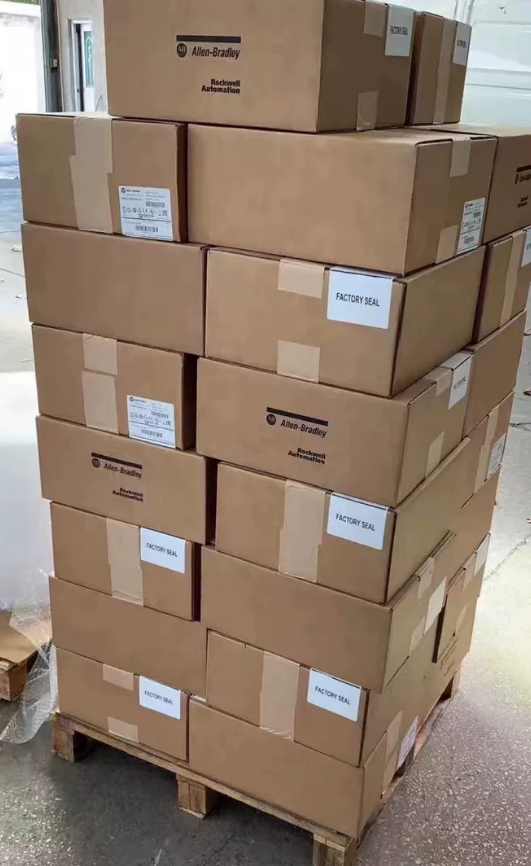

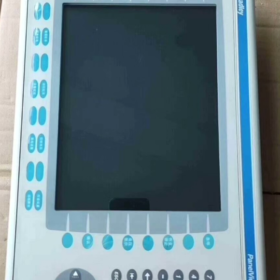
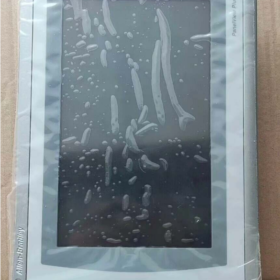
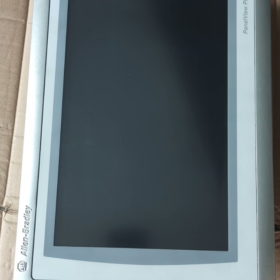
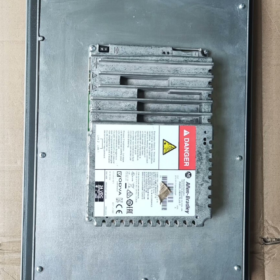
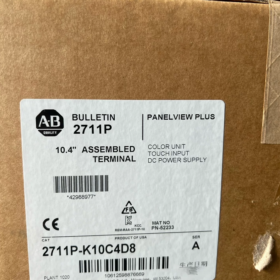
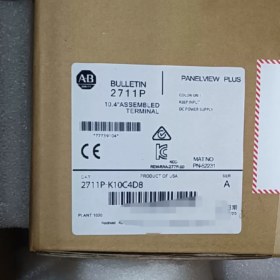
- 型番の内訳
| コードセグメント | 説明 | 詳細 | 機能的影響 |
| 2711P | 製品シリーズ | アレン・ブラッドリー パネルビュー プラス 6 HMIシリーズ | ベースプラットフォーム: Windows CE 6.0 OS, FactoryTalk View ME ソフトウェアをサポート |
| K | 入力タイプ | キーパッド + カラーディスプレイ | 32 ファンクションキー (F1~F16, K1~K16) + テンキー + 矢印キー; 過酷な産業環境に適しています |
| 10 | 画面サイズ | 10.4‑インチカラーディスプレイ | 解像度 640×480ピクセル, 明確なプロセスの視覚化を提供します |
| C | パワータイプ | 直流電源 | 入力電圧範囲 18 ~ 32 VDC (名目上の 24 VDC), 産業用DC電源システム用 |
| 4 | メモリ構成 | 512 MB RAM | 中程度の複雑さの HMI アプリケーションをサポート, マルチスクリーングラフィックスと履歴データを保存します |
| D8 | 通信設定 | 標準通信インターフェースパッケージ | 1× イーサネット (イーサネット/IP), 1× RS-232, 2× USB ホスト ポート |
完全なモデル定義: アレン・ブラッドリー パネルビュー プラス 6 10.4-インチ キーパッド専用カラー HMI, 512 MB RAM, 直流電源, 標準通信.
製造中止: 9月 30, 2022.
- 主要な技術仕様
2.1 基本仕様
| アイテム | 価値 | 注意事項 |
| 製品タイプ | 産業用ヒューマンマシンインターフェース (HMI) | パネルビュープラス 6 スタンダードシリーズ (コンパクトではない) |
| 画面 | 10.4‑インチカラーTFT, 640×480 | 300 cd/平方メートル, 500:1 対比, 視野角140°(H)/120°(V) |
| 入力方法 | 物理キーパッド (32 ファンクションキー + テンキー) | タッチスクリーンなし; オイルに最適, ほこり, 手袋の使用環境 |
| プロセッサー | 32‑ビットRISCプロセッサ | 高速な応答と複雑なグラフィックスのレンダリングを保証します。 |
| メモリ | 512 MB RAM, 1 GBフラッシュ | データロギングとアプリケーションストレージをサポート; CFカード経由で拡張可能 |
| 電力要件 | 18-32VDC (名目上の 24 VDC), 最大. 20 W | 低消費電力設計, 産業用電源システムとの互換性 |
| 侵入保護 | フロントIP65, 背面 IP20 | 前面防塵仕様 & 防水性, 洗浄エリアに適しています |
| 寸法 & 重さ | 230 mm× 180 mm× 42 mm, 約. 3.9 kg | 標準カットアウト, 簡単なパネル取り付け |
| 動作温度 | 0 ~ +55 ℃ (オペレーティング), ‑20〜 +70 ℃ (ストレージ) | ほとんどの産業環境に対応する広い温度範囲 |
| 認証 | UL 508, CE, CSA C22.2 No.213 | 国際産業安全規格に準拠 |
2.2 通信能力 (D8 構成)
| インタフェース | 数量 | サポートされているプロトコル | 応用 |
| イーサネット | 1 | イーサネット/IP, Modbus TCP | PLC通信, データ取得, 遠隔監視 |
| RS-232 | 1 | DF1, DH-485, Modbus RTU | レガシー PLC, サードパーティ製デバイス |
| USBホスト | 2 | USB 2.0 | データのバックアップ, プログラム転送, マウス/キーボード |
| 拡張ポート | 1 | オプションの通信モジュール | プロフィバス, デバイスネット, 等. |
- アプリケーション & セレクションガイド
3.1 代表的な産業
| 業界 | アプリケーション | 利点 | 例 |
| 自動車 | ライン制御, 機器の監視 | 油に強いキーパッド; 安定したPLC通信 | 溶接ロボット, 組立ライン, 品質検査 |
| 食べ物 & 飲料 | 充填, 梱包, 殺菌 | IP65の前面, 洗い流しても安全, データロギング | バッチ処理システム, 温度/圧力監視 |
| 石油化学 | ポンプ/バルブ制御, パイプライン監視 | 幅広い温度, 耐振動性, 屋外/過酷な場所 | タンクレベル, コンプレッサー, 圧力調整 |
| 力 & エネルギー | 変電所監視, 世代制御 | 安定した通信, 分析のためのデータロギング | 発電機の監視, 変圧器管理 |
| 水処理 | ポンプ場, 廃水プロセス | 耐湿性, パラメータ表示をクリア | ポンプ制御, pH調整, フロー監視 |
| 重機 | 工事, 鉱山機械 | 耐振動キーパッド, 頑丈なデザイン | クレーン, 掘削機, コンベアシステム |
3.2 選定メモ
- 入力タイプ
キーパッドのみ (K): 手袋をしたオペレーターに最適, 汚れた/ほこりの多い環境, 素早い数値入力
タッチスクリーン用: 「T」モデルを選択 (例えば, 2711P-T10C4D8)
- メモリ
512 MB RAM (コード 4): 以下に適しています 50 画面, 基本的なアラームとロギング
複雑なプロジェクトの場合 (> 100 画面, 大量のログ記録): 使用 1 GB RAM (例えば, 2711P-K10C8D8)
- コミュニケーション
D8 は、ほとんどの標準的な PLC アプリケーションをカバーします
PROFIBUS/DeviceNetにはオプションのモジュールが必要です
イーサネット経由でのリモート監視をサポート (OPC UA)
- インストール & 構成
4.1 インストール手順
- 準備
パネルの厚さ: 2–5mm; 切り取る: 222 × 172 mm
M4取付ネジ
18 ~ 32 VDC 電源を確認する; オプションのパワーフィルター
- 機械的設置
HMIをパネルカットアウトに挿入します, フロントフラッシュを揃える
背面からM4ネジで固定します, 最大. トルク 1.5 N・m
維持する ≥ 50 冷却と配線のための背面のスペース mm
- 電気接続
力: L+ = 24 VDC プラス, L– = 負, PE = 保護アース
コミュニケーション:
イーサネット: PLC/スイッチへのCAT5e/CAT6ケーブル
RS-232: サードパーティ製デバイス用のシールド付きツイストペア
USB: プログラム転送/バックアップ用フラッシュドライブ
- システムセットアップ
FactoryTalk View MEでアプリケーションを作成する
USB またはイーサネット経由でプロジェクトをダウンロード
PLCへの通信を設定する
アラームを設定する, データロギング, 安全
4.2 設置上の注意事項
| アイテム | 標準 | 詳細 |
| 電気的絶縁 | 電源と信号の配線を分離する | EMIを避ける; シールドケーブルを使用する, 片端接地 |
| 熱管理 | 周囲温度 ≤ 55 ℃ | 密閉空間を避ける; 換気を確保する |
| 耐振動性 | ≤ 1 g (5–500Hz) | 防振マウントを使用する, 重機から離す |
| 防水性 | フロントIP65 | 直接高圧スプレーを避ける; ガスケットのメンテナンス |
| 安全接地 | 接地抵抗 ≤ 10 おお | 安全性を高める信頼性の高いPE接続 |
- 交換 & アップグレードオプション (生産終了ユニット)
製造中止: 9月 30, 2022
ロックウェル・オートメーションが推奨する代替品:
5.1 直接交換 (機能的な互換性)
| 代替機種 | 主な違い | 互換性 | アップグレード特典 |
| 2711P‑B10C22D9P | パネルビュープラス 7, 10.4″, 触る + キーパッド | ★★★★★ | +30% パフォーマンス, Windows Embedded コンパクト 7 |
| 2711P‑T10C4D8 | 同じシリーズ, 触る + キーパッド | ★★★★★ | キーパッド + タッチの柔軟性 |
| 2711P‑K10C8D8 | 同じシリーズ, 1 GB RAM | ★★★★★ | より複雑なアプリケーションをサポート |
5.2 シリーズ間のアップグレード
| シリーズ | 推奨モデル | 特徴 | 使用事例 |
| パネルビュープラス 7 | 2711P‑B10C22D9P | 最新のプラットフォーム, より高いパフォーマンス | 新しいプロジェクト, 長期サポート |
| パネルビュー 5500 | 2715P‑T10C21D8 | ハイエンド, マルチコア, 大容量メモリ | 複雑なアプリケーション, 重いデータ |
| パネルビューコンパクト | 2711R‑T10C10 | コンパクト, コストの最適化 | 小型機械, 予算プロジェクト |
5.3 サードパーティの代替品
| ブランド | モデル | 価格レベル | 互換性 |
| ウェインテック | MT8102iE | ~50% | ★★★☆☆ (プロジェクトの書き換えが必要) |
| シーメンス | KTP1000ベーシック | ~60% | ★★★☆☆ (一部の A-B プロトコルをサポート) |
| 三菱 | GOT2000シリーズ | ~70% | ★★★☆☆ (プロトコルの適応が必要) |
- メンテナンス & トラブルシューティング
6.1 予防保守
| 間隔 | タスク | 標準 | 注意事項 |
| 毎月 | 外部洗浄 | フロントに油やゴミが溜まらない | 乾いた布を使う; 腐食性クリーナーは使用しないでください |
| 四半期ごと | 通信テスト | イーサネット/RS‑232 安定 | ケーブルを確認してください, データフローを検証する |
| 半年ごと | パワーチェック | 18-32 VDC 安定 | 電源温度を確認してください |
| 毎年 | システムバックアップ | プロジェクト全体 & データのバックアップ | 安全に保管する |
| 毎 2 年 | 機能テスト | すべてのキー & 通常の表示 | キーの応答を確認する, バックライトの明るさ |
6.2 一般的な障害 & ソリューション
症状 考えられる原因 優先度 解決 キーパッドが反応しない 1. キーの故障 高い 1. キーを検査する 2. キーパッドのコネクタが緩んでいる 2. コネクタを再接続します 3. ファームウェアの障害 3. ファームウェアをアップデートする 通信が失われました 1. ケーブルの損傷 高い 1. ケーブルを交換する 2. 間違った設定 2. IP/パラメータの再構成 3. ネットワーク/PLCの障害 3. PLC/スイッチの確認 表示異常 1. バックライトの故障 中くらい 1. バックライトを調整する 2. ドライバーエラー 2. HMIを再起動します 3. 不安定な電力 3. 電力品質を検証する システムがフリーズする 1. メモリが不足しています 高い 1. プロジェクトの最適化 2. プロジェクトエラー 2. アプリケーションをリロードする 3. ハードウェア障害 3. ユニットの修理/交換
Allen-Bradley 2711P-K10C4D8 は、10.4 インチのキーパッド専用のPanelView Plusです 6 HMI.
主な強み:
過酷な環境にも対応する頑丈なキーパッド, 汚い, 手袋をしたままの操作環境
標準イーサネット + RS-232 + 幅広い産業互換性を実現する USB
IP65の前面は食品に適しています, 飲み物, そして製薬
安定した Windows CE 6.0 FactoryTalk View ME をサポートするプラットフォーム
推奨事項:
交換用: 2711P-B10C22D9Pを使用 (パネルビュープラス 7) 動作を維持するために
新しいプロジェクト: パネルビュープラスを好む 7 より長いサポートのために
予算プロジェクト: プロジェクトの書き換えコストを考慮してサードパーティの代替案を評価する
インストールを完了する & 2711P-K10C4D8 構成ガイド
一目でわかる: 機械的設置→電気配線→システムセットアップ→通信→展開→PanelView Plus のテストをカバーします。 6 10.4-インチ キーパッド HMI. IP65 シーリングのハイライト, 直流電源, およびD8通信.
- インストール前
1.1 ツール & 材料
| カテゴリ | 必須 | 推奨 |
| ツール | プラスドライバー, レベル, パネルカッター | トルクレンチ (1.5 N・m), 振動パッド |
| 電気 | 24 VDC電源 (18-32VDC, ≧20W), シールドケーブル | パワーフィルター, サージプロテクター |
| コミュニケーション | CAT5e/CAT6, RS-232シールドケーブル | USBドライブ (4GB以上), スイッチ |
| ソフトウェア | FactoryTalk View ME 6.0+, RSLinx クラシック | RSLinx エンタープライズ, 端子構成 |
| 安全性 | 絶縁手袋, ゴーグル, ESDストラップ | 接地抵抗計, マルチメータ |
1.2 環境チェック
動作温度: 0 ~ +55 ℃; ストレージ: -20 ~ +70 ℃; 直射日光が当たらないこと
湿度: 10–90% 結露なし
振動: ≤ 1 g (5–500Hz)
フロントIP65, 背面 IP20; 密閉型エンクロージャを推奨
クリアランス: 上部 ≥51 mm, 底部≧102mm, 辺≧25mm
- 機械的設置 (パネルビュープラス 6 1000)
2.1 カットアウト寸法
| パラメータ | 価値 | 許容範囲 | 注意事項 |
| 切り取る | 222 mm (W) × 172 mm (H) | ±0.5mm | 標準 10.4 インチ HMI カットアウト |
| パネルの厚さ | 2–5mm | — | シールとクランプに影響を与える |
| コーナー半径 | ≥ 2 mm | — | ガスケットの損傷を防ぎます |
2.2 取り付け (IP65にとって重要)
- ガスケットの準備
フロントガスケットに損傷がないか点検します
ガスケットが正しく装着されていることを確認してください
キーパッド オーバーレイを使用する場合は、取り付ける前にインストールしてください
- 固定する
HMIを切り欠きに挿入します, 均等に押す
インストール 4 取り付けクランプ (供給された)
クランプを「カチッ」と音がするまではめ込みます
ユニットがしっかりと固定されていることを確認してください, レベル, ガスケットは均一に圧縮されています
- 最終チェック
ユニットは安全です, ぐらつきなし
前面はパネルと同一面になります
リアクリアランス≧ 50 mm
- 電気接続 (直流電源 & 接地)
3.1 電源端子 (18-32VDC)
| ターミナル | ラベル | 要件 | 安全性 |
| ポジティブ | L+ | 24 VDC プラス, ≥1.5 mm² | 極性を逆にしてはなりません |
| ネガティブ | L– | 24 VDC マイナス, ≥1.5 mm² | 完全な回路 |
| 地球 | PE | 保護アース, ≥2.5 mm² | 接地抵抗 ≤ 10 おお |
手順:
- 配線前に電源を切ってください
- ストリップ絶縁体 ~6 mm
- 最初に PE を接続します, それからL–, 次にL+
- トルク: 0.8–1.0N・m
- 張力を避けるためにケーブルを固定します
3.2 通信配線 (D8)
| インタフェース | 数量 | 配線 | 応用 |
| イーサネット | 1 | CAT5e/CAT6シールド, RJ45 | PLC通信, データ取得 |
| RS-232 | 1 | 3‑ワイヤーシールド (送信/受信/GND) | レガシー/サードパーティ製デバイス |
| USBホスト | 2 | USB 2.0 | プログラム転送, バックアップ |
| 拡大 | 1 | オプションモジュール | プロフィバス, デバイスネット |
ベストプラクティス:
個別の通信ケーブルと電源ケーブル ≥150 mm
必要に応じて90°で交差させます
シールドの片端接地
- システムの起動 & 基本構成
4.1 最初のパワーアップ
- すべての接続を事前チェックする
- 適用する 24 VDC
- 通常のシーケンス: 電源 LED → スプラッシュ画面 → 設定モード
- 表示がない場合: すぐに電源を切り、配線を確認してください
4.2 端末設定
- F4から入る (端末設定)
- キー設定:
画面: 輝度, 対比
日付/時刻: PLCと同期する
起動オプション: FactoryTalk View ME アプリケーションを実行する
安全: 管理者パスワードを設定する, デスクトップを無効にする
- イーサネット構成
静的IPを設定する, サブネット, ゲートウェイ
保存して再起動します
pingで確認する
- 通信設定
5.1 RSLinx の構成
EtherNet/IPドライバーの追加
スキャン速度を設定する (通常 100 MS)
IPによるPLCの参照または追加
レガシー PLC の場合: RS-232 で DF1/DH-485 を設定する
5.2 FactoryTalk Linx マッピング
コントローラーからタグをインポートする
HMI タグを PLC タグにマッピング
重要な値の更新レートを設定する
オプションの冗長イーサネットパス
- アプリケーションの展開 (FactoryTalk View ME)
6.1 プロジェクトの準備
ターゲット: 10.4-インチ, キーパッド
画面を最大 50 に制限します 512 MB RAM
複雑なアニメーションを最小限に抑える
フラッシュ/CF カードへのデータ ロギングを構成する
6.2 ダウンロード方法
| 方法 | ステップ | 使用事例 |
| USB | USB に保存 → HMI 挿入 → 転送 → USB → ロード | ネットワークなし, 素早い試運転 |
| イーサネット | 同一サブネット上のPC → ツール → 転送 → イーサネット | ネットワーク化された, リモート/ボリューム インストール |
| CFカード | CF書き込み → HMI挿入 → 転送 → CFカード | 大規模なアプリケーション, バックアップ |
ダウンロード後:
プライマリ起動として設定
通信の置き換えを有効にする
保存して再起動します
- 検証 & テスト
7.1 ハードウェアテスト
| テスト | 方法 | 合格基準 |
| キーパッド | すべてのキーを押します | 全員がすぐに反応する |
| 画面 | 目視チェック | クリア, ちらつきやにじみがない |
| コミュニケーション | ピン, タグの読み取り/書き込み | 安定した, ドロップアウトなし |
| 力 | 電圧を測定する | 18-32VDC, リップルが低い |
7.2 アプリケーションテスト
画面ナビゲーション, ボタン, 数値入力
PLC読み取り/書き込み
アラームのトリガーと確認
データのロギングと傾向の取得
- インストール後 & 安全性
8.1 メンテナンススケジュール
| 間隔 | タスク |
| 毎月 | 前面を乾いた布で拭いてください |
| 四半期ごと | 通信を確認する & ケーブル |
| 半年ごと | 電力品質を検証する & 温度 |
| 毎年 | バックアップアプリケーション & データ |
| 毎 2 年 | 完全な機能テスト |
8.2 トラブルシューティングのハイライト
| 症状 | 考えられる原因 | 修理 |
| 表示なし | 電源/逆極性 | L+/L–/PEを確認してください |
| 鍵が死んでいる | コネクタが緩んでいる / ファームウェア | 再接続 / ファームウェアをアップデートする |
| 通信が途切れる | IP / ケーブル / スイッチ | IPの確認, ケーブルを交換する |
| クラッシュ | メモリ / プロジェクトエラー | プロジェクトの最適化, リロード |
8.3 安全上の注意事項
全配線電源オフ
PE は信頼できるものでなければなりません
SELV/PELV電源を使用する (例えば, 1606-XLE120E)
ガスケットを点検してIP65を維持
- 結論
インストールが完了すると、:
機械的に安全, IP65 シールは無傷
24 VDC安定, 適切に接地されている
ネットワークとPLC通信の信頼性
アプリケーションは障害なく自動的に実行されます
すべての機能がテストおよび検証されています
レガシーノート:
生産終了したユニット 2022-09-30. 推奨代替品: 2711P-B10C22D9P (パネルビュープラス 7).





NH42-63-318x560.png "CHINT PC型自動切替スイッチ (ATS)NH42-63/4SZ")



