 접촉기,회로 차단기,감지기,인코더,PLC,변환기

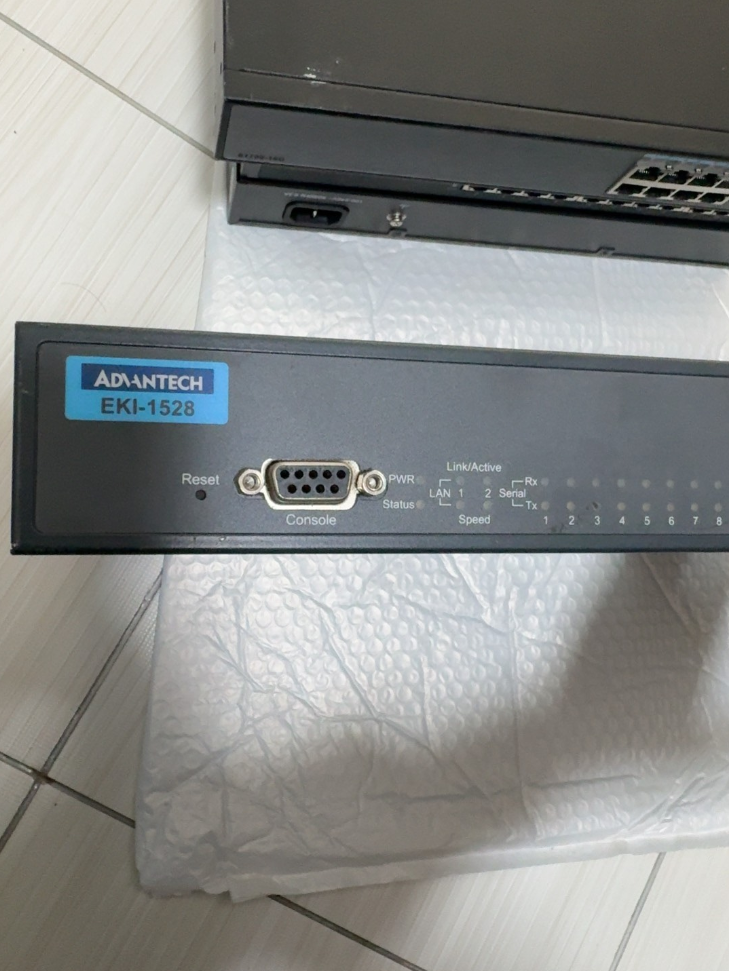

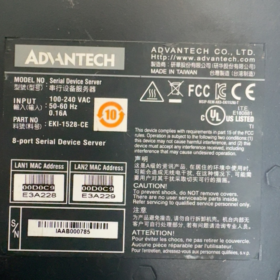
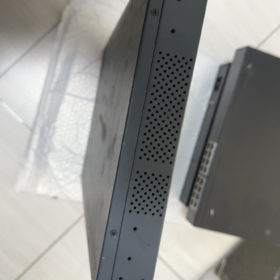
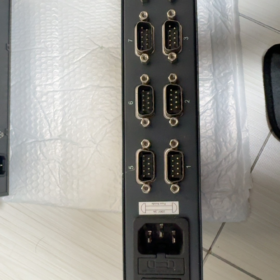
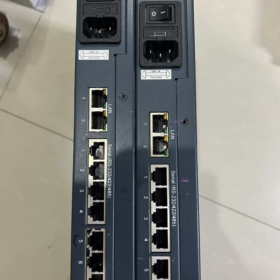
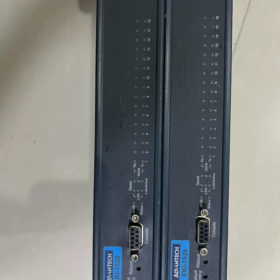
The Advantech EKI-1526 is an industrial-grade 16-port RS-232/422/485 serial device server featuring a 1U rack-mount design and dual Ethernet redundancy. 원격 관리 및 데이터 수집을 위해 기존 직렬 장치를 이더넷 네트워크에 원활하게 연결합니다.. 핵심 장점에는 소프트웨어로 구성 가능한 직렬 포트 유형이 포함됩니다., 넓은 작동 온도 범위, 높은 ESD 보호, 풍부한 통신 프로토콜 지원. 그것은 산업 자동화에 널리 적용됩니다., 지능형 교통, energy management and other fields.
- 모델 세그먼트 정의 (표준 명칭)
| 분절 | 표준코드 | 의미 | 자세한 설명 |
| EKI | EKI | Advantech Industrial Ethernet Communication Product Line | Embedded Ethernet Interface, focusing on industrial network communication equipment |
| 1526 | 1526 | Product Series Number | 16-port serial device server (1528 is the 8-port version) |
| 접미사 코드 | N / 나 / TI / VDC, 등. | 기능 확장 / 전원 유형 | • N: 기가비트 이더넷 |
| • I: 넓은 온도 버전 (-40°C~70°C) | |||
| • TI: Wide-temperature + DC 전원 공급 장치 | |||
| • VDC: DC 전원 공급 장치 (12-48VDC) | |||
| • CE: Compliant with EU CE certification | |||
| 버전 | V2 | 하드웨어 개정 | 2nd-generation hardware with upgraded performance, supporting baud rate up to 976.5 kbps |
- 핵심 사양 매개변수 (공식 데이터)
| 범주 | 매개변수 | 표준 모델 (EKI-1526) | Wide-Temp Model (EKI-1526I) | 비고 |
| 기본 특성 | 제품 유형 | 16-Port Serial Device Server | 왼쪽과 동일 | 1U rackmount, SECC metal casing, IP30 보호 |
| 치수 (폭×높이×깊이) | 438×43.6×259.2 mm | 왼쪽과 동일 | Standard 19-inch rack mounting | |
| 무게 | 3.1 kg | 왼쪽과 동일 | Excluding packaging | |
| 작동 온도 | -10°C ~ 60°C | -40°C ~ 70°C | 보관온도: -40°C ~ 80°C | |
| 습기 | 5%~95% 상대습도, 비응축 | 왼쪽과 동일 | Adaptable to humid industrial environments | |
| MTBF | >60,000 시간 | 왼쪽과 동일 | 신뢰성이 높은 설계 | |
| Network Interface | 포트 수량 | 2 × RJ45 | 왼쪽과 동일 | LAN redundancy supported, auto MDI/MDIX |
| 속도 | 10/100 Mbps (EKI-1526) | 왼쪽과 동일 | Dual independent MAC addresses, network redundancy | |
| 10/100/1000 Mbps (EKI-1526N) | ||||
| Isolation Protection | 내장 1.5 kV magnetic isolation | 왼쪽과 동일 | 전자기 간섭 방지, 향상된 안정성 | |
| 직렬 통신 | 포트 수량 | 16 포트 | 왼쪽과 동일 | Software configurable serial mode |
| 인터페이스 유형 | DB9 (RJ45 optional) | 왼쪽과 동일 | Supports RS-232/422/485 switching | |
| 전송 속도 | 50~921.6 kbps (기준) | 왼쪽과 동일 | Custom baud rate supported | |
| 50~976.5 kbps (V2 Version) | ||||
| 데이터 비트 | 5, 6, 7, 8 | 왼쪽과 동일 | Flexible compatibility with various serial devices | |
| 둥가 | 없음 / 이상한 / 심지어 / 표시 / 공간 | 왼쪽과 동일 | Full compatibility with industrial protocols | |
| 정지 비트 | 1, 1.5, 2 | 왼쪽과 동일 | Meets communication requirements of different devices | |
| 보호 | 15KV ESD full-serial protection | 왼쪽과 동일 | Industrial-grade anti-static design | |
| RS-485 Feature | Automatic data flow control, 2/4-wire support | 왼쪽과 동일 | No manual TX/RX direction switching required | |
| 전력 시스템 | AC 입력 | 100~240 VAC, 50~60 Hz | 왼쪽과 동일 | 소비전력: 5.6여, 0.3A@110V, 0.2A@220V |
| DC Input | 12~48VDC | 왼쪽과 동일 | Wide voltage input for industrial power supply | |
| 보호 | 과전압 / Over-current / 역극성 보호 | 왼쪽과 동일 | Industrial-grade power protection design | |
| Software Functions | 작동 모드 | Virtual COM, TCP Server/Client, UDP, Modbus Gateway | 왼쪽과 동일 | Multi-protocol conversion capability |
| Configuration Methods | 웹 브라우저, 텔넷, Windows Utility, Serial Console | 왼쪽과 동일 | Flexible for different management scenarios | |
| Network Protocols | IPv4/IPv6, DHCP, DNS, SNMP MIB-II | 왼쪽과 동일 | Complete network management support | |
| 보안 기능 | 비밀번호 보호, IP filtering, SSL/TLS (V2 version) | 왼쪽과 동일 | Ensure secure data transmission | |
| 인증 | 규정 준수 | CE, FCC, UL, Class I Div 2 | 왼쪽과 동일 | 글로벌 산업 안전 표준 준수 |
- 액세서리 목록 (공식적으로 추천됨)
| 액세서리 이름 | 기능 | 권장 수량 | 비고 |
| Rack Mount Kit | Standard 19-inch rack mounting brackets | 1 set per unit | Standard included |
| Power Cord | AC version: IEC C13 power cable | 1 pc per unit | Select according to power type |
| DC version: Phoenix terminal power cable | |||
| Serial Cable | DB9-RJ45 adapter cable / DB9 straight-through cable | 1 pc per port | For serial device connection |
| 이더넷 케이블 | Cat5e/Cat6 network cable (1-2중) | 2 pcs per unit | For dual Ethernet port connection |
| 구성 소프트웨어 | Advantech Device Manager | 1 세트 | Available via CD or official website |
| 사용설명서 | 종이 / electronic operation guide | 1 복사 | Includes quick configuration steps |
| 보증 카드 | 5-year warranty certificate | 1 복사 | Standard warranty for Advantech industrial products |
- 경쟁자 & 브랜드 간 교체 목록 (Directly Compatible)
| 상표 | 모델 | 주요 매개변수 | 호환성 / 차이점 | 교체 권장사항 |
| Advantech Same Series | EKI-1526N | 16-포트, 기가비트 이더넷, IP30 | Higher network speed, identical other specs | Choose for high-speed network transmission |
| Advantech Same Series | EKI-1526I | 16-포트, 넓은 온도 (-40°C~70°C) | Extended operating temperature range | 집 밖의 / harsh environment applications |
| Advantech Same Series | EKI-1528 | 8-포트, same other parameters | Half port count, 더 작은 크기 | Scenarios with fewer serial devices |
| 뜸쑥 | NPort 5616-8-DT | 16-포트, RS-232/422/485, dual LAN | Similar protocol support, more mature configuration software | Users familiar with MOXA ecosystem |
| 지멘스 | SCALANCE XB-200 Series | Industrial switch + serial server module | 높은 통합, seamless connection with Siemens PLC | Priority for Siemens automation systems |
| 피닉스컨택트 | FL SWITCH 2208 + PSI-MODEM | 스위치 + serial gateway combination | 모듈형 디자인, strong scalability | Scenarios requiring flexible port expansion |
| 국내 대안 | ZLG GCOM80-2NET | 16-포트, 넓은 온도, full isolation | 30%-50% 저렴한 가격, 완벽하게 호환되는 기능 | 비용에 민감한 프로젝트 & localization demands |
- 선택 지침 & 대체 솔루션
선택 니모닉
> 16 serial ports with dual LAN, software switch for multi-RS mode;
> I for wide temp, N for gigabit, AC/DC power as required.
주요 선택 고려 사항 (5 치수)
- Port Quantity Matching
16 serial devices: Choose standard EKI-1526
8 serial devices: Choose EKI-1528 (8-port version)
이상 16 직렬 포트: Daisy-chain multiple units or select EKI-1548 (32-포트)
- Operating Environment Adaptation
표준 산업 환경 (-10°C~60°C): EKI-1526 standard version
극한 환경 (-40°C~70°C): Choose EKI-1526I wide-temperature model
집 밖의 / 습한 환경: Add IP67 protective enclosure
- Network Requirement Evaluation
100Mbps network: EKI-1526 standard
기가비트 / 고속 데이터 전송: Choose EKI-1526N
Network redundancy & 높은 신뢰성: Dual LAN auto-switching as standard
- Power Supply Selection
Room / computer room: EKI-1526 (AC 전원)
산업분야 / no commercial AC: EKI-1526T-VDC (12-48VDC)
Unstable power grid: Add UPS power protection
- Function Expansion Requirements
Security encryption: Choose V2 version (supports SSL/TLS)
Modbus Gateway: Standard built-in, no extra license required
Remote management: Supports SNMP, integrable with industrial network management system
권장되는 대체 솔루션 (3 시나리오)
| 응용 시나리오 | 권장 솔루션 | 장점 |
| 비용 최적화 | 국내 대안 (ZLG GCOM80-2NET, Kyland KIEN Series) | 30%-50% 비용 절감, 기능 호환, meets localization requirements |
| 프로토콜 업그레이드 | EKI-1526 + Advantech Protocol Converter | Add OPC UA, PROFINET and other industrial protocol conversion |
| 기능 통합 | EKI-1526V2 + Advantech Edge Computing Module | All-in-one serial data collection + 엣지 컴퓨팅 + cloud platform access |
- 항공 화물 규정 준수 & CE 인증 (국제 무역)
- 항공 화물 규정 준수
내장 리튬 배터리 없음 / 슈퍼 커패시터: 일반 산업용 전자장비로 분류, 특별한 항공 화물 제한 없음
운송 카테고리: 수업 9 기타 위험물 (non-dangerous in actual transport)
HS코드: 85176239 (Industrial network communication equipment)
포장기준: Compliant with ISTA 3A to avoid transport damage
- CE 인증 정보
준수 지침: 2014/30/EU (EMC), 2011/65/EU (RoHS 규제), 2014/35/EU (LVD)
테스트 표준: 안에 55011 (Industrial EMI), 안에 61000-6-2 ( Industrial immunity)
인증번호: Available on Advantech official website by entering the full model number
- 적용사례 & 산업 적응
일반적인 적용 사례
- 스마트팩토리: 연결하다 16 PLCs/sensors; adopt dual Ethernet redundancy for production line data acquisition; support Modbus TCP/RTU protocol conversion and seamless MES system connection.
- 스마트그리드: 회로망 16 serial substation devices (protection relays, 에너지 미터); wide-temperature model adapts to outdoor conditions; dual LAN ensures reliable data transmission.
- 철도 운송: 16-channel sensor data collection for train carriages; DC power adapts to vehicle system; high ESD protection against complex electromagnetic environments.
- 석유화학산업: Remote monitoring of 16 instrument data in refineries; Class I Div 2 certification meets hazardous area requirements; support remote configuration and fault diagnosis.
산업 적응 가이드
| 산업 | 적응의 장점 | 권장 구성 |
| 산업 자동화 | Multi-serial centralized management, flexible protocol conversion | EKI-1526N + Virtual COM Software + Industrial Switch |
| 에너지 & 힘 | Wide-temperature design, 높은 신뢰성, dual LAN redundancy | EKI-1526I + DC Power + Lightning Protection Module |
| 철도 운송 | Vehicle power compatible, 진동 방지, enhanced EMC | EKI-1526TI-VDC + Shockproof Mounting Bracket |
| 석유화학 | 방폭 인증, 원격 관리, 낮은 전력 소비 | EKI-1526I + Safety Isolator + 중복 전원 공급 장치 |
The Advantech EKI-1526 is a highly reliable and flexible industrial-grade serial device server. With its 16-port high-density design, software-configurable serial modes, and dual LAN redundancy, it perfectly meets the network transformation demands of serial devices in industrial sites. Supporting multiple operation modes including Virtual COM, TCP/UDP and Modbus Gateway, it can be seamlessly integrated into mainstream industrial automation systems to realize remote management and data acquisition of traditional serial equipment. Its wide-temperature versions and multiple power options further extend its applicability in extreme environments and special scenarios.
Full EKI-1526 Series Model List
- 16-Port Main Models
| 전체 모델 | LAN Speed | 작동 온도 | 전원공급장치 | 핵심 기능 |
| EKI-1526 | 10/100Mbps | -10℃~60℃ | 교류 220V | Standard 16-port RS232/422/485 |
| EKI-1526I | 10/100Mbps | -40℃~70℃ | 교류 220V | Industrial wide-temperature version |
| EKI-1526N | 10/100/1000Mbps | -10℃~60℃ | 교류 220V | 기준 + Dual Gigabit LAN |
| EKI-1526NI | 10/100/1000Mbps | -40℃~70℃ | 교류 220V | Wide-temperature + 듀얼 기가비트 |
| EKI-1526-VDC | 10/100Mbps | -10℃~60℃ | 12~48VDC | DC power version |
| EKI-1526I-VDC | 10/100Mbps | -40℃~70℃ | 12~48VDC | Wide-temperature + 직류 전원 |
| EKI-1526N-VDC | 10/1000Mbps | -10℃~60℃ | 12~48VDC | 기가비트 + 직류 전원 |
| EKI-1526V2 | 10/100Mbps | 표준온도 | 교류 | V2 hardware, higher baud rate + SSL encryption |
- 관련 시리즈 모델 (8/32-Port Alternative)
| 모델 | 직렬 포트 | 포지셔닝 | Direct Replacement Scenario |
| EKI-1528 | 8 포트 | Small-site application | ≤8 serial devices, 공간 & 비용 절감 |
| EKI-1548 | 32 포트 | High-density cabinet | 위에 16 직렬 포트, one unit replaces two EKI-1526 |
Unified Model Suffix Definition
접미사 없음: Standard temperature -10~60℃, 100Mbps LAN, AC220V power
나: Industrial wide-temperature -40℃~70℃
N: Network upgraded to Dual Gigabit Ethernet
VDC: Supports 12~48VDC wide-range DC input
TI: Wide-temperature + industrial vehicle-grade DC adaptation
V2: 2nd-gen hardware, max baud rate 976.5kbps, SSL/TLS encryption supported
Quick Hardware Wiring Steps
- Power on the device: AC for mains power / DC for 12-48V DC input
- Network port: LAN1/LAN2 connect to switch or PC, dual LAN redundancy supported
- Serial port: DB9 connects to RS232/485/422 devices; mode switch via web page
- 전원 표시기: PWR steady on = normal; LINK flashing = network communication active
Basic Web Configuration Steps
- Set PC IP to the same segment: 192.168.1.엑스
- Enter default IP in browser: 192.168.1.1
- Default username / password: `admin / admin`
- 기본 설정:
Modify device IP, subnet mask, gateway
Global serial config: unified baud rate / 데이터 비트 / 둥가 / 정지 비트
Serial mode: select Virtual COM / TCP 서버 / TCP 클라이언트 / Modbus Gateway as required
3 Common Application Configuration Guides
- Virtual COM Mode (가장 일반적인)
애플리케이션: Legacy serial software / SCADA software used as local COM port
- Set serial mode to Virtual COM in web page
- Install Advantech Device Manager on PC
- Search device → bind serial ports → auto assign COM3~COM20
- Use the corresponding COM number directly in SCADA or application software
- Modbus Gateway Mode (For PLC & Meters)
애플리케이션: Convert Modbus RTU to Modbus TCP for serial instruments over Ethernet
- Set serial mode to Modbus Gateway in web page
- Configure serial parameters: 9600/8N1 to match instrument
- Set slave address and polling interval
- Host access via Modbus TCP using device IP + port number
- Dual LAN Redundancy Configuration (Dual Link Anti-Disconnection)
애플리케이션: 중요 생산 라인, power grid, unattended computer rooms
- Enter Network → Redundancy in web interface
- Enable Dual LAN Redundancy
- Connect LAN1 and LAN2 to different switches respectively
- Automatic seamless switchover and no data loss if any network cable fails
빠른 문제 해결
- Cannot access web page: Set PC IP to 192.168.1.xxx, disable firewall
- Serial communication failure: Switch RS232/485/422 mode in web page, verify baud rate and parity
- Virtual COM offline: Upgrade driver, set static device IP, avoid DHCP dynamic IP
- Dual LAN no switchover: Confirm redundancy is enabled; ensure two switches are not in the same loop
Advantech EKI-1526 Dual LAN Redundancy Full Configuration Guide
The EKI-1526 supports Master-Backup dual LAN redundancy with switchover time <1 두번째. After enabling via Web UI, it automatically detects link faults and performs seamless failover to ensure uninterrupted industrial communication.
- Dual LAN Redundancy Working Principle
The EKI-1526 is equipped with two independent Ethernet ports (LAN1/LAN2) and independent MAC addresses:
Master Port: Carries all network traffic under normal operation
Backup Port: Monitors master port status in real time and takes over only when master port fails
Switchover Mechanism: Automatically switches to backup port upon LAN link down (cable disconnection / switch failure), switchover time <1 second with no data loss
Restore Mechanism: After master port recovers, configurable for auto switch back or remain on backup port
- Hardware Connection Preparation
Recommended Topologies (Avoid Single Point of Failure)
| Connection Mode | 설명 | 응용 시나리오 |
| Dual Switch Redundancy | LAN1 to Switch A, LAN2 to Switch B; both switches connect to core network | 중요 생산 라인, unattended rooms; prevent single switch failure |
| Single Switch Dual Port | LAN1/LAN2 connect to different ports of the same switch | 예산이 제한되어 있음; only protect against single port / cable failure |
| Dual Network Segmentation | LAN1 for production network, LAN2 for management network; 서비스 & management isolated | Security scenarios requiring network isolation |
Hardware Wiring Steps
- Power off the device, connect serial devices and power supply
- Connect LAN1/LAN2 to switches (dual switches recommended)
- 전원 켜기; check indicators: PWR steady on, both LAN LINK lights flashing normally
- Detailed Web Configuration Steps
- Basic Network Settings (필수적인)
- Set PC static IP: 192.168.1.엑스 (same segment as device default)
- Browser access default IP: 192.168.1.1, login: `admin/admin`
- Go to Ethernet Configuration → Ethernet 1: Set master port IP, subnet mask, gateway
- Go to Ethernet Configuration → Ethernet 2: Set backup port IP (same segment recommended, 예를 들어. 192.168.1.2), subnet mask, gateway
- Click Save, device auto restarts (~에 대한 1 분)
- Enable Dual LAN Redundancy (Core Config)
- Log in Web UI again after reboot
- Enter Network → Redundancy
- Check Enable Dual LAN Redundancy
- Select Redundancy Mode:
Master-Backup (기본): LAN1 as master, LAN2 as backup, auto failover upon fault
Load Balance: Both ports work simultaneously for traffic sharing (supported by partial firmware)
- Set Switch Back Mode:
자동: Automatically switch back to master after recovery (기본)
수동: Stay on backup port; manual switch required after master recovery
- Set Detection Interval: 기본 1 두번째, adjustable 500ms~10s (1s recommended)
- Click Save, redundancy takes effect immediately
- 고급 구성 (선택 과목)
| 매개변수 | 권장값 | 설명 |
| Heartbeat Packet | 할 수 있게 하다 | Enable heartbeat detection for higher fault accuracy |
| Heartbeat Interval | 100ms | Heartbeat sending interval; shorter = faster detection |
| Failover Count | 3 | Switch only after 3 consecutive failures to avoid false switching |
| Link Down Detection | 할 수 있게 하다 | Physical layer link detection (cable disconnection etc.) |
- Redundancy Function Test
- Link Fault Test
- 정상상태: Web Status → Network Status shows LAN1 Active, LAN2 Standby
- Unplug LAN1 cable:
Device indicator: LAN1 off, LAN2 steady on
Web status updates: LAN2 becomes Active, switchover <1에스
Verify serial communication via Virtual COM / 모드버스 TCP, no interruption
- Reconnect LAN1 cable:
Auto Mode: LAN1 resumes Active, LAN2 becomes Standby
수동 모드: Remain on LAN2; manual switch required in Web UI
- Switch Failure Test
- Power off the switch connected to master port
- Device switches to backup port within 1 두번째
- Restore master switch power and verify switchback works normally
- 일반적인 문제 해결
| 결함 현상 | 가능한 원인 | 해결책 |
| Cannot enable redundancy | Firmware version too old | Upgrade to latest firmware from official website |
| Communication interrupted after switchover | Wrong backup port IP | Ensure master & backup ports same segment with consistent gateway |
| Frequent false switching | Detection interval too short | Extend interval to 2s, set Failover Count to 5 |
| No auto switch back after master recovery | Switch Back Mode set to Manual | Change to Auto or switch manually in Web |
| Both LAN ports down | Network configuration conflict | Check duplicate IP and subnet mask settings |
- Configuration Mnemonic
> Three steps for dual LAN redundancy: set IP first, enable redundancy second;
> Dual switches avoid single point; always verify failover after config.
- Hardware Selection: Critical sites choose dual switches; ordinary sites choose single switch dual port
- IP Planning: Master and backup ports recommended same network segment for easy management & switchover
- 모드 선택: Industrial control prioritizes Master-Backup; data collection can use Load Balance
- Switchback Policy: Unattended sites select Auto; manual intervention sites select Manual
- Test Validation: Perform link failover test after configuration to ensure reliable redundancy in actual faults
EKI-1526 dual LAN redundancy can be quickly configured via Web interface. The core is enabling redundancy and correctly setting master/backup IP and switchover policy. Cooperating with dual-switch topology, it effectively eliminates single-point faults in industrial networks and ensures high reliability of serial device communication. Full functional verification is recommended after deployment.





NH42-63-318x560.png "CHINT PC형 자동절환스위치 (ATS)NH42-63/4SZ")



