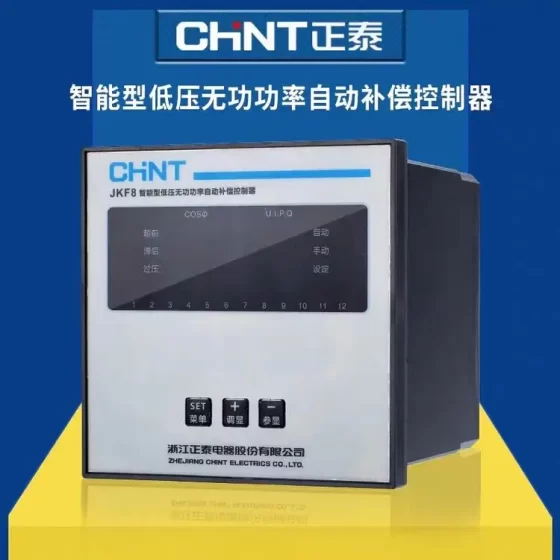
접촉기,회로 차단기,감지기,인코더,PLC,변환기





상태: 단종 (End of production: 31 12월 2015; End of official service: 31 12월 2025). 새로운 원래 장치를 사용할 수 없습니다; only used/refurbished units on the market.
제품 포지셔닝: 15-inch advanced color touchscreen with video input, CF card slot and expansion bus card slot
주요 사양
표시하다: 15″ TFT 컬러 LCD, 1024×768XGA, 65536 그림 물감, analog resistive touch
전원공급장치: 24 DC에서
CPU: RISC 266 MHz
메모리: 32 MB 플래시 (application program); 512 KB 스램 (data retention with lithium battery backup); supports CF card (최대. 1 GB)
프로그래밍 소프트웨어: 비제오 디자이너 (use VJD6.2 SP5 or higher for project migration to replacement models)
운영 체제: Harmony
Front panel protection: IP65 (panel mount installation)
📶 Interface List
- COM1: RS232 / RS422 / RS485
- COM2: RS485 (with terminal resistor DIP switch)
- RJ45 이더넷 (10/100 Mbps, 모드버스 TCP)
- 2 × USB host ports
- CF card slot
- Video input (NTSC/PAL, for camera connection — core feature of this model)
- Expansion slot: supports Profibus DP / DeviceNet bus cards
- RTC 실시간 시계
📐 Panel Cutout Dimensions
Cutout size: 383.5 × 282.5 mm (용인 +1/-0 mm)
Suitable panel thickness: 1.6~10 mm; maximum corner radius R3 mm
🔁 Official Replacement Options (2 choices)
- No video capture required: HMIG3U + HMIDT732 (15-inch modular HMI set)
- Video input must be retained: HMIG5U22 + HMIDT732
Project migration: Open the original XBTGT7340 project in Vijeo Designer, simply change the target model, fine-tune a small number of communication drivers; no need to redesign screens.
📌 Supported Communication Protocols
모드버스 RTU/TCP, Uni-TE, Mitsubishi MC, Omron Host Link/FINS, Allen-Bradley DF1, Siemens S7 protocols, plus mainstream PLC drivers for GE, 후지산, 델타, 신제, 엘에스, Inovance etc.
⚠️ Common Faults for Used / Repaired Units
Aging internal lithium battery → lost clock & SRAM data
Touch panel aging & drift
CCFL backlight tube failure (not LED backlight)
Poor contact or damage of CF card
Malfunction of the video input circuit
Communication Protocols of XBTGT7340 (Vijeo Designer Drivers)
Divided into on-board native protocols + additional fieldbus via optional expansion cards. Drivers are selected and loaded inside Vijeo Designer projects.
Native 슈나이더 일렉트릭 프로토콜
- 모드버스 RTU (COM1/COM2 serial ports, RS232/422/485)
- 모드버스 TCP (RJ45 이더넷 포트)
- Uni-TE (for legacy Schneider Premium / 마이크로 / Nano PLCs)
- Modbus Plus (requires external gateway XBTZGUMP; no onboard hardware)
- FIPWAY / FIPIO (FIP fieldbus; requires external gateway)
Native Third-Party PLC Serial & Ethernet Drivers
Siemens SIMATIC: S7-200 PPI, S7-300/400 MPI, S7 TCP (S7 protocol)
Mitsubishi Melsec: FX serial, Q-series serial/Ethernet (MC protocol)
Omron Sysmac: Host Link, 지느러미 (serial / 이더넷)
AllenBradley: DF1, DH485, 이더넷/IP
Additional drivers available for GE, 후지산, 델타, Yonghong, 엘에스, Inovance and other mainstream PLCs in the Vijeo Designer driver library.
Optional Expansion Slot (Fieldbus Cards, extra hardware required)
Profibus DP slave card XBTZGPDP → Profibus DP
DeviceNet card XBTZGDVN → DeviceNet
Only one card can be fitted at a time: Profibus DP or DeviceNet, 동시에 둘 다 아님.
📌 Port Assignment
COM1: RS232 / RS422 / RS485 (모드버스 RTU 지원, PPI, MPI, Host Link etc.)
COM2: Fixed RS485 (preferred for Modbus RTU communication)
RJ45: 10/100 Mbps 이더넷 (모드버스 TCP, S7 TCP, 지느러미, 이더넷/IP)
USB ports: Only for program download & 데이터 로깅; no PLC communication drivers supported
⚠️ Important Limitations
- Old firmware + early VJD versions have poor compatibility with newer PLCs (S7-1200/1500 native S7 protocol); use Modbus TCP as fallback.
- Modbus Plus and FIPWAY need external gateways; the HMI has no built-in hardware for these buses.
- Only one expansion bus card can be installed (Profibus DP or DeviceNet).
Full Model List of Schneider Magelis / Harmony HMIs
Two main product lines: Legacy XBT series (단종, including XBTGT7340) and Current Harmony series (active sales).
Software abbreviations: VJD = Vijeo Designer; EOTE = EcoStruxure Operator Terminal Expert
- Discontinued Legacy XBT Series (Magelis, 비제오 디자이너)
XBTGT (Classic Advanced HMI — same family as XBTGT7340)
XBTGT1105 / XBTGT1135 / XBTGT1335 | 3.8″
XBTGT2110 / XBTGT2120 / XBTGT2130 / XBTGT2220 / XBTGT2330 / XBTGT2430 | 5.7″
XBTGT4230 / XBTGT4330 / XBTGT4340 | 7.5″
XBTGT5230 / XBTGT5330 / XBTGT5340 / XBTGT5430 | 10.4″
XBTGT6330 / XBTGT6340 | 12.1″
XBTGT7340 | 15″ (with video input)
특징: Dual serial ports, 이더넷, CF card slot, optional Profibus/DeviceNet expansion cards; production ended 2015, service ended 31 12월 2025.
XBTGK (만지다 + Keypad Combined Terminals)
XBTGK2120, XBTGK2330, XBTGK5330, XBTGK5340
XBTGH (Handheld Teach Pendant with Emergency Stop)
XBTGH2900, XBTGH5900
XBTGTW (Windows XPe Open HMI)
XBTGTW5340, XBTGTW6340, XBTGTW7340
XBTGC (HMI Controller with Built-in I/O)
XBTGC2120, XBTGC2220, XBTGC2330
XBTN / XBTR / XBTRT (Text Panels, Monochrome Small HMIs)
XBTN400, XBTN401, XBTN410, XBTRT500, XBTR410, XBTR510
소프트웨어: Vijeo Designer Lite; serial only, 이더넷 포트 없음.
- Current Harmony Series (Active Sales)
- Harmony STO / STU (Compact Economy HMI, 3.5~5.7″)
STO: HMISTO705, HMISTO715, HMISTO725 (EOTE)
STU: HMISTU655, HMISTU855 (VJD, 레거시 프로젝트와 호환 가능)
- Harmony GTO (Standard Advanced HMI, Vijeo Designer — direct XBTGT replacement)
HMIGTO2310 (5.7″)
HMIGTO4310 (7.5″)
HMIGTO5310 (10.4″)
HMIGTO6310 (12.1″)
Stainless steel hygienic version: HMIGTOxx10S (음식 & pharmaceutical applications)
- Harmony GTU (Modular Split HMI: BOX Controller + Display Panel, VJD — Top choice for XBTGT7340 replacement)
Controller BOX:
HMIG3U (표준 모델)
HMIG5U22 (Open model with video input support, matching XBTGT7340 camera function)
Display Panels HMIDT:
HMIDT351 / HMIDT542 / HMIDT642 / HMIDT732 (15-인치, matching XBTGT7340 cutout)
- Harmony ST6 (New Basic HMI, EcoStruxure Operator Terminal Expert)
HMIST6200 (4.3″)
HMIST6400 (7″)
HMIST6500 (10″)
HMIST6600 (12″)
HMIST6700 (15″)
와이드 스크린, 듀얼 이더넷 + 듀얼 직렬 포트; cannot run old Vijeo Designer projects directly.
- Harmony ET6 (Entry-level Economy HMI, EOTE)
HMIET6200, HMIET6400, HMIET6500, HMIET6700
- Harmony FT6 (Stainless Steel Hygienic HMI, FDA-compliant for clean rooms)
HMIFT6400, HMIFT6500, HMIFT6700
- Harmony GK (키패드 + Touch Terminals, VJD)
HMIGK5310
- GTUX (Explosion-proof Outdoor HMI)
HMIGTUX652
- Industrial Panel PC (All-in-one Industrial Touch Computer)
HMIPSA6, HMIPCC series, iPC BOX (HMIBSC…)
📌 Quick Selection Guide (for XBTGT7340 Upgrade)
Legacy VJD project + video input required: HMIG5U22 + HMIDT732
Legacy VJD project + no video required: HMIG3U + HMIDT732
새 프로젝트 (no old program): HMIST6700 (15-inch ST6)
📌 Software Compatibility Rule
비제오 디자이너 (VJD): XBTGT / XBTGK / GTO / STU / GTU / GK
EcoStruxure Operator Terminal Expert (EOTE): ST6 / ET6 / STO / FT6


NH42-63-318x560.png "CHINT PC형 자동절환스위치 (ATS)NH42-63/4SZ")