 Contator,disjuntor,sensor,Codificador,CLP,Conversor

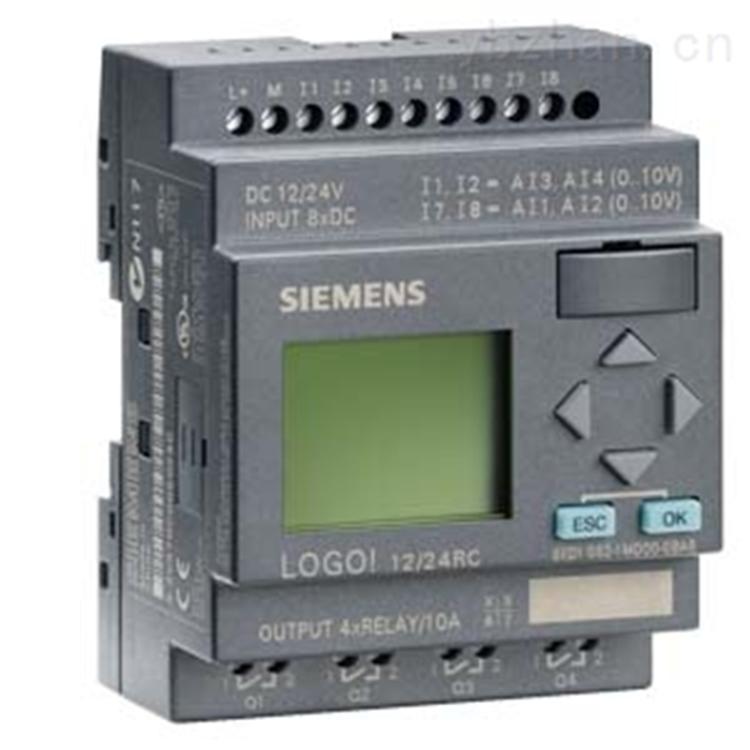


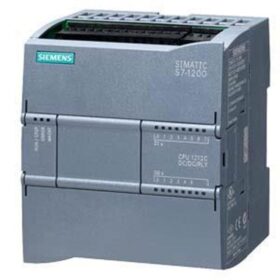
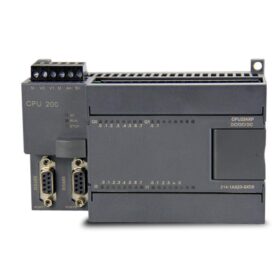
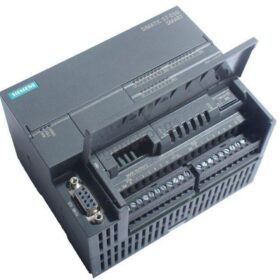
Em relação ao Siemens 6Módulo ES71425AF000BA0, é um módulo de interface PROFIBUS DP (estação de escravos) no sistema de E/S distribuída ET 200SP, usado principalmente para conectar a estação ET 200SP à rede PROFIBUS DP e expandir as capacidades de entrada e saída do PLC. A seguir está o agrupamento de suas informações principais:
- Informações básicas do produtoServomotor Siemens 1FL60342AF211LH1
Modelo: 6ES71425AF000BA0
Nome: Módulo de Interface PROFIBUS DP ET 200SP (Estação Escrava)
Série: SIMATIC ET 200SP
FunçõesConversor Siemens 6SE64402UD420GA1:
Como estação escrava PROFIBUS DP, conecta a estação de E/S distribuída ET 200SP à rede PROFIBUS.
Suporta comunicação com a estação mestre (como S7300/400, S71200/1500, etc.) e transmite dados de entrada e saída.
Pode expandir os módulos de E/S do ET 200SP (como DI/DO, IA/Mundo, módulos de processo, etc.).
- Parâmetros TécnicosInversor Siemens V20 15KW do modelo 6SL32105BE315UV0
| Parâmetro | Descrição |
| Interface de comunicação | PROFIBUSDP (RS485), suporta taxas de transmissão de 9.6 kbps para 12 Mbps, está em conformidade com o protocolo DPV0. |
| Tensão da fonte de alimentação | CC 24V (alimentado pelo módulo de potência PME ou BU). |
| Número máximo de módulos expansíveis | Suporta até 32 Módulos de E/S (dependendo da capacidade de energia e carga de comunicação). |
| Nível de proteção | IP20 (precisa ser instalado no gabinete de controle). |
| Método de instalação | Instalação em trilho DIN (35 milímetros), suporta instalação horizontal ou vertical. |
| Ferramenta de configuração | Portal TIA V13 e superior, ou PASSO 7 V5.5 (requer instalação do arquivo GSD). |
| Configuração de endereço da estação escrava | Configuração manual através da chave DIP no módulo (1~126). |
III. Método de fiaçãoConversores chint (NVF2G18.5/TS4 ou NVF2G18.5/PS4
- Fiação da fonte de alimentação
Entrada de energia: Alimentar o módulo através da unidade básica BU ou módulo de potência PME. A fiação é a seguinte:
L+: Pólo positivo de DC 24V (conecte ao pólo positivo da fonte de alimentação).
M: Pólo negativo de DC 24V (conecte ao pólo negativo da fonte de alimentação).
Educação Física: Terminal terrestre (precisa ser conectado de forma confiável ao aterramento de proteção).
- Fiação de comunicação PROFIBUSInversor AB 25BD043N114
Interface: 9plugue tipo D de pino (SubD) na lateral do módulo. A definição é a seguinte (de frente para o plugue, alfinete 1 está no topo):
| Alfinete | Sinal | Descrição |
| 1 | ESCUDO | Camada de escudo (de castigo) |
| 2 | M (GND) | Terra de sinal |
| 3 | RXD/TXDP | Dados PROFIBUS positivos (Linha B) |
| 4 | n.c.. | Não usado |
| 5 | M (GND) | Terra de sinal |
| 6 | Vcc (5V) | 5Fonte de alimentação V (para resistor de terminação ativo) |
| 7 | P (Vcc) | Não usado |
| 8 | RXD/TXDN | Dados PROFIBUS negativos (Linha A) |
| 9 | n.c.. | Não usado |
Requisitos de fiação:
Use um cabo dedicado PROFIBUS (como 6XV18300EH10). Conecte a Linha A (verde) fixar 8 e Linha B (vermelho) fixar 3.
Para as estações terminais, um resistor de terminação precisa ser conectado (o resistor de terminação integrado do módulo pode ser habilitado através da chave DIP, e a chave está localizada na lateral do módulo).
- Conexão com Módulos de E/S
Conectar fisicamente o módulo de interface com os módulos de E/S através da unidade básica BU do ET 200SP. Nenhuma fiação adicional é necessária, e os módulos se comunicam automaticamente através do barramento backplane.
- Etapas de configuração (Tomando o Portal TIA como exemplo)
- Instale o arquivo GSD: Se estiver usando pela primeira vez, instale o arquivo GSD (pacote de suporte) do ET 200SP no Portal TIA.
- Configuração de hardware:
Insira um “PROFIBUSDP” rede no projeto e definir os parâmetros da estação mestre (como endereço, taxa de transmissão).
Encontre 6ES71425AF000BA0 no catálogo de hardware, arraste e solte na rede PROFIBUS, e defina o endereço da estação escrava (ele precisa ser consistente com a configuração DIP do módulo).
Adicione os módulos de E/S necessários no módulo de interface e configure os endereços de entrada e saída.
- Baixe a configuração: Baixe a configuração de hardware para o PLC da estação mestre para garantir a comunicação normal.
- Cenários de aplicação
Controle Distribuído: Usado em cenários como linhas de produção, máquinas-ferramentas, e sistemas de transporte que exigem expansão remota de E/S.
Expansão da Rede PROFIBUS: Como uma estação de escravos, conecte à estação mestre PROFIBUS DP para expandir os pontos de entrada e saída do sistema.
Configuração flexível: Suporta módulos de E/S hot-swap, o que é conveniente para manutenção no local e expansão de função.
- Precauções
- Consistência de endereço: O endereço da estação escrava definido pela chave DIP do módulo deve ser consistente com o endereço no software de configuração.
- Resistor de Terminação: Para as primeiras e últimas estações da rede, o resistor de terminação precisa ser habilitado (coloque a chave na lateral do módulo para “SOBRE”), e para as estações intermediárias, configure-o para “DESLIGADO”.
- Estabilidade da fonte de alimentação: Garanta a estabilidade da fonte de alimentação DC 24V para evitar falhas do módulo causadas por flutuações de tensão.
- Referência ao Manual: Para detalhes específicos de fiação e configuração, consulte o manual oficial da Siemens (《Manual do Módulo de Interface ET 200SP》).
Para obter mais orientações sobre operação, recomenda-se visitar o [Centro de Suporte Industrial Siemens] para baixar o manual do produto ou entrar em contato com o suporte técnico.
Os parâmetros técnicos deste módulo são os seguintes:
| Parâmetro | Descrição |
| Interface de comunicação | PROFIBUSDP (RS 485), suportando uma taxa de transmissão de 9.6 kbps para 12 Mbps, em conformidade com o protocolo DP V0. |
| Tensão da fonte de alimentação | CC 24V (alimentado pelo módulo de potência PM E ou BU). |
| Número máximo de módulos expansíveis | Suporta até 32 Módulos de E/S (dependendo da capacidade de energia e carga de comunicação). |
| Nível de proteção | IP20 (precisa ser instalado no gabinete de controle). |
| Método de instalação | Instalação em trilho DIN (35 milímetros), suportando instalação horizontal ou vertical. |
| Ferramenta de configuração | Portal TIA V13 e superior, ou PASSO 7 V5.5 (exigindo a instalação do arquivo GSD). |
| Configuração de endereço da estação escrava | Configuração manual através da chave DIP no módulo (1 126). |





NH42-63-318x560.png "Chaves de transferência automática tipo PC CHINT (ATS)NH42-63/4SZ")



