 Contator,disjuntor,sensor,Codificador,CLP,Conversor

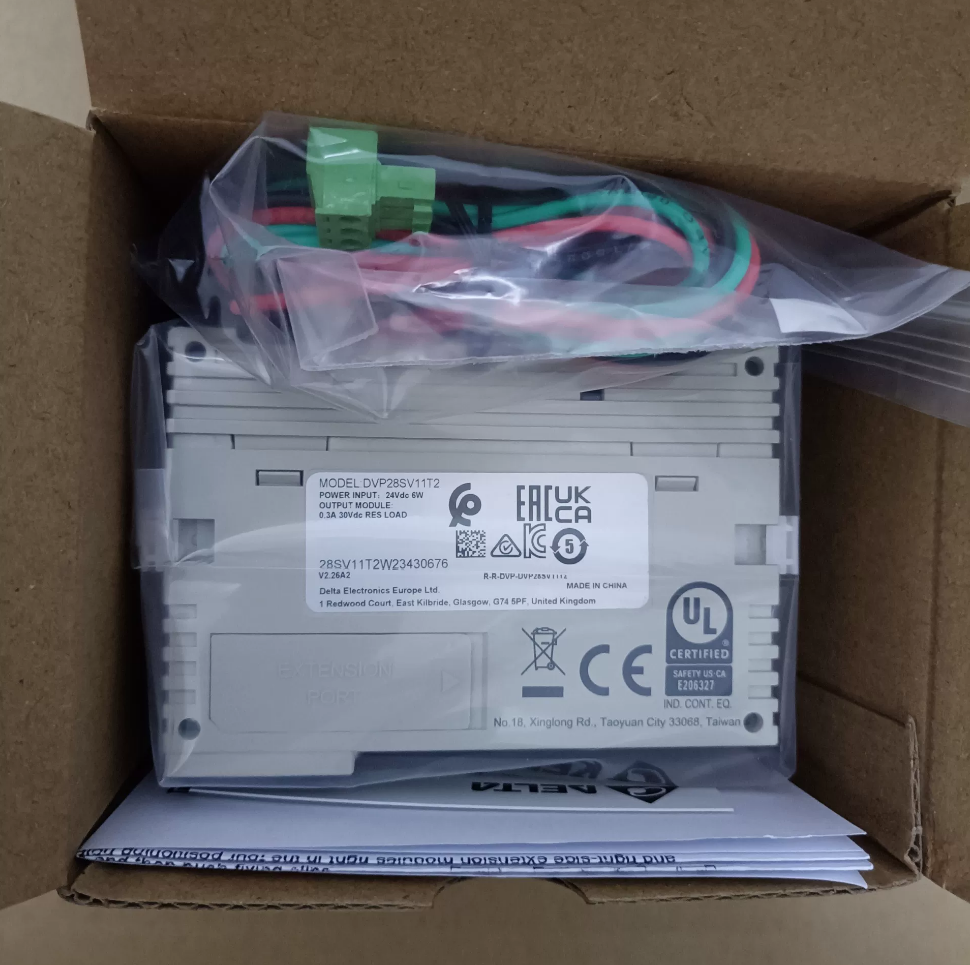

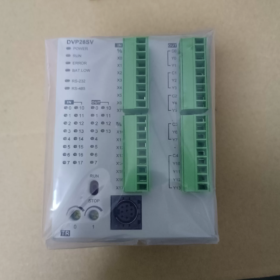
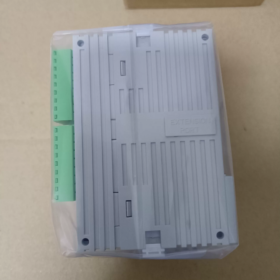
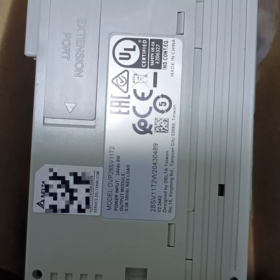
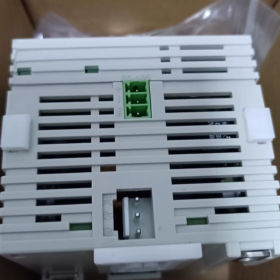
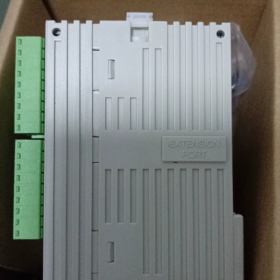
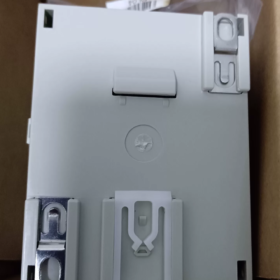
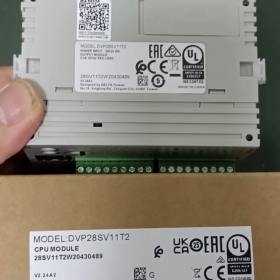
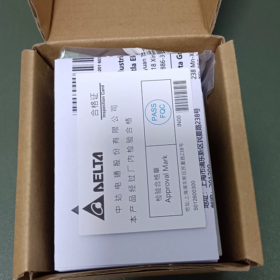
DVP28SV11T2
ALMOFADA: CLP Delta código de série
28: Total de pontos de E/S 28 pontos (16DI+12DO)
SV: Unidade principal de alto desempenho da série SV; SV2 denota hardware de segunda geração (sufixo T2 = SV2)
11: Fonte de alimentação DC24V
T: Saída transistorizada NPN (tipo de pia)
2: Versão de hardware SV2 de segunda geração, suportando porta de expansão de alta velocidade do lado esquerdo
Especificações básicas de hardware
| Item | Parâmetros |
| Fonte de energia | CC24V, proteção contra polaridade reversa, corrente máxima de partida 2,2A |
| Entrada Digital DI | 16-ponto DC24V, compatível com fonte/coletor |
| Saída digital DO | 12Saída de transistor NPN de ponto |
| Capacidade do Programa | 30K etapas (SV2 segunda geração), registro de dados 12K Word |
| Contador de alta velocidade | 8-canal; X0/X1/X4/X5 máx.. 200kHz; terminais X restantes 10kHz |
| Saída de pulso | Y0-Y3 máx.. 200kHz (4-saída de pulso independente do eixo); suporta interpolação linear/circular |
| Comunicação | COM1: Mini‑DIN8 RS232; COM2: RS485; Mestre/escravo Modbus RTU/ASCII |
| Capacidade de Expansão | Lado direito para módulos padrão da série S; porta de expansão dedicada de alta velocidade no lado esquerdo; E/S total máximo 512 pontos |
| Montagem | Montagem em trilho DIN35; Dimensões L70 × A90 × D109,4 mm |
| Temperatura operacional | 0-55°C |
Programas
Software de programação: WPLSoft / ISPSoft, com gerente de comunicação COMMGR
Recursos suportados: 4-nível de proteção por senha, backup do programa, relógio em tempo real sem bateria, 16-interrupção externa do canal.
Aplicações Típicas
Posicionamento servo, Manipuladores XY, rotuladores, máquinas de embalagem, equipamento de corte, máquinas têxteis, e outros equipamentos que exigem controle de movimento de pulso multieixo.
Distinção de modelos da mesma série
DVP28SV11T: SV de primeira geração, 16Programa K-step, sem porta de expansão de alta velocidade do lado esquerdo
DVP28SV11T2: SV2 de segunda geração, 30Programa K-step, com porta de expansão de alta velocidade no lado esquerdo
DVP28SV11R2: Versão de saída de relé
DVP28SV11S2: Versão de saída de transistor PNP
Lista de verificação de inspeção de segunda mão
- Teste de inicialização: Indicador POWER constante LIGADO; verifique o status dos indicadores RUN/ERROR/BAT-LOW; alarme de bateria fraca.
- Teste de E/S: Force ON/OFF para verificar todos os pontos de entrada e saída.
- Teste de pulso de alta velocidade: Teste a saída de pulso Y0-Y3 de até 200kHz; verify high-speed counter reception on X0/X1.
- Teste de comunicação: Program upload/download via RS232 and RS485; Modbus read-write test.
- Expansion port inspection: Check left-side and right-side expansion connectors for oxidation and intact pins.
Referências Alternativas
Delta native alternatives: DVP28SV11S2 (PNP); DVP28SE211T (SE2 new generation, with Ethernet port)
Alternativa doméstica: Inovance H2U-1616MT-XP (200Pulso kHz, 4-eixo)
Programming Software for Delta DVP28SV11T2 (SV2 Series)
This unit belongs to second-generation DVP-SV2 PLC; two official software packages are supported:
- ISPSoft (Recomendado para novos projetos)
Versão mais recente: V3.24 and above
Mandatory companion: COMMGR communication manager, handles serial/USB communication connection
Supported IEC61131-3 languages: LD (Diagrama de escada), ST (Texto Estruturado), DCT (Diagrama de blocos funcionais), SFC (Gráfico de funções sequenciais); full SV2 motion instructions, interpolação, high-speed positioning; modular POU programming, simulação, monitoramento on-line, firmware upgrade.
SO: Win7/10/11 (64-pedaço)
- WPLSoft (Legacy software for existing project maintenance)
Versão: V2.52, traditional Delta DVP programming software, mainly supports ladder diagram and instruction list, no Structured Text support
Suitable for reading backup programs from legacy equipment and simple logic; inferior to ISPSoft for complex motion-control functions.
⚠️ Nota: DIADesigner does NOT support DVP28SV11T2. DIADesigner is for high-end SV3, AS/AH series PLCs.
Programming Cables
For the front-panel Mini-DIN8 RS232 port of DVP28SV11T2:
- Delta original USB-DVP programming cable (USB to Mini-DIN8)
- RS232-to-Mini-DIN8 cable is also acceptable; program download is available via COM2 RS485 as well.
Software Selection Guidance
Posicionamento servo, interpolação circular, processos complexos: ISPSoft + COMMGR
Legacy equipment with WPLSoft-format project files: Maintain with WPLSoft.
Communication Protocols for Delta DVP28SV11T2 (SV2)
On-board hardware: COM1-RS232 (Mini-DIN8), COM2-RS485 terminal block. No native Ethernet or CANopen; fieldbus functions require left-side expansion modules.
Protocols Supported by On-board Serial Ports
- Modbus RTU / Modbus ASCII (Mais amplamente utilizado)
Available on COM1(RS232) and COM2(RS485); suporta os modos Master e Slave
Taxa de transmissão máxima 115200bps; bits de dados configuráveis, paridade, parar bits
Aplicativos: Conecte-se à IHM, inversores, servos, medidores e dispositivos Modbus de terceiros.
- Protocolo proprietário Delta (PLCLink)
Troca de dados entre vários CLPs DVP-SV2/SA2/SS2 via rede RS485.
- Protocolo de download do programa
COM1RS232: Upload/download do programa ISPSoft/WPLSoft, monitoramento on-line
O download e o monitoramento do programa também são suportados pelo COM2 RS485.
Parâmetros seriais padrão de fábrica: 9600, 7, E, 1 (9600bps, 7-bit de dados, paridade uniforme, 1 pare um pouco)
Protocolos Fieldbus Adicionais via Módulos de Expansão de Alta Velocidade do Lado Esquerdo (Somente complemento de hardware, não embutido)
Use o slot de alta velocidade dedicado do lado esquerdo com módulos de comunicação correspondentes:
DVPCOPM-SL: Módulo mestre CANopen, Compatível com CANopen DS301, para conexão CANopen servo/drive
DVPNET-SL: Módulo Ethernet, suporta Modbus-TCP (Mestre/Escravo)
DVRDP-SL: Módulo escravo Profibus-DP
DVRDNM-SL: Módulo DeviceNet
Resumo da função da porta
| Porta | Hardware | Funções |
| COM1 | RS232 Mini‑DIN8 | Baixar programa, Modbus RTU/ASCII Slave; cannot act as Modbus Master |
| COM2 | RS485 terminal block | Modbus Master/Slave, PLCLink, download do programa |
| Left‑side Expansion Port | Dedicated high‑speed slot | Optional CANopen, Ethernet, Profibus‑DP and other bus modules |
Armadilhas Comuns
- DVP28SV11T2 has no built-in Ethernet or CAN interface. Expansion modules must be purchased separately.
- COM1(RS232) can only operate as Modbus Slave. Modbus Master function is exclusively for COM2(RS485).
- PLCLink works only between Delta DVP-series PLCs; incompatible with third-party hardware.
Complete Installation Guide for Delta DVP28SV11T2 (ISPSoft + COMMGR)
ISPSoft is preferred for DVP28SV11T2(SV2). COMMGR is mandatory for communication; program download will fail without it.
Supported OS: Win10 / Win11 64-bit. Download installation packages from Delta Industrial Automation official website.
Preparação de pré-instalação
- Uninstall old versions of ISPSoft and COMMGR; mixed versions cause communication failures.
- Clique com o botão direito no instalador → Executar como administrador (crítico para Win11; evita erros de instalação e falha de driver).
- Desative temporariamente o antivírus / Windows Defender para evitar interceptação de componentes.
- Certifique-se de que o .NET Framework4.5 esteja instalado (incluído no Windows moderno; baixe da Microsoft se estiver faltando).
Dois procedimentos de instalação
Método A: COMMGR incluído no instalador ISPSoft (Recomendado)
- Descompacte o arquivo ISPSoft e execute Setup.exe.
- Selecione o idioma chinês, siga as instruções na tela; mantenha o [COMMGR] componente verificado, não desmarque.
- Personalize o caminho de instalação; evite diretórios de caracteres chineses na unidade C (por exemplo. D:\Delta\ISPSoft).
- Conclua a instalação e reinicie o PC conforme solicitado.
⚠️ Se COMMGR foi desmarcado durante a configuração, baixe e instale o COMMGR separadamente.
Método B: Instalação separada
- Instale o COMMGR (Gerente de Comunicação) primeiro.
- Instale o software de programação ISPSoft posteriormente.
Configuração pós-instalação (Edição do programa ≠ capacidade de download; A configuração do canal COMMGR é necessária)
- Feche o ISPSoft primeiro, inicie o COMMGR no menu iniciar (ícone aparece na bandeja do sistema).
- Clique [Adicionar]
Nome do motorista: Somente caracteres em inglês, por exemplo. DVP_SV2 (Sem caracteres chineses ou espaços)
Tipo de comunicação:
Cabo de programação Delta USB: Selecione USB
Adaptador USB para RS232/485: Selecione a porta serial, confirme o número COM no Gerenciador de dispositivos do Windows.
- Parâmetros que correspondem aos padrões de fábrica do PLC: 9600, 7, E, 1, Estação nº 1
- Confirmar configuração, selecione este canal e clique [Começar]. Status START significa que o canal está pronto.
- Abra o ISPSoft, criar novo projeto, selecione o modelo: DVP-SV2 → DVP28SV11T2
- Menu [Ferramentas] → [Configurações de comunicação], selecione o canal COMMGR pré-configurado para ficar online, fazer upload ou download de programas.
Software legado alternativo WPLSoft (Apenas para manutenção)
Não recomendado para novos projetos; não possui linguagem ST e instruções avançadas de interpolação de movimento.
- Instale WPLSoft V2.53, executar como administrador.
- WPLSoft também conta com COMMGR; configuração de comunicação segue etapas idênticas acima.
Solução de problemas comuns
- Botão on-line cinza: COMMGR não está em execução, o status do canal não é START.
- Porta COM não encontrada: Instale o driver para chip USB para serial (CH340 / FT232); sem pontos de exclamação amarelos no Gerenciador de dispositivos.
- Erros de instalação do Win11: Execute sempre como administrador, evite caminhos de instalação com caracteres chineses, desativar o software de segurança temporariamente.
- Erros de comunicação: Verifique novamente a taxa de transmissão, configuração de paridade e número da estação PLC. Configuração de fábrica SV2: 9600-7-E-1
Dica para novo projeto DVP28SV11T2
Novo Projeto ISPSoft → Série DVP-SV2 → selecione DVP28SV11T2. O software aplica automaticamente parâmetros de hardware: 30Capacidade do programa K-step, 4-saída de pulso do eixo 200kHz.





NH42-63-318x560.png "Chaves de transferência automática tipo PC CHINT (ATS)NH42-63/4SZ")



