 Contactor,întrerupător de circuit,senzor,Codificator,PLC,Convertor

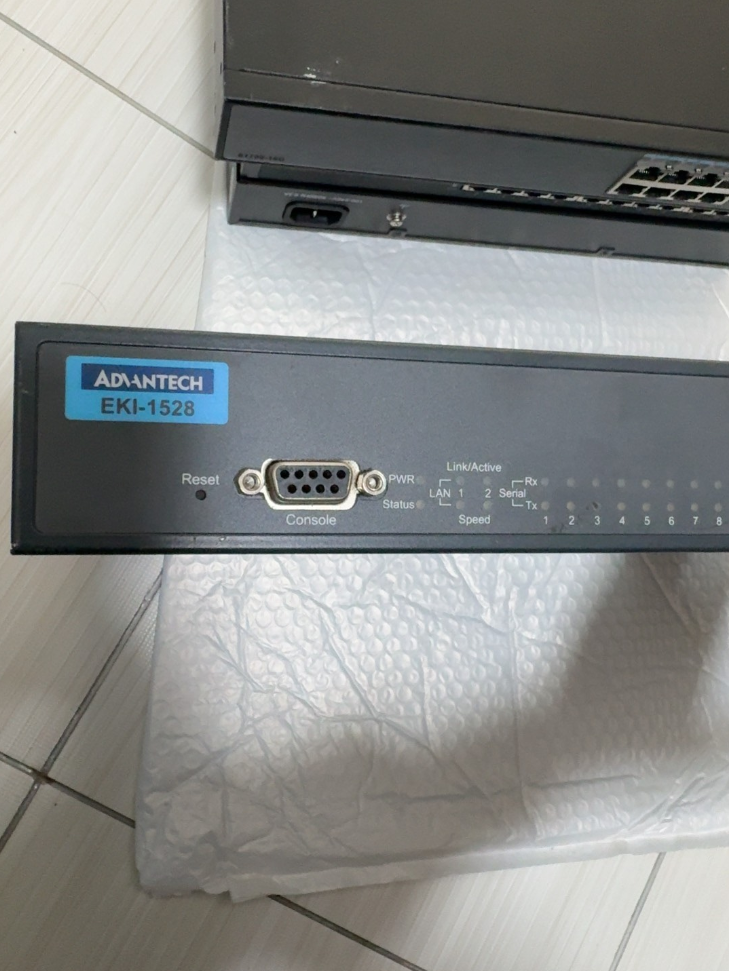

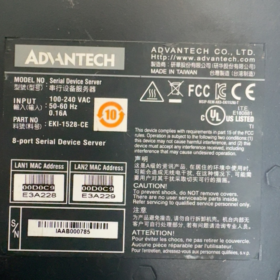
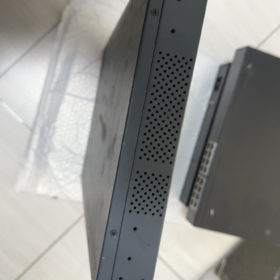
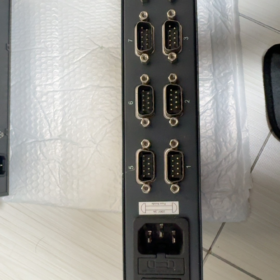
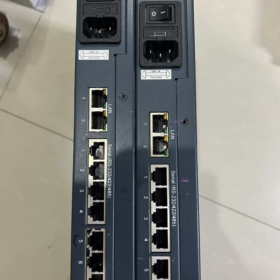
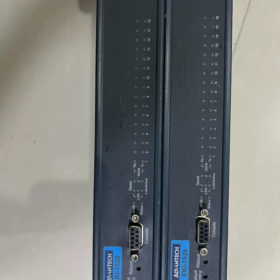
Advantech EKI-1526 este un Server de dispozitiv serial RS-232/422/485 cu 16 porturi de calitate industrială având un design de montare în rack 1U și redundanță Ethernet duală. Conectează fără probleme dispozitivele seriale tradiționale la rețeaua Ethernet pentru gestionarea de la distanță și achiziția de date. Avantajele sale principale includ tipuri de porturi seriale configurabile prin software, gamă largă de temperatură de funcționare, protecție ESD ridicată, și suport bogat pentru protocolul de comunicare. Este aplicat pe scară largă în automatizarea industrială, transport inteligent, managementul energiei și alte domenii.
- Definirea segmentului de model (Nomenclatura standard)
| Segment | Cod standard | Sens | Descriere detaliată |
| SUPLIMENT | SUPLIMENT | Linia de produse Advantech Industrial Ethernet Communication | Interfață Ethernet încorporată, concentrându-se pe echipamentele industriale de comunicații în rețea |
| 1526 | 1526 | Număr de serie de produse | 16-port serial dispozitiv server (1528 este versiunea cu 8 porturi) |
| Cod sufix | N / eu / DE / VDC, etc. | Extinderea funcției / Tip de putere | • N: Gigabit Ethernet |
| • eu: Versiune cu temperatură largă (-40°C~70°C) | |||
| • Acela: Temperatura largă + Alimentare DC | |||
| • VDC: Alimentare DC (12-48VDC) | |||
| • CE: Conform cu certificarea UE CE | |||
| Versiune | V2 | Revizia hardware | 2Hardware de a doua generație cu performanțe îmbunătățite, suportarea baud rate până la 976.5 kbps |
- Parametrii de specificație de bază (Date oficiale)
| Categorie | Parametru | Model standard (EKI-1526) | Model Wide-Temp (EKI-1526I) | Observații |
| Caracteristici de bază | Tip de produs | 16-Port Serial Device Server | La fel ca la stânga | 1U montare pe rack, Carcasa metalica SECC, Protectie IP30 |
| Dimensiuni (L×A×D) | 438×43,6×259,2 mm | La fel ca la stânga | Montare standard pentru rack de 19 inchi | |
| Greutate | 3.1 kg | La fel ca la stânga | Cu excepția ambalajului | |
| Temperatura de operare | -10°C ~ 60°C | -40°C ~ 70°C | Temperatura de depozitare: -40°C ~ 80°C | |
| Umiditate | 5%~95% RH, necondens | La fel ca la stânga | Adaptabil la medii industriale umede | |
| MTBF | >60,000 ore | La fel ca la stânga | Design de înaltă fiabilitate | |
| Interfață de rețea | Cantitatea de porturi | 2 × RJ45 | La fel ca la stânga | Redundanță LAN acceptată, auto MDI/MDIX |
| Viteză | 10/100 Mbps (EKI-1526) | La fel ca la stânga | Adrese MAC independente duble, redundanța rețelei | |
| 10/100/1000 Mbps (EKI-1526N) | ||||
| Protectie de izolare | Încorporat 1.5 kV izolare magnetică | La fel ca la stânga | Interferențe anti-electromagnetice, stabilitate îmbunătățită | |
| Comunicare serială | Cantitatea de porturi | 16 porturi | La fel ca la stânga | Modul serial configurabil prin software |
| Tip de interfață | DB9 (RJ45 optional) | La fel ca la stânga | Suportă comutare RS-232/422/485 | |
| Baud Rate | 50~921,6 kbps (Standard) | La fel ca la stânga | Rată de transmisie personalizată acceptată | |
| 50~976,5 kbps (Versiunea V2) | ||||
| Biți de date | 5, 6, 7, 8 | La fel ca la stânga | Compatibilitate flexibilă cu diverse dispozitive seriale | |
| Paritate | Nici unul / Ciudat / Chiar / Marca / Spaţiu | La fel ca la stânga | Compatibilitate deplină cu protocoalele industriale | |
| Stop Bits | 1, 1.5, 2 | La fel ca la stânga | Îndeplinește cerințele de comunicare ale diferitelor dispozitive | |
| Protecţie | 15Protecție de serie completă KV ESD | La fel ca la stânga | Design antistatic de calitate industrială | |
| Caracteristica RS-485 | Control automat al fluxului de date, 2/4-suport de sârmă | La fel ca la stânga | Nu este necesară comutarea manuală a direcției TX/RX | |
| Sistem de alimentare | Intrare AC | 100~240 VAC, 50~60 Hz | La fel ca la stânga | Consumul de energie: 5.6W, 0.3A@110V, 0.2A@220V |
| Intrare DC | 12~48 VDC | La fel ca la stânga | Intrare largă de tensiune pentru alimentare industrială | |
| Protecţie | Supratensiune / Supracurent / Protectie inversa polaritatii | La fel ca la stânga | Design de protecție a puterii de calitate industrială | |
| Funcții software | Moduri de operare | COM virtual, Server/Client TCP, UDP, Modbus Gateway | La fel ca la stânga | Capacitate de conversie multi-protocol |
| Metode de configurare | Browser web, Telnet, Utilitarul Windows, Consolă serială | La fel ca la stânga | Flexibil pentru diferite scenarii de management | |
| Protocoale de rețea | IPv4/IPv6, DHCP, DNS, SNMP MIB-II | La fel ca la stânga | Suport complet pentru managementul rețelei | |
| Caracteristici de securitate | Protecție prin parolă, filtrare IP, SSL/TLS (Versiunea V2) | La fel ca la stânga | Asigurați transmiterea securizată a datelor | |
| Certificari | Conformitate | CE, FCC, UL, Clasa I Div 2 | La fel ca la stânga | Conform standardelor globale de siguranță industrială |
- Lista de accesorii (Recomandat oficial)
| Nume accesoriu | Funcţie | Cantitate recomandată | Observații |
| Kit de montare pe rack | Suporturi standard de montare în rack de 19 inchi | 1 stabilit pe unitate | Standard inclus |
| Cablu de alimentare | Versiune AC: Cablu de alimentare IEC C13 | 1 pc pe unitate | Selectați în funcție de tipul de putere |
| Versiune DC: Cablu de alimentare terminal Phoenix | |||
| Cablu serial | Cablu adaptor DB9-RJ45 / Cablu direct DB9 | 1 pc per port | Pentru conectarea dispozitivului serial |
| Cablu Ethernet | Cablu de rețea Cat5e/Cat6 (1-2m) | 2 buc pe unitate | Pentru conexiune dublu port Ethernet |
| Software de configurare | Advantech Device Manager | 1 set | Disponibil pe CD sau pe site-ul oficial |
| Manual de utilizare | Hârtie / ghid electronic de operare | 1 copie | Include pași rapidi de configurare |
| Card de garanție | 5-certificat de garantie pe an | 1 copie | Garanție standard pentru produsele industriale Advantech |
- Concurent & Lista de înlocuire între mărci (Compatibil direct)
| Marca | Model | Parametri cheie | Compatibilitate / Diferenţă | Recomandare de înlocuire |
| Advantech aceeași serie | EKI-1526N | 16-port, Gigabit Ethernet, IP30 | Viteză mai mare a rețelei, identice alte specificații | Alegeți pentru transmisie în rețea de mare viteză |
| Advantech aceeași serie | EKI-1526I | 16-port, temperatură largă (-40°C~70°C) | Interval extins de temperatură de funcționare | În aer liber / aplicații pentru mediu dur |
| Advantech aceeași serie | EKI-1528 | 8-port, aceiași alți parametri | Număr de jumătate de porturi, dimensiune mai mică | Scenarii cu mai puține dispozitive seriale |
| MOXA | NPort 5616-8-DT | 16-port, RS-232/422/485, LAN dual | Suport similar pentru protocol, software de configurare mai matur | Utilizatori familiarizați cu ecosistemul MOXA |
| Siemens | Seria SCALANCE XB-200 | Comutator industrial + modul server serial | Integrare ridicată, conexiune perfectă cu PLC Siemens | Prioritate pentru sistemele de automatizare Siemens |
| Phoenix Contact | COMUTATOR FL 2208 + PSI-MODEM | Comutator + combinație de gateway serial | Design modular, scalabilitate puternică | Scenarii care necesită extinderea flexibilă a porturilor |
| Alternativă internă | ZLG GCOM80-2NET | 16-port, temperatură largă, izolare deplină | 30%-50% Preț mai mic scăzut, funcții pe deplin compatibile | Proiecte sensibile la costuri & cererile de localizare |
- Ghid de selecție & Soluții alternative
Mnemonic de selecție
> 16 porturi seriale cu LAN dual, comutator software pentru modul multi-RS;
> I pentru temperatură largă, N pentru gigabit, Alimentare AC/DC după cum este necesar.
Considerații cheie de selecție (5 Dimensiuni)
- Potrivirea cantității de porturi
16 dispozitive seriale: Alegeți standardul EKI-1526
8 dispozitive seriale: Alegeți EKI-1528 (8-versiunea portului)
Mai mult decât 16 porturi seriale: Conectați mai multe unități în lanț sau selectați EKI-1548 (32-port)
- Adaptarea mediului de operare
Mediu industrial standard (-10°C~60°C): EKI-1526 versiune standard
Mediu extrem (-40°C~70°C): Alegeți modelul EKI-1526I cu temperatură largă
În aer liber / mediu umed: Adăugați carcasă de protecție IP67
- Evaluarea cerințelor rețelei
100Rețea Mbps: Standardul EKI-1526
Gigabit / transmisie de date de mare viteză: Alegeți EKI-1526N
Redundanța rețelei & fiabilitate ridicată: Comutare automată duală LAN ca standard
- Selectarea sursei de alimentare
Cameră / sala de calculatoare: EKI-1526 (alimentare de curent alternativ)
Domeniul industrial / fara AC comercial: EKI-1526T-VDC (12-48VDC)
Rețea electrică instabilă: Adăugați protecție pentru alimentarea UPS
- Cerințe de extindere a funcției
Criptare de securitate: Alegeți versiunea V2 (acceptă SSL/TLS)
Modbus Gateway: Standard incorporat, nu este necesară o licență suplimentară
Management de la distanță: Suporta SNMP, integrabil cu sistemul de management al rețelei industriale
Soluții alternative recomandate (3 Scenarii)
| Scenariul aplicației | Soluție recomandată | Avantaje |
| Optimizarea costurilor | Alternative interne (ZLG GCOM80-2NET, Seria Kyland KIEN) | 30%-50% reducerea costurilor, compatibil cu funcția, îndeplinește cerințele de localizare |
| Upgrade de protocol | EKI-1526 + Advantech Protocol Converter | Adăugați OPC UA, Conversie PROFINET și alte protocoale industriale |
| Integrarea funcției | EKI-1526V2 + Modulul Advantech Edge Computing | Colectare de date seriale all-in-one + edge computing + acces la platforma cloud |
- Conformitatea transportului aerian & Certificare CE (Comerțul Internațional)
- Conformitatea transportului aerian
Fără baterie cu litiu încorporată / super condensator: Clasificat ca echipamente electronice industriale obișnuite, fără restricții speciale de transport aerian
Categoria transport: Clasă 9 diverse mărfuri periculoase (nepericuloase în transportul propriu-zis)
Cod HS: 85176239 (Echipamente de comunicații în rețea industrială)
Standard de ambalare: Conform ISTA 3A pentru a evita deteriorarea transportului
- Informații de certificare CE
Directive conforme: 2014/30/UE (EMC), 2011/65/UE (RoHS), 2014/35/UE (LVD)
Standarde de testare: ÎN 55011 (EMI industrial), ÎN 61000-6-2 ( Imunitatea industrială)
Numărul de certificare: Disponibil pe site-ul oficial Advantech prin introducerea numărului complet al modelului
- Cazuri de aplicare & Adaptarea industriei
Cazuri tipice de aplicare
- Fabrica inteligentă: Conectați-vă 16 PLC-uri/senzori; adoptați redundanța Ethernet duală pentru achiziția de date pe linia de producție; acceptă conversia protocolului Modbus TCP/RTU și conexiune fără întreruperi la sistem MES.
- Rețea inteligentă: Reţea 16 dispozitive de substație în serie (relee de protectie, contoare de energie); modelul cu temperatură largă se adaptează la condițiile exterioare; LAN dual asigură o transmisie fiabilă a datelor.
- Tranzit Feroviar: 16-colectarea datelor senzorilor de canal pentru vagoane de tren; Alimentarea DC se adaptează la sistemul vehiculului; protecție ESD ridicată împotriva mediilor electromagnetice complexe.
- Industria Petrochimică: Monitorizarea de la distanță a 16 date instrumentelor din rafinării; Clasa I Div 2 certificarea îndeplinește cerințele zonelor periculoase; suportă configurarea de la distanță și diagnosticarea defecțiunilor.
Ghid de adaptare a industriei
| Industrie | Avantajele adaptării | Configurație recomandată |
| Automatizare industrială | Gestionare centralizată multi-serială, conversie flexibilă a protocolului | EKI-1526N + Software COM virtual + Comutator industrial |
| Energie & Putere | Design cu temperatură largă, fiabilitate ridicată, redundanță LAN duală | EKI-1526I + Alimentare DC + Modul de protecție împotriva trăsnetului |
| Tranzit Feroviar | Compatibil cu puterea vehiculului, rezistent la vibratii, EMC îmbunătățită | EKI-1526TI-VDC + Suport de montare rezistent la socuri |
| Petrochimic | Certificare anti-explozie, management de la distanță, consum redus de energie | EKI-1526I + Izolator de siguranță + Sursă de alimentare redundantă |
Advantech EKI-1526 este un server de dispozitive serial de calitate industrială extrem de fiabil și flexibil. Cu designul său de înaltă densitate cu 16 porturi, moduri seriale configurabile prin software, și redundanță LAN duală, îndeplinește perfect cerințele de transformare a rețelei ale dispozitivelor seriale din locațiile industriale. Suportă mai multe moduri de operare, inclusiv Virtual COM, TCP/UDP și gateway Modbus, poate fi integrat perfect în sistemele de automatizare industriale obișnuite pentru a realiza managementul de la distanță și achiziția de date a echipamentelor în serie tradiționale. Versiunile sale cu temperatură largă și opțiunile multiple de alimentare își extind și mai mult aplicabilitatea în medii extreme și scenarii speciale.
Lista completă a modelelor din seria EKI-1526
- 16-Modele principale de port
| Model complet | Viteza LAN | Temp. de operare | Alimentare electrică | Caracteristici de bază |
| EKI-1526 | 10/100Mbps | -10℃~60℃ | AC 220V | RS232/422/485 standard cu 16 porturi |
| EKI-1526I | 10/100Mbps | -40℃~70℃ | AC 220V | Versiune industrială cu temperatură largă |
| EKI-1526N | 10/100/1000Mbps | -10℃~60℃ | AC 220V | Standard + Dual Gigabit LAN |
| EKI-1526NI | 10/100/1000Mbps | -40℃~70℃ | AC 220V | Temperatura largă + Dual Gigabit |
| EKI-1526-VDC | 10/100Mbps | -10℃~60℃ | 12~48VDC | Versiune cu curent continuu |
| EKI-1526I-VDC | 10/100Mbps | -40℃~70℃ | 12~48VDC | Temperatura largă + putere DC |
| EKI-1526N-VDC | 10/1000Mbps | -10℃~60℃ | 12~48VDC | Gigabit + putere DC |
| EKI-1526V2 | 10/100Mbps | Temp. standard | AC | Hardware V2, baud rate mai mare + Criptare SSL |
- Modele de serie înrudite (8/32-Port alternativă)
| Model | Porturi seriale | Poziționare | Scenariu de înlocuire directă |
| EKI-1528 | 8 Porturi | Aplicație pentru site-uri mici | ≤8 dispozitive seriale, spaţiu & economisirea costurilor |
| EKI-1548 | 32 Porturi | Dulap de înaltă densitate | Peste 16 porturi seriale, o unitate înlocuiește două EKI-1526 |
Definiția sufixului de model unificat
Fără sufix: Temperatura standard -10~60℃, 100LAN Mbps, putere AC220V
eu: Temperatura industrială largă -40℃~70℃
N: Rețeaua actualizată la Dual Gigabit Ethernet
VDC: Suportă intrare DC cu gamă largă de 12~48VDC
DE: Temperatura largă + adaptare DC pentru vehicule industriale
V2: 2hardware de nd-gen, Rată maximă de transmisie 976,5 kbps, Criptare SSL/TLS acceptată
Pași rapidi pentru cablarea hardware-ului
- Porniți dispozitivul: AC pentru alimentarea de la rețea / DC pentru intrare 12-48V DC
- Port de rețea: LAN1/LAN2 se conectează la comutator sau la PC, suportată redundanță LAN duală
- Port serial: DB9 se conectează la dispozitive RS232/485/422; comutare de mod prin intermediul paginii web
- Indicator de putere: PWR aprins constant = normal; LINK clipește = comunicare în rețea activă
Pașii de bază de configurare web
- Setați IP-ul PC-ului la același segment: 192.168.1.x
- Introduceți IP-ul implicit în browser: 192.168.1.1
- Nume de utilizator implicit / parolă: `admin / admin`
- Setări de bază:
Modificați IP-ul dispozitivului, masca de subrețea, poarta de acces
Configurare serial globală: rata de transmisie unificată / biți de date / paritate / biți de oprire
Modul serial: selectați Virtual COM / Server TCP / Client TCP / Modbus Gateway după cum este necesar
3 Ghiduri comune de configurare a aplicațiilor
- Modul COM virtual (Cele mai comune)
Aplicație: Software serial moștenit / Software SCADA folosit ca port COM local
- Setați modul serial la Virtual COM în pagina web
- Instalați Advantech Device Manager pe computer
- Căutare dispozitiv → legați porturi seriale → atribuire automată COM3~COM20
- Utilizați numărul COM corespunzător direct în SCADA sau în software-ul aplicației
- Modul Modbus Gateway (Pentru PLC & Contoare)
Aplicație: Convertiți Modbus RTU în Modbus TCP pentru instrumente seriale prin Ethernet
- Setați modul serial la Modbus Gateway în pagina web
- Configurați parametrii seriali: 9600/8N1 pentru a se potrivi cu instrumentul
- Setați adresa slave și intervalul de interogare
- Acces gazdă prin Modbus TCP folosind IP-ul dispozitivului + numărul portului
- Configurație de redundanță LAN duală (Anti-Deconectare Dual Link)
Aplicație: Linii de producție critice, rețea electrică, săli de calculatoare nesupravegheate
- Introduceți Rețea → Redundanță în interfața web
- Activați redundanța LAN duală
- Conectați LAN1 și, respectiv, LAN2 la diferite comutatoare
- Comutare automată fără întreruperi și fără pierderi de date în cazul în care orice cablu de rețea eșuează
Depanare rapidă
- Pagina web nu poate fi accesată: Setați IP-ul computerului la 192.168.1.xxx, dezactivați firewall-ul
- Eroare de comunicare în serie: Comutați modul RS232/485/422 în pagina web, verificați rata de transmisie și paritatea
- Virtual COM offline: Actualizați driverul, setați IP-ul static al dispozitivului, evitați IP-ul dinamic DHCP
- LAN dual fără comutare: Confirmați că redundanța este activată; asigurați-vă că două comutatoare nu sunt în aceeași buclă
Advantech EKI-1526 Dual LAN Redundancy Ghid complet de configurare
EKI-1526 acceptă redundanță LAN duală Master-Backup cu timp de comutare <1 doilea. După activare prin interfața de utilizare web, detectează automat defecțiunile legăturii și efectuează un failover fără întreruperi pentru a asigura o comunicare industrială neîntreruptă.
- Principiul de lucru cu redundanță LAN duală
EKI-1526 este echipat cu două porturi Ethernet independente (LAN1/LAN2) și adrese MAC independente:
Port principal: Transportă tot traficul de rețea în condiții normale de funcționare
Port de rezervă: Monitorizează starea portului principal în timp real și preia controlul numai atunci când portul principal eșuează
Mecanism de comutare: Comută automat la portul de rezervă la oprirea conexiunii LAN (deconectarea cablului / defectarea comutatorului), timpul de comutare <1 al doilea fără pierderi de date
Mecanismul de restaurare: După ce portul principal se recuperează, configurabil pentru comutare automată înapoi sau rămâne pe portul de rezervă
- Pregătirea conexiunii hardware
Topologii recomandate (Evitați un singur punct de eșec)
| Modul de conectare | Descriere | Scenariul aplicației |
| Redundanță dual switch | LAN1 la comutatorul A, LAN2 la comutatorul B; ambele comutatoare se conectează la rețeaua centrală | Linii de producție critice, camere nesupravegheate; preveni defectarea unui singur comutator |
| Un singur comutator Dual Port | LAN1/LAN2 se conectează la diferite porturi ale aceluiași switch | Buget limitat; protejează doar împotriva unui singur port / defectarea cablului |
| Segmentare dublă a rețelei | LAN1 pentru rețeaua de producție, LAN2 pentru managementul rețelei; serviciu & management izolat | Scenarii de securitate care necesită izolarea rețelei |
Etape de cablare hardware
- Opriți dispozitivul, conectați dispozitivele seriale și sursa de alimentare
- Conectați LAN1/LAN2 la comutatoare (se recomandă întrerupătoare duble)
- Porniți; verifica indicatorii: PWR aprins constant, ambele lumini LAN LINK clipesc normal
- Pași detaliați de configurare web
- Setări de bază de rețea (Obligatoriu)
- Setați IP-ul static al computerului: 192.168.1.x (același segment ca implicit al dispozitivului)
- IP implicit de acces la browser: 192.168.1.1, log in: `admin/admin`
- Accesați Configurare Ethernet → Ethernet 1: Setați IP-ul portului principal, masca de subrețea, poarta de acces
- Accesați Configurare Ethernet → Ethernet 2: Setați IP-ul portului de rezervă (recomandat acelasi segment, de ex. 192.168.1.2), masca de subrețea, poarta de acces
- Faceți clic pe Salvare, dispozitivul repornește automat (despre 1 minut)
- Activați redundanța LAN duală (Core Config)
- Conectați-vă din nou la Web UI după repornire
- Introduceți Rețea → Redundanță
- Bifați Activați redundanță LAN duală
- Selectați modul redundanță:
Master-Backup (Implicit): LAN1 ca master, LAN2 ca rezervă, failover automat la eroare
Balanța de încărcare: Ambele porturi funcționează simultan pentru partajarea traficului (suportat de firmware parțial)
- Setați modul Comutare înapoi:
Auto: Reveniți automat la master după recuperare (Implicit)
Manual: Rămâneți pe portul de rezervă; comutare manuală necesară după recuperarea principală
- Setați intervalul de detectare: Implicit 1 doilea, reglabil 500ms~10s (1este recomandat)
- Faceți clic pe Salvare, redundanța intră în vigoare imediat
- Configurare avansată (Opțional)
| Parametru | Valoare recomandată | Descriere |
| Pachet de bătăi ale inimii | Permite | Activați detectarea bătăilor inimii pentru o precizie mai mare a erorilor |
| Intervalul bătăilor inimii | 100Domnișoară | Interval de trimitere a bătăilor inimii; mai scurt = detecție mai rapidă |
| Număr de erori | 3 | Comutați numai după 3 eșecuri consecutive pentru a evita comutarea falsă |
| Link Down Detection | Permite | Detectarea legăturii stratului fizic (deconectarea cablului etc.) |
- Testul funcției de redundanță
- Test de eroare a legăturii
- Stare normală: Stare web → Stare rețea arată LAN1 activ, LAN2 Standby
- Deconectați cablul LAN1:
Indicator de dispozitiv: LAN1 dezactivat, LAN2 este pornit constant
Actualizări de stare web: LAN2 devine activ, trecere <1s
Verificați comunicarea în serie prin Virtual COM / Modbus TCP, nicio întrerupere
- Reconectați cablul LAN1:
Moda auto: LAN1 reia activ, LAN2 devine Standby
Modul manual: Rămâneți pe LAN2; comutare manuală necesară în UI Web
- Test de eroare a comutatorului
- Opriți comutatorul conectat la portul principal
- Dispozitivul comută la portul de rezervă în interior 1 doilea
- Restabiliți alimentarea comutatorului principal și verificați funcționarea normală a comutatorului
- Depanare comună
| Fenomen de eroare | Cauza posibila | Soluţie |
| Nu se poate activa redundanța | Versiunea de firmware prea veche | Faceți upgrade la cel mai recent firmware de pe site-ul oficial |
| Comunicarea întreruptă după comutare | IP greșit al portului de rezervă | Asigurați maestru & porturi de rezervă același segment cu gateway consistent |
| Comutare falsă frecventă | Intervalul de detectare este prea scurt | Extinde intervalul la 2 secunde, setați Contorul de failover la 5 |
| Fără comutare automată înapoi după recuperarea master | Comutare în mod înapoi setat la Manual | Schimbați la Auto sau comutați manual în Web |
| Ambele porturi LAN sunt oprite | Conflict de configurare a rețelei | Verificați setările IP duplicate și măști de subrețea |
- Mnemonic de configurare
> Trei pași pentru redundanța LAN duală: setați mai întâi IP-ul, activați redundanța secundă;
> Comutatoarele duble evită un singur punct; verificați întotdeauna failover-ul după configurare.
- Selectarea hardware-ului: Site-urile critice aleg comutatoare duale; site-urile obișnuite aleg un singur switch dual port
- Planificarea IP: Porturile master și de rezervă au recomandat același segment de rețea pentru o gestionare ușoară & trecere
- Selectarea modului: Controlul industrial prioritizează Master-Backup; colectarea datelor poate folosi Load Balance
- Politica de comutare: Site-urile nesupravegheate selectează Auto; site-urile de intervenție manuală selectați Manual
- Validarea testului: Efectuați un test de failover a legăturii după configurare pentru a asigura redundanță fiabilă în defecțiunile reale
Redundanța LAN duală EKI-1526 poate fi configurată rapid prin interfața Web. Nucleul permite redundanța și setarea corectă a IP-ului master/backup și a politicii de comutare. Cooperarea cu topologia dual-switch, elimină eficient defecțiunile într-un singur punct din rețelele industriale și asigură o fiabilitate ridicată a comunicațiilor cu dispozitivele seriale. Se recomandă verificarea funcțională completă după implementare.





NH42-63-318x560.png "Comutatoare de transfer automat de tip PC CHINT (ATS)NH42-63/4SZ")



