 Schütz,Leistungsschalter,Sensor,Encoder,SPS,Konverter

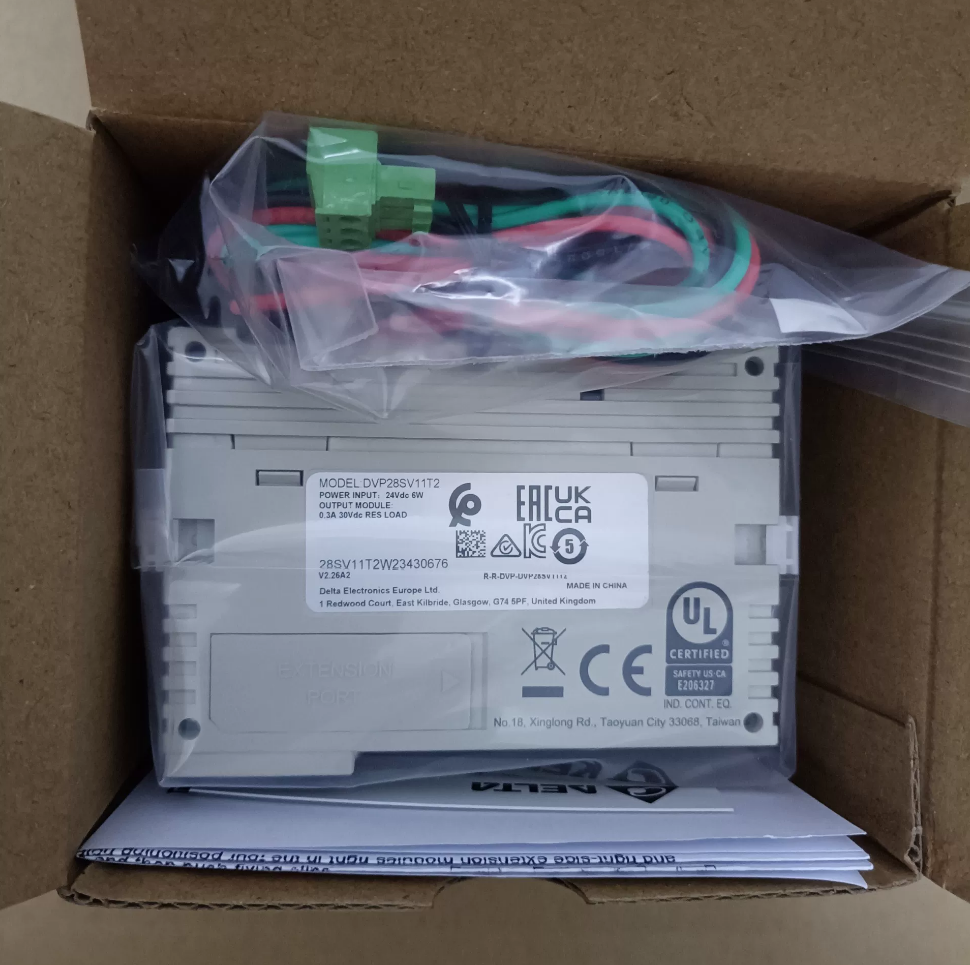

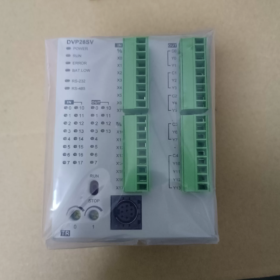
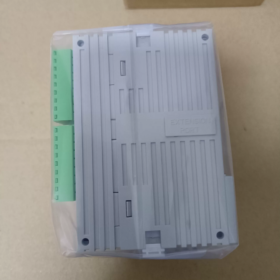
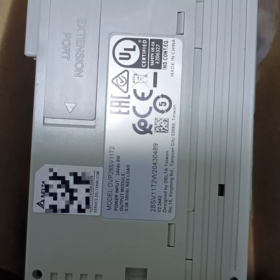
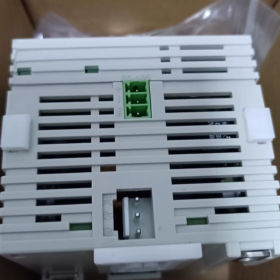
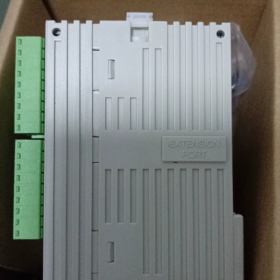
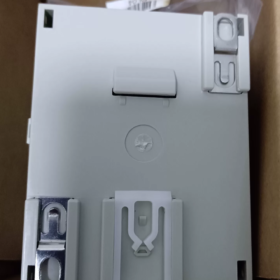
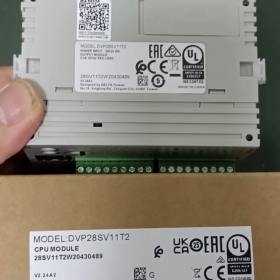
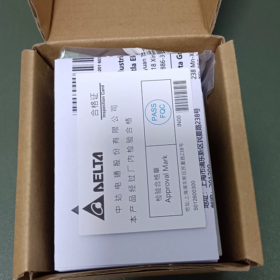
DVP28SV11T2
UNTERLAGE: Delta PLC Seriencode
28: Gesamtzahl der E/A-Punkte 28 Punkte (16DI+12DO)
SV: Hochleistungs-Hauptgerät der SV-Serie; SV2 bezeichnet Hardware der zweiten Generation (Suffix T2 = SV2)
11: DC24V-Stromversorgung
T: Transistorausgang NPN (Waschbeckentyp)
2: SV2-Hardwareversion der zweiten Generation, Unterstützung des linken Hochgeschwindigkeits-Erweiterungsports
Kern-Hardware-Spezifikationen
| Artikel | Parameter |
| Stromversorgung | DC24V, Verpolungsschutz, maximaler Einschaltstrom 2,2A |
| DI-Digitaleingang | 16-Punkt DC24V, Quelle/Senke kompatibel |
| Digitaler Ausgang DO | 12-Punkt NPN-Transistorausgang |
| Programmkapazität | 30K Schritte (SV2 zweite Generation), Datenregister 12K Wort |
| Hochgeschwindigkeitszähler | 8-Kanal; X0/X1/X4/X5 max.. 200kHz; verbleibende X-Anschlüsse 10 kHz |
| Impulsausgang | Y0-Y3 max. 200kHz (4-achsunabhängiger Impulsausgang); unterstützt lineare/zirkuläre Interpolation |
| Kommunikation | COM1: Mini-DIN8 RS232; COM2: RS485; Modbus RTU/ASCII-Master/Slave |
| Erweiterungsfähigkeit | Rechte Seite für Standardmodule der S-Serie; Dedizierter Hochgeschwindigkeits-Erweiterungsanschluss auf der linken Seite; maximale Gesamt-I/O 512 Punkte |
| Montage | DIN35-Schienenmontage; Abmessungen B70 × H90 × T109,4 mm |
| Betriebstemperatur | 0-55℃ |
Software
Programmiersoftware: WPLSoft / ISPSoft, mit COMMGR Kommunikationsmanager
Unterstützte Funktionen: 4-Level-Passwortschutz, Programmsicherung, batterielose Echtzeituhr, 16-Kanal externer Interrupt.
Typische Anwendungen
Servopositionierung, XY-Manipulatoren, Etikettierer, Verpackungsmaschinen, Schneidausrüstung, Textilmaschinen, und andere Geräte, die eine mehrachsige Impulsbewegungssteuerung erfordern.
Unterscheidung von Modellen derselben Serie
DVP28SV11T: SV der ersten Generation, 16K-Step-Programm, ohne linken Hochgeschwindigkeits-Erweiterungsanschluss
DVP28SV11T2: SV2 zweite Generation, 30K-Step-Programm, mit linkem Hochgeschwindigkeits-Erweiterungsanschluss
DVP28SV11R2: Version mit Relaisausgang
DVP28SV11S2: Version mit PNP-Transistorausgang
Checkliste für die Gebrauchtinspektion
- Einschalttest: Die POWER-Anzeige leuchtet dauerhaft; Überprüfen Sie den Status der RUN/ERROR/BAT-LOW-Anzeigen; Alarm bei niedrigem Batteriestand.
- I/O-Test: Erzwingen Sie EIN/AUS, um alle Eingabe- und Ausgabepunkte zu überprüfen.
- Hochgeschwindigkeits-Pulstest: Testen Sie den Y0-Y3-Impulsausgang bis zu 200 kHz; verify high-speed counter reception on X0/X1.
- Kommunikationstest: Program upload/download via RS232 and RS485; Modbus read-write test.
- Expansion port inspection: Check left-side and right-side expansion connectors for oxidation and intact pins.
Alternative Referenzen
Delta native alternatives: DVP28SV11S2 (PNP); DVP28SE211T (SE2 new generation, with Ethernet port)
Inländische Alternative: Inovance H2U-1616MT-XP (200kHz-Impuls, 4-Achse)
Programming Software for Delta DVP28SV11T2 (SV2 Series)
This unit belongs to second-generation DVP-SV2 PLC; two official software packages are supported:
- ISPSoft (Empfohlen für neue Projekte)
Latest version: V3.24 and above
Mandatory companion: COMMGR communication manager, handles serial/USB communication connection
Supported IEC61131-3 languages: LD (Leiterdiagramm), ST (Strukturierter Text), FBD (Funktionsblockdiagramm), SFC (Sequentielles Funktionsdiagramm); full SV2 motion instructions, Interpolation, Hochgeschwindigkeitspositionierung; modular POU programming, simulation, Online-Überwachung, Firmware-Upgrade.
Betriebssystem: Win7/10/11 (64-bisschen)
- WPLSoft (Legacy software for existing project maintenance)
Version: V2.52, traditional Delta DVP programming software, mainly supports ladder diagram and instruction list, Keine Unterstützung für strukturierten Text
Geeignet zum Lesen von Backup-Programmen von älteren Geräten und einfacher Logik; ISPSoft bei komplexen Bewegungssteuerungsfunktionen unterlegen.
⚠️ Hinweis: DIADesigner unterstützt DVP28SV11T2 NICHT. DIADesigner ist für High-End-SV3, SPS der AS/AH-Serie.
Programmierkabel
Für den Mini-DIN8 RS232-Anschluss an der Vorderseite des DVP28SV11T2:
- Delta Original USB-DVP-Programmierkabel (USB auf Mini-DIN8)
- Ein RS232-zu-Mini-DIN8-Kabel ist ebenfalls akzeptabel; Der Programm-Download ist auch über COM2 RS485 möglich.
Leitfaden zur Softwareauswahl
Servopositionierung, Kreisinterpolation, komplexe Prozesse: ISPSoft + KOMMGR
Ältere Geräte mit Projektdateien im WPLSoft-Format: Pflegen Sie mit WPLSoft.
Kommunikationsprotokolle für Delta DVP28SV11T2 (SV2)
On-Board-Hardware: COM1-RS232 (Mini-DIN8), COM2-RS485-Klemmenblock. Kein natives Ethernet oder CANopen; Feldbusfunktionen erfordern linksseitige Erweiterungsmodule.
Von integrierten seriellen Ports unterstützte Protokolle
- Modbus RTU / Modbus ASCII (Am häufigsten verwendet)
Verfügbar auf COM1(RS232) und COM2(RS485); unterstützt sowohl den Master- als auch den Slave-Modus
Maximale Baudrate 115200 bps; konfigurierbare Datenbits, Parität, Stoppbits
Anwendungen: Mit HMI verbinden, Wechselrichter, Servos, Zähler und Modbus-Geräte von Drittanbietern.
- Delta-proprietäres Protokoll (PLCLink)
Datenaustausch zwischen mehreren DVP-SV2/SA2/SS2-SPS über RS485-Netzwerk.
- Programm-Download-Protokoll
COM1 RS232: ISPSoft/WPLSoft-Programm-Upload/Download, Online-Überwachung
Programm-Download und -Überwachung werden auch über COM2 RS485 unterstützt.
Serienmäßige Standardparameter ab Werk: 9600, 7, E, 1 (9600bps, 7-Datenbit, sogar Parität, 1 Stoppbit)
Zusätzliche Feldbusprotokolle über linke Hochgeschwindigkeits-Erweiterungsmodule (Nur Hardware-Add-on, nicht eingebaut)
Nutzen Sie den dafür vorgesehenen High-Speed-Steckplatz auf der linken Seite mit entsprechenden Kommunikationsmodulen:
DVPCOPM-SL: CANopen-Mastermodul, CANopen DS301-kompatibel, für CANopen-Servo-/Antriebsanschluss
DVPNET-SL: Ethernet-Modul, unterstützt Modbus-TCP (Meister/Sklave)
DVPDP-SL: Profibus-DP-Slave-Modul
DVPDNM-SL: DeviceNet-Modul
Port Function Summary
| Hafen | Hardware | Funktionen |
| COM1 | RS232 Mini‑DIN8 | Programm-Download, Modbus RTU/ASCII Slave; cannot act as Modbus Master |
| COM2 | RS485 terminal block | Modbus Master/Slave, PLCLink, Programm herunterladen |
| Left‑side Expansion Port | Dedicated high‑speed slot | Optional CANopen, Ethernet, Profibus‑DP and other bus modules |
Häufige Fallstricke
- DVP28SV11T2 has no built-in Ethernet or CAN interface. Expansion modules must be purchased separately.
- COM1(RS232) can only operate as Modbus Slave. Modbus Master function is exclusively for COM2(RS485).
- PLCLink works only between Delta DVP-series PLCs; incompatible with third-party hardware.
Complete Installation Guide for Delta DVP28SV11T2 (ISPSoft + KOMMGR)
ISPSoft is preferred for DVP28SV11T2(SV2). COMMGR is mandatory for communication; program download will fail without it.
Supported OS: Win10 / Win11 64-bit. Download installation packages from Delta Industrial Automation official website.
Vorbereitung vor der Installation
- Deinstallieren Sie alte Versionen von ISPSoft und COMMGR; Gemischte Versionen führen zu Kommunikationsfehlern.
- Klicken Sie mit der rechten Maustaste auf das Installationsprogramm → Als Administrator ausführen (Kritisch für Win11; vermeidet Installationsfehler und Treiberfehler).
- Deaktivieren Sie den Virenschutz vorübergehend / Windows Defender, um das Abfangen von Komponenten zu verhindern.
- Stellen Sie sicher, dass .NET Framework 4.5 installiert ist (in modernen Windows enthalten; Falls fehlend, von Microsoft herunterladen).
Zwei Installationsverfahren
Methode A: COMMGR ist im ISPSoft-Installationsprogramm enthalten (Empfohlen)
- Entpacken Sie das ISPSoft-Archiv und führen Sie Setup.exe aus.
- Wählen Sie die chinesische Sprache aus, Folgen Sie den Anweisungen auf dem Bildschirm; Behalte die [KOMMGR] Bauteil geprüft, Deaktivieren Sie es nicht.
- Passen Sie den Installationspfad an; Vermeiden Sie Verzeichnisse mit chinesischen Zeichen auf Laufwerk C (z.B. D:\Delta\ISPSoft).
- Schließen Sie die Installation ab und starten Sie den PC nach Aufforderung neu.
⚠️ Wenn COMMGR während der Einrichtung deaktiviert war, Laden Sie COMMGR separat herunter und installieren Sie es.
Methode B: Separate Installation
- Installieren Sie COMMGR (Kommunikationsmanager) Erste.
- Installieren Sie anschließend die ISPSoft-Programmiersoftware.
Konfiguration nach der Installation (Programmbearbeitung ≠ Download-Fähigkeit; Die Einrichtung des COMMGR-Kanals ist erforderlich)
- Schließen Sie zuerst ISPSoft, Starten Sie COMMGR über das Startmenü (Das Symbol wird in der Taskleiste angezeigt).
- Klicken [Hinzufügen]
Fahrername: Nur englische Zeichen, z.B. DVP_SV2 (Keine chinesischen Zeichen oder Leerzeichen)
Kommunikationstyp:
Delta USB-Programmierkabel: Wählen Sie USB
USB-zu-RS232/485-Adapter: Wählen Sie Serieller Port, Bestätigen Sie die COM-Nummer im Windows-Geräte-Manager.
- Parameter entsprechen den Werkseinstellungen der SPS: 9600, 7, E, 1, Station Nr.1
- Bestätigen Sie die Konfiguration, Wählen Sie diesen Kanal aus und klicken Sie [Start]. Status START bedeutet, dass der Kanal bereit ist.
- Öffnen Sie ISPSoft, neues Projekt erstellen, Modell auswählen: DVP-SV2 → DVP28SV11T2
- Speisekarte [Werkzeuge] → [Kommunikationseinstellungen], Wählen Sie den vorkonfigurierten COMMGR-Kanal aus, um online zu gehen, Programme hochladen oder herunterladen.
Alternative Legacy-Software WPLSoft (Nur zur Wartung)
Für neue Projekte nicht empfohlen; Es fehlen die ST-Sprache und erweiterte Bewegungsinterpolationsanweisungen.
- Installieren Sie WPLSoft V2.53, als Administrator ausführen.
- Auch WPLSoft setzt auf COMMGR; Die Kommunikationskonfiguration folgt den gleichen Schritten wie oben.
Allgemeine Fehlerbehebung
- Grauer Online-Button: COMMGR läuft nicht, Der Kanalstatus ist nicht START.
- COM-Port nicht gefunden: Installieren Sie den Treiber für den USB-zu-seriell-Chip (CH340 / FT232); Keine gelben Ausrufezeichen im Geräte-Manager.
- Win11-Installationsfehler: Immer als Administrator ausführen, Vermeiden Sie Installationspfade mit chinesischen Zeichen, Sicherheitssoftware vorübergehend deaktivieren.
- Kommunikationsfehler: Überprüfen Sie die Baudrate noch einmal, Paritätseinstellung und SPS-Stationsnummer. SV2 Werkseinstellung: 9600-7-E-1
Hinweis für neues DVP28SV11T2-Projekt
ISPSoft Neues Projekt → Serie DVP-SV2 → DVP28SV11T2 auswählen. Die Software wendet automatisch Hardwareparameter an: 30Kapazität des K-Step-Programms, 4-Achse 200kHz Impulsausgang.





NH42-63-318x560.png "Automatische Transferschalter vom Typ CHINT PC (ATS)NH42-63/4SZ")



