 Contacteur,disjoncteur,capteur,Encodeur,API,Convertisseur

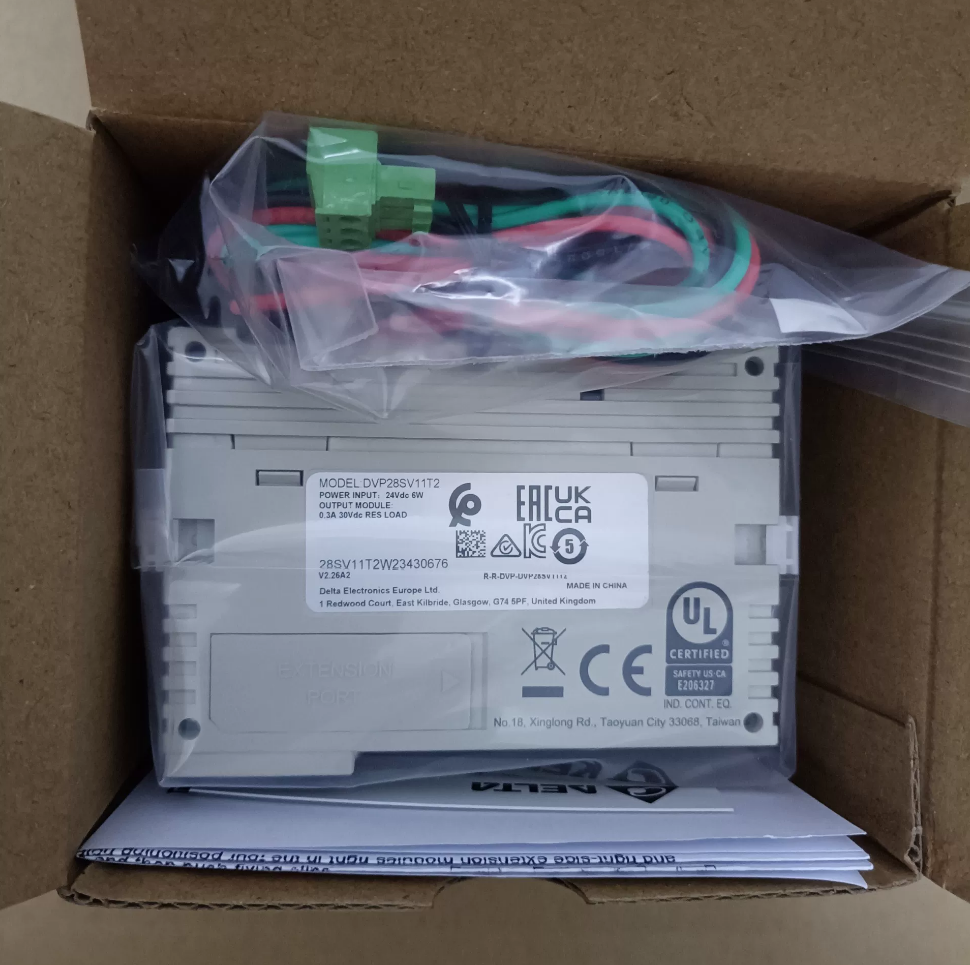

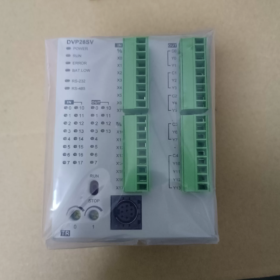
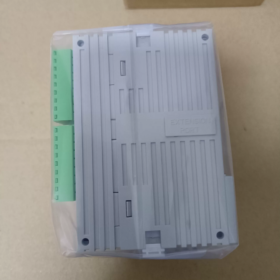
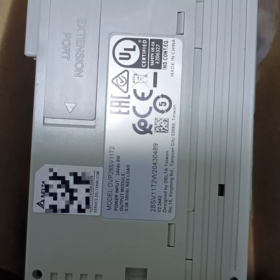
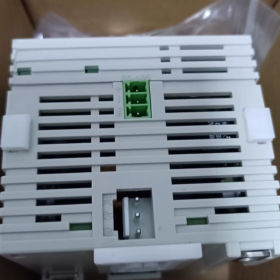
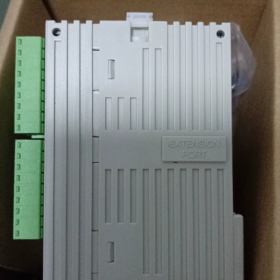
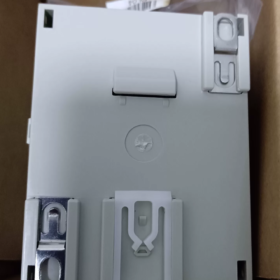
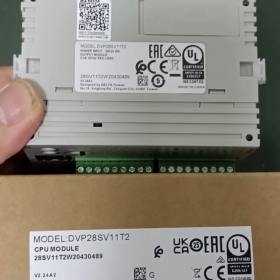
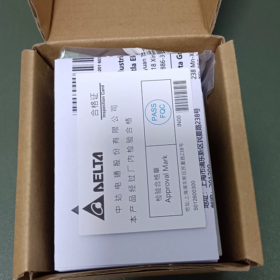
DVP28SV11T2
TAMPON: Automate Delta code de série
28: Total des points d'E/S 28 points (16DI+12DO)
SV: Unité principale haute performance de la série SV; SV2 désigne le matériel de deuxième génération (suffixe T2 = SV2)
11: Alimentation DC24V
T: Sortie transistor NPN (type d'évier)
2: Version matérielle SV2 de deuxième génération, prenant en charge le port d'extension haute vitesse côté gauche
Spécifications matérielles de base
| Article | Paramètres |
| Alimentation | DC24V, protection contre l'inversion de polarité, courant d'appel maximum 2,2A |
| Entrée numérique DI | 16-point DC24V, compatible source/puits |
| Sortie numérique DO | 12Sortie transistor NPN à point |
| Capacité du programme | 30K étapes (SV2 deuxième génération), registre de données 12K Word |
| Compteur à grande vitesse | 8-canal; X0/X1/X4/X5 maximum.. 200kHz; Bornes X restantes 10 kHz |
| Sortie d'impulsion | Y0‑Y3 maximum. 200kHz (4sortie d'impulsion indépendante de l'axe); prend en charge l'interpolation linéaire/circulaire |
| Communication | COM1: Mini‑DIN8 RS232; COM2: RS485; Modbus RTU/ASCII maître/esclave |
| Capacité d'extension | Côté droit pour les modules standard de la série S; port d'extension haute vitesse dédié côté gauche; E/S totales maximales 512 points |
| Montage | Montage sur rail DIN35; Dimensions L70 × H90 × P109,4 mm |
| Température de fonctionnement | 0-55 ℃ |
Logiciel
Logiciel de programmation: WPLSoft / FAISoft, avec le responsable communication COMMGR
Fonctionnalités prises en charge: 4-niveau de protection par mot de passe, sauvegarde du programme, horloge temps réel sans pile, 16-interruption externe du canal.
Applications typiques
Positionnement des servos, Manipulateurs XY, étiqueteuses, machines d'emballage, équipement de coupe, machines textiles, et autres équipements nécessitant un contrôle de mouvement par impulsions multi-axes.
Distinction des modèles d'une même série
DVP28SV11T: SV de première génération, 16Programme K-step, sans port d'extension haute vitesse côté gauche
DVP28SV11T2: SV2 deuxième génération, 30Programme K-step, avec port d'extension haute vitesse côté gauche
DVP28SV11R2: Version à sortie relais
DVP28SV11S2: Version à sortie transistor PNP
Liste de contrôle d'inspection d'occasion
- Test de mise sous tension: Indicateur POWER allumé en permanence; vérifier l'état des indicateurs RUN/ERROR/BAT-LOW; alarme de batterie faible.
- Test d'E/S: Forcer ON/OFF pour vérifier tous les points d'entrée et de sortie.
- Test d'impulsion à grande vitesse: Testez la sortie d'impulsion Y0-Y3 jusqu'à 200 kHz; vérifier la réception du compteur rapide sur X0/X1.
- Test de communication: Téléchargement/téléchargement de programme via RS232 et RS485; Test de lecture-écriture Modbus.
- Inspection du port d'extension: Vérifiez les connecteurs d'expansion du côté gauche et du côté droit pour l'oxydation et les broches intactes..
Références alternatives
Delta alternatives natives: DVP28SV11S2 (PNP); DVP28SE211T (SE2 nouvelle génération, avec port Ethernet)
Alternative nationale: Inovance H2U-1616MT-XP (200impulsion kHz, 4-axe)
Logiciel de programmation pour Delta DVP28SV11T2 (Série SV2)
Cette unité appartient au PLC DVP-SV2 de deuxième génération; deux progiciels officiels sont pris en charge:
- FAISoft (Recommandé pour les nouveaux projets)
Dernière version: V3.24 et supérieur
Compagnon obligatoire: Chargée de communication COMGR, gère la connexion de communication série/USB
Langues IEC61131-3 prises en charge: LD (Diagramme en échelle), ST (Texte structuré), FBD (Schéma des blocs fonctionnels), SFC (Tableau des fonctions séquentielles); instructions complètes de mouvement SV2, interpolation, positionnement à grande vitesse; programmation POU modulaire, simulation, surveillance en ligne, mise à niveau du micrologiciel.
Système d'exploitation: Gagner7/10/11 (64-peu)
- WPLSoft (Logiciel existant pour la maintenance de projets existants)
Version: V2.52, logiciel de programmation traditionnel Delta DVP, prend principalement en charge le schéma à contacts et la liste d'instructions, pas de prise en charge du texte structuré
Convient à la lecture de programmes de sauvegarde à partir d'équipements existants et d'une logique simple; inférieur à ISPSoft pour les fonctions complexes de contrôle de mouvement.
⚠️ Remarque: DIADesigner ne prend PAS en charge DVP28SV11T2. DIADesigner est destiné au SV3 haut de gamme, Automates série AS/AH.
Câbles de programmation
Pour le port Mini-DIN8 RS232 du panneau avant du DVP28SV11T2:
- Câble de programmation USB-DVP d'origine Delta (USB vers Mini-DIN8)
- Le câble RS232 vers Mini-DIN8 est également acceptable; le téléchargement du programme est également disponible via COM2 RS485.
Guide de sélection du logiciel
Positionnement des servos, interpolation circulaire, processus complexes: FAISoft + COMMGR
Équipements existants avec fichiers de projet au format WPLSoft: Maintenir avec WPLSoft.
Protocoles de communication pour Delta DVP28SV11T2 (SV2)
Matériel embarqué: COM1-RS232 (Mini-DIN8), Bornier COM2-RS485. Pas d'Ethernet natif ni de CANopen; Les fonctions de bus de terrain nécessitent des modules d'extension du côté gauche.
Protocoles pris en charge par les ports série intégrés
- Modbus RTU / Modbus-ASCII (Le plus largement utilisé)
Disponible sur COM1(RS232) et COM2(RS485); prend en charge les modes maître et esclave
Débit en bauds maximum 115 200 bps; bits de données configurables, parité, bits d'arrêt
Applications: Se connecter à l'IHM, onduleurs, servos, compteurs et appareils Modbus tiers.
- Protocole propriétaire Delta (PLCLink)
Échange de données entre plusieurs automates DVP-SV2/SA2/SS2 via un réseau RS485.
- Protocole de téléchargement du programme
COM1RS232: Téléchargement/téléchargement du programme ISPSoft/WPLSoft, surveillance en ligne
Le téléchargement et la surveillance du programme sont également pris en charge via COM2 RS485.
Paramètres série par défaut d'usine: 9600, 7, E, 1 (9600bps, 7-bit de données, même parité, 1 peu d'arrêt)
Protocoles de bus de terrain supplémentaires via les modules d'extension haute vitesse côté gauche (Module complémentaire matériel uniquement, non intégré)
Utilisez l'emplacement haute vitesse dédié sur le côté gauche avec les modules de communication correspondants:
DVPCOPM-SL: Module maître CANopen, Conforme CANopen DS301, pour connexion servo/variateur CANopen
DVPNET-SL: Module Ethernet, prend en charge Modbus-TCP (Maître/Esclave)
DVPDP-SL: Module esclave Profibus-DP
DVPDNM-SL: Module DeviceNet
Résumé des fonctions des ports
| Port | Matériel | Fonctions |
| COM1 | RS232 Mini‑DIN8 | Téléchargement du programme, Esclave Modbus RTU/ASCII; ne peut pas agir en tant que maître Modbus |
| COM2 | Bornier RS485 | Modbus Maître/Esclave, PLCLink, téléchargement du programme |
| Port d'extension côté gauche | Emplacement dédié à haut débit | CANopen en option, Ethernet, Profibus‑DP et autres modules de bus |
Pièges courants
- Le DVP28SV11T2 n'a pas d'interface Ethernet ou CAN intégrée. Les modules d'extension doivent être achetés séparément.
- COM1(RS232) ne peut fonctionner qu'en tant qu'esclave Modbus. La fonction Modbus Master est exclusivement pour COM2(RS485).
- PLCLink fonctionne uniquement entre les automates Delta de la série DVP; incompatible avec le matériel tiers.
Guide d'installation complet pour Delta DVP28SV11T2 (FAISoft + COMMGR)
ISPSoft est préféré pour DVP28SV11T2(SV2). COMMGR est obligatoire pour la communication; le téléchargement du programme échouera sans lui.
Système d'exploitation pris en charge: Win10 / Win11 64 bits. Téléchargez les packages d'installation sur le site officiel de Delta Industrial Automation.
Préparation avant l'installation
- Désinstallez les anciennes versions d'ISPSoft et COMMGR; les versions mixtes provoquent des échecs de communication.
- Cliquez avec le bouton droit sur le programme d'installation → Exécuter en tant qu'administrateur (critique pour Win11; évite les erreurs d'installation et les pannes de pilote).
- Désactiver temporairement l'antivirus / Windows Defender pour empêcher l'interception de composants.
- Assurez-vous que .NET Framework4.5 est installé (inclus dans Windows moderne; télécharger depuis Microsoft s'il manque).
Deux procédures d'installation
Méthode A: COMMGR fourni dans le programme d'installation d'ISPSoft (Recommandé)
- Décompressez l'archive ISPSoft et exécutez Setup.exe.
- Sélectionnez la langue chinoise, suivez les instructions à l'écran; garder le [COMMGR] composant vérifié, ne la décoche pas.
- Personnaliser le chemin d'installation; évitez les répertoires de caractères chinois sur le lecteur C (par exemple. D:\Delta\ISPSoft).
- Terminez l'installation et redémarrez le PC comme vous y êtes invité.
⚠️ Si COMMGR n'a pas été coché lors de l'installation, télécharger et installer COMMGR séparément.
Méthode B: Installation séparée
- Installer COMMGR (Responsable des communications) d'abord.
- Installez ensuite le logiciel de programmation ISPSoft.
Configuration post-installation (Édition du programme ≠ capacité de téléchargement; La configuration du canal COMMGR est requise)
- Fermez d'abord ISPSoft, lancer COMMGR depuis le menu Démarrer (l'icône apparaît dans la barre d'état système).
- Cliquez [Ajouter]
Nom du pilote: Caractères anglais uniquement, par exemple. DVP_SV2 (Pas de caractères chinois ni d'espaces)
Type de communication:
Câble de programmation USB Delta: Sélectionnez USB
Adaptateur USB vers RS232/485: Sélectionnez le port série, confirmer le numéro COM dans le Gestionnaire de périphériques Windows.
- Paramètres correspondant aux paramètres d'usine de l'automate: 9600, 7, E, 1, Gare n°1
- Confirmer la configuration, sélectionnez cette chaîne et cliquez [Commencer]. Le statut START signifie que la chaîne est prête.
- Ouvrir ISPSoft, créer un nouveau projet, sélectionner le modèle: DVP-SV2 → DVP28SV11T2
- Menu [Outils] → [Paramètres de communication], sélectionnez le canal COMMGR préconfiguré pour vous connecter, télécharger ou télécharger des programmes.
Logiciels alternatifs hérités WPLSoft (Pour la maintenance uniquement)
Non recommandé pour les nouveaux projets; manque de langage ST et d'instructions avancées d'interpolation de mouvement.
- Installez WPLSoft V2.53, exécuter en tant qu'administrateur.
- WPLSoft s'appuie également sur COMMGR; la configuration de la communication suit les étapes identiques ci-dessus.
Dépannage courant
- Bouton en ligne gris: COMMGR ne fonctionne pas, l'état du canal n'est pas START.
- Port COM introuvable: Installer le pilote pour la puce USB vers série (CH340 / FT232); pas de point d'exclamation jaune dans le Gestionnaire de périphériques.
- Erreurs d'installation de Win11: Toujours exécuter en tant qu'administrateur, évitez les chemins d'installation en caractères chinois, désactiver temporairement le logiciel de sécurité.
- Erreurs de communication: Vérifiez à nouveau le débit en bauds, réglage de la parité et numéro de station automate. Réglage usine SV2: 9600-7-E-1
Astuce pour le nouveau projet DVP28SV11T2
ISPSoft Nouveau projet → Série DVP-SV2 → sélectionnez DVP28SV11T2. Le logiciel applique automatiquement les paramètres matériels: 30Capacité du programme K-step, 4-sortie d'impulsion de l'axe 200 kHz.





NH42-63-318x560.png "Commutateurs de transfert automatiques de type PC CHINT (ATS)NH42-63/4SZ")



