 Contattore,interruttore automatico,sensore,Codificatore,PLC,Convertitore

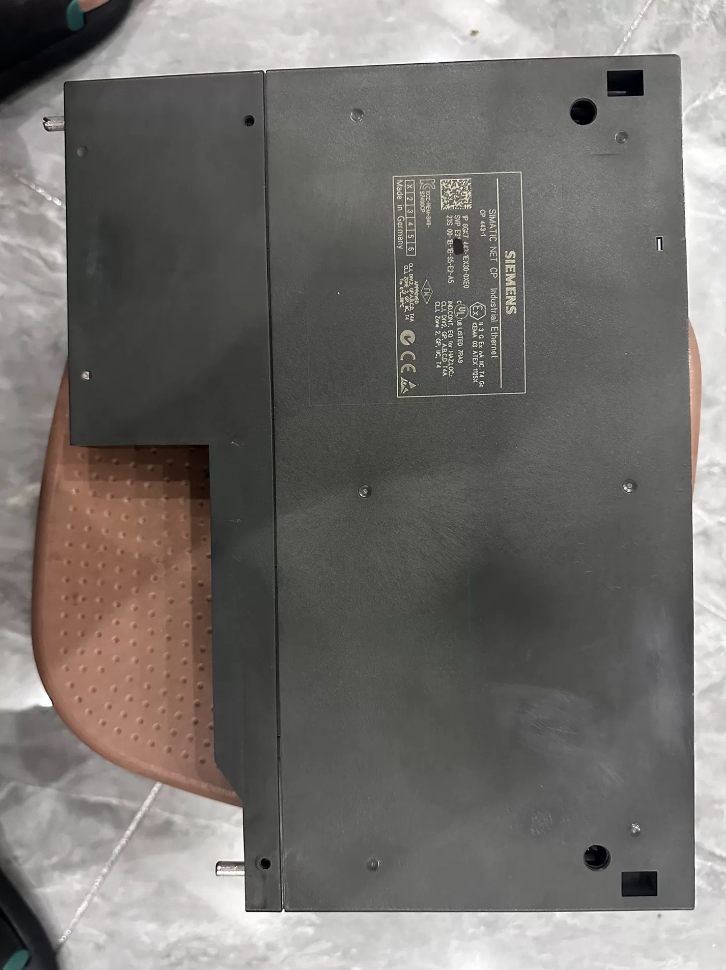

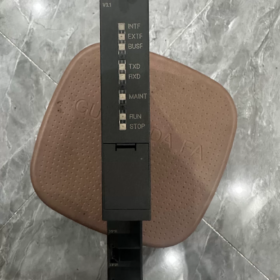
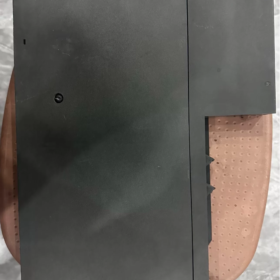
Il 6GK7443-1EX30-0XE0 è un CP 443-1 Processore di comunicazione Ethernet industriale Di Siemens Serie SIMATICNET. È appositamente progettato per i sistemi PLC ridondanti SIMATIC S7-400 e S7-400H. Questo modulo collega i controller PLC a Industrial Ethernet e funge da PROFINET IO Controller per realizzare il controllo in tempo reale dei dispositivi di campo distribuiti.
Come la versione ufficiale aggiornata del precedente CP 443-1 EX20, integra uno switch Ethernet real-time a 2 porte e supporta topologie di rete bus e ad anello. È dotato di tempo reale isocrono (IRT) comunicazione, Ridondanza dei media, Controllo degli accessi IP e diagnostica estesa. Serve come modulo di comunicazione centrale per la comunicazione Ethernet e il collegamento in rete PROFINET in sistemi di automazione di medie e grandi dimensioni. Attualmente, l'intera serie S7-400 è entrata nella fine del ciclo di vita del prodotto, e questo modello viene utilizzato principalmente per la manutenzione, espansione e sostituzione dei guasti dei sistemi esistenti.
Aspetto del prodotto
- Scomposizione del codice modello
Numero ordine completo: 6GK7443-1EX30-0XE0
- 6GK7: Prefisso della categoria prodotto, che rappresenta la serie di prodotti di comunicazione industriale SIMATIC NET.
- 443: Sottocategoria, processore di comunicazione (CP) dedicato per PLC serie S7-400.
- 1: Tipo di autobus, Interfaccia Ethernet industriale.
- EX30: Codice versione specifica, CP standard 443-1 con firmware V3.x e 2 porte integrate 100 Commutazione in tempo reale Mbps.
- 0XE0: Identificatore della versione, versione industriale generale standard senza funzioni personalizzate.
- Parametri tecnici fondamentali
3.1 Parametri dell'interfaccia di comunicazione
| Articolo | Specifica |
| Quantità & Tipo di interfacce | 2 × porte Ethernet industriali RJ45, con switch a 2 porte integrato |
| Velocità di trasmissione | 10/100 Negoziazione automatica Mbps, supporta il crossover automatico |
| Prestazioni in tempo reale | Supporta la comunicazione isocrona in tempo reale IRT; ciclo di aggiornamento minimo: 250 μs |
| Ridondanza dell'anello | Conforme alla MRP (Protocollo di ridondanza dei media); tempo di ripristino della rete ad anello ≤ 300 SM |
| Diagnostica delle porte | Indicatori LED LINK/ACT indipendenti per ciascuna porta; supporta la disabilitazione delle singole porte e la configurazione manuale della velocità/duplex |
3.2 Protocolli di comunicazione & Prestazione
| Articolo | Specifica |
| Funzioni PROFINET | Funziona come PROFINET IO Controller; collega gli I/O distribuiti, convertitori di frequenza, servoazionamenti e altri dispositivi di campo |
| Comunicazione S7 | Supporta entrambe le modalità Client e Server per la programmazione PG, Monitoraggio HMI e scambio dati tra più PLC |
| Comunicazione aperta | Supporta TCP, UDP, ISO su TCP (RFC1006); comunica con dispositivi di terze parti tramite istruzioni SEND/RECEIVE |
| Funzione di percorso | Supporta il routing S7 per il download dei programmi e l'accesso ai dispositivi su reti diverse |
| Numero massimo di connessioni simultanee | Fino a 64 connessioni di comunicazione |
| Dimensione massima dei dati per pacchetto | ISO su TCP: 1452 byte; Comunicazione S7: 8 KB |
3.3 Elettrico & Parametri meccanici
| Articolo | Specifica |
| Alimentazione elettrica | 5 Alimentazione DC V tramite bus backplane S7-400; nessuna alimentazione esterna richiesta |
| Consumo energetico tipico | ca. 7.5 W |
| Larghezza del modulo | 40 mm (modulo standard a larghezza singola per S7-400) |
| Occupazione delle slot | 1 slot del rack S7-400 |
| Metodo di montaggio | Collegare al bus backplane del rack e fissarlo con le viti |
| Peso netto | ca. 0.45 kg |
| Classe di protezione | IP20 |
3.4 Ambientale & Parametri di certificazione
| Articolo | Specifica |
| Temperatura operativa | 0℃ ~ +60 ℃ (montaggio orizzontale); 0℃ ~ +40 ℃ (montaggio verticale) |
| Magazzinaggio / Temperatura di trasporto | -40℃ ~ +70 ℃ |
| Altitudine di installazione | Nessun declassamento richiesto di seguito 2000 M |
| Grado di inquinamento | Massimo. Grado di inquinamento 3 |
| Certificazioni | CEI 61131-2, CE, UL, cULus, FM |
- Ambito compatibile & Modelli alternativi
4.1 Modelli PLC compatibili
Gamma completa di CPU S7-400 standard (Versione firmware CPU ≥ V4.1; aggiornamento del firmware richiesto per le versioni precedenti)
CPU ridondanti ad elevata disponibilità S7-400H; supporta la configurazione a doppio CP per collegamenti di comunicazione ridondanti
Compatibile con le CPU fail-safe S7-400F/FH per applicazioni di comunicazione orientate alla sicurezza
4.2 Modelli alternativi in-brand
Sostituzioni di aggiornamento all'interno della stessa serie
Aggiornamento diretto: Sostituisce completamente i modelli legacy 6GK7443-1EX20-0XE0 e 6GK7443-1EX11-0XE0. Aggiorna semplicemente il modello del modulo nella configurazione hardware STEP7. È retrocompatibile con tutte le funzioni di comunicazione di base e aggiunge nuove funzionalità tra cui la comunicazione IRT in tempo reale e la ridondanza dell'anello MRP.
Versione di fascia alta: 6GK7443-1GX30-0XE0 (CP 443-1 Avanzato). Dotato di 1 × Porta Gigabit Ethernet e 4 × 100 Porte switch Mbps. Supporta il firewall, Crittografia IPsec, Server Web, FTP, e-mail e altre funzioni IT, ideale per scenari di rete ad alta sicurezza e multiporta.
Migrazione per nuovi sistemi
La piattaforma Siemens di prossima generazione è la serie SIMATIC S7-1500, con il corrispondente modulo Ethernet 6GK7543-1AX00-0XE0 (CP 1543-1).
> Nota: I moduli S7-1500 sono completamente incompatibili con i rack S7-400 e i bus backplane. Si tratta di una soluzione di migrazione completa del sistema e la sostituzione diretta di un singolo modulo non è fattibile.
4.3 Note sulla compatibilità
I sistemi S7-400 con firmware CPU inferiore a V4.1 non possono funzionare con il CP EX30. Si prega di aggiornare prima il firmware della CPU alla versione V4.1 o successiva.
Funzioni IT native (FTP, Server Web, e-mail) supportati dai modelli CP precedenti vengono rimossi nella versione standard EX30. Selezionare la versione GX30 Advanced se sono richieste funzioni IT.
- Accessori di supporto & Componenti di espansione
| Tipo di accessorio | Modello comune | Descrizione della funzione |
| Scheda di memoria CPLUG | 6GK1900-0AB00-0AA0 | Memorizza la configurazione del modulo e i dati del firmware. Consente la sostituzione plug-and-play senza scaricare nuovamente i programmi |
| Cavo Ethernet industriale | 6Serie XV1840 | Cavo schermato industriale standard Cat5e per un cablaggio affidabile in loco |
| Spina a connessione rapida | 6GK1901-1BB10-2AA0 | Spina industriale RJ45 senza attrezzi per una rapida terminazione sul campo |
| Kit di sincronizzazione della ridondanza | Componenti di supporto S7-400H | Realizza la commutazione della comunicazione ridondante e la sincronizzazione dello stato per configurazioni a doppio CP |
- Scenari applicativi tipici
- Rete per medie & Grandi sistemi PLC: Applicato ai sistemi di controllo S7-400 in metallurgia, energia, petrolchimico, trattamento delle acque e altre industrie. Abilita lo scambio dati Ethernet, programmazione e debug remoto tra PLC, Host SCADA, Pannelli HMI e stazioni di ingegneria.
- Controllo distribuito PROFINET: Funziona come PROFINET IO Controller per collegare gli I/O distribuiti ET200, Convertitori di frequenza G120, Servoazionamenti V90 e altri dispositivi di campo, realizzazione di sistemi di controllo Industrial Ethernet in tempo reale.
- Comunicazione per sistemi di controllo ridondanti: La configurazione ridondante a doppio CP nei sistemi PLC S7-400H fornisce collegamenti di comunicazione ridondanti per garantire una comunicazione ininterrotta per impianti di produzione ad alta affidabilità.
- Scambio di dati tra più sistemi: Implementa la comunicazione dati S7 tra più PLC S7-400, nonché comunicazione aperta TCP/IP con apparecchiature di terze parti e sistemi MES.
- Reti ad anello industriali: Sfrutta lo switch integrato e la funzione MRP per costruire reti Industrial Ethernet bus e ad anello, riducendo l'uso di switch esterni e migliorando l'affidabilità della rete.
- Matrice di risoluzione dei problemi
| Fenomeno di guasto | Causa ultima | Soluzioni passo dopo passo |
| Tutti gli indicatori spenti, il modulo non si avvia dopo l'accensione | 1. Modulo non completamente inserito, contatto inadeguato del bus backplane | 1. Reinserire il modulo dopo lo spegnimento, garantire un collegamento saldo del connettore del backplane e serrare le viti |
| 2. Anormale 5 Alimentatore rack V o modulo di alimentazione difettoso | 2. Misura 5 V della tensione del backplane e risolvere i guasti del modulo di alimentazione e del bus del rack | |
| 3. Danno hardware del modulo | 3. Prova con un modulo di riserva; inviare per la riparazione se viene confermato il danno hardware | |
| Indicatore LINK spento, nessuna connessione alla porta | 1. Cavo rotto o connettore RJ45 mal crimpato | 1. Sostituire con un cavo di ricambio e controllare la sequenza dei fili e la qualità della crimpatura |
| 2. Dispositivo remoto spento o porta difettosa | 2. Verificare l'alimentazione e lo stato della porta del dispositivo remoto, garantire la corrispondenza della velocità e della modalità duplex | |
| 3. Porta disabilitata nella configurazione | 3. Aprire la configurazione hardware STEP7, abilitare la porta corrispondente e scaricare nuovamente la configurazione | |
| Comunicazione interrotta tra PLC e computer host, indicatore rosso SF acceso fisso | 1. Conflitto di indirizzi IP o segmento di rete non corrispondente | 1. Scansiona la rete tramite lo strumento PST, controllare gli indirizzi IP ed eliminare i conflitti |
| 2. Configurazione errata o superamento del numero massimo di connessioni di comunicazione | 2. Verificare le impostazioni di connessione nella configurazione hardware e garantire che la quantità di connessioni rientri nei limiti | |
| 3. Loop di rete o tempesta di trasmissione che causa congestione | 3. Ispezionare la topologia della rete, rimuovere i loop ridondanti e abilitare la gestione dell'anello MRP | |
| Disconnessione frequente dei dispositivi PROFINET IO | 1. Scarsa schermatura del cavo e gravi interferenze elettromagnetiche in loco | 1. Utilizzare cavi industriali schermati, separare i cavi di alimentazione dai cavi di segnale e mettere a terra adeguatamente gli strati di schermatura |
| 2. Lunghezza bus eccessiva oltre il limite di trasmissione | 2. Controllare la lunghezza del cavo entro 100 m per 100 Cavo Cat5e Mbps; aggiungere ripetitori per distanze maggiori | |
| 3. Carico di comunicazione eccessivo causato da un ciclo di aggiornamento in tempo reale troppo breve | 3. Aumentare adeguatamente il ciclo di aggiornamento PROFINET per ridurre il carico di comunicazione | |
| Guasto della rete ad anello MRP, ridondanza non valida | 1. Collegamento interrotto nell'anello | 1. Ispezionare ogni segmento della rete ad anello, individuare e riparare cavi o porte difettosi |
| 2. Configurazione del gestore dell'anello errata | 2. Controlla le impostazioni del gestore dello squillo, inclusi priorità e dominio dello squillo | |
| 3. Anomalia della topologia causata da dispositivi non ad anello | 3. Rimuovere i dispositivi non compatibili con l'anello e assicurarsi che tutti i nodi dell'anello supportino MRP | |
| L'indicatore BF rosso lampeggia, comunicazione bus anomala | 1. Contatto scadente del bus backplane o pin ossidati | 1. Pulire i pin del connettore del backplane e reinserire il modulo |
| 2. Firmware del modulo danneggiato o versione firmware incompatibile con la CPU | 2. Aggiorna il firmware alla versione compatibile tramite la scheda C-PLUG, oppure ripristinare le impostazioni di fabbrica e scaricare nuovamente la configurazione | |
| 3. Scheda C-PLUG difettosa o dati di progettazione danneggiati | 3. Sostituire la scheda C-PLUG e riscrivere i dati di configurazione |
Descrizione dell'indicatore: SF = Guasto di sistema (Rosso), BF = Guasto del bus (Rosso). Ciascuna porta RJ45 è dotata di un indicatore verde LINK/ACT.
Tabella comparativa: CP443-1 EX30 rispetto a EX20
Il 6GK7443-1EX30-0XE0 è il sostituto aggiornato ufficialmente designato per 6GK7443-1EX20-0XE0. Adotta un'architettura hardware completamente aggiornata con supporto del protocollo migliorato e prestazioni in tempo reale. È retrocompatibile con le funzioni di comunicazione di base e può sostituire direttamente il vecchio modello. Aggiornare la configurazione hardware in STEP7 e scaricare nuovamente il progetto dopo la sostituzione.
Confronto dei parametri principali
| Elemento di confronto | 6GK7443-1EX20-0XE0 (Vecchia versione) | 6GK7443-1EX30-0XE0 (Nuova versione) |
| Interfacce hardware | 1 × porta RJ45 + 1 × Porta coassiale AUI/ITP, nessun interruttore integrato | 2 × Porte RJ45 industriali, 2 porte integrate 10/100 Commutazione in tempo reale Mbps, supporta l'autobus & topologie ad anello |
| Architettura del firmware | Firmware V2.x | Firmware V3.x di nuova generazione |
| Consumo energetico tipico | ca. 8.6 W | ca. 7.5 W (13% riduzione della potenza) |
| Prestazioni PROFINET in tempo reale | Solo comunicazione RT in tempo reale; min. ciclo di aggiornamento: 1 SM | Supporta la comunicazione isocrona in tempo reale IRT; min. ciclo di aggiornamento: 250 μs, adatto per il controllo del movimento ad alta precisione |
| Ridondanza dell'anello | Nessun supporto MRP; è necessario un interruttore ad anello esterno | Supporto nativo del protocollo di ridondanza multimediale MRP; tempo di recupero ≤ 300 SM, non sono necessari dispositivi aggiuntivi |
| Connessioni massime | 32 connessioni di comunicazione contemporanee | 64 connessioni di comunicazione contemporanee (capacità raddoppiata) |
| Controllo dell'accesso IP | Non supportato | Elenco di controllo degli accessi nativo (ACL) supporto per limitare l'accesso IP e migliorare la sicurezza della rete |
| Avvio veloce | Non supportato | Avvio rapido abilitato; tempo di inizializzazione del modulo ridotto di 30% |
| PROFIenergia | Non supportato | Protocollo PROFIenergy supportato per la gestione dell'alimentazione in standby dei dispositivi di campo |
| Diagnostica di rete | Diagnosi di base dello stato della porta | Diagnostica di rete estesa, comprese le statistiche delle porte, monitoraggio della qualità del collegamento e localizzazione dei guasti |
| Sincronizzazione dell'orologio | Sincronizzazione NTP di base | Sincronizzazione dell'orologio ad alta precisione per PROFINET IRT |
| Funzioni informatiche (FTP/Web/e-mail) | Funzioni IT di base integrate | Versione standard senza funzioni IT integrate; selezionare la versione GX30 Advanced per i requisiti IT |
| Scheda di memoria CPLUG | Non supportato | Scheda C-PLUG supportata per la sostituzione del modulo plug-and-play |
Note chiave per la sostituzione
- Modifica della configurazione: Dopo la sostituzione, è necessario modificare il modello del modulo in EX30 nella configurazione hardware STEP7, ricompilare e scaricare il progetto. Non è consentito lo scambio a caldo senza aggiornamento della configurazione.
- Compatibilità del firmware della CPU: La sostituzione di EX20 non ha limitazioni sulla versione firmware della CPU e funziona con tutte le CPU S7-400. L'aggiornamento da EX11/EX10 precedente richiede firmware CPU ≥ V4.1.
- Migrazione dell'interfaccia: Se è stata utilizzata la vecchia interfaccia coassiale AUI/ITP, ricablare su Ethernet RJ45 poiché la porta coassiale viene rimossa in EX30.
- Migrazione delle funzioni IT: Se il sistema originale si basa su FTP, Server Web, allarme e-mail e altre funzioni IT, aggiornamento a 6GK7443-1GX30-0XE0 (Versione avanzata) poiché lo standard EX30 non supporta queste funzionalità.
- Compatibilità del sistema ridondante: Per i sistemi S7-400H è disponibile la sostituzione di un singolo modulo. È supportata anche la configurazione ridondante a doppio CP con piena compatibilità con il meccanismo di comunicazione ridondante originale.



NH42-63-318x560.png "Commutatori automatici di tipo PC CHINT (ATS)NH42-63/4SZ")



