コンタクタ,サーキットブレーカー,センサー,エンコーダ,PLC,コンバータ

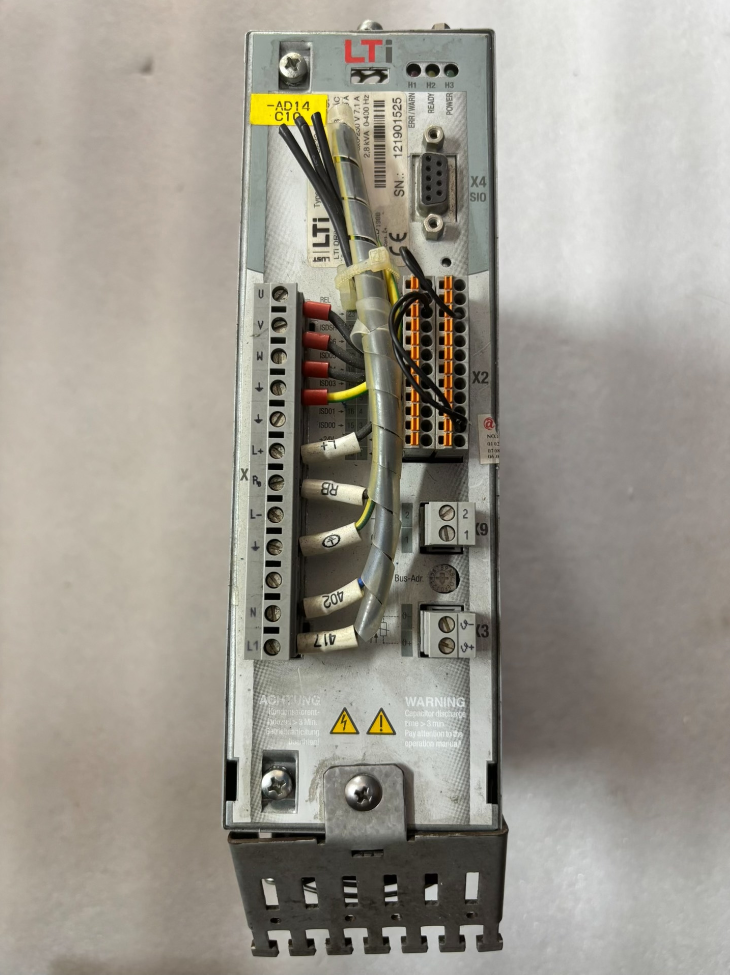

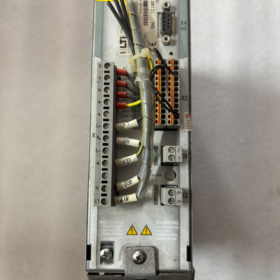
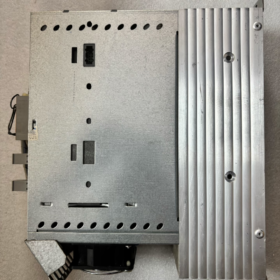
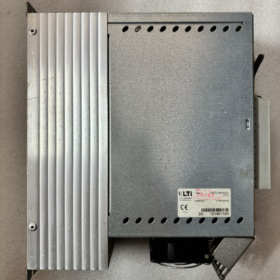
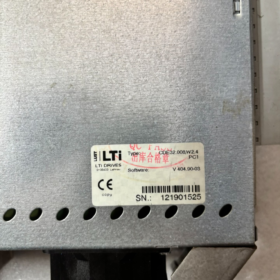
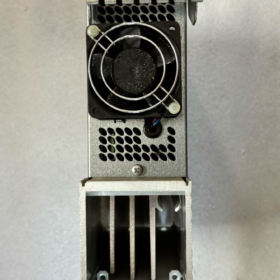
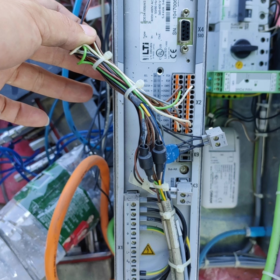
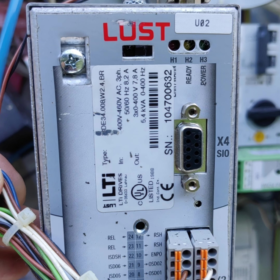
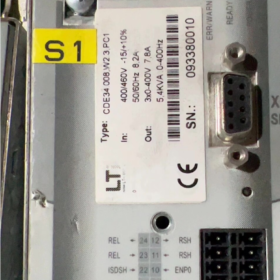
欲望 (ドイツ), later acquired by KEBA. The CDE3000 series is fully discontinued, with only new surplus stock or refurbished units available on the market.
- モデルコードの内訳
CDE32.008.W2.4
- CDE: Product Series → CDE3000 compact servo drive (universal servo, supports synchronous/asynchronous motors, 内蔵ブレーキトランジスタ)
- 32: Voltage Class Code
32 = 1/3-phase AC230V (200…240V)
34 = AC400V class
- 008: Current Rating → Continuous rated output current 7.1A, compatible with ~1.5kW servo motors
- W: Firmware branch (W platform, distinguished from early C-firmware platform)
- 2.4: Firmware Version V2.4
Common complete order suffix: CDE32.008.W2.4.PC1
PC1 = Standard CANopen (DSP402) 通信インターフェース; Profibus and other expansion cards optional
- コアの電気仕様
| アイテム | 仕様 |
| Input Power Supply | 1~3-phase AC200–240V 50/60Hz |
| 定格出力電流 | 7.1 あ (継続的な) |
| ピーク出力電流 | 14.2 あ (2× overload capacity) |
| 対応モーター | Permanent magnet synchronous servo motors / Asynchronous inverter-duty motors |
| 制御モード | Position loop, スピードループ, torque loop; パルスコマンド & fieldbus control supported |
| エンコーダインターフェース | インクリメンタルエンコーダ (TTL/RS422); resolver module optional |
| Built-in Braking | 統合されたブレーキトランジスタ, 外部制動抵抗器が必要です |
| デジタル I/O | 8から / 2する, ±10V analog input, リレー出力 |
| Communication Standard | Standard CANopen DSP402; Profibus-DP expandable |
| 冷却方法 | Base plate mounting cooling |
| 動作周囲温度 | 0℃~+40℃ (キャビネットの設置), condensation prohibited |
| 保護クラス | IP20 (for cabinet internal use) |
- Overview of Hardware Interfaces
X1: Main power input L/N/PE; motor output U/V/W
X2: Control terminal block (ディ/ドゥ, analog signals, enable, 非常停止)
X4: Keypad port for KP200; communication port for commissioning software
X5: Encoder feedback interface
X9: Motor brake drive (24V brake coil)
外部アクセサリ: 制動抵抗器, KP200 operator panel, commissioning cable, SmartCard parameter memory card
- ソフトウェアのコミッショニング
Software Name: DriveManager (formerly LUST ServoManager)
Supports firmware read/write, parameter download, oscilloscope, electronic gear configuration
Compatible with all W2.0~W2.4 firmware versions; communication via RS232 / USB-to-RS232 cable
- 中止 & 代替ソリューション
⚠️ Original manufacturer ceased production of the CDE3000 series; no direct OEM replacement model available
オプション 1: Same-series spare parts (priority for maintenance)
Interchangeable equivalent: CDE32.008 with any W2.x firmware (W2.2/W2.3/W2.4 mutually compatible; parameters require re-downloading)
注記: CDE32.008 ≠ CDA32.008; hardware pinouts are incompatible, direct replacement not allowed!
オプション 2: KEBA new-generation replacement (完全な機械の改造)
After KEBA acquired LUST, corresponding platform: KeDrive D3 Series
Recommended equivalent model: KeDrive D3-230/A008 (AC230V, 7.5クラス)
リスク: 端子配線, software and parameter structures are completely different. Wiring and PLC program reconstruction required; plug-and-play replacement impossible
- 一般的な故障コード (Universal for CDE3000)
| 故障コード | 意味 | Typical Causes |
| E-OC | 過電流 | モーターの短絡, insulation damage to ground, モーターストール, 電源モジュールの障害 |
| E-OV | DC バス過電圧 | No braking resistor during deceleration, high inertia load |
| E-UV | DC バスの不足電圧 | 入力位相が欠落しています, 電源電圧降下 |
| E-ENC | エンコーダの障害 | Broken encoder cable, 間違った配線, faulty encoder |
| E-CPU | System Firmware Error | Corrupted parameters, mainboard fault; attempt factory parameter reset |
| E-TMP | Drive Overheat | 放熱が悪い, 過度の周囲温度 |
- 選択の落とし穴ガイドライン
- Do not confuse CDE / CDB / CDA: Hardware of the three series is mutually incompatible;
- Parameter files of W-firmware and C-firmware drives cannot be interchanged;
- If original unit is CDE32.008.W2.4.PC1, replacement must be equipped with PC1 (CANopen);
- Built-in braking transistor cannot operate without load; matched braking resistor is mandatory;
- For second-hand drives, confirm firmware version first. Outdated firmware may be incompatible with original equipment parameters.
LUST CDE32.008.W2.4 サーボ ドライブ用のホスト PC ソフトウェアの完全なリスト
2 つのカテゴリを区別する必要があります:
1) OEMコミッショニングソフトウェア: パラメータチューニング, ファームウェアのアップグレード, oscilloscope, 故障診断 (特殊用途; 通常の生産中に設備を制御できない)
2) 実稼働ホスト制御ソフトウェア: PLC / 産業用制御ソフトウェア / リアルタイム自動生産管理のためのHMI設定ソフトウェア (フィールドバスまたはパルスコマンド経由)
ドライブファームウェア: W2.4 (Wファームウェアプラットフォーム), 古い C ファームウェア プラットフォーム用のソフトウェアと互換性がありません.
- 公式専用コミッショニングソフトウェア (OEM ツールのみ)
- DriveManager (以前のサーボマネージャー) [必須]
✅ 互換性のあるバージョン要件
最小バージョン: V3.40以降; V3.50 / V3.60推奨
⚠️ DriveManager V3.80 は、以降の ServoC および KeDrive プラットフォーム用に開発されました. CDE3000 との互換性を最適化するには V3.50 を使用してください (W2.4).
❌ WinConfig はサポートされていません! WinConfig は C ファームウェア CDA シリーズでのみ機能し、CDE-W シリーズには接続できません
通信接続方法
X4端子: RS232シリアルポート (DB9 コミッショニングケーブル) PCのCOMポートに直接接続; USB-RS232アダプター使用可能, 絶縁型コンバータを推奨
ネイティブUSBポートなし; ドライブへの直接 USB 接続はサポートされていません
コア機能
モーターの識別, 3ループPIDチューニング, パラメータのアップロード/ダウンロード/パラメータファイルの保存
ファームウェアの読み取り/書き込みアップグレード (W2.4を含むすべてのW2.xファームウェアをサポート)
内蔵トレースオシロスコープ, 電流/位置/速度のリアルタイム監視, 故障履歴の読み取り
電子ギア装置, ホーミングモード, リミットスイッチ, CANopenパラメータ設定
対応OS: Windows XP / Win7 / Win10 (32/64-少し); Win11 では部分ビルドに互換モードが必要です
- ローカルオペレーターパネル (基本的な HMI, PCベースのソフトウェアではない)
KP200 / KP300ハンディオペレータパネル, X4に接続されています. ローカル手動試運転のみ; リモートPC制御は利用不可.
- 実稼働ホスト制御ソフトウェア (機器の通常動作の場合)
CDE32.008.W2.4 (PC1 バージョン = 標準 CANopen DS402) 2つの制御チャンネルをサポート:
①CANopenフィールドバス制御; ②パルス方向 + アナログ制御
(1) CANopenベースのホスト制御ソフトウェア (DS402プロトコル)
ドライブは標準 CiA301/CiA402 CANopen を実装しています, コントローラのブランドに依存しないプロトコル
- CODESYS V3
CANopen Manager アドオンを使用; 位置/速度/トルク制御用の LUST CDE3000 EDS ファイルをインポート
該当する: ベッコフ, 革新, フエニックス・コンタクト, Advantech およびその他のソフト PLC 産業用 PC
- TIAポータル (シーメンス PLC)
S7-1200/1500 と CANopen 通信モジュールのペアリング, EDS ファイル経由で設定
- GXワークス / GXワークス3 (三菱)
CANopenマスターモジュールを備えたQ/L/Rシリーズ
- モーションワークス, OpenPCS (リアルタイムモーションコントローラー)
- ケバケムロスタジオ (KEBAコントローラー, LUSTドライブとネイティブ互換性あり)
- 一般的な CANopen 監視ツール (試運転のみ, 長期的な生産管理には向きません)
CANalyzer, ソファー, CANエクスプローラー, IXXAT CanOpen モニター
目的: バスメッセージ監視, トラブルシューティングのための SDO 読み取り/書き込み. 実稼働ホスト制御ソフトウェアとしては適していません
重要な注意事項: CDE3000 にはネイティブ EtherCAT サポートがありません; EtherCAT通信の試行は失敗します!
(2) Profibus-DP 拡張バージョン (オプションのCM-DPV1インターフェースカードを使用する場合)
ドライブに Profibus モジュールが取り付けられている場合, と互換性があります:
TIAポータル, GXワークス, RSLogix および Profibus マスター ステーションをサポートするその他のソフトウェア
- HMIの構成 & 監視ソフトウェア (間接サーボ制御)
サーボに直接指令することはできません; PLC経由で転送される命令
ウェインテックEBプロ, MCGS, シーメンス WinCC フレキシブル/WinCC, インタッチ, 点火
通信経路: HMI → PLC → CANopen → CDE32.008 サーボ
- 重大な制限事項 & W2.4ファームウェアの落とし穴
- ❌ RS232経由でサーボを操作するための専用のPC制御ソフトウェアは不要
X4 RS232 は DriveManager コミッショニング専用に予約されています. シリアルポートのリアルタイムパフォーマンスが低い; 製造中のモーション制御に RS232 を使用しないでください。. CANopenバスを使用する / 動作制御用のパルス信号.
- ❌ DriveManager は試運転専用です. 実稼働ホスト ソフトウェアとして機能することはできません. ジョグテストモードのみサポート, 連続自動運転には不向き.
- ❌ ファームウェアの非互換性: CDE W ファームウェア (W2.2/W2.3/W2.4) ≠ Cファームウェア; パラメータファイルは相互にインポートできません.
- ケーブルの試運転: X4 RS232 ケーブルには専用のヌルモデム クロス シリアル ケーブルが必要です; ストレートケーブルが通信に失敗する.
- 交換リマインダー: CDE3000 生産終了. 新しい KEBA KeDrive ソフトウェアは CDE3000 シリーズを検出できないため、このドライブを起動できません.
- 簡略化された選択の概要
オンサイトでの試運転, パラメータのバックアップ, ファームウェアのアップグレード: ドライブマネージャー V3.50 (唯一のオプション)
自動生産管理: PLCソフトウェア (CODESYS/TIA/GXWorks等) + CANopen DS402
フィールドバスのトラブルシューティング: CANエクスプローラー / IXXAT ツール
インストールを完了する & Operation Guide for LUST DriveManager (For CDE32.008.W2.4)
重要な前提条件
- Recommended Software Version: ドライブマネージャー V3.50; V3.60 usable. V3.80 and higher prohibited (new KeDrive software cannot recognize CDE3000 W-firmware)
- Supported Drive: CDE32.008.W2.4 (Wファームウェアプラットフォーム)
- 通信ポート: Drive X4 (RS232 commissioning port). No native USB interface; only RS232 / USB-to-RS232 available
- ❌ WinConfig supports only older C-firmware CDA series; cannot connect CDE-W series
- Hardware Preparation (Critical Communication Cable Specification)
1.1 X4 Commissioning Port Pin Definition (Drive Side Mini-DIN 5-pin)
| ピン | 信号 | 説明 |
| 1 | +15V | Power supply for KP200 operator panel; unused for PC commissioning |
| 2 | TxD (Drive Transmit) | → PC Serial RxD |
| 3 | RxD (Drive Receive) | → PC Serial TxD |
| 4 | ノースカロライナ州 | No connection |
| 5 | GND | シグナルグランド |
1.2 Wiring for Custom Commissioning Cable (Null-Modem Cross Cable)
PC DB9 Female ↔ Drive X4
DB9 Pin2 (PC TX) → X4 Pin3 (Drive RX)
DB9 Pin3 (PC RX) → X4 Pin2 (Drive TX)
DB9 Pin5 (GND) → X4 Pin5 (GND)
⚠️ Standard straight serial cable cannot establish communication! Null-modem cross cable required
Prefer FTDI chipset USB-to-RS232 adapters. Low-cost CH340 modules often suffer unstable communication.
- Software Installation Steps (Win7/Win10/Win11)
2.1 Pre-configuration for Windows
1) Enable .NET Framework 3.5 (Control Panel → Programs → Turn Windows features on or off)
2) Use only English paths for installation package; avoid folders with Chinese characters
3) Right-click `Setup.exe` and set compatibility properties:
Compatibility Mode: 窓 7
✅ Run this program as administrator
2.2 インストール手順
- Extract installation package and launch `Setup.exe`
- Select English language (Chinese localized versions prone to crash; English recommended for industrial commissioning)
- Install to default path, do not modify installation directory
- インストール後, right-click desktop shortcut again to confirm: 管理者として実行 + Win7 compatibility
- オプション: Install supplementary MotorData motor database for motor identification
Common Win11 Issue: Disable Memory Integrity and driver signature enforcement to resolve serial communication anomalies.
- Communication Connection Procedure (最優先)
Step1 Hardware Power-up
- Drive main power switched on, servo enable not required
- Connect commissioning cable between PC USB-to-serial adapter and drive X4
- Open Windows Device Manager, 割り当てられたCOMポート番号を記録する (例えば. COM3)
Step2 Configure Communication inside DriveManager
- Launch DriveManager
- Top Menu: `Communication → Connection Setup`
- Fixed parameters (unchangeable for CDE W-firmware)
インタフェース: RS232
ボーレート: 57600
COM Port: Select the COM port identified in Device Manager
8 データビット, 1 ストップビット, パリティなし, hardware flow control disabled
- Click【Connect】to establish connection
✅ Successful Connection: Drive model `CDE32.008 W2.4` displayed on left pane with firmware version
❌ Connection Failure: See troubleshooting checklist below
- Step-by-Step Guide for Core On-site Functions
関数 1: Upload Drive Parameters (バックアップ, Essential for Maintenance)
- Active communication established
- メニュー: `Active device → Upload parameters`
- Select save location, use English/numbers only for file name and path
- File extension: `.par` parameter file (W-firmware file, incompatible with C-firmware drives)
Recommend creating two separate backup copies before equipment overhaul.
関数 2: Download Parameters to Drive (Restore / Servo Replacement)
- Communication online
- `Active device → Download parameters`
- Select saved `.par` backup file
- Tick required parameter categories on popup window, click Continue
- After download completes, software prompts drive restart; power cycle drive for changes to take effect
⚠️ Parameter files mutually downloadable between W2.2/W2.3/W2.4, but verify key motor parameters after download.
関数 3: モーターの識別 (First-time commissioning for new motor)
前提条件: Motor decoupled from load and free to rotate; ensure safe working area!
- Communication active, drive powered
- メニュー: `Setup → Motor Setup`
- Manually input nameplate data: 定格電流, 定格速度, pole pairs, encoder line count
- Select encoder type (TTL incremental encoder)
- Click Identification
Static Identification: Motor stationary, measures winding parameters (recommended first)
Dynamic Identification: Motor rotates at low speed for full three-loop parameter tuning
- PID parameters generated automatically after identification; save parameters to drive RAM
関数 4: Operating Mode Configuration (脈 / アナログ / CANopen)
`Setup → Preset Solutions`
Built-in standard templates:
TCT_1: ±10V analog torque mode
SCT_1: Analog speed mode
POT_1: Pulse-direction position mode
CAN_1: CANopen DS402 bus control (standard for PC1 version)
Select template and load for one-click initialization of control mode.
関数 5: Oscilloscope Trace (Fault Capture & Waveform Monitoring)
- `Diagnostics → Oscilloscope`
- Add monitoring variables: Actual position, command position, スピード, DCバス電圧, 出力電流
- Configure sampling cycle and trigger conditions (fault trigger / continuous sampling)
- Start acquisition; waveform export supported for failure analysis
関数 6: Fault Reading & リセット
- `Diagnostics → Fault buffer` to view historical fault codes and real-time data upon fault occurrence
- Fault acknowledge: `Active device → Acknowledge Faults`
関数 7: ファームウェアのアップデート (W2.4 Flash Upgrade【High Risk】)
⚠️ No power interruption allowed during upgrade! Power loss results in unbootable drive!
- Backup all parameters before operation
- Menu `Extras → Load new firmware`
- Select CDE32 W-platform `.fw` firmware file
- Wait for writing; drive LED flashes alternately
- Automatic reboot; verify firmware version after reconnection
Only W-series firmware permitted; never flash C-firmware!
- Common Errors & Communication Failure Troubleshooting Checklist
Most frequent error: `No response from drive`
- Wrong cable type (straight cable used) → Replace with null-modem cross serial cable
- Incorrect COM port / faulty USB-to-serial driver → Change USB port and re-detect COM device
- Wrong baud rate: でなければなりません 57600; 9600/115200 invalid
- Drive not powered properly; control supply missing
- KP200 keypad plugged into X4! X4 cannot connect keypad and commissioning cable simultaneously; choose one only
- Software not launched with administrator privileges → Serial port access denied
- Serial debugging tools occupying COM port on PC; close all other serial software
- Mandatory Restrictions Specific to CDE32.008 W2.4
- DriveManager is for commissioning only; cannot serve as real-time production host software. Use CANopen / pulse command for normal operation
- W-firmware `.par` parameter files cannot be imported into C-firmware CDA drives, そしてその逆もまた然り
- X4 RS232 provides poor real-time performance; strictly forbidden for motion control
- Power cut during firmware upgrade corrupts Bootloader; professional repair required
- Do not open identical parameter files alternately with V3.50 and V3.80 software versions
- Avoid Chinese characters, spaces and special symbols in parameter save paths
- Standard On-site Commissioning Workflow
ドライブの電源投入 → 試運転ケーブルの接続 → DriveManager 経由での通信の確立 → 元のパラメータのバックアップのアップロード → 障害バッファのチェックとアラームのクリア → モータパラメータの確認 / 識別を実行 → 制御モードを設定 (CANopen) → 速度/位置ループ PID を調整 → オシロスコープによる試運転テスト → パラメータを再度保存 → 検証のために電源を入れ直します


NH42-63-318x560.png "CHINT PC型自動切替スイッチ (ATS)NH42-63/4SZ")