 접촉기,회로 차단기,감지기,인코더,PLC,변환기

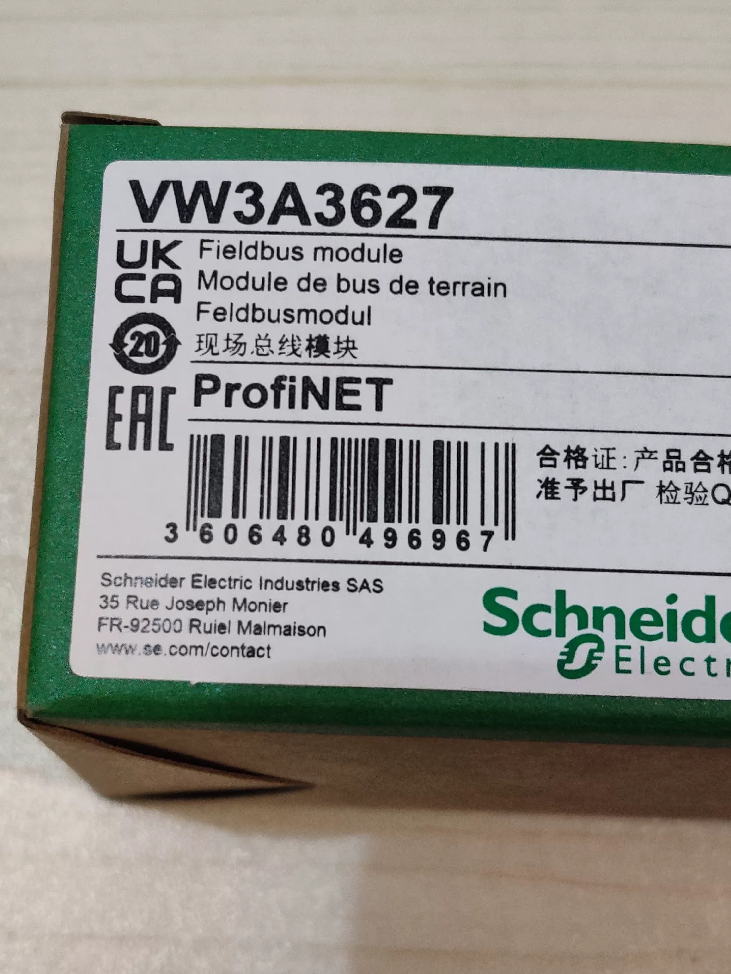

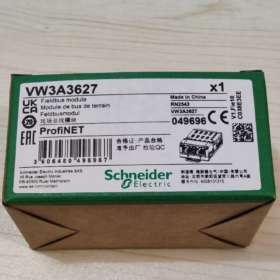
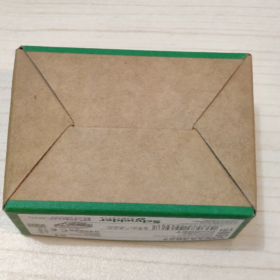
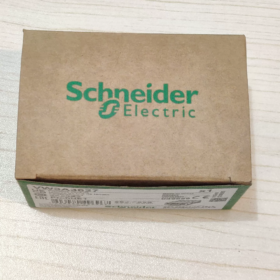
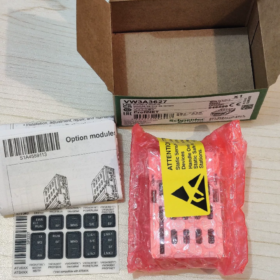
This dedicated PROFINET IO industrial Ethernet communication option card for 알티바르 variable speed drives integrates a dual-RJ45 switch with plug-and-play expansion. It connects Schneider drives to Siemens PROFINET bus systems and complies with the standard PROFIdrive drive profile.
- 완전한 모델 분석
VW3A3627
VW3A: Prefix for Altivar drive communication accessories
36: Ethernet bus module series
27: Dual-RJ45 port PROFINET variant
III. 핵심 기술 사양
| 목 | 사양 |
| 통신 프로토콜 | 프로피넷 IO (RT Real-Time / IRT 등시성 실시간), LLDP, PROFIdrive V4, embedded HTTP web server |
| Physical Interfaces | 2 × RJ45 (integrated Layer 2 스위치; daisy-chain wiring eliminates extra switches) |
| 전송 속도 | 100 Mbps 전이중 |
| 전원공급장치 | Powered by drive backplane; 외부 전원이 필요하지 않습니다. |
| Status LEDs | MS Module Status, NS Network Status, Port1 TX/RX, Port2 TX/RX |
| 규정 준수 표준 | IEC 61800-7-201 CiA402, PROFINET Class B/C |
| 보호 등급 | IP20 (for cabinet mounting only) |
| 치수 | 100 × 80 × 20 mm |
| 순중량 | 0.3 kg |
| 기능 | Web-based monitoring, parameter read/write, 오류 기록, configuration upload/download, Ethernet statistics & 진단 |
- Compatible Drive Models (전체 목록)
- ATV32 / ATV320 (Compact low-power Altivar series)
- ATV340 (Machinery-specific; Sercos variants excluded)
- ATV630 / ATV650 (ATV600 Process series)
- ATV930 / ATV950 (High-power heavy-duty ATV900 series)
- Altivar Process Modular modular variable speed drives
> Incompatible Units: ATV12 / ATV21 / ATV212, legacy VW3A34xx bus card series
- 주요 장점
- Dual-port daisy-chaining: Direct cable interconnection between drives reduces switch ports and simplifies cabinet wiring.
- Embedded Web Server: Drives can be commissioned via browser by plugging a PC directly into the RJ45 port; no dedicated software needed.
- Standard PROFIdrive compliance: Seamless compatibility with Siemens PROFINET PLCs including S7-1200/1500/300/400 and ET200SP.
- Hot-swap capable: The module can be removed and replaced while the drive is stopped without damaging the unit.
- Comprehensive diagnostics: Four LED indicators enable fast troubleshooting of module faults, cable breaks, and missing master station issues.
- Communication Card Series Comparison (선택 참고)
| 모델 | 버스 종류 | 포트 | 일반적인 응용 |
| VW3A3607 | 프로피버스-DP | 단자대 | Retrofit legacy DP bus systems |
| VW3A3616 | 모드버스 TCP / 이더넷/IP | 듀얼 RJ45 | 록웰 & domestic brand PLC Ethernet networking |
| VW3A3601 | EtherCAT | 듀얼 RJ45 | 고속 모션 제어 |
| VW3A3627 | 프로피넷 | 듀얼 RJ45 | Projects with full range of Siemens PLCs |
| VW3A3608 | CANopen | 듀얼 RJ45 | CAN bus for small machinery |
Ⅶ. 일반적인 애플리케이션 시나리오
Automotive production lines, 컨베이어 시스템, 포장 기계 (paired with Siemens PLCs)
High-power variable frequency control cabinets for chemical processing, water treatment and HVAC (ATV630 / ATV930)
Machine tools and compact automated equipment (ATV320 / ATV340)
Multi-drive daisy-chain networking to cut industrial switch costs
Ⅷ. Troubleshooting Key Points
- Steady red MS LED: Hardware fault, loose module insertion, mismatched drive firmware version
- Steady red NS LED: No PROFINET device name assigned, IP 주소 충돌, broken bus cable
- Unlit port LNK indicator: Damaged Ethernet cable, poor crimp on RJ45 connector, powered-off remote device
- Frequent communication packet loss: Non-shielded Ethernet cable, poor cabinet grounding, routing alongside power cables
- 교체 노트
No upgraded alternative within the same platform; VW3A3627 is the only original factory card for PROFINET applications.
No single-port PROFINET original card available; this dual-port model must be used if PROFINET connectivity is required.
Supported Drive Brands for Schneider VW3A3627
- Sole Supported Brand: 슈나이더 일렉트릭
The VW3A3627 is an original factory plug-in communication card exclusively designed for Schneider Altivar drives. Its hardware slot, underlying driver and power supply protocol are custom-made for Schneider drives. It is completely incompatible with all other brands including Siemens, 씨줄, 댄포스, Inovance and Delta, with no physical fit or matching communication firmware support.
- Full Compatible Schneider Altivar Drive Series
- Compact Machinery Range: ATV32 / ATV320
ATV32 (legacy low-power): Direct plug-in installation
ATV320-B variants: Equipped with native communication slot for direct insertion
ATV320-C variants: Require additional VW3A3600 adapter to mount this card
- High-End Machinery-Specific ATV340
호환 모델: ATV340U07N4 ~ D22N4, ATV340D30N4E ~ D75N4E
Incompatible models: ATV340U07N4E ~ D22N4E (no expansion slot)
Exclusion: ATV340 Sercos dedicated versions do not support this card
- General High-Power Process ATV600 Series
ATV630, ATV650, Altivar Process Modular modular drives
- Heavy-Duty High-Power ATV900 Series
ATV930, ATV950
III. Clearly Incompatible Legacy Schneider Drives
ATV12, ATV21, ATV212, ATV31, ATV312 (no VW3A36xx expansion slots; only legacy VW3A34xx DP cards are supported)
- Critical Supplementary Notes
- No cross-brand compatibility
Even if drives from other brands support the PROFINET protocol, differing hardware slots and backplane communication buses prevent installation of the VW3A3627, with no matching firmware drivers. Each brand supplies proprietary PROFINET cards: Siemens SINAMICS uses CBE20, ABB ACS uses FPNO-01, Danfoss VLT uses MCA120.
- No brand restriction on PLC side
From a communication perspective, this card interfaces with all PROFINET IO-capable PLCs including Siemens, 혁신, Xinje and Rockwell. The only mounting host must be the aforementioned Schneider drives.
- Installation prerequisite: Matching drive firmware version. Versions below the minimum requirement trigger a red MS hardware fault LED.
Complete Installation Guide for Schneider VW3A3627 PROFINET Communication Module
- Mandatory Safety Pre-Installation Rules (Risk of Electric Shock / ESD Damage)
- Full power cut-off & 커패시터 방전
Disconnect main drive power and 24V control power, apply lockout-tagout procedure. 기다리다 15 minutes to discharge DC bus capacitors; verify bus voltage is below 42 V with a multimeter before proceeding.
- ESD anti-static protection
Wear an anti-static wrist strap or touch grounded cabinet metalwork to release static charge. Do not touch circuit board gold finger contacts with bare hands—static electricity can permanently damage the module.
- 환경 요구 사항
Cabinet free of dust and condensation; 주변 온도 0 ~ 50 ℃. Keep clear of high-interference sources such as power cables and contactors.
- Parts Checklist
기준 치수: VW3A3627
Mandatory accessory for compact ATV320-C units: VW3A3600 communication adapter
케이블링: Industrial shielded CAT5e / CAT6 Ethernet cable (PROFINET standard)
- Hardware Installation Steps by Drive Model
모델 1: ATV320-B (Book-style, no adapter required)
- Remove the dust cover from the front communication slot of the drive.
- Align the module gold fingers with the slot and insert horizontally. Do not push fully home; the alignment mark confirms correct positioning.
- Listen for the click of the locking clip to confirm the module is secured without play.
- 제거: Press the PUSH clip below the module and pull steadily outwards.
모델 2: ATV320-C / ATV320-W (콤팩트 / High-protection, 어댑터 필요)
- Mount and lock the VW3A3600 adapter onto the side expansion port of the drive first.
- Insert the VW3A3627 horizontally into the adapter slot; the clip locks automatically.
- 제거: Press down the adapter PUSH clip and extract the communication card.
모델 3: ATV340 / ATV630/650 / ATV930/950 (프로세스 / Heavy-Duty High-Power)
- Open the cover of the front expansion slot on the drive.
- Align the module gold fingers with the backplane bus slot and push fully home.
- Press the top module clip to lock securely with no wobble.
- 제거: Pinch both side clips to release and pull the module straight out vertically.
III. Ethernet Cable Wiring Specifications (Dual-RJ45 Daisy-Chain Topology)
- 포트 정의: 포트1 (uplink to PLC / 스위치), Port2 (downlink to next drive); integrated Layer 2 switch onboard.
- 케이블링: Fully shielded industrial Ethernet cable. 360° crimp the cable shield to the metal shell of both RJ45 connectors, with single-point cabinet grounding.
- Wiring routing: Separate Ethernet cables from power cables with a minimum clearance of 30 cm; cross cables perpendicularly where crossing is unavoidable.
- Prohibited practices: Unshielded civilian Ethernet cables, ungrounded long cables, routing cables adjacent to contactors or drive output power cables.
- Pre-Power-On Inspection Checklist
- Module clips fully engaged with no loose or partially inserted state.
- Gold finger contacts free of bending, oxidation or foreign debris.
- RJ45 cable connectors fully crimped, aligned with LNK indicator lights.
- All drive covers reinstalled for complete protection.
- Reliable PE cabinet grounding with ground resistance ≤ 4 오.
- Power-On Module Detection & 기본 구성
- Observe module LEDs after power-up:
MS LED: Module status (Green = Normal; Red = Hardware fault / Undetected)
NS LED: Network status (Green = Online; Red = No master station / IP conflict)
Port1/Port2 LNK: Steady on when cable connected; flashing ACT indicates data exchange
- Activate communication card via drive parameters:
Navigate to parameter `COM.` → Select communication type as `PROFINET`
Import the corresponding GSD file into the PROFINET master PLC
Assign device name and IP address, complete hardware configuration
- 설치 금지 (Strictly Forbidden Operations)
- Hot plugging/unplugging the module (risks burning the backplane bus, module and drive main control board)
- Touching circuit boards without anti-static protection
- Forcing card insertion into ATV320-C units without installing the VW3A3600 adapter
- Rough force or angled insertion bending gold finger contacts
- Using unshielded Ethernet cables or leaving cable shields ungrounded
- Leaving drive covers removed after module installation (dust ingress may cause short circuits)
Ⅶ. Quick Troubleshooting for Common Installation Faults
| 결함 증상 | 근본 원인 | 해결 |
| Steady red MS LED | 느슨한 모듈 삽입 / Outdated drive firmware / Dirty gold fingers | 전원 끄기, reinsert module; upgrade drive firmware; clean gold finger contacts |
| Steady red NS LED | Unassigned PROFINET device name / IP conflict / 끊어진 케이블 | Download device name via PLC configuration; inspect cables; unify IP subnet range |
| Unlit port LNK indicator | Poor RJ45 crimp / 손상된 케이블 / Powered-off remote device | Replace industrial Ethernet cable; re-crimp RJ45 connectors |
| Frequent communication packet loss | 비차폐 케이블 / 접지 불량 / Routing near power cables | Fit shielded Ethernet cable; implement solid cabinet grounding; separate wiring routes |





NH42-63-318x560.png "CHINT PC형 자동절환스위치 (ATS)NH42-63/4SZ")



