 Contacteur,disjoncteur,capteur,Encodeur,API,Convertisseur

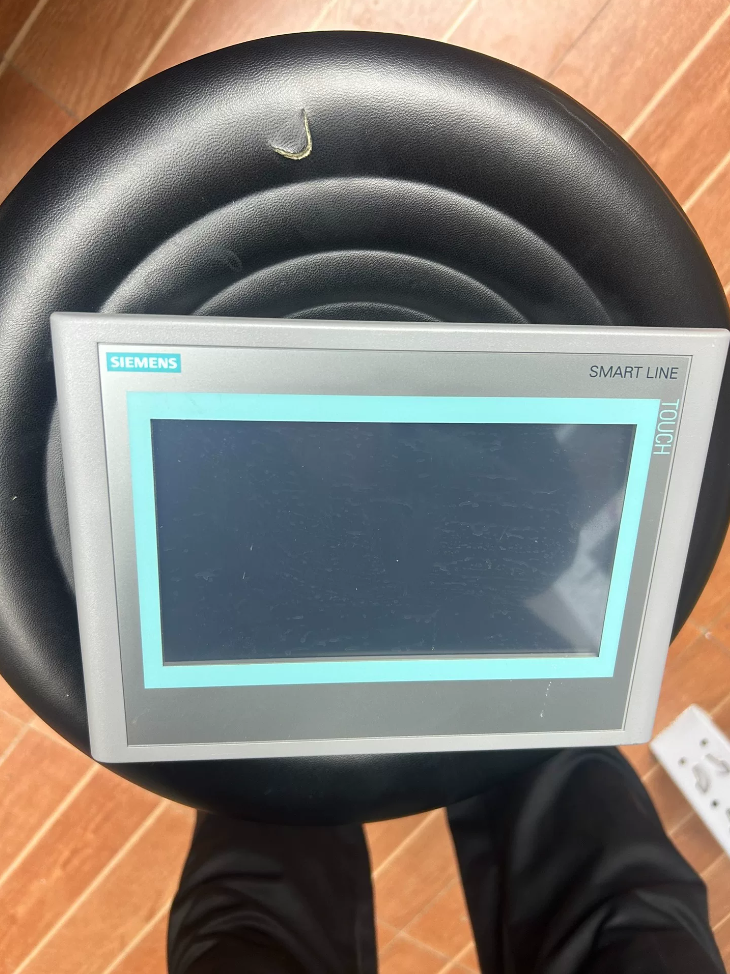

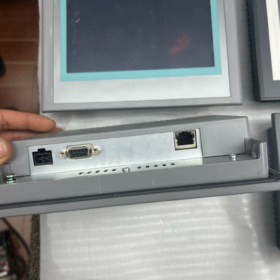
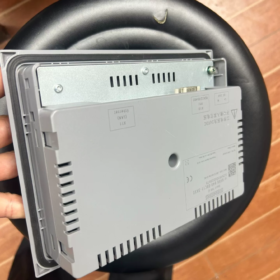
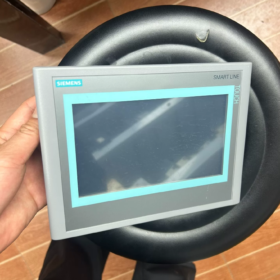
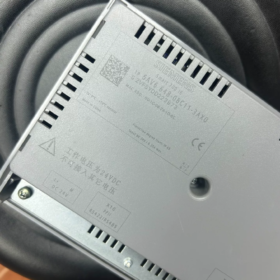
Nom et prénom: SIMATIC HMI INTELLIGENT 700 IE (2IHM 7 pouces de 2ème génération)
✅ Statut du produit: Officiellement en fin de vie (EOL)
Répartition des numéros de commande
"6AV6 648-0BC11-3AX0"
6AV6: Interface homme-machine SIMATIC HMI
648: Série SMART LINE
0B: 7-pouces SMART 700 IE (2ème génération)
C: Spécification d'affichage
11: Version du matériel
3AX0: Version pour le marché chinois
Principales spécifications techniques
| Article | Paramètre |
| Afficher | 7-Écran large TFT en pouces, Tactile résistif |
| Résolution | 800 × 480, 65536 Couleurs |
| Alimentation | C.C 24 V (19.2~28,8 V) |
| Dimension du panneau avant | 213 mm × 159 mm |
| Taille de découpe | 192 mm × 138 mm |
| Profondeur d'installation | 40.5 mm |
| Indice de protection | Façade IP65, Arrière IP20 |
| Température de fonctionnement | 0~50℃ (Montage horizontal) |
| Température de stockage | -20~+60℃ |
| Poids | Environ. 765 g |
Interfaces de communication
- Port Ethernet RJ45
Protocoles pris en charge: Protocole S7 (S7-200 INTELLIGENT), Modbus-TCP
- RS422/RS485 isolé (Port COM)
Prend en charge l'IPP (S7-200), Modbus RTU, Mitsubishi FX, Omron CP1, Delta DVP et autres automates tiers
⚠️ Distinction clé: Ce modèle n'a AUCUN port hôte USB; Le stockage USB n'est pas pris en charge. Uniquement le port COM & Ethernet disponible!
La version V3 améliorée « 6AV6648-0CC11-3AX0 » est équipée d'un port USB; les programmes matériels ne sont pas interchangeables.
Exigences du logiciel de configuration
Minimum: WinCCflexible 2008 SP4 CHINE
Compatible: WinCC flexible SMART V3
❗ WinCC Flexible SMART V4/V5 ne peut pas ouvrir directement les projets créés par WinCC flexible 2008 SP4
Solutions de remplacement après l'arrêt
Remplacement direct
6AV6648-0CC11-3AX0 (INTELLIGENT 700 IE V3)
✅ Taille de découpe d'armoire identique: 192×138mm, aucune modification de l'armoire n'est requise
⚠️ Différences clés:
- V3 équipé d'un port hôte USB, prend en charge le téléchargement du programme & enregistrement des données via clé USB;
- Non compatible avec WinCC flexible 2008 SP4;
Projets programmés en 2008 Le SP4 doit être migré au format SMART V3 via le logiciel de configuration;
- La disposition du connecteur arrière est légèrement différente; revérifier le câblage pendant l'installation.
Alternative de qualité supérieure (Panneaux de base nouvelle génération)
6AV2123-2GB03-0AX0 KTP700 de base (7-IHM de base en pouces)
Différentes dimensions de découpe, modification de l'armoire requise, recommandé pour les nouveaux projets.
Modèles d'automates compatibles
Siemens S7-200 (IPP)
Siemens S7-200 SMART (Ethernet)
LOGO! 0BA7 et plus récent
Mitsubishi FX, Omron CP1, Delta DVP, Xinje etc. (Modbus RTU)
Sélection & Précautions de remplacement sur site
- Stock important disponible sur le marché de l'occasion. Distinguer clairement 0BC11 (Pas de clé USB) / 0CC11 (Avec USB); les programmes ne peuvent pas être directement interchangés.
- Si le projet original est un fichier `.hmi` développé avec WinCC flexible 2008, la migration du programme est obligatoire lors du remplacement par l'écran tactile V3.
- Câble de communication: Utilisez un câble PPI standard pour S7-200; câble RS485 blindé pour automates tiers.
- 0BC11 n'a pas de fonction USB; le téléchargement du programme est uniquement disponible via Ethernet ou le port série.
Je peux fournir les matériaux suivants sur demande:
Définition de l'affectation des broches du port COM;
Câblage étape par étape & configuration pour la communication avec S7-200 / S7-200 INTELLIGENT;
Procédure complète de migration de projet entre anciens et nouveaux panels.
Terminer la procédure de migration du projet:
6AV6648-0BC11-3AX0 (INTELLIGENT 700 IE V2) → 6AV6648-0CC11-3AX0 (INTELLIGENT 700 IE V3)
Avis préalable:
Deux types de sources de programme provenant de l'ancienne IHM:
① Fichier de projet `.hmi` d'origine (Méthode recommandée)
② Uniquement le fichier de sauvegarde « .psb » téléchargé depuis l'écran tactile → Ne peut pas être modifié ou migré, ne peut être téléchargé que sur l'écran tactile V2 du même modèle!
⚠️ Sans fichier de projet `.hmi` d'origine, la migration vers la V3 est impossible; une reconfiguration complète est requise.
- Préparations
1.1 Environnement logiciel
Option A (Le plus stable): WinCC flexible SMART V3 / V3 SP2 (Prend en charge l'ouverture directe des projets V2 créés par WinCC flexible 2008 SP4)
Option B: Ouvrir un projet existant avec WinCC flexible 2008 SP4 Chine pour le prétraitement, puis ouvrez dans SMART V3
❌ N'utilisez PAS WinCC flexible SMART V4/V5 pour la conversion; risque élevé de problème de compatibilité. V3 est le logiciel de migration désigné.
1.2 Sauvegarde de fichiers (Obligatoire)
- Faites une copie séparée du projet `.hmi` d'origine pour éviter la corruption des fichiers lors de la conversion;
- Projet de magasin sous parcours anglais pur, évitez les caractères chinois, espaces et symboles spéciaux;
- Enregistrer les paramètres de communication originaux: Adresse IP de l'IHM, Adresse de la station automate, protocole de communication (S7/Modbus RTU).
- Étapes de migration standard (Avec le projet .hmi original)
Étape 1: Ouvrir le projet hérité
Lancez WinCC flexible SMART V3
【Fichier】 → 【Ouvrir】, sélectionnez l'ancien projet `.hmi` créé par WinCC flexible 2008 SP4
Le logiciel affichera une invite de conversion de projet, cliquez sur 【OK】pour démarrer la conversion automatique.
Si la conversion échoue:
Ouvrir un projet dans WinCC flexible 2008 SP4 →【Projet】→【Archive】pour générer le fichier d'archive `.cab`;
Retournez à SMART V3 →【Projet】→【Désarchiver】et sélectionnez le fichier `.cab` à ouvrir.
Étape 2: Modifier le type de périphérique IHM (Opération de base)
- Dans l'arborescence du projet sur le côté gauche, clic droit sur Appareil_1 (INTELLIGENT 700 IE)】→【Changer le type d'appareil】
- Sélectionnez le modèle cible:
SIMATIC HMI INTELLIGENT 700 IE V3 | 6AV6648-0CC11-3AX0
- Confirmer la modification. La résolution maintient la cohérence de 800 × 480, pas d'étirement de l'écran.
Étape 3: Reconstruction complète & Compilation, Résoudre les erreurs
Menu:【Projet】→【Compilateur】→【Tout reconstruire】
Résoudre les erreurs et les avertissements un par un:
- Erreurs de syntaxe du script VBS: Les fonctions VBS héritées partielles prises en charge par la V2 sont incompatibles avec la V3. Focus sur les scripts d'écran cycliques, scripts de boutons;
- Polices manquantes: Remplacez les polices personnalisées par SimSun / Microsoft YaHei;
- Pilotes tiers (Modbus RTU): Les pilotes sont entièrement compatibles dans la plupart des cas, aucune modification nécessaire;
Les avertissements peuvent être acceptés après vérification; Toutes les erreurs doivent être éliminées avant le téléchargement!
Étape 4: Vérifier les paramètres de communication
Ouvrez 【Connexions】 pour vérifier les liens de communication PLC:
S7-200 SMART-Ethernet: Les paramètres restent inchangés;
RS485 Modbus RTU / IPP: Les paramètres série restent cohérents;
V2 et V3 partagent une définition de broche COM identique, le câblage n'a pas besoin d'être réglé.
Étape 5: Télécharger le projet sur la nouvelle IHM V3
- Allumez l’écran tactile et entrez en mode « Transfert »;
- Définir l'IP du PC dans le même segment de réseau que l'IHM;
3.【Projet】→【Transfert】→【Transfert】
Cases à cocher facultatives:
✅ Écraser les journaux de données de recettes (Au besoin)
✅ Écraser l'administration des utilisateurs
L'IHM V3 prend en charge le téléchargement USB; le projet exporté peut être transféré via une clé USB.
- Différences clés & Notes de mise en service
- Différence d'interface matérielle
V2 (0BC11): Pas d'hôte USB; V3 (0CC11): Port USB intégré. La fonction d'enregistrement des données USB ne fonctionne que si elle est configurée dans le projet; aucun ajustement nécessaire pour les projets existants sans fonctions USB.
- Dimension de découpe
Découpe du meuble 192×138 mm pour les deux modèles, aucune modification de l'armoire n'est requise.
- Correspondance du micrologiciel
Firmware recommandé V3.0 ou supérieur pour le nouvel écran tactile V3. Le logiciel correspondra automatiquement à la version du système d'exploitation lors du téléchargement; suivez l'invite pour mettre à jour le système d'exploitation HMI si nécessaire. Ne coupez PAS l'alimentation pendant la mise à jour du système d'exploitation.
- Défauts courants & Solutions
Faute 1: SMART V3 ne parvient pas à s'ouvrir 2008 Projet SP4, conversion annulée
Solutions:
- Déplacer le projet vers un répertoire en anglais pur;
- Ouvrir un projet dans WinCC flexible 2008 SP4 →【Projet】→【Archive】;
- Utilisez la fonction 【Unarchive】 dans SMART V3 pour charger le fichier `.cab`.
Faute 2: Erreurs d'objet massives après un changement de type d'appareil
Solutions:
Exécuter tout reconstruire; En cas d'incompatibilité grave, créer un projet SMART700 IE V3 vierge, copier les écrans un par un pour éviter les bugs de conversion globaux.
Faute 3: Uniquement le fichier de sauvegarde « .psb » téléchargé à partir de l'ancien écran tactile
❗ Migration impossible!
`.psb` est un fichier image HMI crypté, restaurable uniquement sur l'écran tactile V2 d'origine, ne peut pas être modifié ou attribué à un autre modèle d'appareil.
Solutions: Récupérer le projet `.hmi` original ou redévelopper l'ensemble du projet.
- Procédure standard de remplacement sur site (Arrêt de la machine)
- Arrêter l'équipement, exporter des recettes depuis l'ancienne IHM si des paramètres de processus importants existent;
- Éteindre, retirez l'ancien écran tactile et installez la nouvelle unité V3;
- Câblage complet: 24Puissance V, Ethernet, RS485 (affectation des broches inchangée);
- Télécharger le projet migré;
- Vérifier la communication, boutons, alarmes et affichage des données;
- Importer des recettes sauvegardées, effectuer une opération d'essai à vide.
Résumé des échecs potentiels de migration: INTELLIGENT 700 IE V2(0BC11) → V3(0CC11)
- Fichier source & Problèmes du projet (Le plus courant)
- Aucun projet `.hmi` d'origine, seule la sauvegarde téléchargée `.psb`
`.psb` est une sauvegarde miroir cryptée, ne peut être restauré que sur l'IHM V2 du même modèle. Pas de modification, pas de conversion de modèle, impossible de migrer vers la V3.
De nombreux ingénieurs de terrain croient à tort que le fichier « .psb » téléchargé peut être converti., c'est le malentendu le plus fréquent.
- Le chemin du projet contient des caractères chinois, espaces ou symboles spéciaux
Le moteur de conversion de WinCC flexible SMART V3 a une mauvaise compatibilité avec les chemins non anglais, entraînant l'arrêt de la conversion ou l'échec de l'ouverture du projet.
- Fichier de projet hérité endommagé sans réparation d'archivage
Des modifications répétées à long terme ou un arrêt inattendu entraînent une corruption interne des fichiers de projet.
Phénomène: L'ouverture directe dans la V3 échoue. Solution de contournement: Archiver le projet dans `.cab` dans WinCC flexible 2008 SP4 puis désarchiver en V3.
- Écart excessif entre les versions du projet
Projet créé initialement dans WinCC flexible 2008 SP2/SP3 sans mise à niveau vers SP4. Une erreur de conversion est très probable si elle est importée directement dans SMART V3.
- Environnement logiciel & Incompatibilité de version
- Utilisation de WinCC flexible SMART V4/V5 pour la conversion
V4/V5 supprime l'interface de conversion native pour WinCC flexible 2008 Projets SP4 V2. Non applicable pour la migration, peut entraîner des scripts manquants et une conversion incomplète.
Logiciel de migration recommandé: WinCC flexible SMART V3 / V3 SP2.
- Installation logicielle incomplète, pilotes/patchs manquants
L'antivirus bloque les composants lors de l'installation; le logiciel simplifié/craqué manque de modules de conversion, conduisant à un crash soudain lors de la conversion.
✅ Exigence: Package d'installation complet officiel, désactiver l'antivirus avant l'installation.
- Autorisation système Windows insuffisante
Logiciel non lancé avec 【Exécuter en tant qu'administrateur】. Windows bloque l'accès temporaire aux fichiers, la conversion se termine à mi-chemin.
- Conflits de compatibilité interne du projet
(Le projet peut être ouvert, mais grosses erreurs de compilation après changement de type de périphérique)
- Écart de compatibilité des scripts VBS
Certaines fonctions VBS existantes prises en charge sous WinCC flexible 2008 (V2) sont obsolètes dans la bibliothèque d'exécution SMART V3.
Scripts d'écran cycliques, les scripts de boutons et les scripts d'alarme sont les plus vulnérables; des scripts globaux étendus peuvent désactiver la modification du type de périphérique.
- Pilotes de communication tiers incompatibles
Une configuration Modbus RTU personnalisée précoce ou des pilotes API obsolètes peuvent être perdus après la conversion, paramètres de connexion de communication invalidés.
- Polices personnalisées manquantes
Le projet utilise des polices non système; contrôles de texte anormaux, les objets d'écran ne parviennent pas à se charger, même un crash de compilation.
- Configuration complexe des recettes, journaux de données et droits des utilisateurs
La disposition des recettes et le format du chemin d'archive de la V2 sont différents de ceux de la V3., déclenchement d'erreurs de composants de recette après la conversion.
- Commandes d'écran & Composants ActiveX
Les contrôles ActiveX tiers intégrés au projet ne sont plus pris en charge par SMART V3. Les contrôles disparaissent lors de la conversion et provoquent un échec de chargement du projet.
- Erreurs spécifiques lors du changement de type de périphérique
- Projet ouvert avec succès, mais « Changer le type d'appareil » est grisé
Raison: Objets incompatibles détectés (scripts invalides, contrôles cassés, variables illégales), le logiciel verrouille la fonction de modification de l'appareil.
Solution: Effacez d'abord toutes les erreurs, ou créez un projet V3 vierge et copiez les écrans individuellement.
- Modèle de panneau incorrect sélectionné
Sélectionnez accidentellement SMART 700 IE (non-V3) ou KTP700 Basic, l'inadéquation du modèle entraîne une erreur de compilation.
Cible correcte: `SIMATIC HMI SMART 700 IE V3 6AV6648-0CC11-3AX0`
- Défauts au stade du téléchargement après une conversion réussie
(Conversion du projet terminée, impossible de télécharger sur la nouvelle IHM)
- Micrologiciel IHM obsolète
L'ancien firmware V3 ne prend pas en charge le projet migré. Mise à jour du système d'exploitation requise lorsque vous y êtes invité.
- Segment IP ou paramètre de mode de transfert incorrect (Pas d'erreur de conversion, souvent confondu avec un échec de migration).
- Tentative de téléchargement avec erreurs de compilation non résolues
Les avertissements peuvent être évalués; Tous les éléments d'erreur doivent être effacés, sinon le projet ne peut pas être chargé dans l'IHM.
- Erreurs d’opération humaine
- Oubliez d'exécuter « Changer le type de périphérique » après avoir ouvert le projet, télécharger directement le projet V2 sur l'IHM V3 → Invite d'erreur: Incohérence du modèle d'appareil.
- Exécutez plusieurs logiciels de configuration simultanément (WinCCflexible 2008 SP4 + INTELLIGENT V3), un conflit de processus provoque une anomalie de conversion.
Flux de dépannage rapide à plusieurs niveaux
- Confirmer le type de fichier: `.hmi` d'origine ou `.psb` téléchargé? → `.psb` = Migration impossible
- Déplacer le projet vers le parcours anglais pur, lancer SMART V3 SP2 en tant qu'administrateur
- Archiver le projet dans `.cab` dans WinCC flexible 2008 SP4, ouvrir le projet via【Désarchiver】dans la V3
- Reconstruire tout et compter les erreurs; adopter “copier des écrans dans un projet vierge” méthode si l'incompatibilité script/contrôle est grave
- Recompiler entièrement après un changement réussi de type de périphérique, éliminer tous les éléments d'erreur





NH42-63-318x560.png "Commutateurs de transfert automatiques de type PC CHINT (ATS)NH42-63/4SZ")



