 접촉기,회로 차단기,감지기,인코더,PLC,변환기

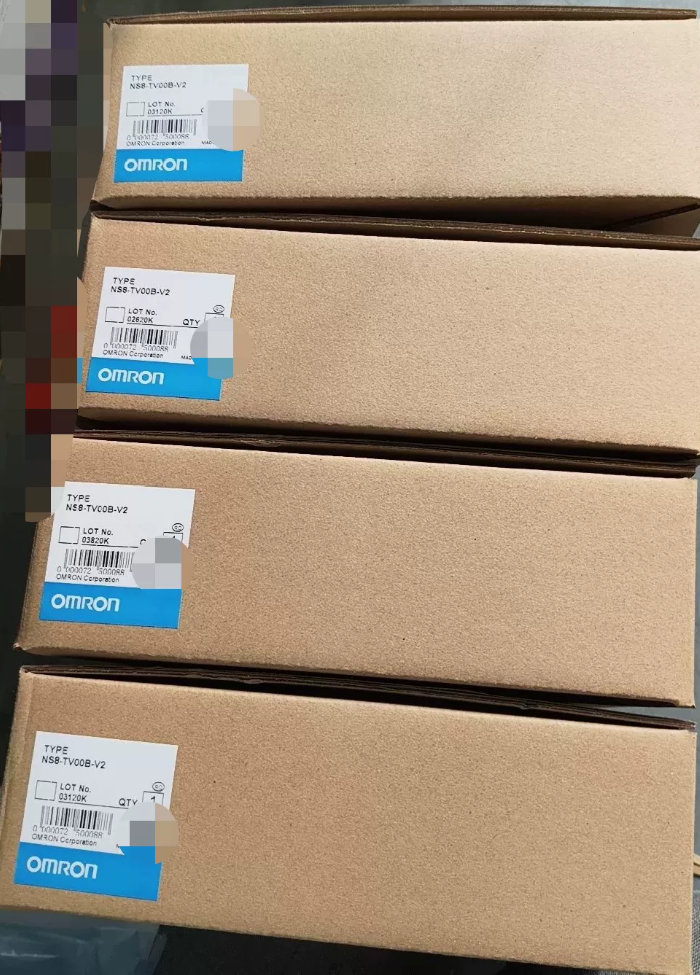

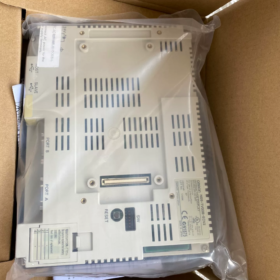
모델 코드 분석
NS8-TV00B-ECV2
NS8: NS series, 8.4-inch programmable terminal HMI
TV: TFT 컬러 LCD
00: 표준 모델, without video input (TV01 = supports video module)
비: Black bezel (model without “비”: light gray bezel NS8-TV00-ECV2)
EC: 내장 이더넷 포트
V2: 2nd generation hardware version
Cross reference within series: NS8-TV00B-V2 = No Ethernet; NS8-TV00B-ECV2 = Standard equipped with Ethernet
- 핵심 하드웨어 사양
| 목 | 매개변수 |
| 표시하다 | 8.4″ TFT 컬러 LCD, Resolution 640×480(VGA) |
| 디스플레이 색상 | 65,536 그림 물감 (16-조금) |
| 터치 유형 | Analog Resistive Touch Screen |
| 전원공급장치 | DC24V (허용범위:20.4~27.6V), Max power consumption ≤18W |
| 프로그램 메모리 | 60 MB |
| 인터페이스 | ✅ 10/100BASE-T Ethernet |
| ✅ Dual RS232C (DB9) | |
| ✅ USB Slave (Program Upload/Download) | |
| ✅ USB Host (USB Flash Drive / Mouse) | |
| Front Protection | IP65 / NEMA4 (When properly sealed after panel mounting) |
| 작동 온도 | 0~50℃; Storage Temperature -20~60℃ (결로가 없을 것) |
| 전체 치수 | 315(여) × 241(시간) × 48.5(디) mm |
| Panel Cutout Dimensions | 298 × 224 mm |
| 백라이트 | CCFL Cold Cathode Fluorescent Lamp (대략적인 서비스 수명. 50,000 시간; yellowing and dimming will occur after aging) |
- Software Information
프로그래밍 소프트웨어: NS-Designer Ver.6.X
통신 프로토콜: 오므론 Host Link, FINS Ethernet. Compatible with CJ/CS/CP1H/CP1E series PLCs; also supports Modbus RTU/TCP
⚠️ Not compatible with Sysmac Studio; cannot directly replace NA/NJ series HMI
- 제품 수명주기 공지
✅ Official End of Production (EOP)
Available supply: New surplus stock and used refurbished units; spare part prices keep rising.
교체 솔루션
- Direct in-place replacement (우선의, compatible mounting cutout)
NA8-12W101-V2 (8.4-inch NA series; wide screen, note resolution difference, screen project needs full redesign)
- Minimum program modification migration solution
Used NS8-TV00B-ECV2
- 국내 대안: 웨인뷰, Kinco 8-inch HMI; requires full screen redrawing and communication debugging.
- 일반적인 결함 & Pitfall Reminders
- Typical failure: CCFL backlight aging leading to black screen. Backlight strip replacement or LED backlight modification is feasible.
- Touch malfunction: Touch panel aging; independent replacement touch glass available for purchase.
- Ethernet communication failure: The Ethernet chip of ECV2 model is vulnerable to electrostatic damage. Surge protection is recommended for communication cables.
- 프로그램 호환성: Projects developed for V2 hardware cannot be opened directly on early V1 units.
- Ordering distinction: Do not confuse NS8-TV00B-V2 (이더넷 없음) and ECV2 (이더넷 포함).
- 일반적인 응용 분야
공작기계, 포장 기계, injection molding equipment, 컨베이어 라인, retrofitting projects equipped with classic OMRON PLCs (CP1H, CJ1M, CS1G).
If needed, I can supplement:
CAD text of panel cutout dimensions
Rear interface pin assignment definition
Step-by-step guide for FINS Ethernet communication setup via NS-Designer
Simple operation guide for backlight modification
Programming Software for OMRON NS8-TV00B-ECV2
- Software Evolution
This unit belongs to NS Series V2 Hardware (-ECV2)
- Original standalone software: NS-Designer (Max Version V6)
- Later integrated software: CX-Designer
✅ CX-Designer is widely adopted currently
CX-Designer is integrated into the CX-One software suite, CX-One installation is prioritized.
- Version Selection Recommendation
- CX-One 4.0 / 4.1 (Most stable, widely used in industrial automation)
Built-in CX-Designer, fully compatible with NS8-TV00B-ECV2.
- Newer CX-One 4.2/4.3 are also compatible, but compatibility mode configuration is required under Win10/Win11.
- ❌ Sysmac Studio is NOT supported!
Sysmac Studio only supports NA/NJ/NX series; it cannot work with legacy NS touch screens.
- Project File Formats
Source project file: `.ipp`
Compiled file downloaded to HMI: `.tsp`
- 중요 사항
- Old NS-Designer projects can be opened and converted directly with CX-Designer; reverse conversion is not available.
- Program download methods: 이더넷(FINS), USB-B cable, RS232 serial port.
- NS8-TV00B-ECV2 is V2 hardware; select exact model NS8-TV00B-ECV2 in software, avoid selecting V1 version.
- HMI firmware upgrade can be performed within CX-Designer.
- Common Confusion Reminder
Many users mix up different software:
NB series HMI → NB-Designer
NA/NJ new generation → Sysmac Studio
Legacy NS touch screen → CX-Designer (CX-One Suite)
If needed, 나는 제공할 수 있다:
Procedures for downloading HMI projects via FINS Ethernet
CX-One compatibility settings guide under Win11
Operation process for program upload and decryption
Full List of Supported Communication Protocols for OMRON NS8-TV00B-ECV2
하드웨어 인터페이스: Dual RS232C (Port A / Port B; Port B switchable to RS422/485) + 내장형 RJ45 이더넷 + USB 호스트 + USB Slave
소프트웨어: CX-Designer (CX-One Suite). All protocols can be selected in [통신 설정] of project.
- Protocols for Ethernet Port (Built-in on ECV2)
For connecting OMRON PLC, program download and PC host communication
- FINS Ethernet (UDP/TCP) [Primary Protocol]
For CJ1M/CJ2M/CS1G/CP1H/CP1E OMRON PLCs, 가장 일반적으로 사용되는.
- 모드버스 TCP (주인)
Direct connection to Modbus TCP instruments and third-party PLCs.
- Controller Link (Ethernet routing)
- Memory Link (이더넷)
Data exchange with custom PC host software.
- Serial Port Protocols (RS232C / RS422/485)
✅ OMRON native protocols (For OMRON PLC connection)
- NT Link 1:1 / NT Link 1:N (High-speed serial)
Compatible with CJ/CS/CP1H series (Classic serial communication for NS series)
- Host Link (1:1)
Legacy OMRON PLCs: CVM1, C200H, CPM1A, 등.
- CompoWay/F
Direct connection to OMRON temperature controllers E5CC/E5AZ and sensors, no PLC forwarding required.
✅ Standard Industrial Protocols
- 모드버스 RTU (주인)
Frequency inverters, 악기, third-party PLCs (Only RTU supported, Modbus ASCII is not supported)
- Memory Link (연속물)
Serial data exchange between PC host and HMI.
✅ Third-party PLC Serial Protocols
미쓰비시: MC 프로토콜 (3C/4C Frame) → FX/Q Series
Rockwell AB: DF1 Protocol
GE Fanuc: SNP-X Protocol
지멘스: 지멘스 3964(아르 자형)/RK512 (S5/Old S7 serial, S7 Ethernet is not supported)
⚠️ Critical Limitation: Native S7 TCP / 프로피네트 / CC-Link are unavailable. Cannot connect S7-1200/1500 directly via Ethernet; Modbus TCP gateway is required for communication with new Siemens PLCs.
- USB Port Functions (Cannot be used for PLC communication, only peripheral connection & program download)
- USB Slave (Type-B): Connect PC CX-Designer for program upload/download
- USB 호스트 (Type-A): USB flash drive (Data logging, program import), USB printer, mouse
❌ USB cannot communicate with PLC
- Key Engineering Pitfall Notes
- Port A and Port B can run different protocols simultaneously, enabling one HMI to connect two sets of equipment independently.
- NS8-TV00B-ECV2 only works as Communication Master, cannot act as Slave. It cannot be read/written actively by external PLCs.
- Ethernet port and serial ports support parallel communication at the same time.
- Firmware version affects protocol stability: Upgrade HMI system firmware to V8 or above for better reliability of third-party protocols.
- 이더넷/IP, OPC UA, Profinet are not supported natively.
- 구별: NS series protocols are incompatible with NA/NB series.
Recommended Communication Schemes
- OMRON CJ/CP Series PLC → FINS Ethernet (첫 번째 선택)
- Multiple E5CC Temperature Controllers → CompoWay/F (RS485)
- Inverters & General Instruments → Modbus RTU (RS485) or Modbus TCP
- Mitsubishi FX Equipment Retrofit → MC Protocol (연속물)
If needed, 나는 제공할 수 있다:
Complete configuration steps for FINS Ethernet communication
Wiring diagram and CX-Designer parameter template for Modbus RTU
Configuration points for dual serial ports driving multiple devices concurrently
Supported Operating Systems for CX-Designer (Matching NS8-TV00B-ECV2)
CX-Designer is embedded within the CX-One software suite. All descriptions below apply to widely deployed CX-One V4.x (CX-Designer V3.x) — the stable version for editing NS series HMI projects.
- Officially Supported Operating Systems
✅ Officially validated & 추천
- 윈도우 7 (32조금 / 64조금; 전문적인 / Enterprise / Ultimate Edition)
- 윈도우 8.1 (32조금 / 64조금; System patch KB2919355 installation required)
- 윈도우 10 (32조금 / 64조금; Pro / Enterprise / LTSC all compatible)
- 윈도우 11 (Only 64bit. No official certification; verified operable in practice, compatibility mode configuration mandatory)
❌ Officially Unsupported
윈도우XP, Windows Vista: Only compatible with legacy CX-Designer V2. Not recommended for NS8-TV00B-ECV2 project editing, risk of corrupted projects and firmware download failures.
Original Windows 8: Poor compatibility, not recommended by OMRON.
All Windows Server systems (Server2016/2019 etc.): No official guarantee; partial environments may run with instability.
- Practical Operation Tips for Different OS (Industrial Site Pitfall Avoidance)
1) Windows7 64bit
⭐ Preferred OS with maximum stability
Rarely encounter communication errors or upload/download failures; standard configuration for industrial field computers.
2) Windows10 64bit (LTSC 2019/2021 추천)
Good compatibility; right-click installer → Run as administrator during installation.
설치 후: Configure CX-Designer shortcut: Compatibility Mode Windows7 + Run as administrator.
3) Windows11 64bit
⚠️ Not officially certified, works under practical testing
Common risks: Intermittent disconnection during USB program download, unstable FINS Ethernet communication.
Two mandatory settings:
- CX-Designer shortcut → Properties → Compatibility Mode: Windows7
- Disable Memory Integrity (Windows Security → Device Security → Core Isolation)
- Important Restrictions
- No standalone 64-bit CX-Designer executable. The software is a 32-bit program running via WOW64 subsystem on 64-bit Windows.
- Avoid compact/green portable CX-One releases; high risk of connection failure to NS8-TV00B-ECV2 and project damage.
- MacOS, 리눅스: No native support. Only operable via virtual machine (VMware running Win7/Win10).
- Software boundary distinction:
CX-Designer: NS Series (NS8-TV00B-ECV2)
시스맥 스튜디오: NA/NJ/NX, Cannot open NS projects
- Minimum Hardware Requirements
Display Resolution ≥1024×768
Full CX-One installation: ≥4GB free hard disk space
RAM ≥4GB (8GB or higher recommended under Win10/Win11)





NH42-63-318x560.png "CHINT PC형 자동절환스위치 (ATS)NH42-63/4SZ")



